
Mini-routeur 4G AIRHOME 200 avec antennes 4G amovibles
Aucun élément n'a été trouvé.
Aucun élément n'a été trouvé.
Toutes les questions
Mini-routeur 4G AIRHOME 200 avec antennes 4G amovibles
Aucun élément n'a été trouvé.
Aucun élément n'a été trouvé.
Je n'ai pas accès à Internet après avoir inséré ma carte SIM dans le routeur, pourquoi ?
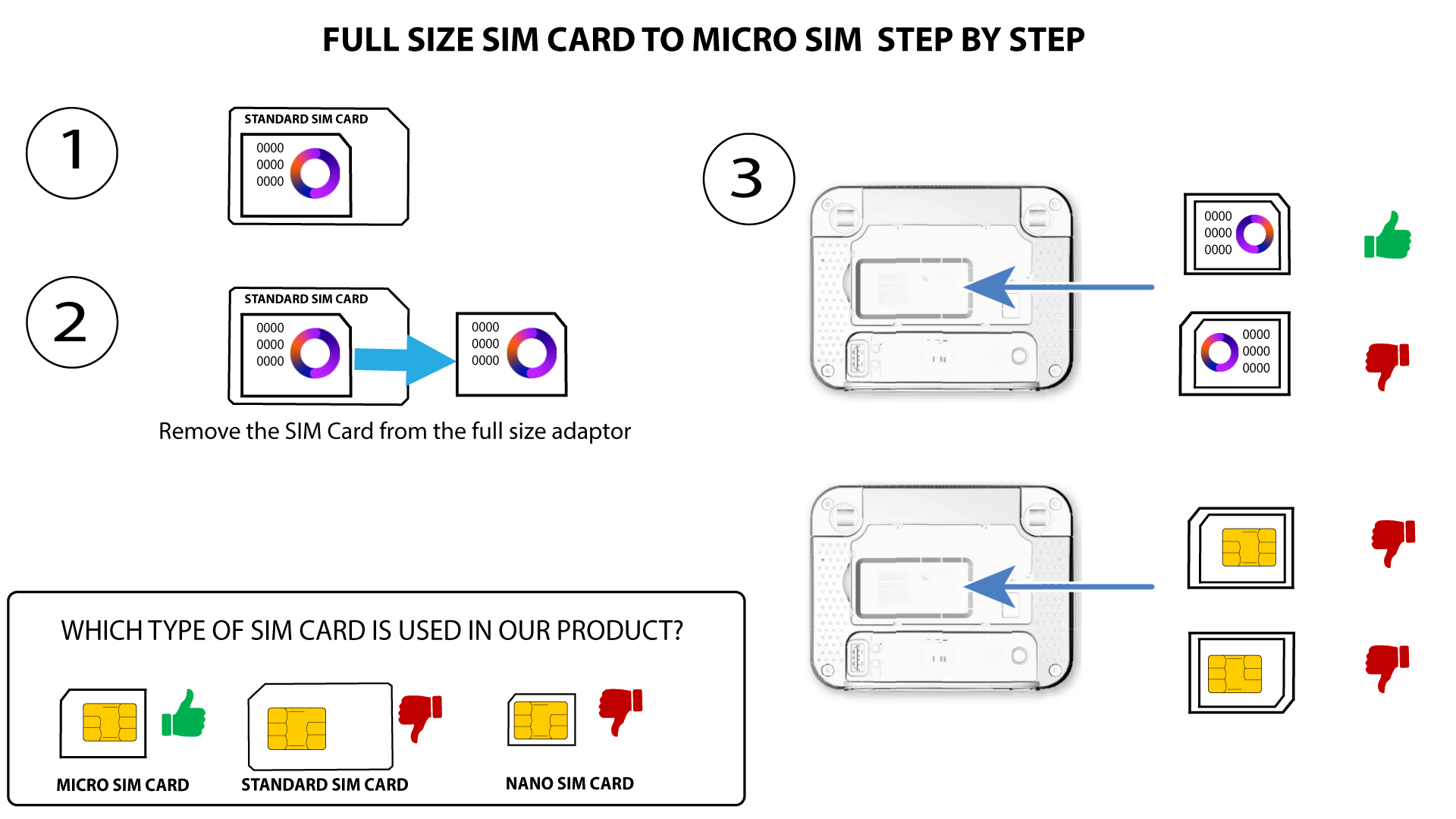
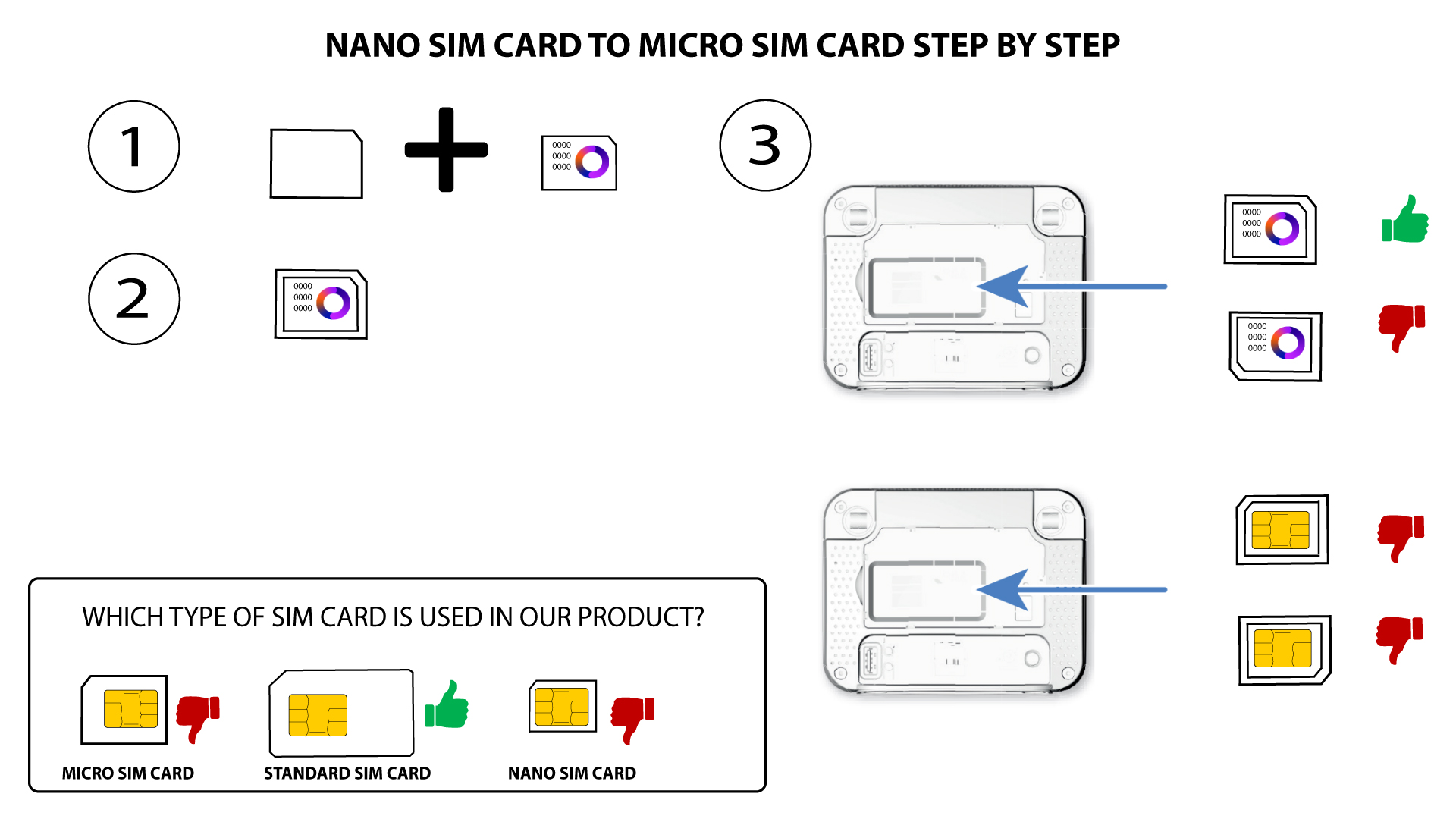
Plusieurs raisons peuvent expliquer pourquoi votre connexion Internet ne fonctionne pas après l'insertion de la carte SIM. La première peut être que la carte SIM n'est pas correctement insérée ; veuillez vérifier sa position en vous référant au schéma illustrant la procédure d'insertion.
Cas n° 1 : conversion d'une carte SIM standard en carte Micro-SIM
CAS N° 2 : Conversion d'une carte SIM nano en carte SIM micro
- Une autre raison peut être que votre carte SIM est verrouillée par un code PIN. Pour la déverrouiller, vous devez vous connecter à l'interface utilisateur Web et saisir le code PIN. Veuillez suivre la procédure décrite dans la section suivante :Comment saisir le code PIN de ma carte SIM ?
- Enfin, il est également possible que votre carte SIM soit détectée mais qu'elle ne soit pas automatiquement reconnue par l'appareil. Dans ce cas, vous devez vous connecter à l'interface utilisateur Web et vérifier les paramètres APN de votre opérateur. Cette procédure est expliquée dans la section suivante : Comment vérifier et modifier les paramètres APN de mon opérateur ?