
Point d'accès Wi-Fi 4G+ AIRSPOT 520 avec écran tactile
Aucun élément n'a été trouvé.
Aucun élément n'a été trouvé.
Toutes les questions
Point d'accès Wi-Fi 4G+ AIRSPOT 520 avec écran tactile
Aucun élément n'a été trouvé.
Aucun élément n'a été trouvé.
Comment saisir mon code PIN ? (Écran Mi-Fi)
Lorsque vous insérez votre carte SIM pour la première fois, l'appareil vous demandera de saisir le code PIN.
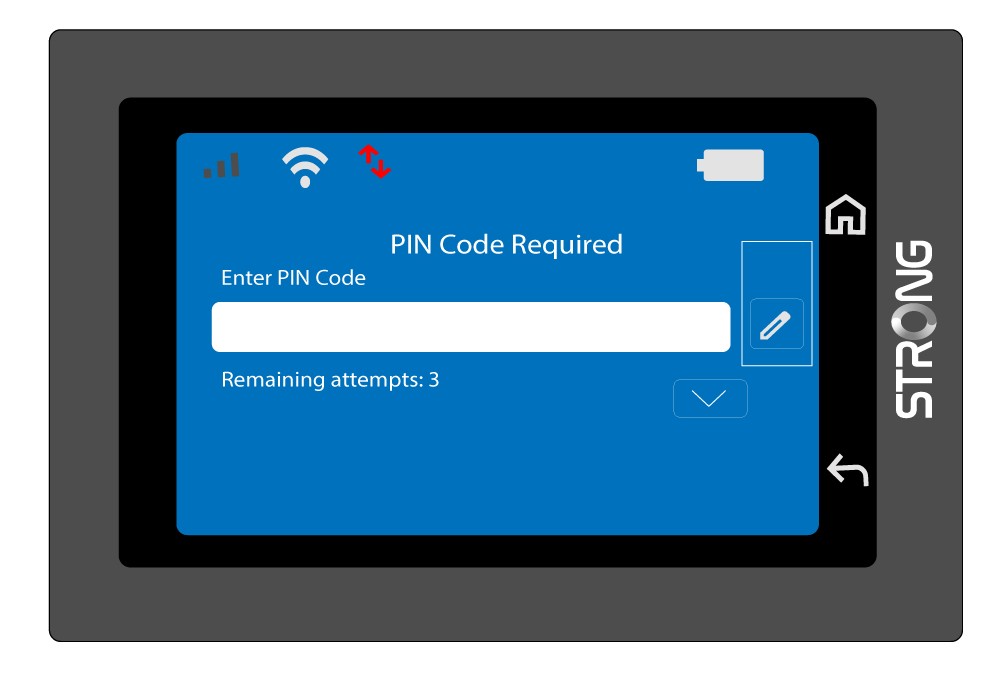
1. Accéderau clavier
Cliquez sur l'icône en forme de stylo pour accéder au pavé numérique.
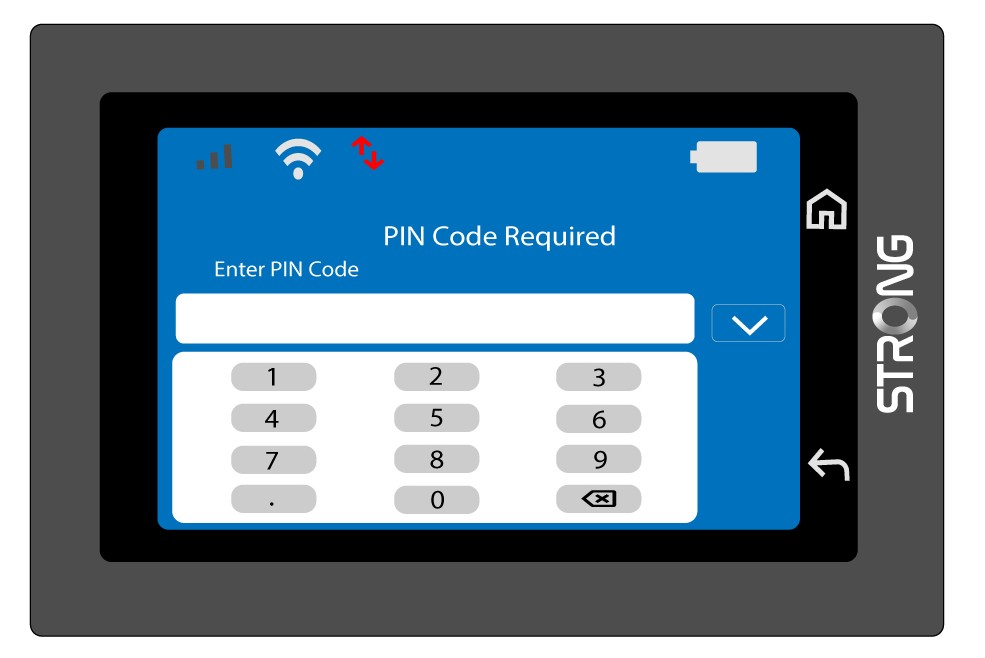
2. Saisissezle code PIN
Saisissez votre code PIN à l'aide du pavé numérique, puis appuyez sur l'icône (v) pour confirmer.
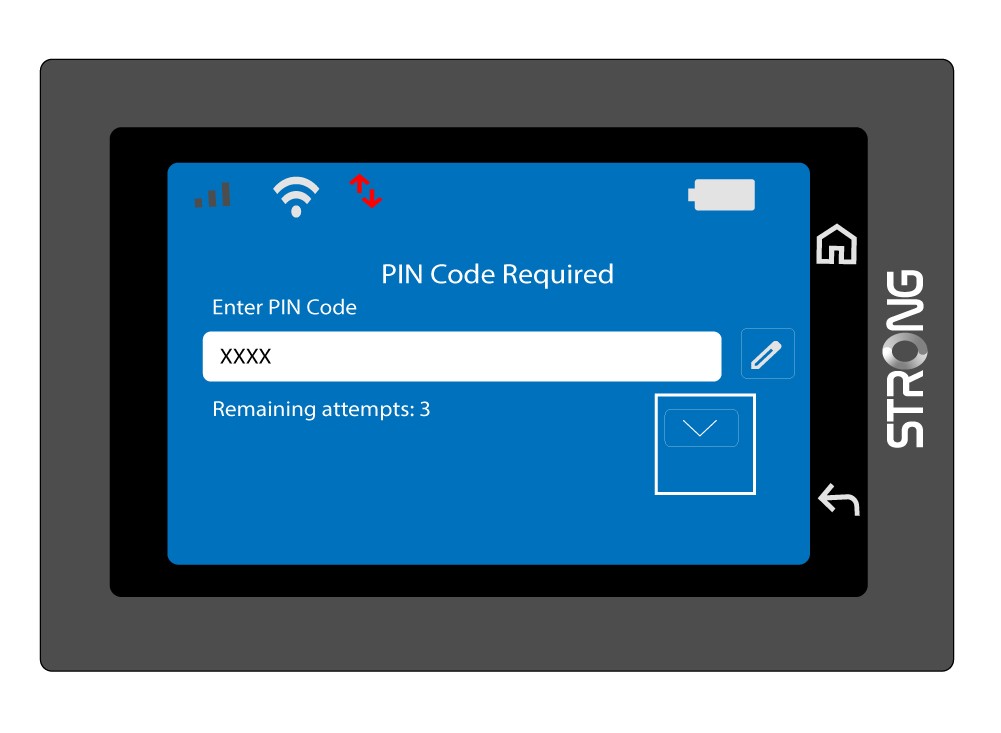
3. Vérifiezle code
Vérifiez le code PIN sur l'écran principal.
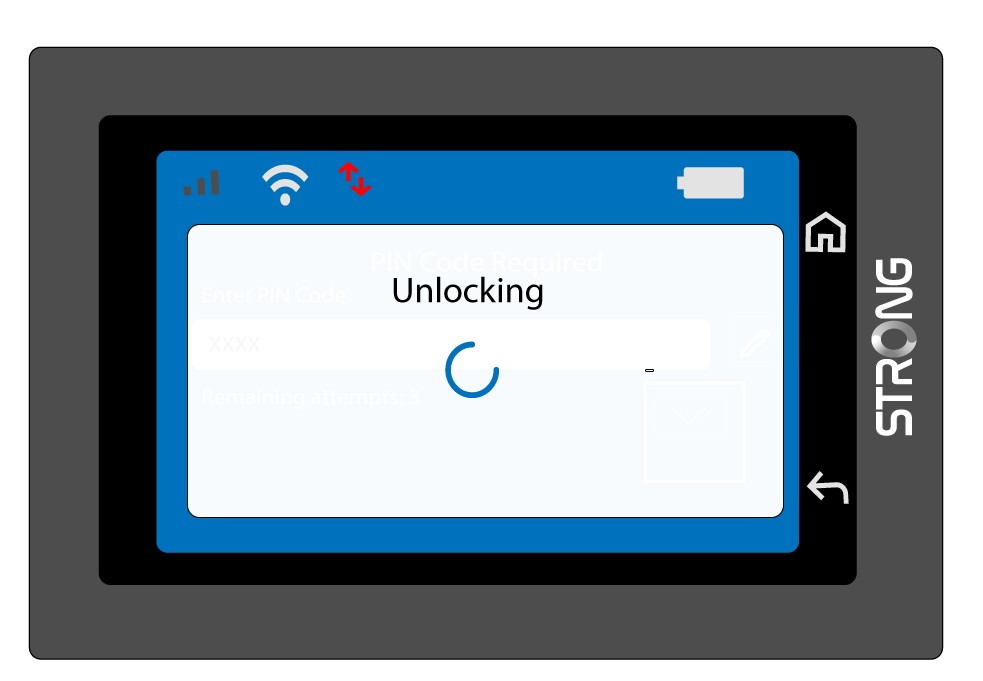
4. Attendezla confirmation
Attendez que le message de déverrouillage disparaisse de l'écran.
5Prêtà l'emploi
Vous devriez voir l'écran suivant.
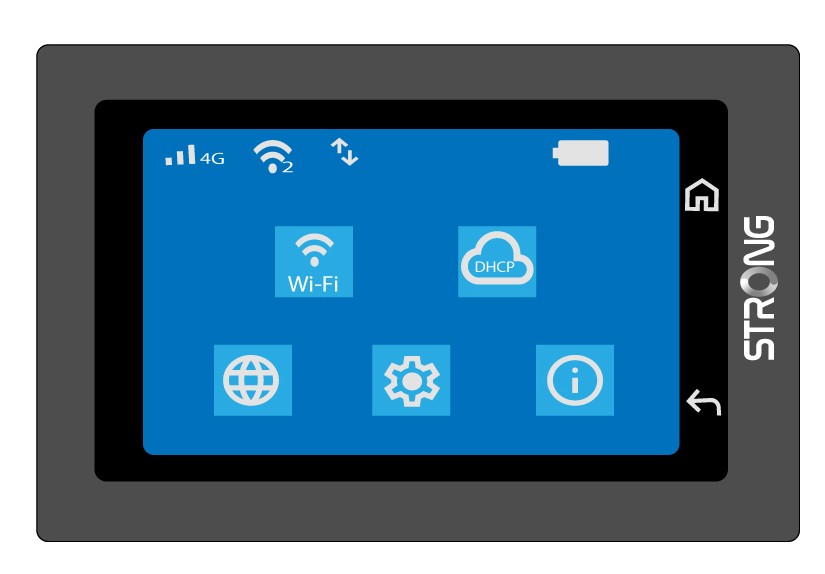
Une fois la première saisie effectuée avec succès, le Mi-Fi enregistrera votre code PIN.