
4G AIRHOME 310 s odvojivim 4G antenama
Nema pronađenih stavki.
Nema pronađenih stavki.
Sva pitanja
4G AIRHOME 310 s odvojivim 4G antenama
Nema pronađenih stavki.
Nema pronađenih stavki.
Kako mogu pristupiti web sučelju?
Za pristup web sučelju morate biti povezani s Wi-Fi mrežom svog uređaja nakon što ste SIM karticu postavili u utor.
1. Spojite se na Wi-Fi mrežu usmjerivača
Da biste to učinili, unesite SSID i lozinku usmjerivača u svoj uređaj.

2. Pregledajte IP adresu web sučelja
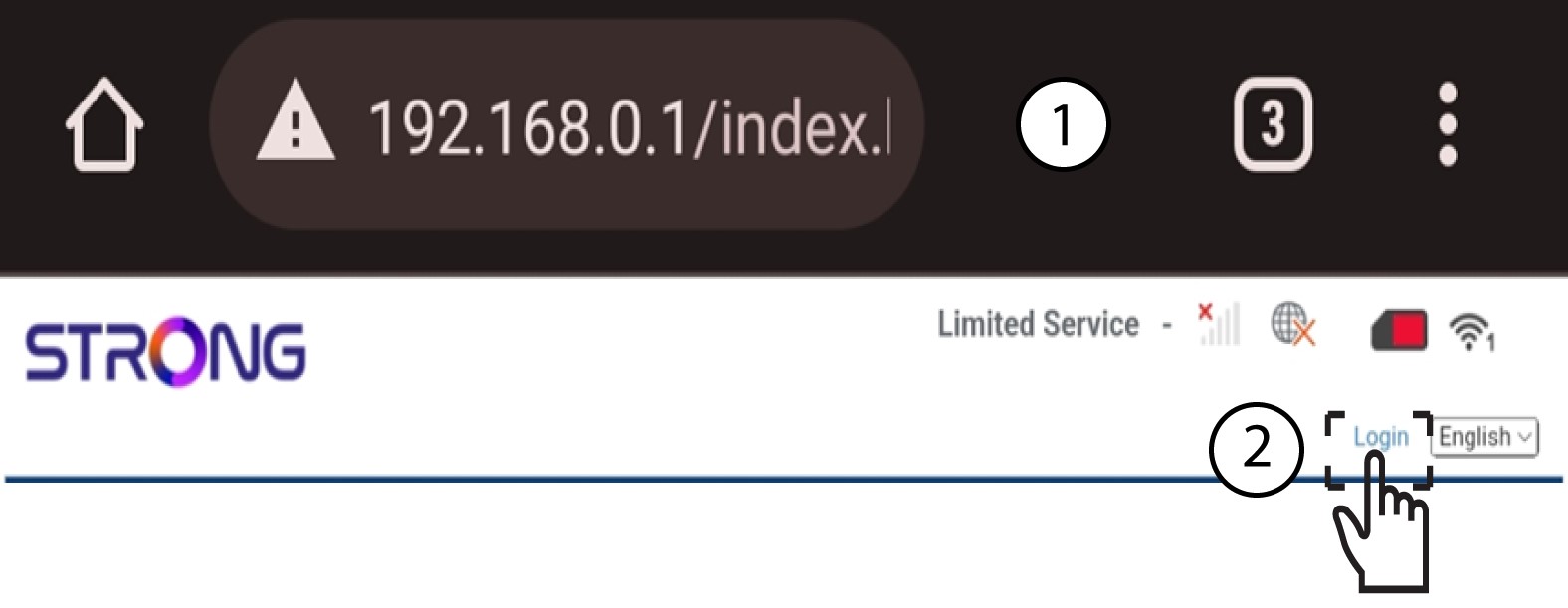
Zatim u preglednik unesite sljedeću IP adresu: 192.168.0.1
3 Pristupite stranici za prijavu
Nakon što ste pronašli IP adresu, kliknite na prijavu .
4 Unesite svoje vjerodajnice
Morate unijeti korisničko ime i lozinku.
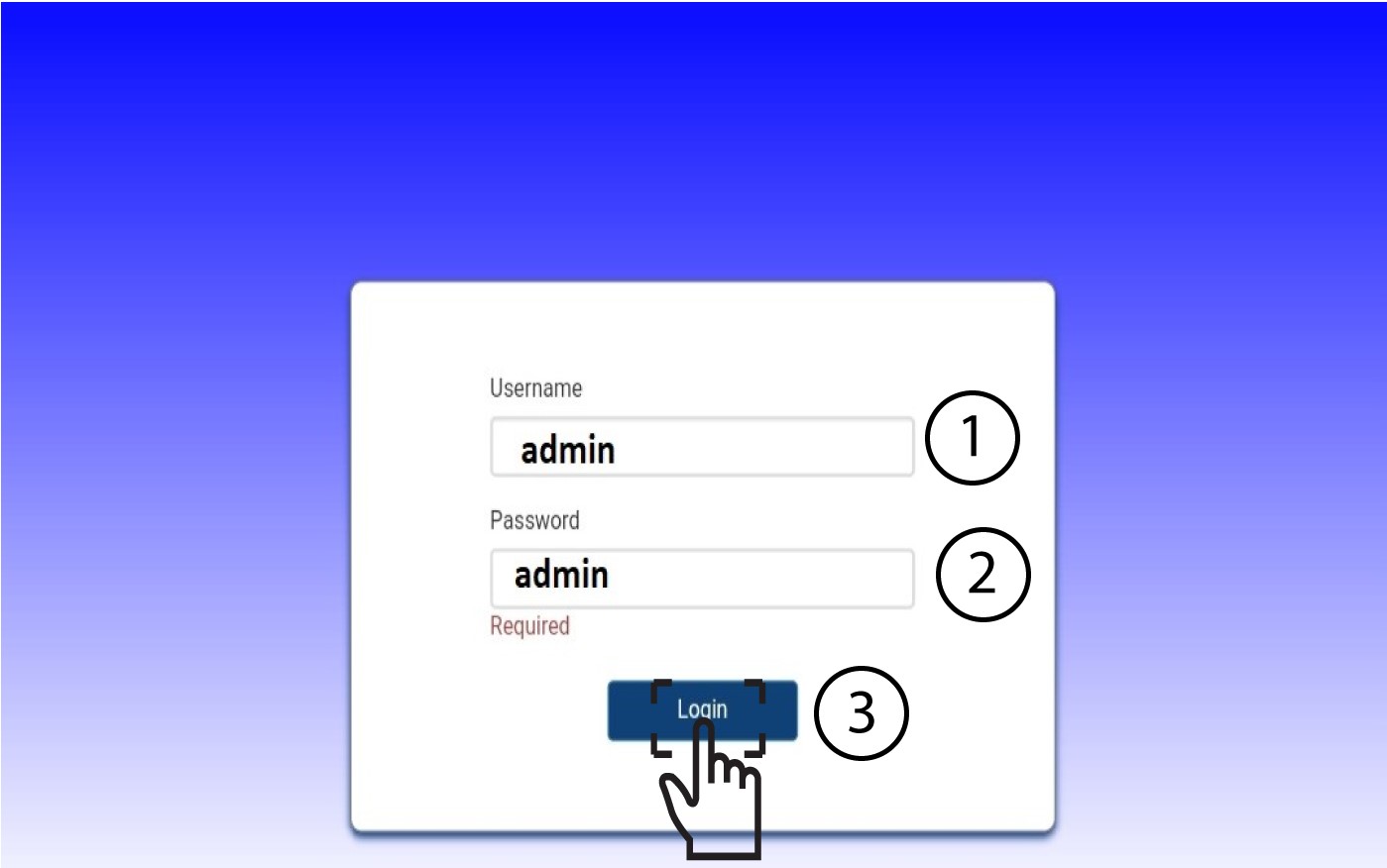

Nakon prvog spajanja, toplo vam preporučujemo da promijenite administratorsku lozinku kako biste osigurali pristup ruteru i spriječili hakiranje.