4G AIRHOME 310 s odvojivim 4G antenama
Nema pronađenih stavki.
Nema pronađenih stavki.
Sva pitanja
4G AIRHOME 310 s odvojivim 4G antenama
Nema pronađenih stavki.
Nema pronađenih stavki.
Kako mogu povezati svoje uređaje s WPS-om?

Funkciju WPS možete koristiti za postavljanje Wi-Fi veze između usmjerivača i računala (Linux/Windows), na primjer. Nije moguće povezati mobilni telefon pomoću WPS-a. Za jednostavno povezivanje telefona s Wi-Fi mrežom skenirajte QR kôd koji se nalazi na stražnjoj strani usmjerivača, automatski će vas povezati s mrežom bez unosa Wi-Fi lozinke.
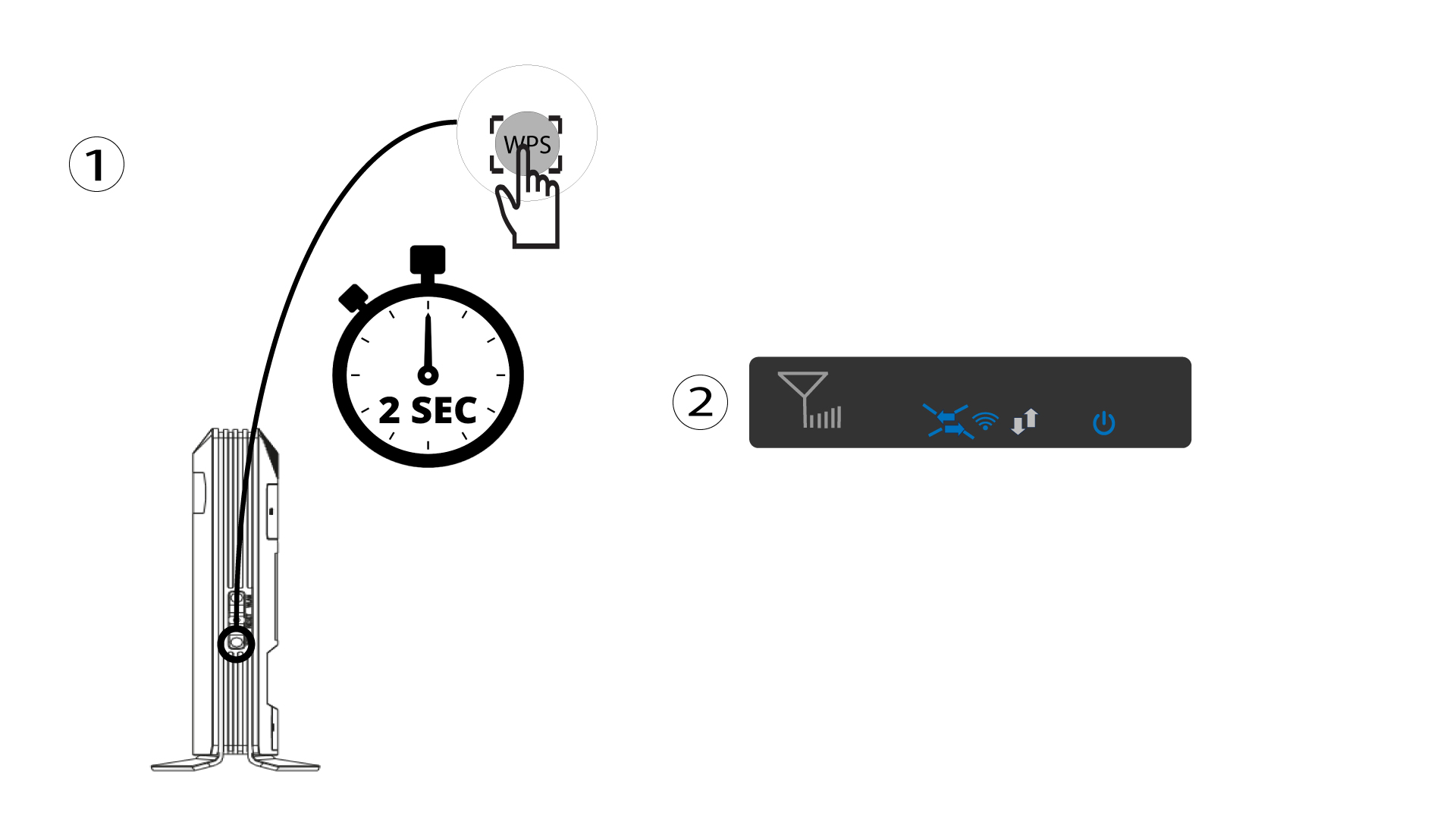
1 Pritisnite gumb WPS
Pritisnite WPS gumb 2 sekunde kako biste omogućili bilo kojem kompatibilnom uređaju u vašem domu da se automatski poveže s Wi-Fi mrežom rutera. Nakon što je aktiviran, vodoravne strelice će treptati plavo.
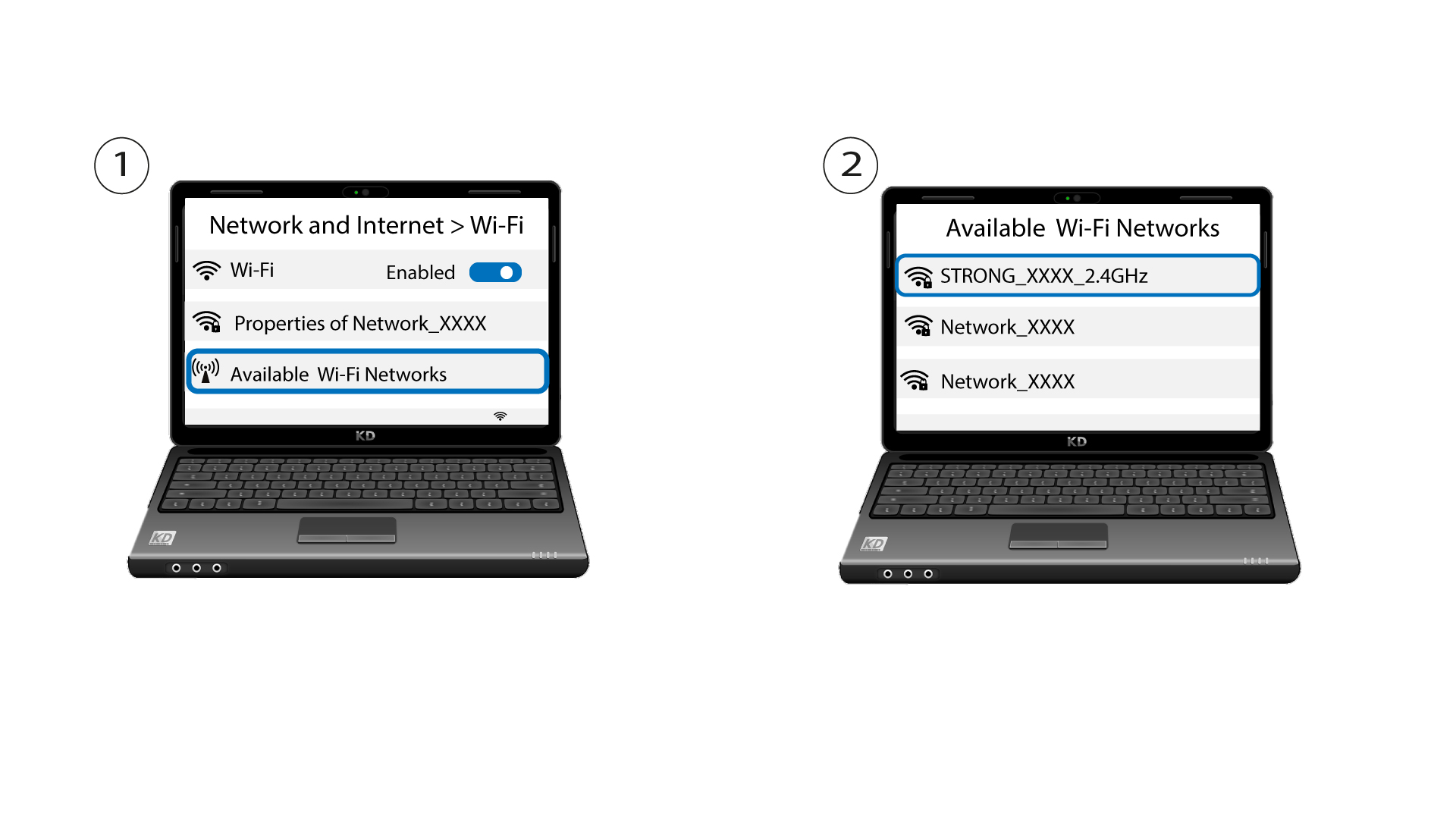
2 Odaberite Wi-Fi mrežu među dostupnim mrežama
Idite na Wi-Fi postavke na računalu ili telefonu i kliknite na naziv usmjerivača da biste ga odabrali.
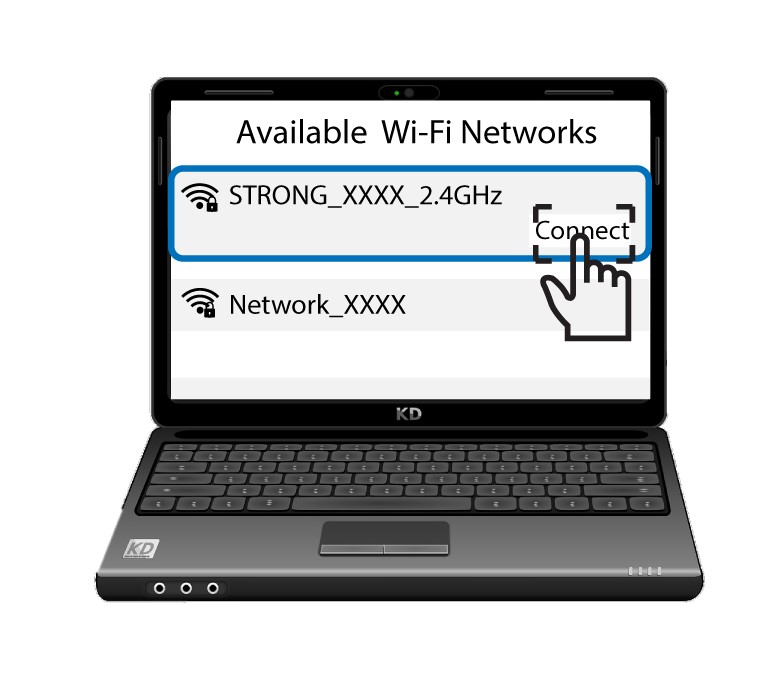
3 Povežite se s Wi-Fi mrežom
Zatim kliknite gumb za povezivanje .