
5G AIRHOME 1050 | Wi-Fi 6
Sva pitanja
5G AIRHOME 1050 | Wi-Fi 6
Kako mogu pristupiti web sučelju?
Za pristup web sučelju morate biti povezani s Wi-Fi mrežom svog uređaja nakon što ste SIM karticu postavili u utor.
1. Spojite se na Wi-Fi mrežu usmjerivača
Da biste to učinili, unesite SSID (naziv Wi-Fi mreže) i lozinku za Wi-Fi usmjerivač u svoj uređaj:

2. Pregledajte IP adresu web sučelja
Zatim u preglednik unesite sljedeću IP adresu: 192.168.0.1

3 Pronađite svoju vjerodajnicu
Svoje vjerodajnice možete pronaći na naljepnici koja se nalazi iza uređaja.
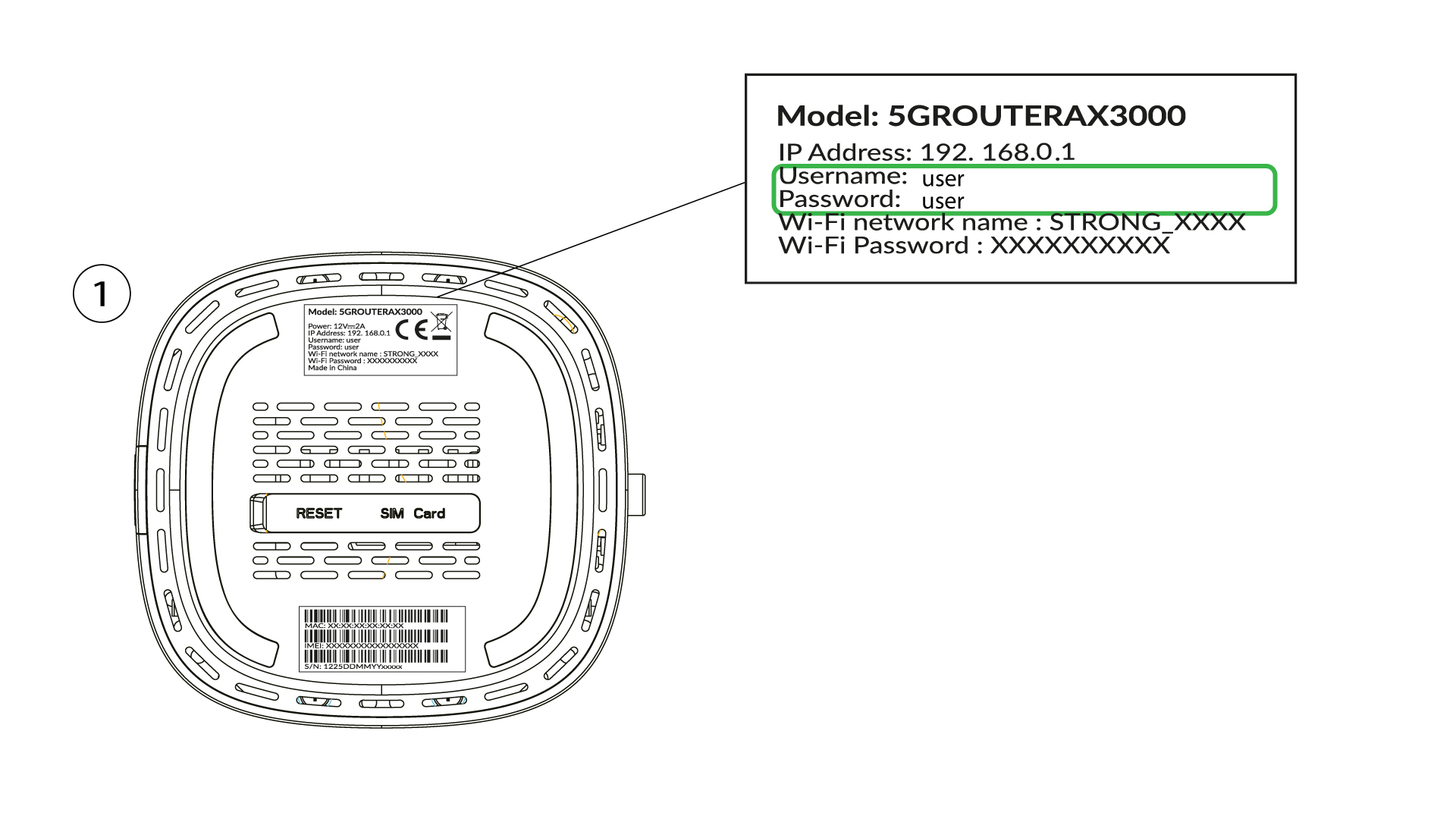
4 Unesite svoje vjerodajnice
Morate unijeti korisničko ime i lozinku te kliknuti Prijava (za pronalaženje svojih vjerodajnica pogledajte prethodni korak).

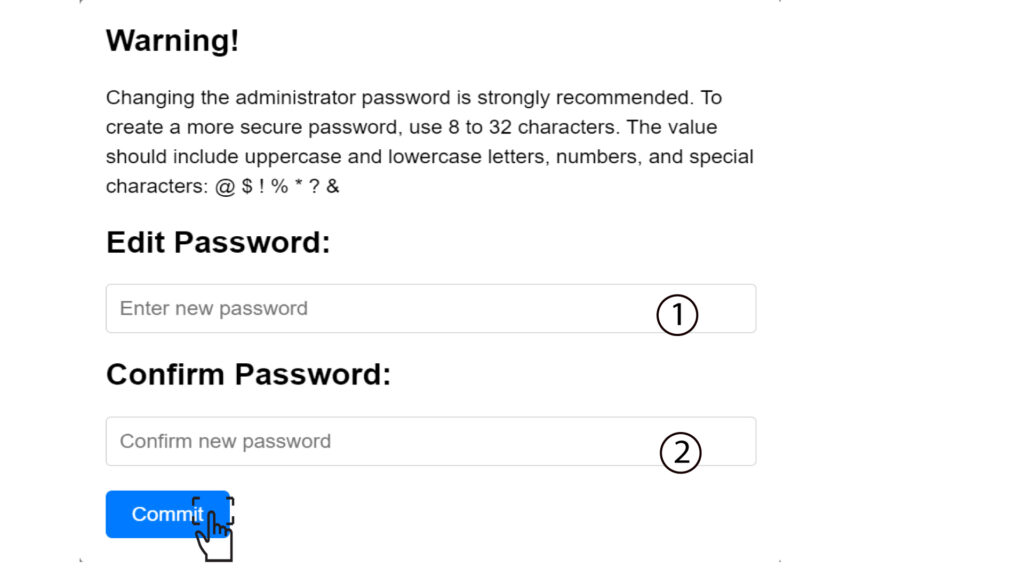
5 Promijenite administratorsku lozinku
U skočnom prozoru koji se pojavi morate stvoriti novu administratorsku lozinku nakon prvog povezivanja. Da biste to učinili, unesite sljedeće podatke prije nego što kliknete Potvrdi :
- Uredi lozinku : unesite lozinku duljine između 8 i 32 znaka koja sadrži velika slova, mala slova, broj i barem jedan poseban znak (@, $, !, %, *, ?, &)
- Potvrdite lozinku: unesite istu lozinku.
6. Zapišite nove vjerodajnice
Molimo vas da na komad papira zapišete novu administratorsku lozinku i korisničko ime:
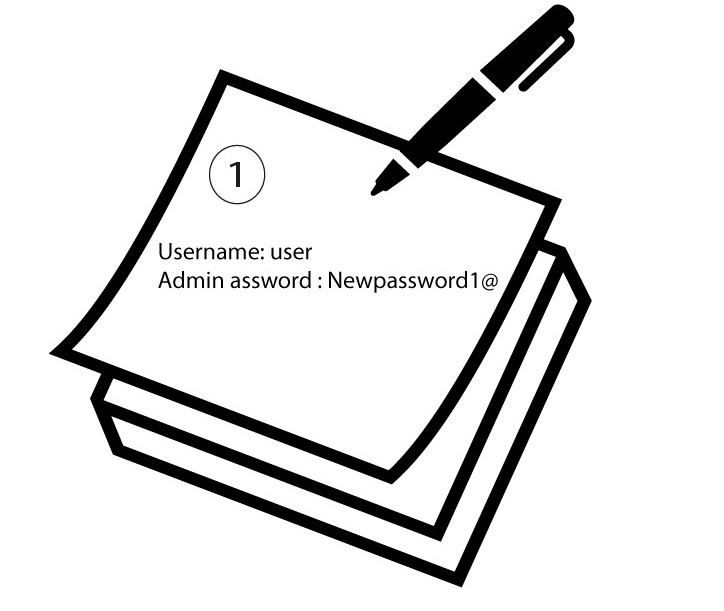

Upozorenje : Ako je zadana administratorska lozinka postavljena na korisnik, morate je promijeniti nakon prvog povezivanja kako biste osigurali pristup ruteru i spriječili hakiranje. Nakon postavljanja nove lozinke, zapišite je.