
ATRIA Wi-Fi 5 Mesh Sustav 1200 (pakiranje od 2 komada)
Nema pronađenih stavki.
Nema pronađenih stavki.
Sva pitanja
ATRIA Wi-Fi 5 Mesh Sustav 1200 (pakiranje od 2 komada)
Nema pronađenih stavki.
Nema pronađenih stavki.
Kako mogu promijeniti SSID (naziv Wi-Fi mreže) i lozinku svoje Wi-Fi mreže mesh mreža? (SLUČAJ 1: Web korisničko sučelje)
1 Pristup web sučelju
Za spajanje na web sučelje, molimo pogledajte ovaj postupak: Kako pristupiti web sučelju?
2 Wi-Fi postavke
Kliknite na Wi-Fi u lijevoj traci.
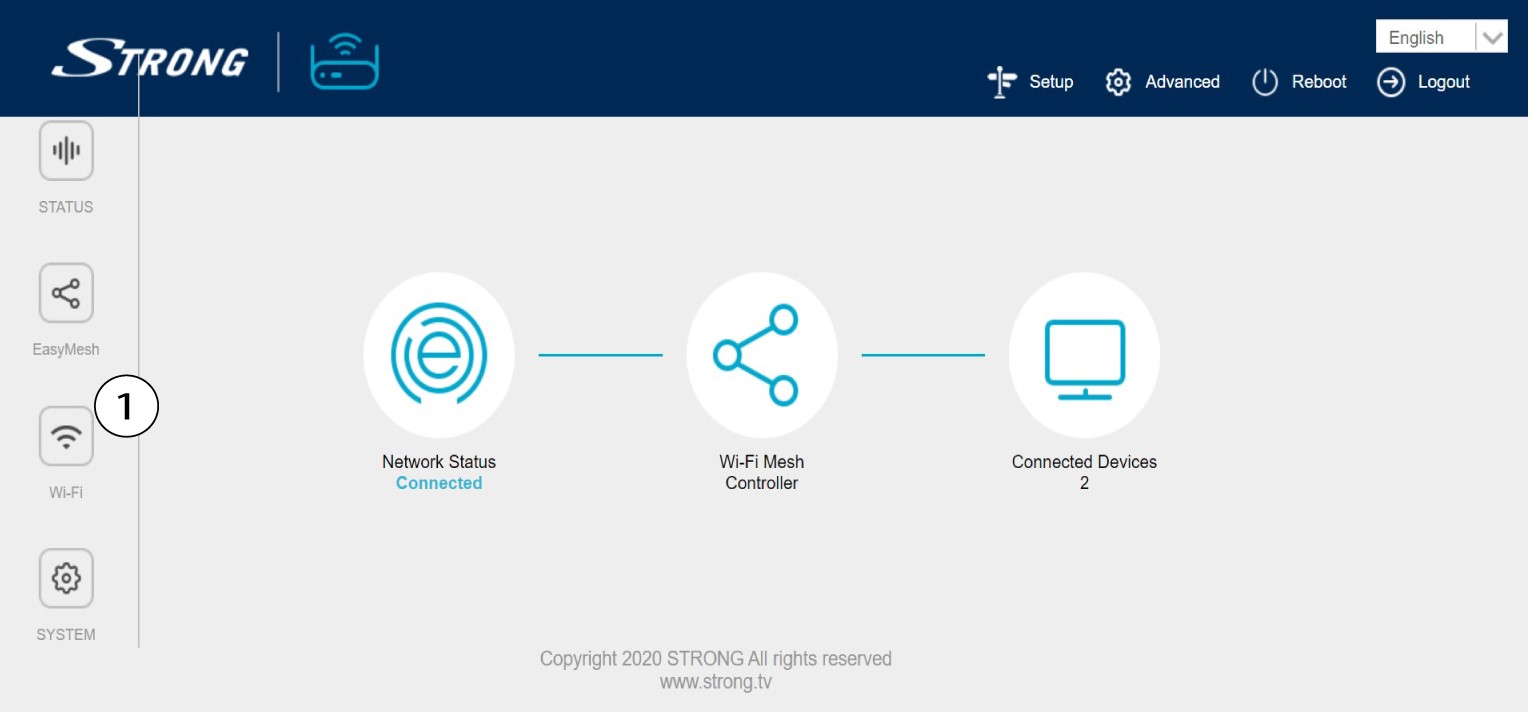
3. Promijenite podatke o Wi-Fi mreži
Kliknite 5 G WLAN ili 2.4 G WLAN . Zatim unesite sljedeće podatke prije nego što kliknete Primijeni :
o SSID : Unesite novi naziv mreže
o Wi-Fi ključ: Unesite novu lozinku. (označite okvir za prikaz kako biste potvrdili da ste ispravno upisali
lozinka koju ste željeli)
Imajte na umu da morate unijeti lozinku duljine između 8 i 32 znaka koja sadrži velika slova, mala slova, broj i barem jedan poseban znak (@, $, !, %, *, ?, &)

4 Zapišite nove podatke o mreži
Zapišite nove podatke o mreži na komad papira.
