ATRIA Wi-Fi 5 Mesh Sustav 1200 (pakiranje od 2 komada)
Sva pitanja
ATRIA Wi-Fi 5 Mesh Sustav 1200 (pakiranje od 2 komada)
Kako bih trebao/la organizirati svoje Mesh Mreža za optimizaciju moje Wi-Fi mreže?
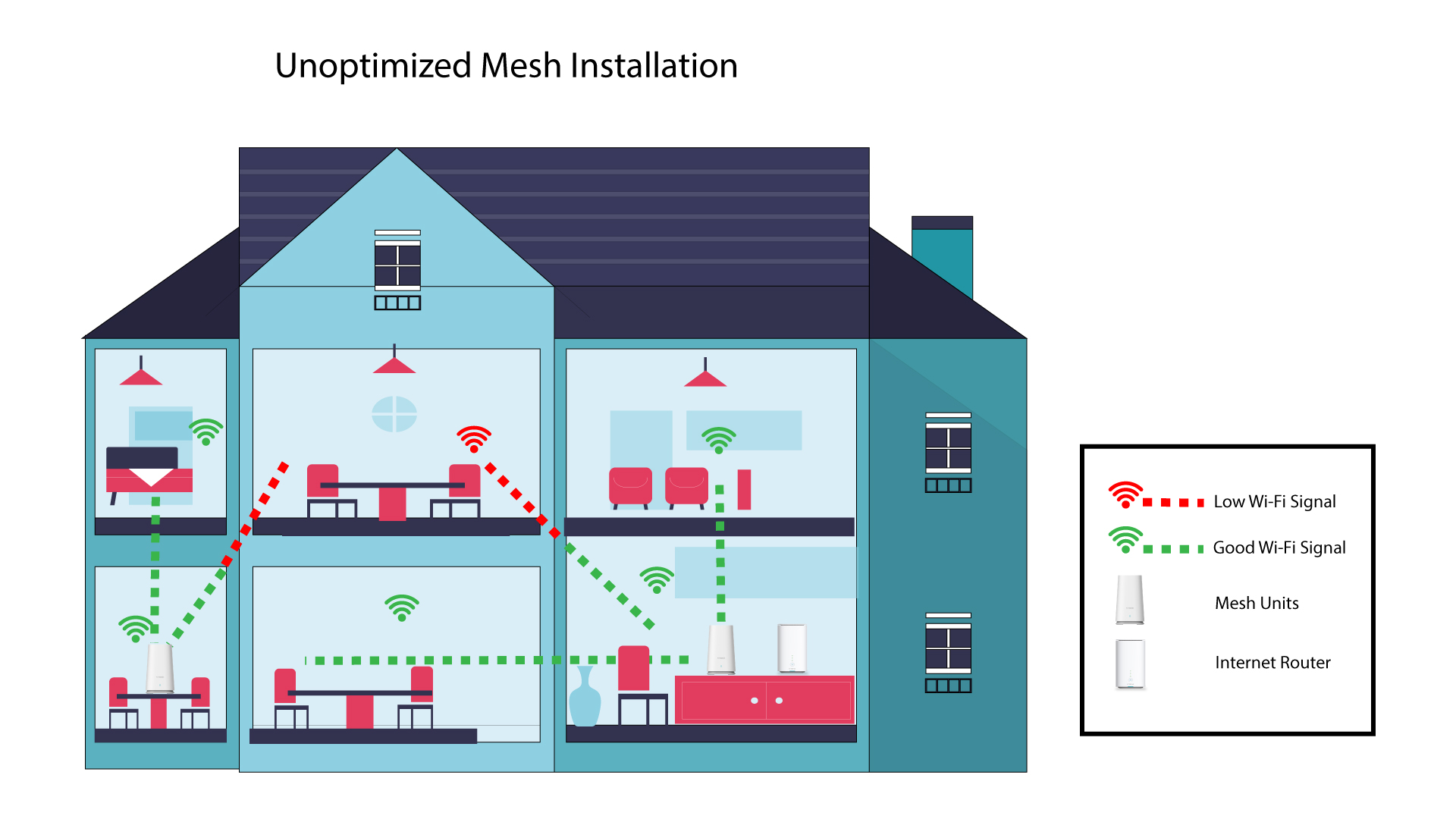
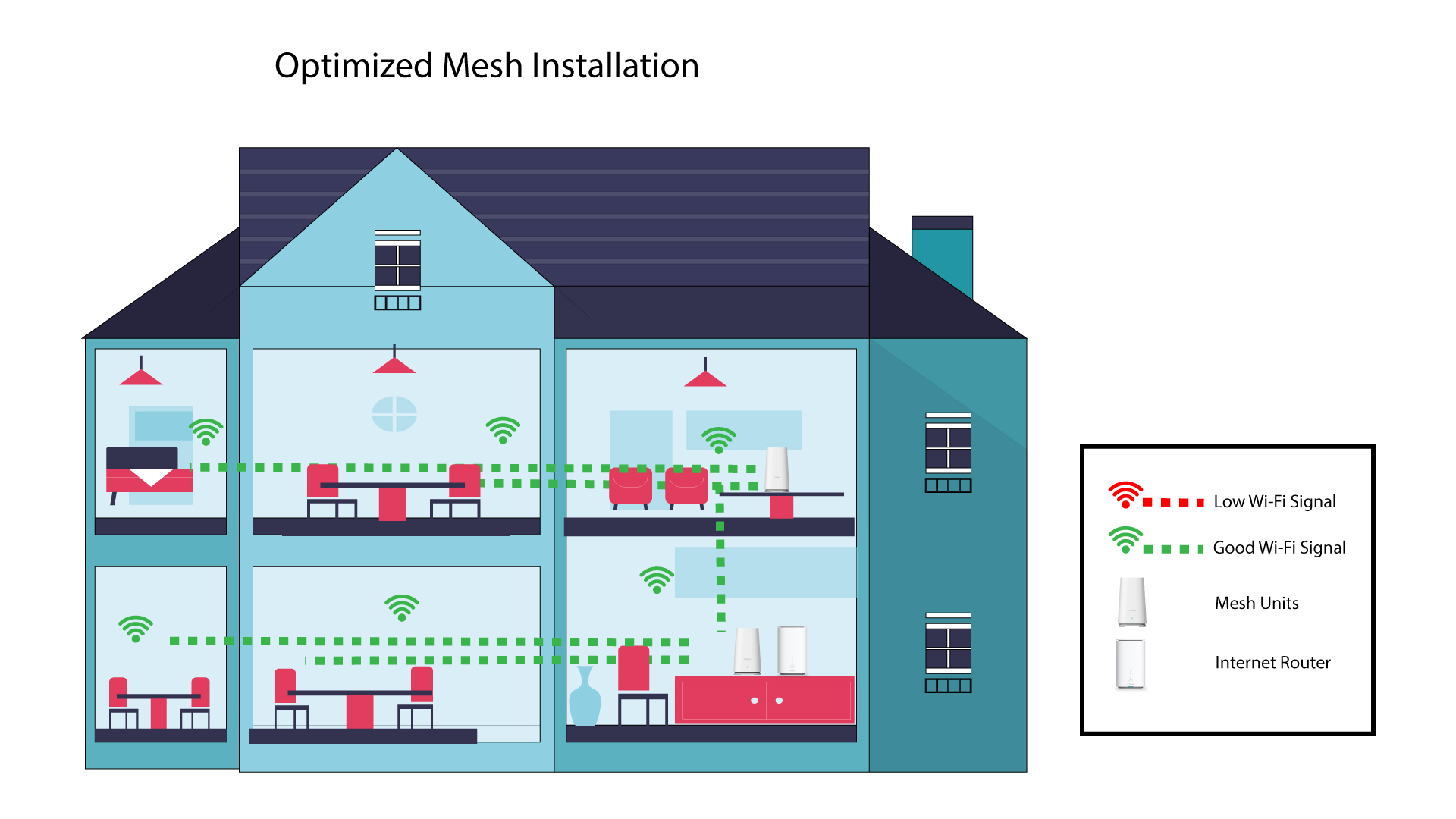
Za optimizaciju pokrivenosti trebali biste instalirati mesh na lokaciji gdje imate problema s pokrivenošću kako biste pokrili što šire područje u svom domu. Molimo provjerite da mesh jedinice se ne nalaze u prostoriji s nosivim zidom; budući da je zid deblji, Wi-Fi signal može imati problema s prolaskom kroz njega.
Sljedeća shema prikazuje Wi-Fi pokrivenost unutar kuće gdje mesh Čvorovi se ne nalaze na pravom mjestu kuće kako bi imali odgovarajuću pokrivenost.
Sljedeća shema prikazuje Wi-Fi pokrivenost unutar kuće gdje mesh Čvorovi se nalaze u pravom dijelu kuće kako bi se osigurala odgovarajuća pokrivenost.
1 Preuzmite aplikaciju
Preuzmite Atriju Mesh Aplikacija
2 Povežite se s Wi-Fi mrežom uređaja mesh
Povežite se s Wi-Fi mrežom vašeg mesh jedinica.

3 Povežite se s aplikacijom
Unesite korisničko ime i lozinku prije nego što kliknete Prijava.

4 Moja mreža
Kliknite Moja mreža

5 Mesh Status mreže
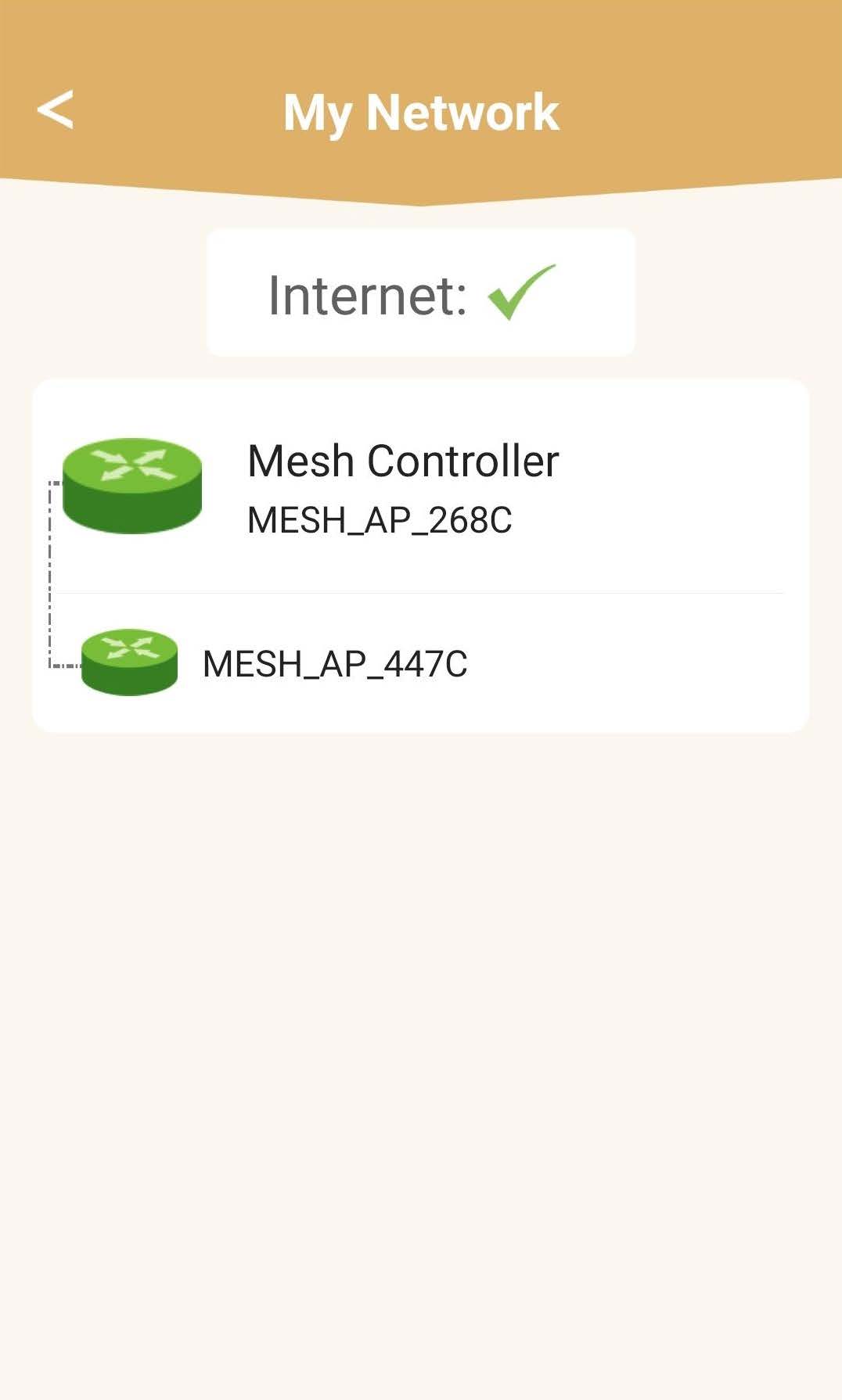
Vidjet ćete status pokrića koje pruža vaša mesh jedinice.
Imajte na umu da kada mesh Ako su jedinice prikazane sivo, pokrivenost koju nudi jedinica nije dovoljna. U tom slučaju morate promijeniti položaj svoje mesh jedinica.
Ako mesh Ako su jedinice prikazane zelenom bojom, to znači da ispravno rade i nude dovoljnu pokrivenost.