4G+ AIRHOME 710 s odvojivim 4G+ antenama
Sva pitanja
4G+ AIRHOME 710 s odvojivim 4G+ antenama
Kako mogu promijeniti SSID (naziv Wi-Fi mreže) i lozinku za Wi-Fi?
4G+ Router 1200 je dvopojasni ruter, možete uređivati podatke o svojoj Wi-Fi mreži od 2,4 GHz i 5 GHz.
1. Spojite se na Wi-Fi mrežu svog usmjerivača
Za promjenu SSID-a (naziva Wi-Fi mreže) i lozinke za Wi-Fi, morate biti povezani s Wi-Fi mrežom svog uređaja.

2. Pregledajte IP adresu web sučelja
Zatim unesite sljedeću IP adresu: 192.168.188.1 u svoj preglednik.

3 Pronađite svoje vjerodajnice za web sučelje
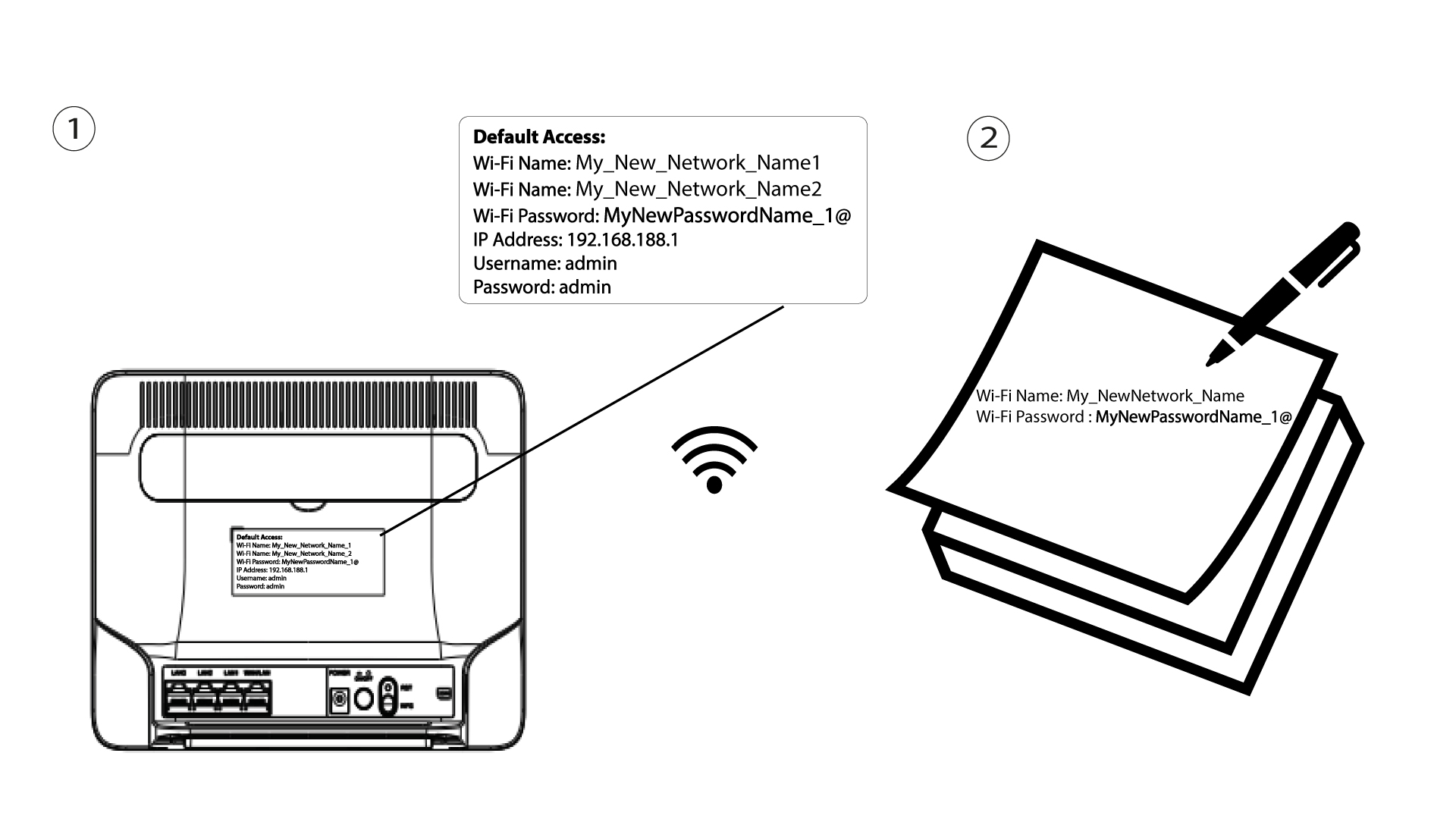
Da biste pronašli svoje vjerodajnice, pogledajte naljepnicu koja se nalazi iza vašeg uređaja.

4 Unesite svoje vjerodajnice
Morate unijeti korisničko ime i lozinku . Zatim kliknite Prijava .

5 Wi-Fi postavki
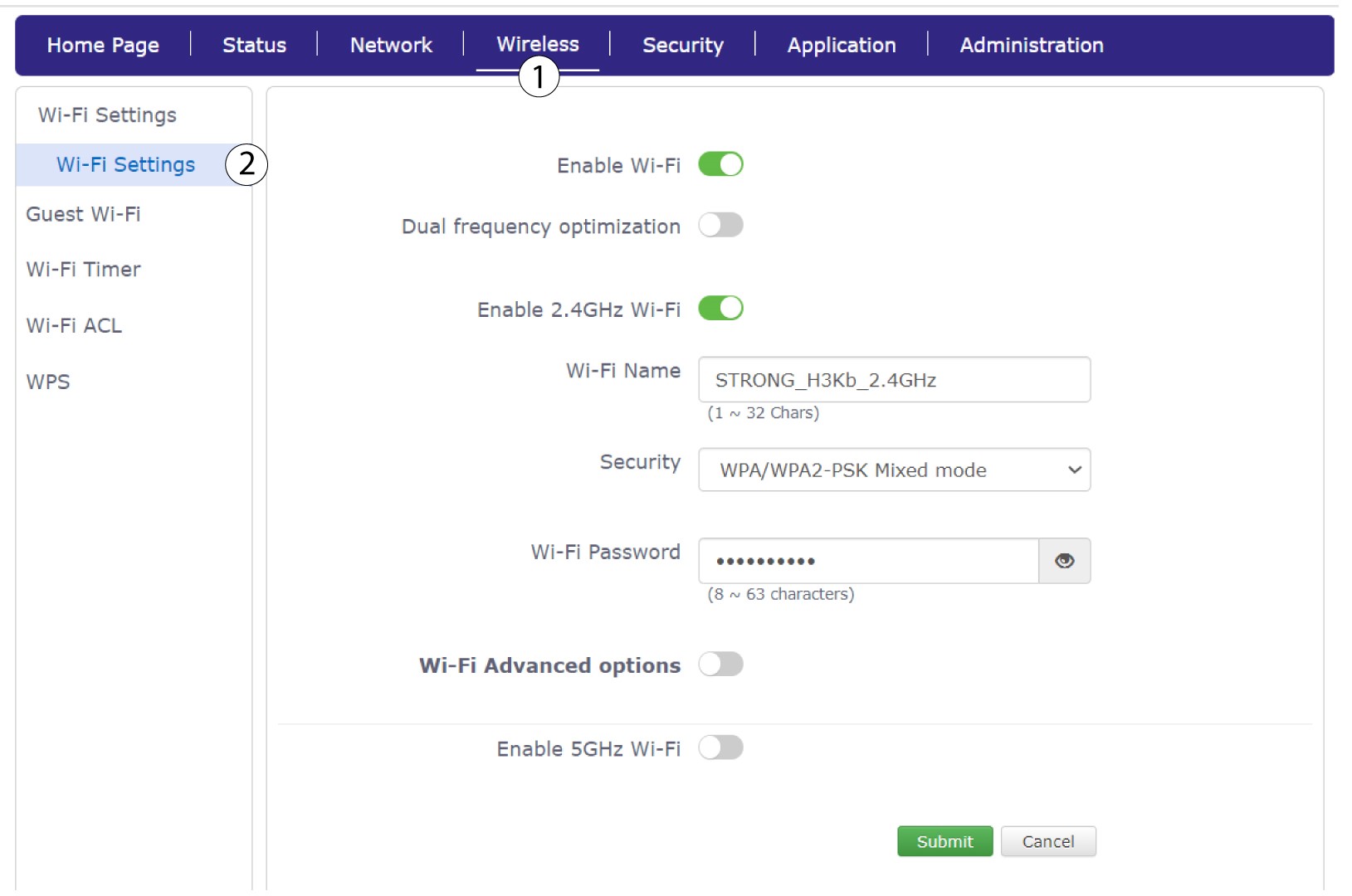
Kliknite Bežično i odaberite Postavke Wi-Fi-ja .
6 Unesite nove podatke o mreži
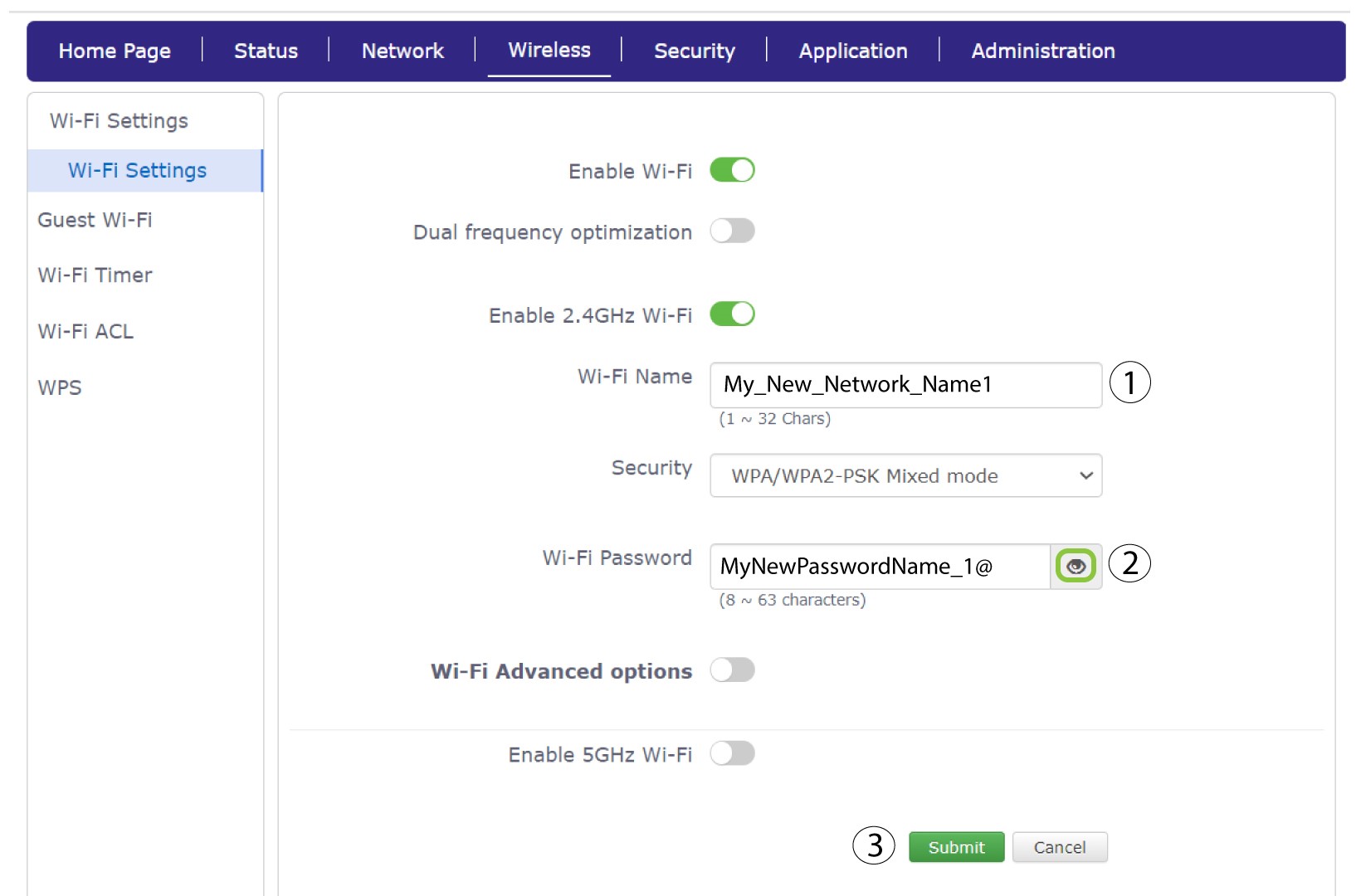
Promijenite naziv unesen u polje Naziv Wi-Fi mreže i kliknite ikonu oka pored polja Lozinka Wi-Fi mreže. Zatim promijenite lozinku unesenu u polje Lozinka Wi-Fi mreže i kliknite Pošalji za spremanje promjena.
7 Zapišite nove podatke o mreži
Napišite svoj novi SSID (naziv Wi-Fi mreže) i lozinku za Wi-Fi na papir i zalijepite ga na ruter.