
4G+ AIRHOME 710 s odvojivim 4G+ antenama
Sva pitanja
4G+ AIRHOME 710 s odvojivim 4G+ antenama
Kako mogu resetirati ruter na tvorničke postavke? (Web sučelje)
Ponekad je moguće da vaš uređaj ne radi ispravno i da nemate pristup internetu. U tom slučaju predlažemo da vratite uređaj na tvorničke postavke i naknadno ga ažurirate ako je potrebno.
Imate dva načina za to, možete resetirati uređaj pritiskom na gumb za resetiranje ili to učiniti putem web sučelja.
1. Povežite se s Wi-Fi mrežom svog uređaja
Morate se povezati s Wi-Fi mrežom svog uređaja.

2. Pregledajte IP adresu web sučelja
Zatim unesite sljedeću IP adresu: 192.168.188.1 u svoj preglednik

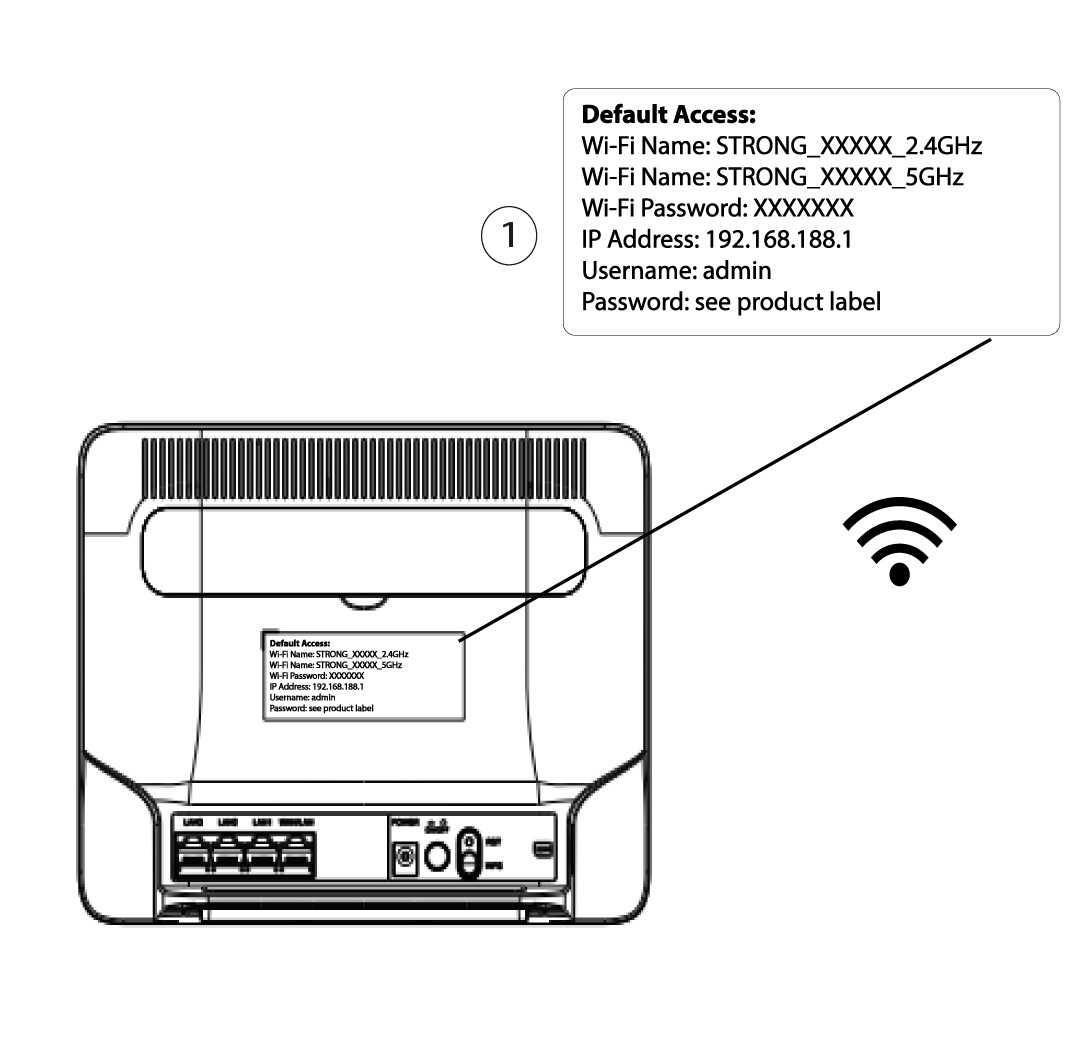
3 Pronađite svoje vjerodajnice za web sučelje
Da biste pronašli svoje vjerodajnice, pogledajte naljepnicu koja se nalazi iza vašeg uređaja.
4 Unesite svoje vjerodajnice
Prije nego što kliknete Prijava , morate unijeti korisničko ime i lozinku .

5 Resetiraj
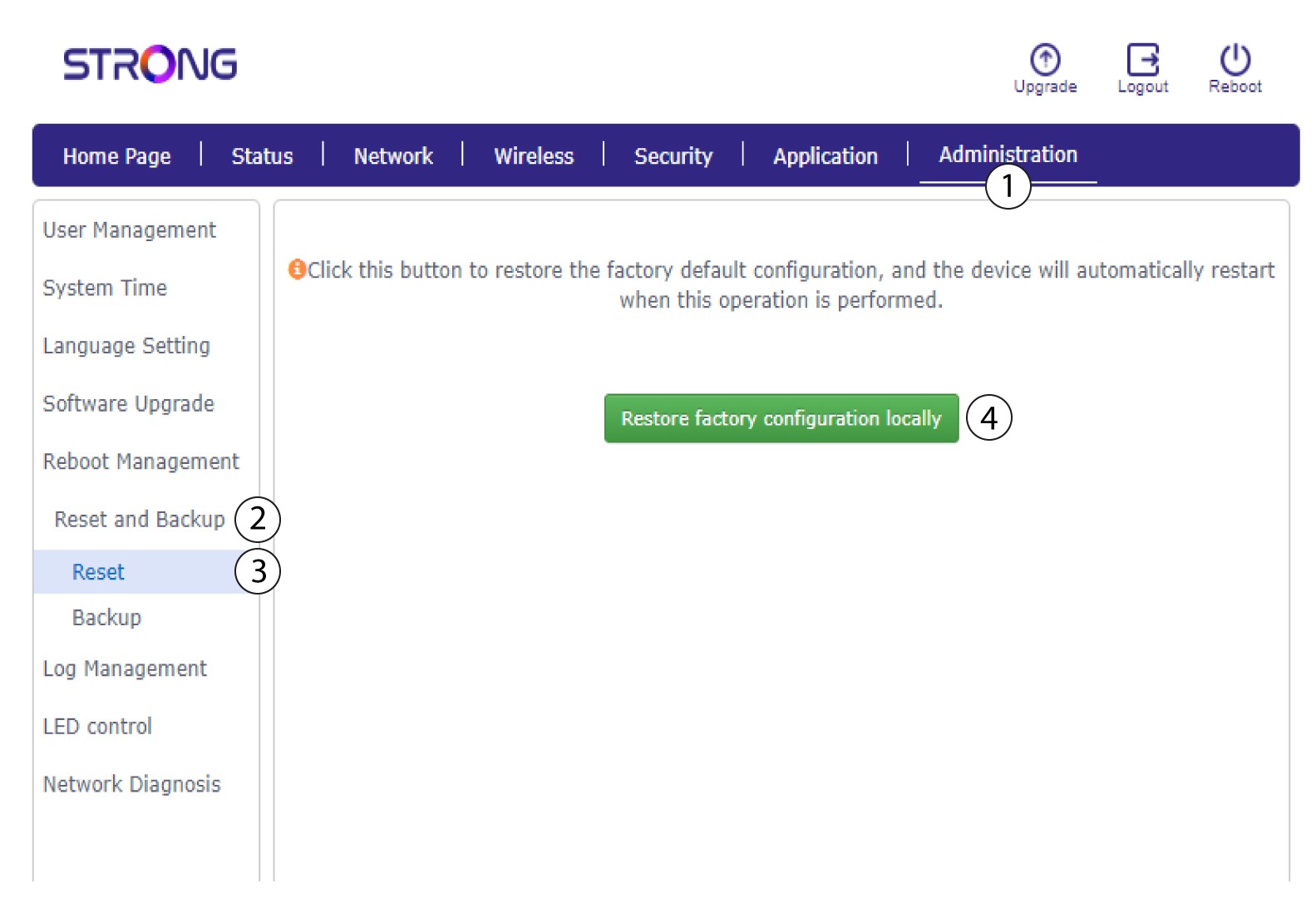
Zatim kliknite Administracija i Resetiranje i sigurnosna kopija . Nakon toga kliknite Resetiraj i vrati tvorničku konfiguraciju lokalno .
6 Potvrdite resetiranje
Kliknite Potvrdi u skočnom prozoru koji se pojavi.
