ATRIA Wi-Fi 6 Mesh Sustav 3000 UK (pakiranje od 2 komada)
Nema pronađenih stavki.
Nema pronađenih stavki.
Sva pitanja
ATRIA Wi-Fi 6 Mesh Sustav 3000 UK (pakiranje od 2 komada)
Nema pronađenih stavki.
Nema pronađenih stavki.
Kako konfigurirati Wi-Fi mesh mreža

Upozorenje : Za konfiguriranje Mesh mrežu, molimo pogledajte QIG koji se nalazi u kutiji vašeg proizvoda.
Imajte na umu da ovu operaciju morate ponoviti za svaki Mesh jedinicu koju želite dodati svom Mesh mreža.
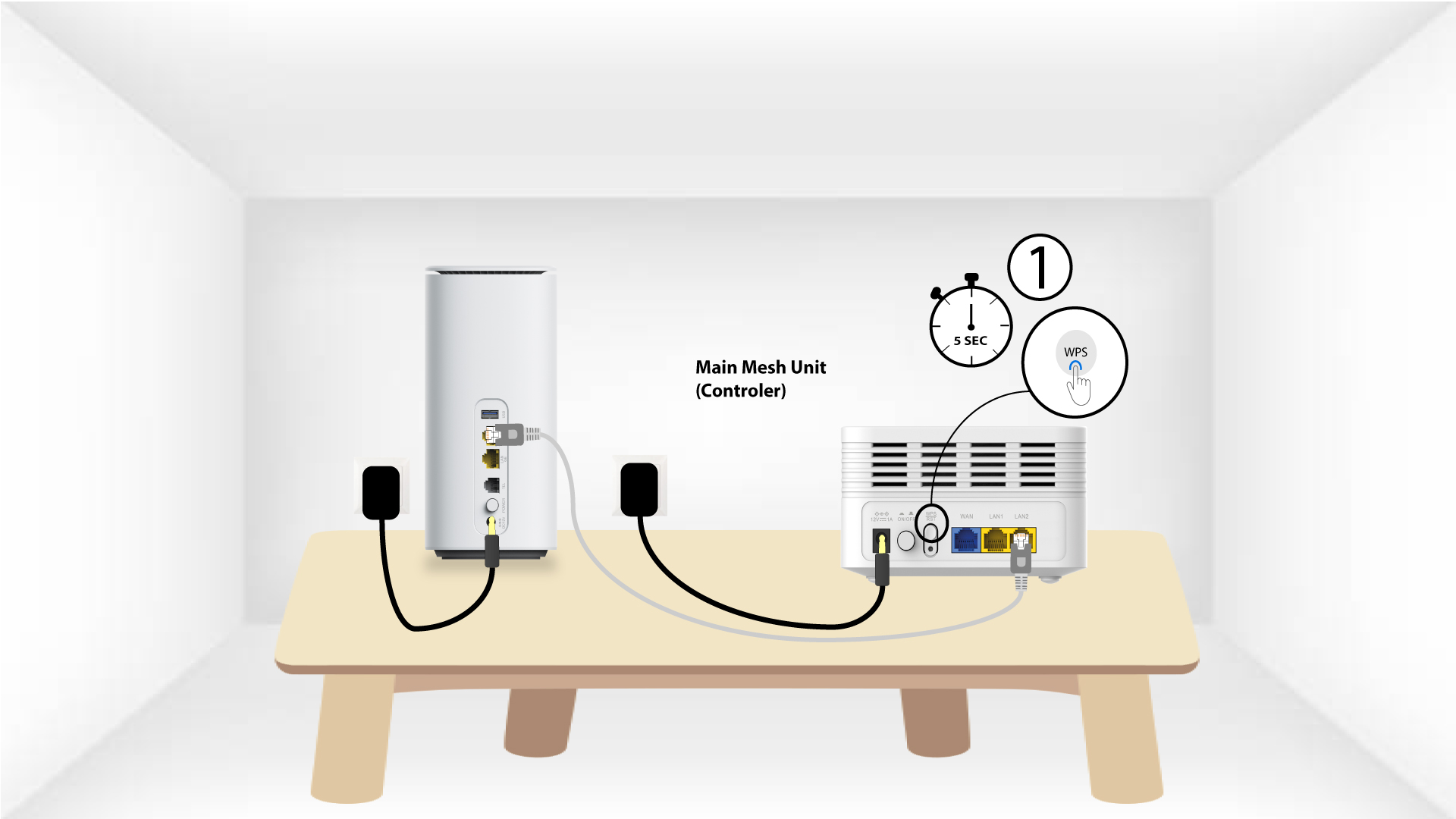
1 Slučaj 1: WPS tipka
Morate uključiti Mesh jedinicu i spojiti je na modem pomoću RJ45 kabela prije pritiska gumba za uključivanje/isključivanje .
2 Glavna Mesh WPS
Pritisnite WPS gumb na mesh spojen na modem 5 sekundi.
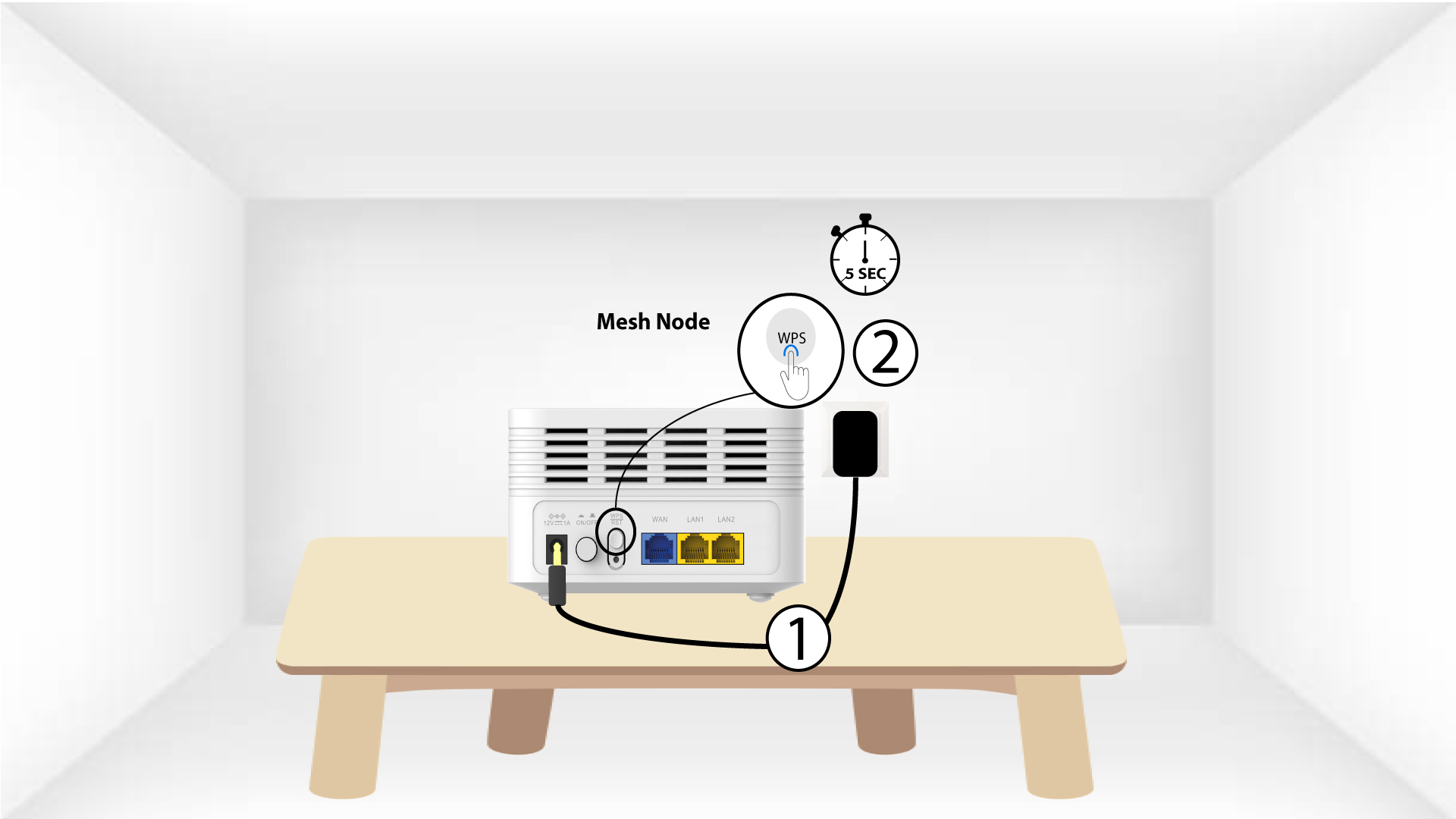
3 sekunde Mesh jedinica WPS
Uključite drugi Mesh uređaj u utičnicu i pritisnite tipku WPS 5 sekundi .
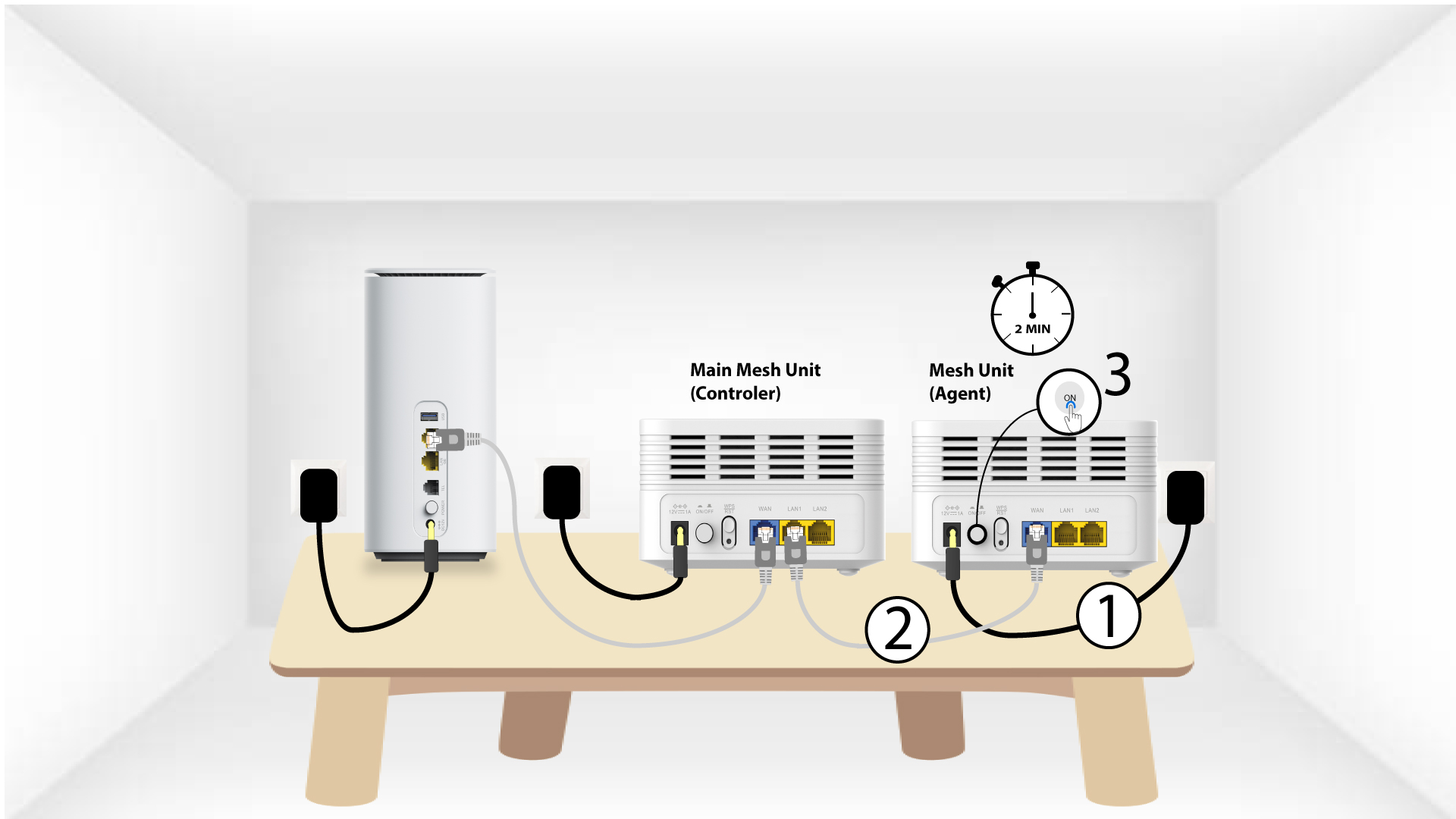
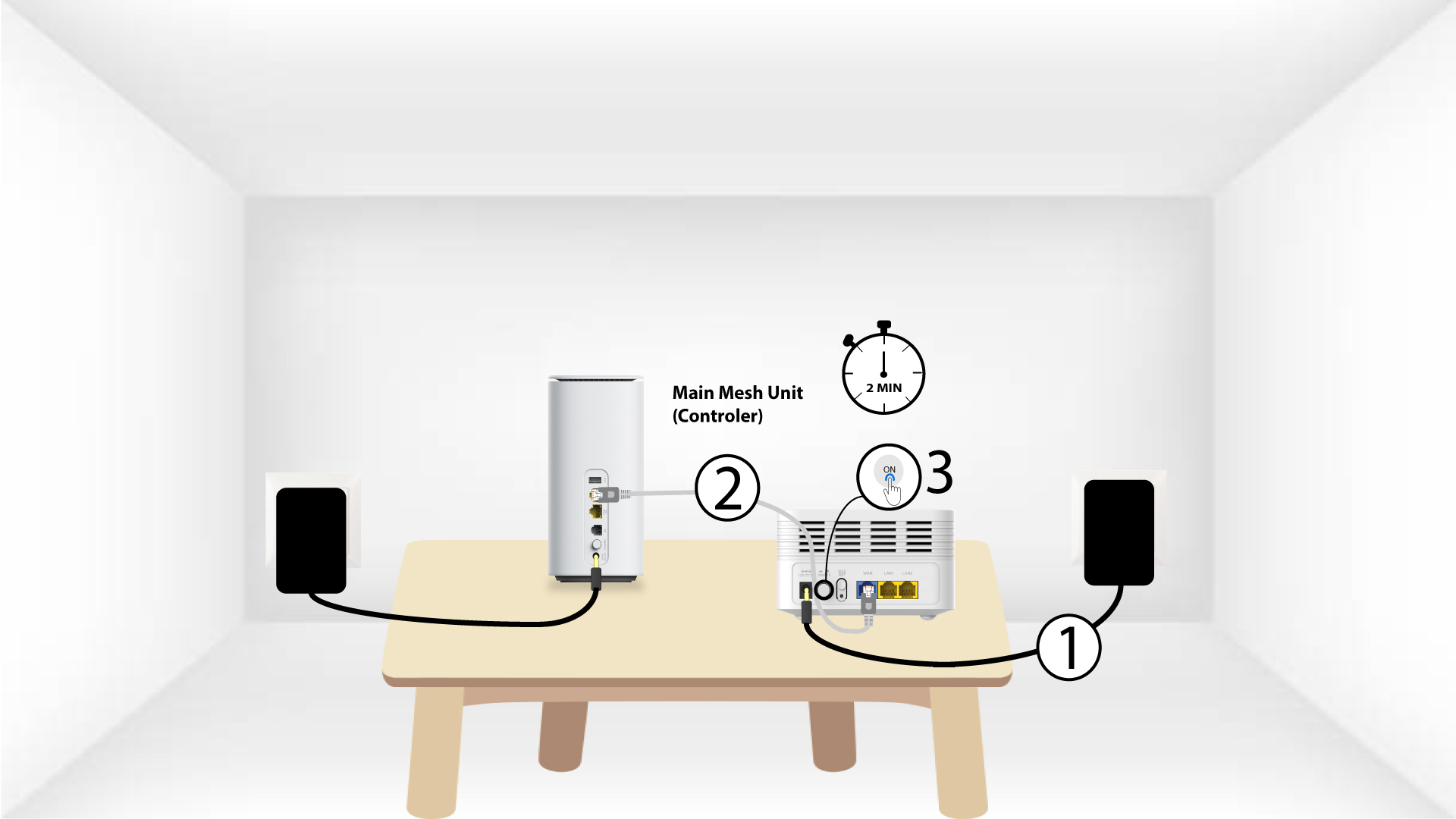
1 Slučaj 2: Ethernet kabel (RJ45)
Morate uključiti Mesh jedinicu i spojiti je na modem pomoću RJ45 kabela u WLAN priključak prije pritiska gumba za uključivanje/isključivanje.
2 Ethernet kabela u LAN portovima oba Mesh
Uključite glavni Mesh Jedinica ( kontroler ) za Mesh Jedinica ( Agent ) putem RJ45 u oba LAN priključka oba uređaja Mesh .