
Dvopojasni repetitor 1200
Nema pronađenih stavki.
Nema pronađenih stavki.
Sva pitanja
Dvopojasni repetitor 1200
Nema pronađenih stavki.
Nema pronađenih stavki.
Kako ažuriram firmware repetitora?
1 Provjerite ažuriranje firmvera
Prije ažuriranja morate posjetiti odjeljak za preuzimanje na našoj web stranici kako biste vidjeli je li dostupna nova verzija softvera.
2. Idite na stranicu za preuzimanje
Kliknite na POMOĆ > Preuzimanja.

3 Odaberite svoj proizvod
Nakon što ste pregledali stranicu Preuzimanja, kliknite Kućne mreže i repetitor i kliknite referencu proizvoda.
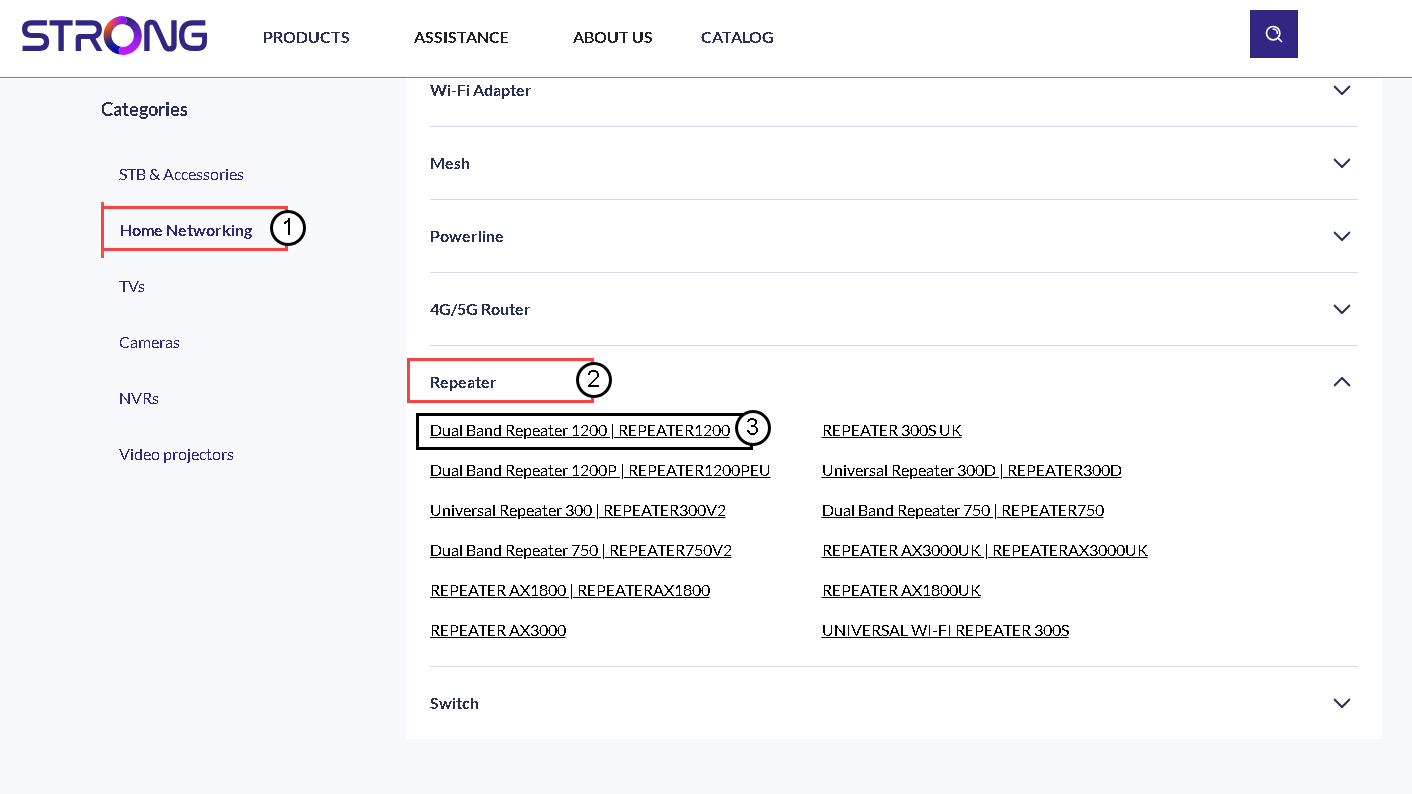
4 Preuzmite firmver
Na donjoj stranici pronaći ćete novu verziju softvera u odjeljku firmvera. Ako je datoteka dostupna, preuzmite je.
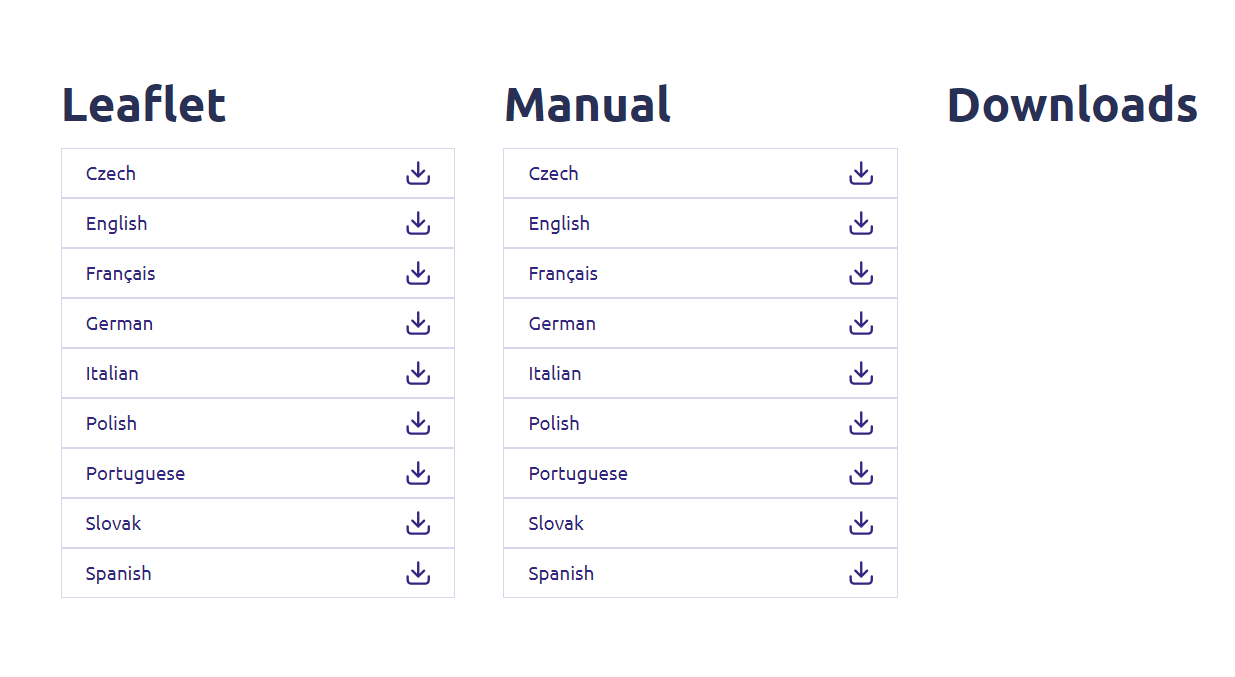
5. Spojite se na repetitor
Nakon što to učinite, spojite se na Wi-Fi repetitor.

6 Pristup web sučelju
Idite na URL web sučelja.

7 Otvorite izbornik postavki
Kliknite Postavi.
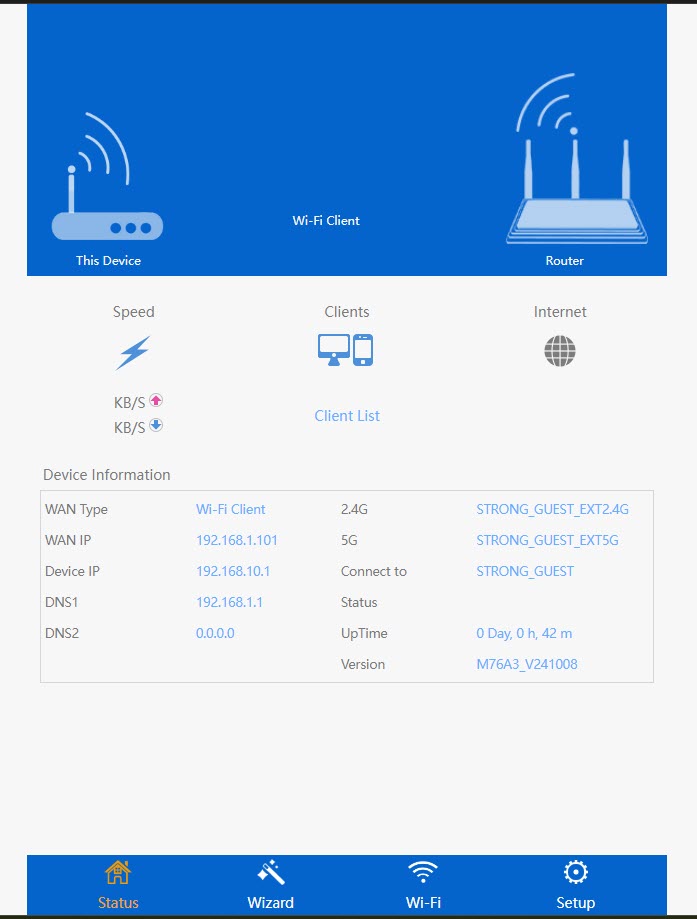
8 Pokrenite nadogradnju firmvera
Kliknite Nadogradi firmver.
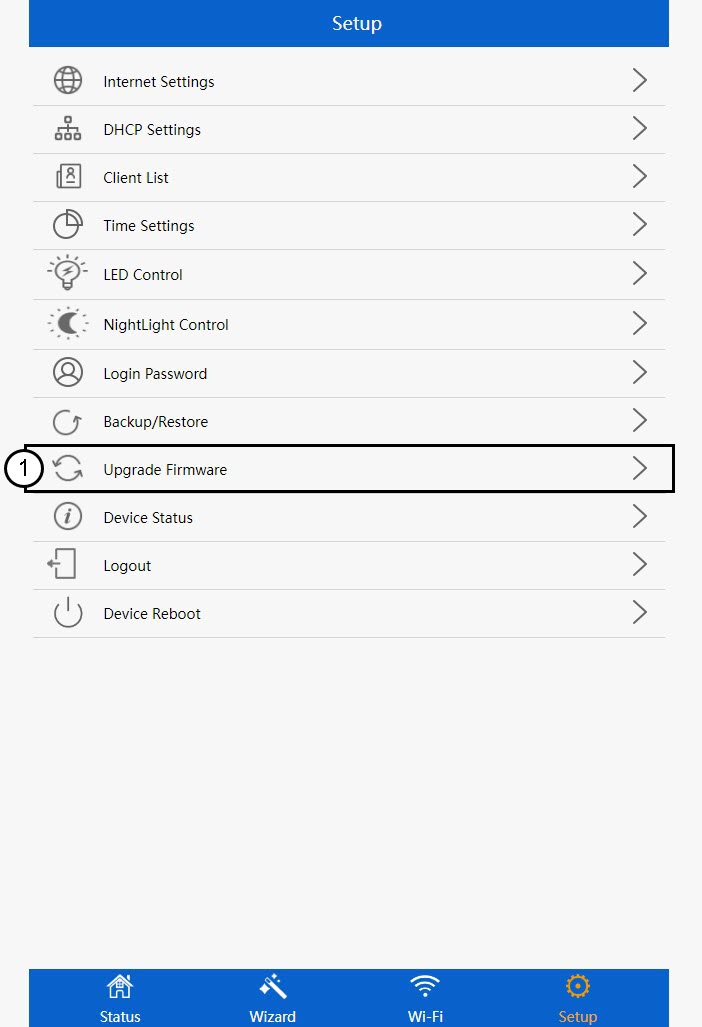
9. Primijenite ažuriranje
Odaberite datoteku i kliknite Primijeni. Nakon toga će se ažuriranje automatski pokrenuti.
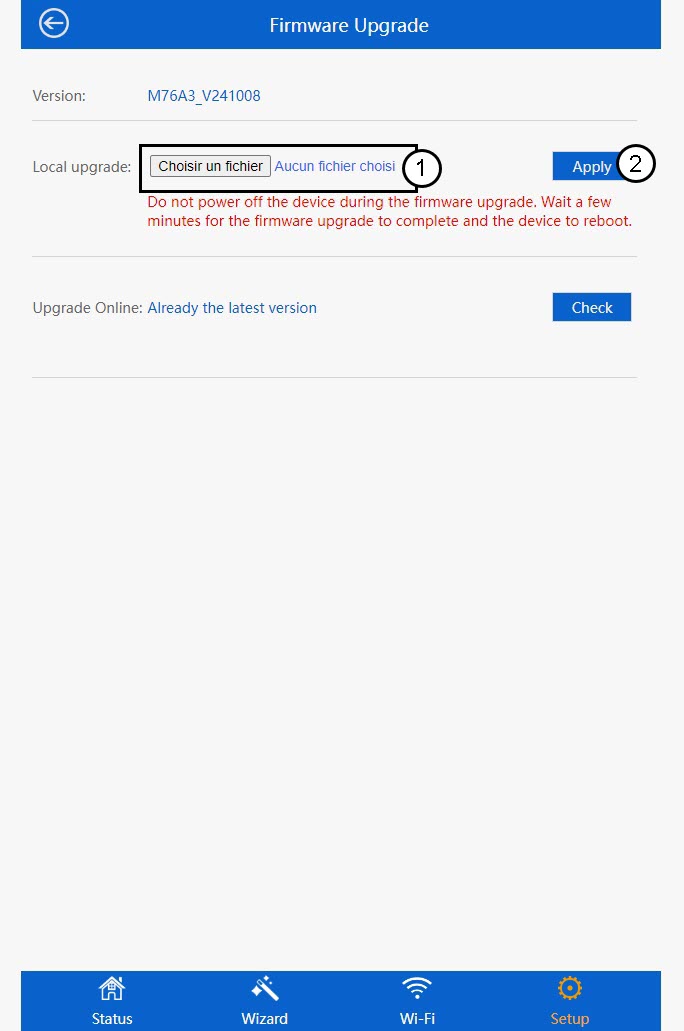
 Upozorenje: Pričekajte da se ažuriranje dovrši i da se uređaj ponovno pokrene. Nakon ažuriranja morate se ponovno povezati s Wi-Fi mrežom.