
ATRIA Wi-Fi 5 Mesh Sustav 2100 UK ( add-on )
Sva pitanja
ATRIA Wi-Fi 5 Mesh Sustav 2100 UK ( add-on )
Kako ažuriram firmver uređaja Mesh jedinica?
Za ažuriranje softvera mesh uređaj, morate biti povezani s web sučeljem.

Upozorenje : Morate ažurirati mesh prvo agenti (jedinice koje nisu spojene na internetski usmjerivač), a zatim mesh kontroler ( mesh uređaj koji je spojen na internetski usmjerivač putem RJ45 kabela).
Morate zapisati IP adrese svih mesh jedinice kako bi se mogle povezati s web-sučeljem
svake jedinice zasebno.
Nove verzije softvera naših proizvoda dostupne su ovdje (preuzimanja -> softver):
https://eu.strong-eu.com/downloads/product-downloads/atria-wi-fi- mesh -dom- kit -2100/. Ako
Ako je odjeljak prazan, to znači da nema dostupnih ažuriranja za proizvod.
1 Stranica za preuzimanje
Idite na sljedeću stranicu: kit i preuzmite datoteku.
2 Atrija Mesh Aplikacija
Preuzmite aplikaciju za pametne telefone " ATRIA" MESH

3 vjerodajnice
Zatim se morate spojiti na Wi-Fi mrežu Mesh sa svojim pametnim telefonom, a zatim se prijavite u aplikaciju sa svojim vjerodajnicama koje bi trebale biti " admin " i " admin " ako ih niste promijenili.

4 Moja mreža
Kliknite Moja mreža .

5 Mesh Agent
Kliknite na naziv mesh agent.
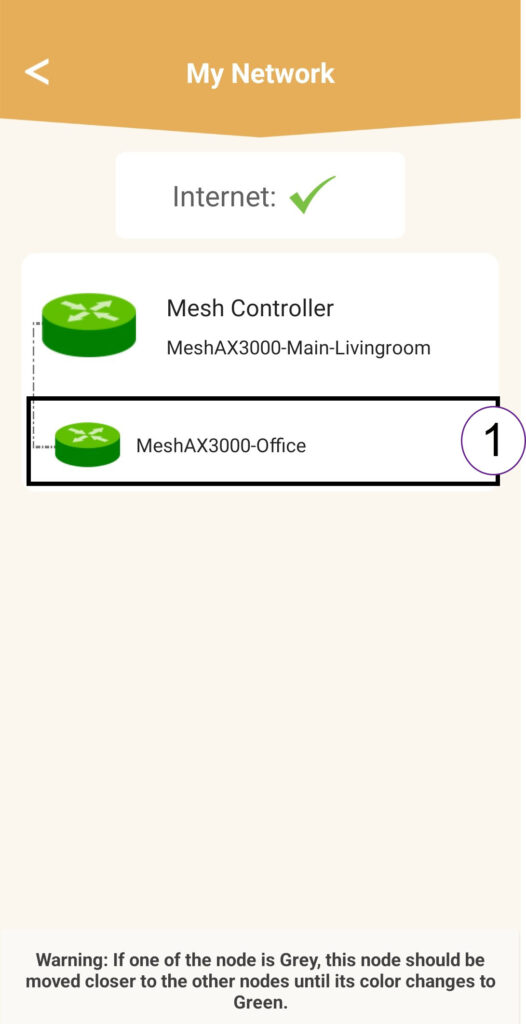
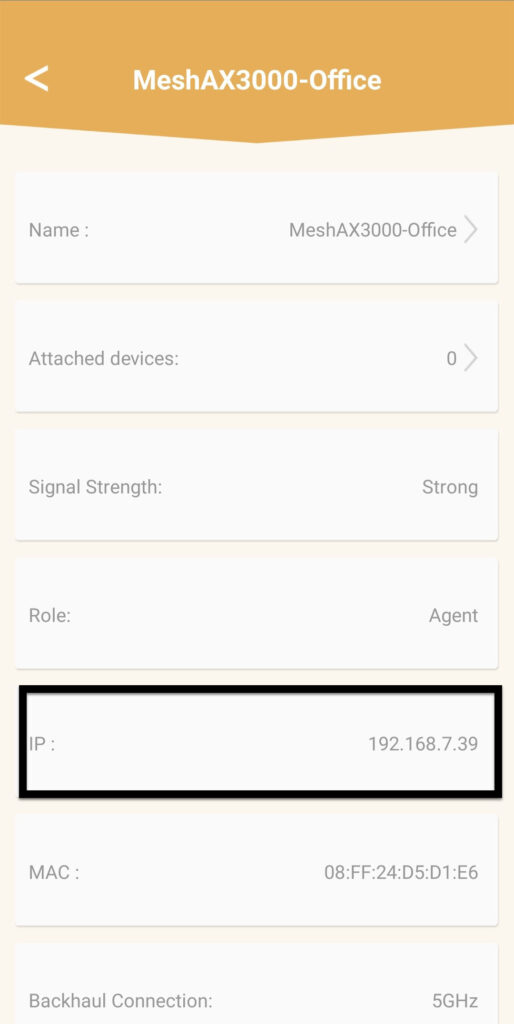
6 IP adresa
Odredite IP adresu agenta:
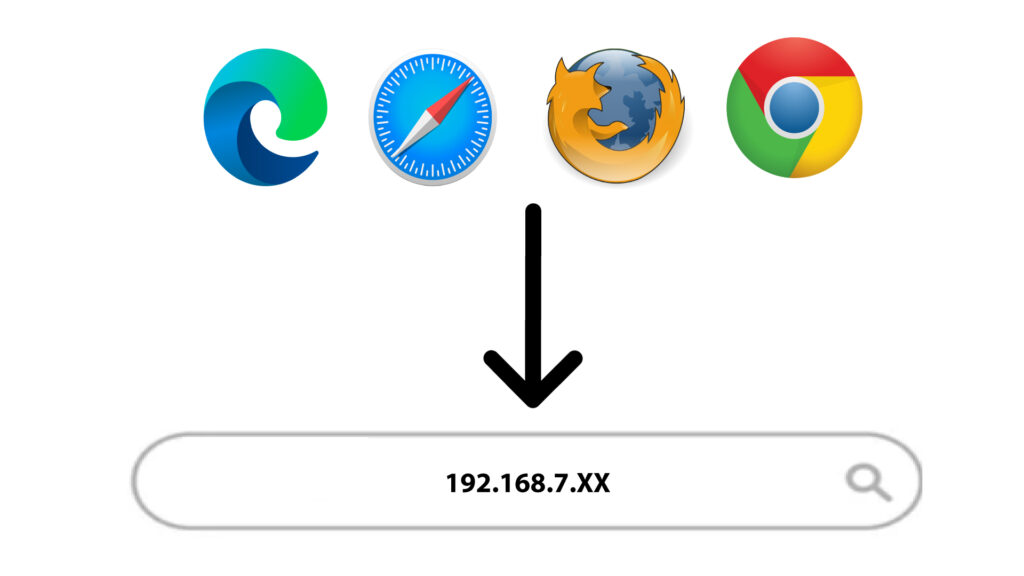
7 IP adresa web sučelja agenta u pregledniku
Potražite IP adresu agenta.
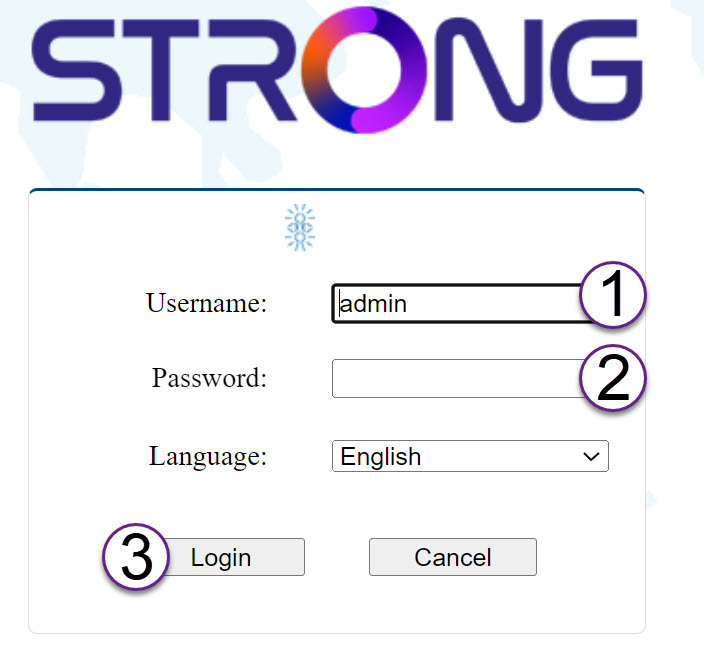
8 vjerodajnica
Unesite korisničko ime i lozinku prije nego što kliknete prijavu .
9 Nadogradnja
Kliknite Sustav i nadogradnja . Zatim kliknite odaberi datoteku za prijenos datoteke koju ste preuzeli s naše web stranice prije nego što kliknete Potvrdi .
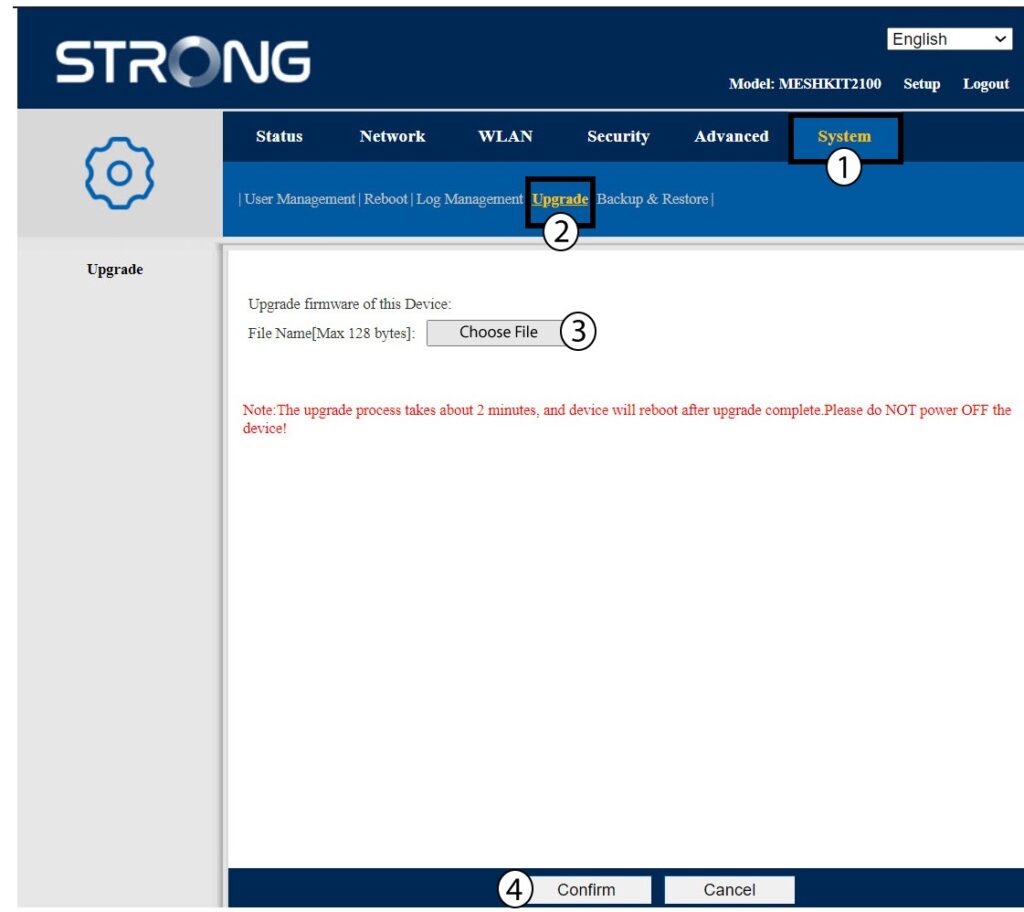
Upozorenje : Ponovite ove korake za sve agente i ažurirajte kontroler.