ATRIA Wi-Fi 6 Mesh 3000 (2 db-os csomag)
Minden kérdés
ATRIA Wi-Fi 6 Mesh 3000 (2 db-os csomag)
Beállíthatok vendéghálózatot az Mesh hálózatomhoz? (2. eset: Atria App)
A webes felhasználói felület eléréséhez csatlakoznia kell a készülék Wi-Fi-hálózatához, miután az RJ45-kábelt csatlakoztatta a készülék és az internetmodem WLAN-portjához.
1.2. eset: Atria alkalmazás
Töltse le az„ATRIA MESH ” okostelefonos alkalmazást az App Store-ból vagy a Google Play Store-ból.

2. Adja mega bejelentkezési adatait
Ezután okostelefonjával csatlakoznia kell az Mesh Wi-Fi-hálózatához, majd be kell jelentkeznie az alkalmazásba a bejelentkezési adataival, amelyek – ha nem módosította őket –„admin” és„admin” lesznek.

3. Vendég-Wi-Fi
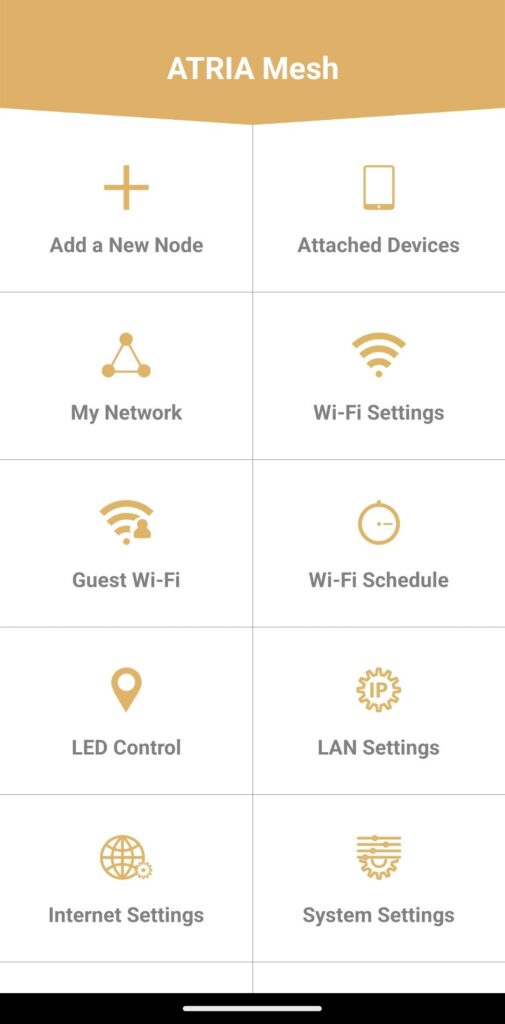
Most, hogy a főoldalon vagy, kattints a „Vendég Wi-Fi” gombra.
4. Vendég-Wi-Fi beállítása
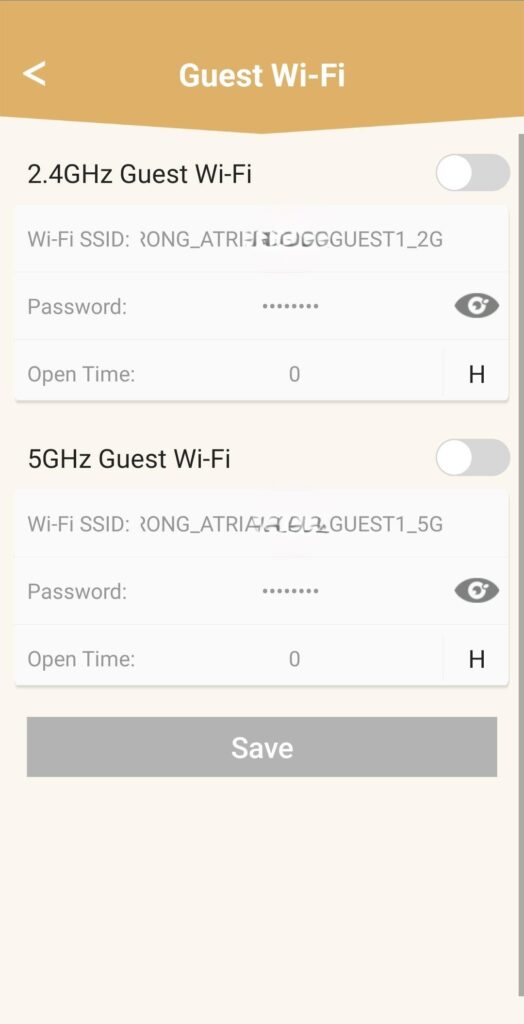
Ezen a felületen hozzáadhat egy 2,4 GHz-es vagy 5 GHz-es vendég Wi-Fi hálózatot.
• Nyomja meg a kívánt hálózat kapcsoló gombját.
• Állítson be egy egyedi SSID-t (Wi-Fi hálózatnevet) és egy egyedi jelszót.
• Ezután az „Open Time” (Nyitvatartási idő) menüpontban beállíthatja, hogy mikor legyen aktív a vendég Wi-Fi, és mikor ne .
• Kattintson a „Save” (Mentés) gombra.
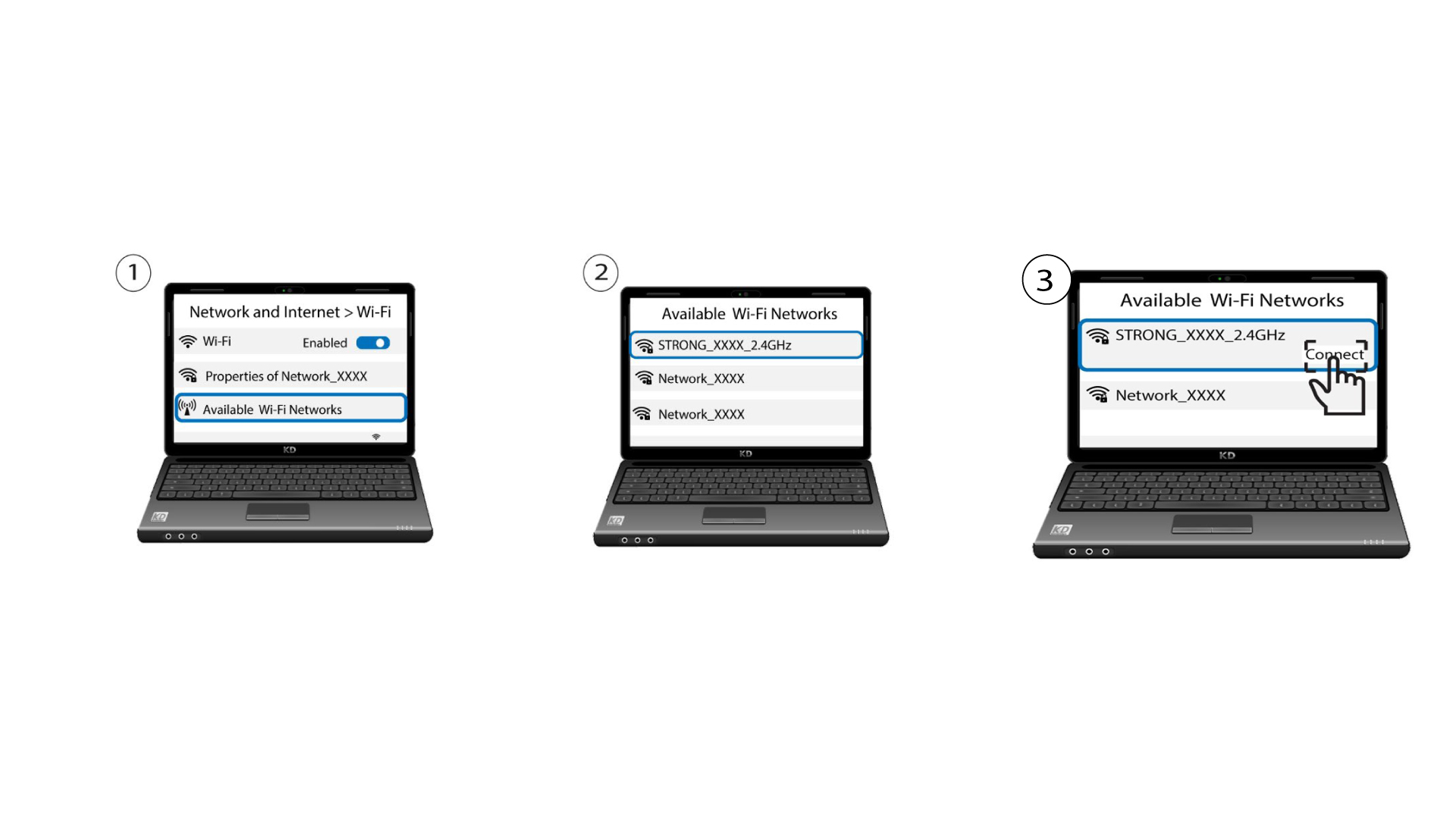
5. Ellenőrizzeaz új Wi-Fi-hálózatot
Az új vendéghálózat mostantól megjelenik az eszközeid Wi-Fi-hálózatok listájában.