
5G AIRHOME 1050 | Wi-Fi 6
Minden kérdés
5G AIRHOME 1050 | Wi-Fi 6
Hogyan érhetem el a webes felhasználói felületet?
A webes felhasználói felület eléréséhez a SIM-kártyát a nyílásba helyezés után csatlakoznia kell a készülék Wi-Fi-hálózatához.
1. Csatlakozzaz útválasztó Wi-Fi-hálózatához
Ehhez írja be a készülékébe az útválasztó SSID-jét (Wi-Fi-hálózat nevét) és a Wi-Fi-jelszavát:

2. Keressemeg a webes felhasználói felület IP-címét
Ezután írja be a böngészőjébe a következő IP-címet: 192.168.0.1

3Keresse mega hitelesítő adatait
A bejelentkezési adatait a készülék hátulján található címkén találja meg.
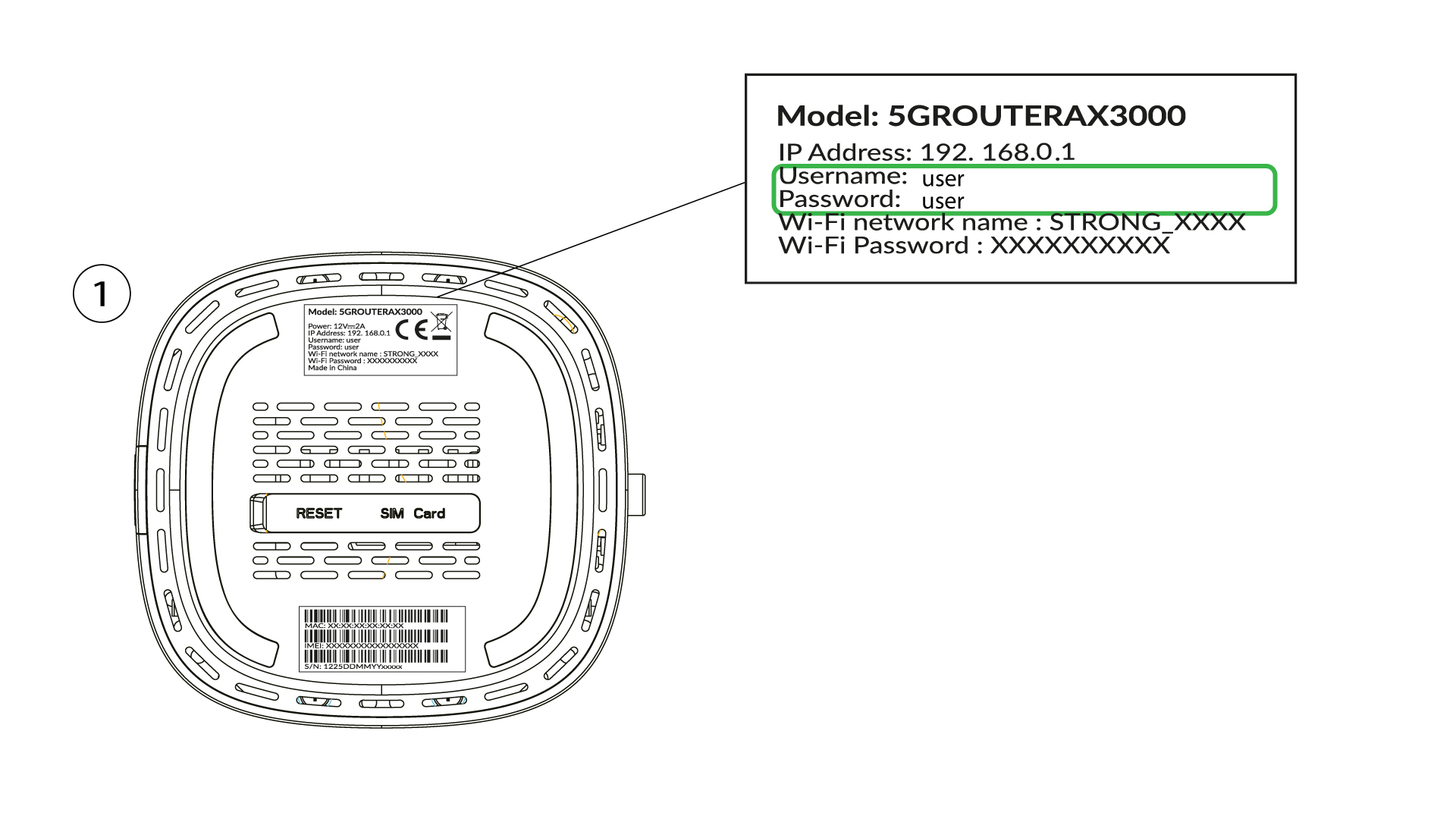
4. Adja mega bejelentkezési adatait
Be kell írnia a felhasználónevet és a jelszót, majd kattintson a „Bejelentkezés” gombra ( a bejelentkezési adatait az előző lépésben találja meg).

5. Az adminisztrátori jelszó módosítása
A megjelenő felugró ablakban az első bejelentkezés után új rendszergazdai jelszót kell létrehoznia; ehhez a „Commit” gombra kattintás előtt adja meg az alábbi adatokat:
- Jelszó szerkesztése: adjon meg egy 8–32 karakter hosszú jelszót, amely nagy- és kisbetűket, számokat, valamint legalább egy speciális karaktert (@, $, !, %, *, ?, &) tartalmaz.
- Jelszó megerősítése: írja be ugyanazt a jelszót.
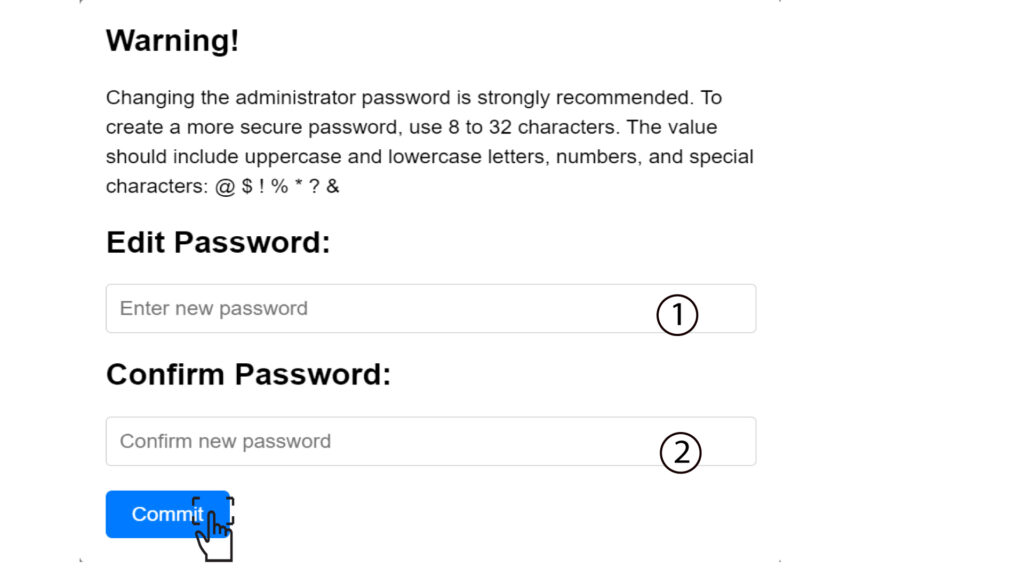
6. Írja beaz új hitelesítő adatokat
Kérjük, írja le egy papírlapra az új rendszergazdai jelszót és a felhasználónevet:
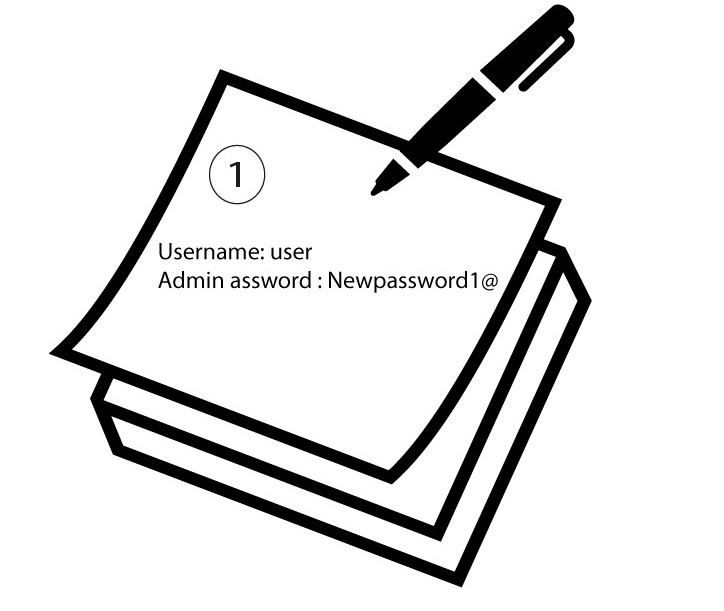

Figyelem: Ha az alapértelmezett rendszergazdai jelszó „user”, akkor az első csatlakozás után feltétlenül módosítania kell azt, hogy biztosítsa az útválasztóhoz való hozzáférést és megakadályozza a behatolást. Az új jelszó beállítása után kérjük, jegyezze le azt.