4G+ AIRHOME 710 levehető 4G+ antennákkal
Minden kérdés
4G+ AIRHOME 710 levehető 4G+ antennákkal
Hogyan módosíthatom az SSID-t (a Wi-Fi-hálózat nevét) és a Wi-Fi-jelszót?
A 4G+ Router 1200 egy kétsávos útválasztó, amelyen beállíthatja a 2,4 GHz-es és az 5 GHz-es Wi-Fi-hálózat adatait.
1. Csatlakozzaz útválasztód Wi-Fi-hálózatához
Az SSID (Wi-Fi-hálózat neve) és a Wi-Fi-jelszó módosításához csatlakoznia kell a készülék Wi-Fi-hálózatához.

2. Keressemeg a webes felhasználói felület IP-címét
Ezután írja be a böngészőjébe a következő IP-címet: 192.168.188.1.

3Keresse mega webes felhasználói felülethez szükséges bejelentkezési adatait
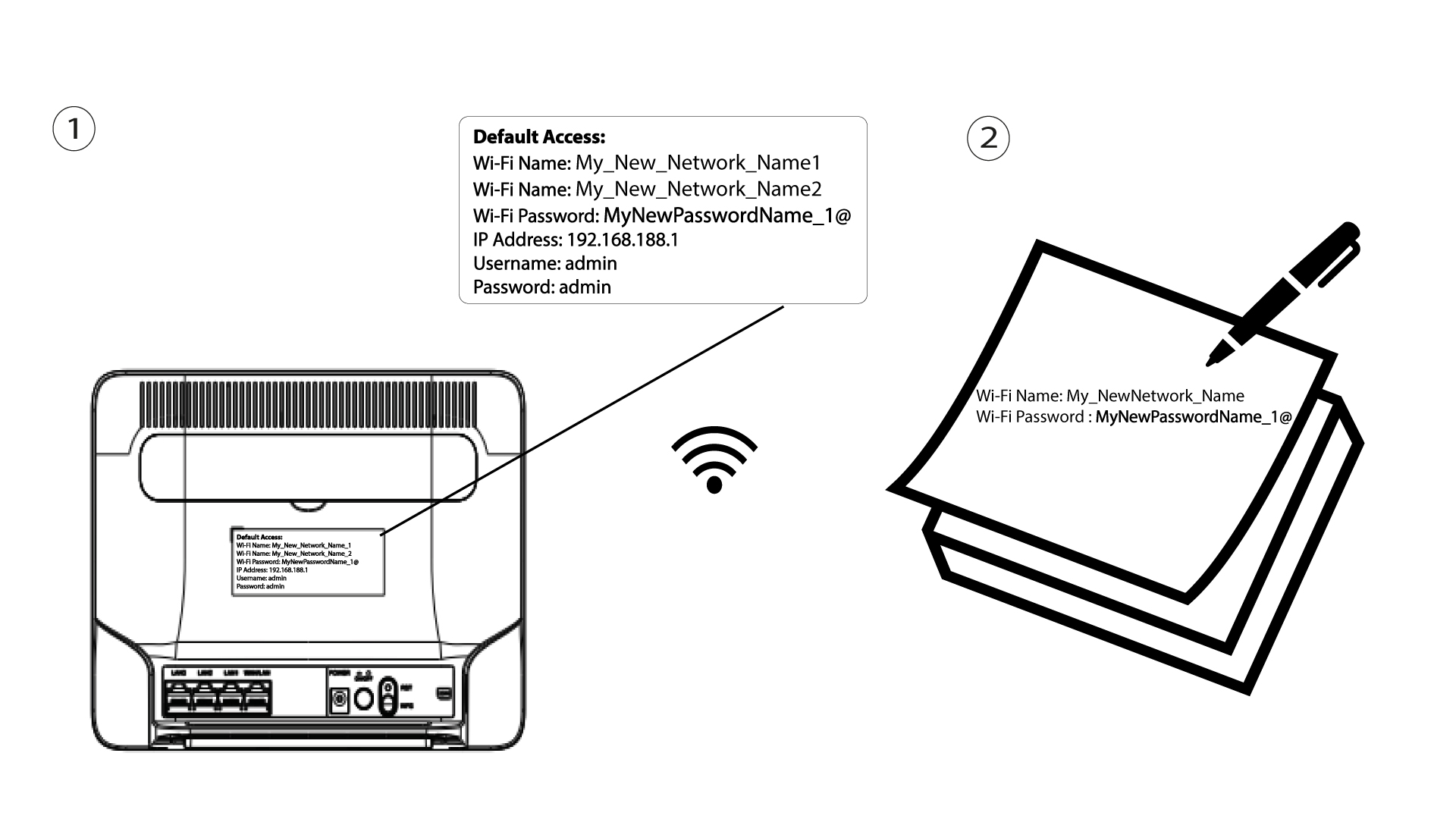
A bejelentkezési adatait a készülék hátulján található címkén találja meg.

4. Adja mega bejelentkezési adatait
Be kell írnia a felhasználónevet és a jelszót. Ezután kattintson a „Bejelentkezés” gombra.

5. Wi-Fi-beállítások
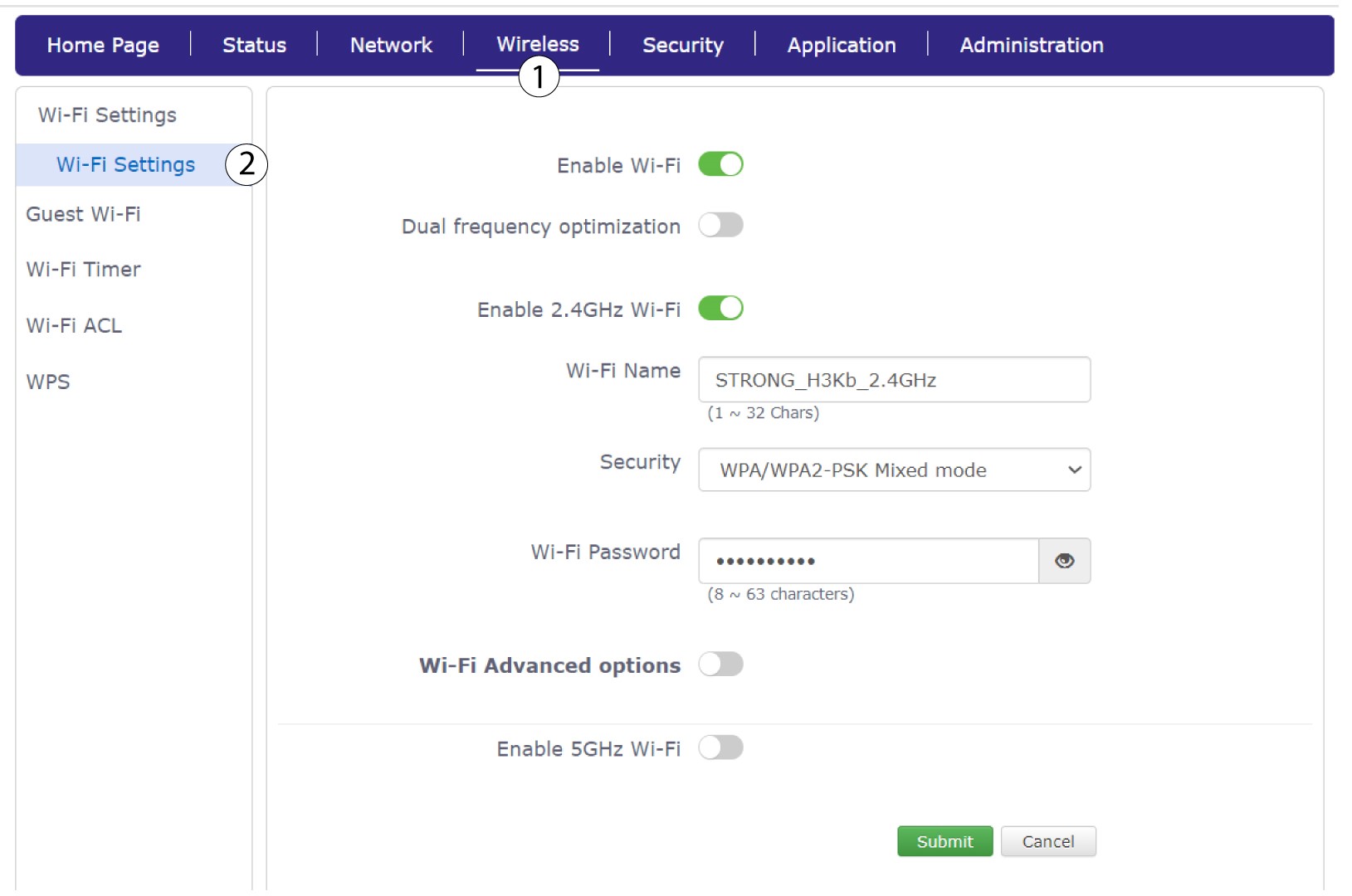
Kattintson a „Vezeték nélküli” elemre, majd válassza a „Wi-Fi-beállítások” lehetőséget.
6. Adja megaz új hálózati adatokat
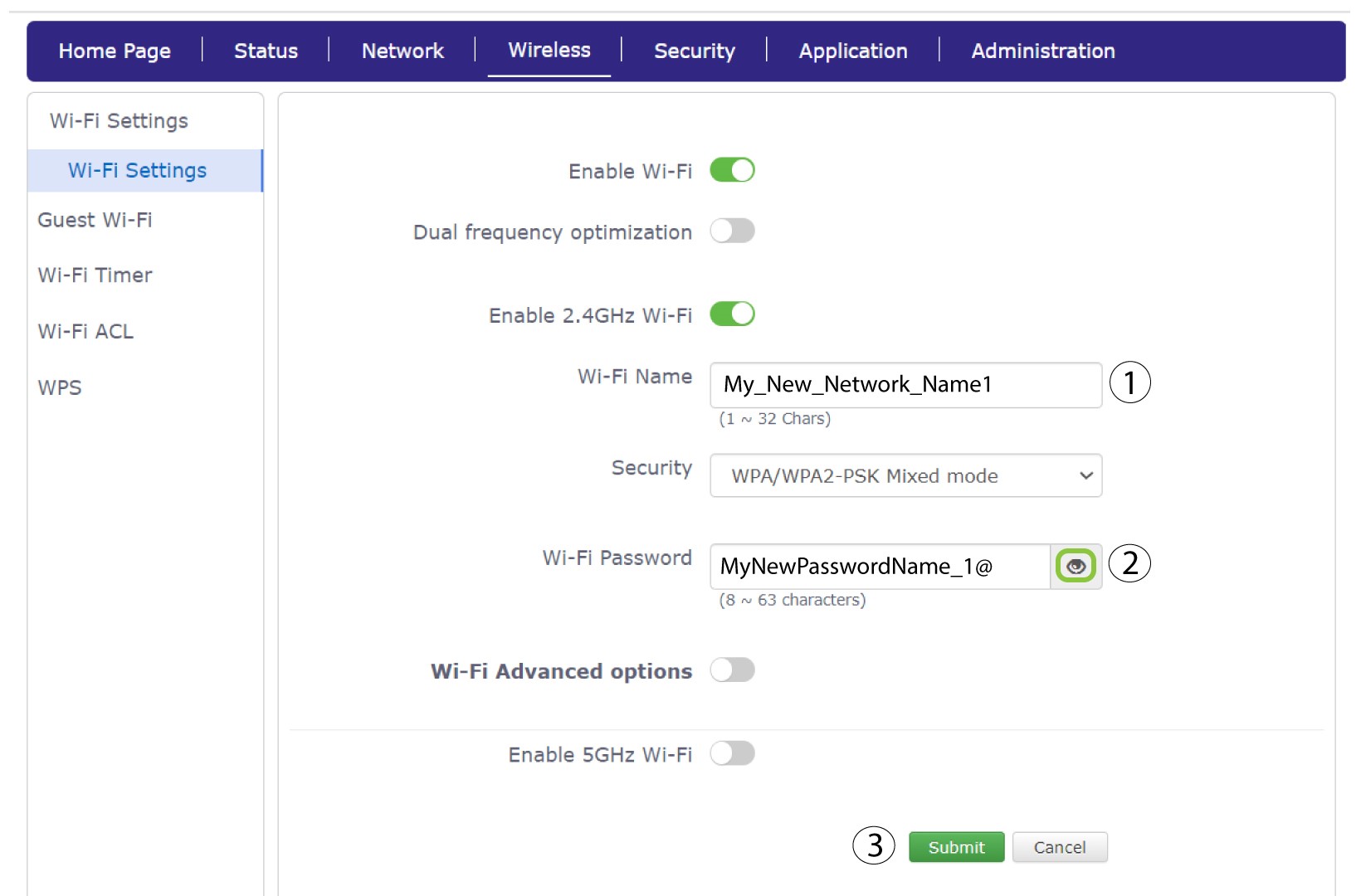
Módosítsa a „Wi-Fi név” mezőbe beírt nevet, majd kattintson a „Wi-Fi jelszó” mező melletti szem ikonra. Ezután módosítsa a „Wi-Fi jelszó” mezőbe beírt jelszót, majd kattintson a „Küldés” gombra a módosítások mentéséhez.
7. Írjale az új hálózati adatokat
Írja le az új SSID-t (a Wi-Fi-hálózat nevét) és a Wi-Fi-jelszót egy papírra, majd ragassza azt az útválasztóra.