4G+ AIRHOME 710 levehető 4G+ antennákkal
Minden kérdés
4G+ AIRHOME 710 levehető 4G+ antennákkal
Hogyan ellenőrizhetem és szerkeszthetem a szolgáltatóm APN-beállításait?
Ha a készülék nem ismeri fel automatikusan a SIM-kártyát, be kell jelentkeznie a webes felhasználói felületre, hogy ellenőrizze az APN-beállításokat, és szükség esetén módosítsa azokat.
1. Csatlakozzaz útválasztód Wi-Fi-hálózatához
Csatlakoznia kell a webes felhasználói felülethez. Ehhez írja be készülékébe az útválasztó SSID-jét (Wi-Fi-hálózat nevét) és a Wi-Fi-jelszót.

2. Keressemeg a webes felhasználói felület IP-címét
Ezután írja be a böngészőjébe a következő IP-címet: 192.168.188.1.

3Keresse mega webes felhasználói felülethez szükséges bejelentkezési adatait
A bejelentkezési adatait a készülék hátulján található címkén találja meg.

4. Adja mega bejelentkezési adatait
Be kell írnia a felhasználónevet és a jelszót, majd kattintsona „Bejelentkezés” gombra.

5APNbeállítások
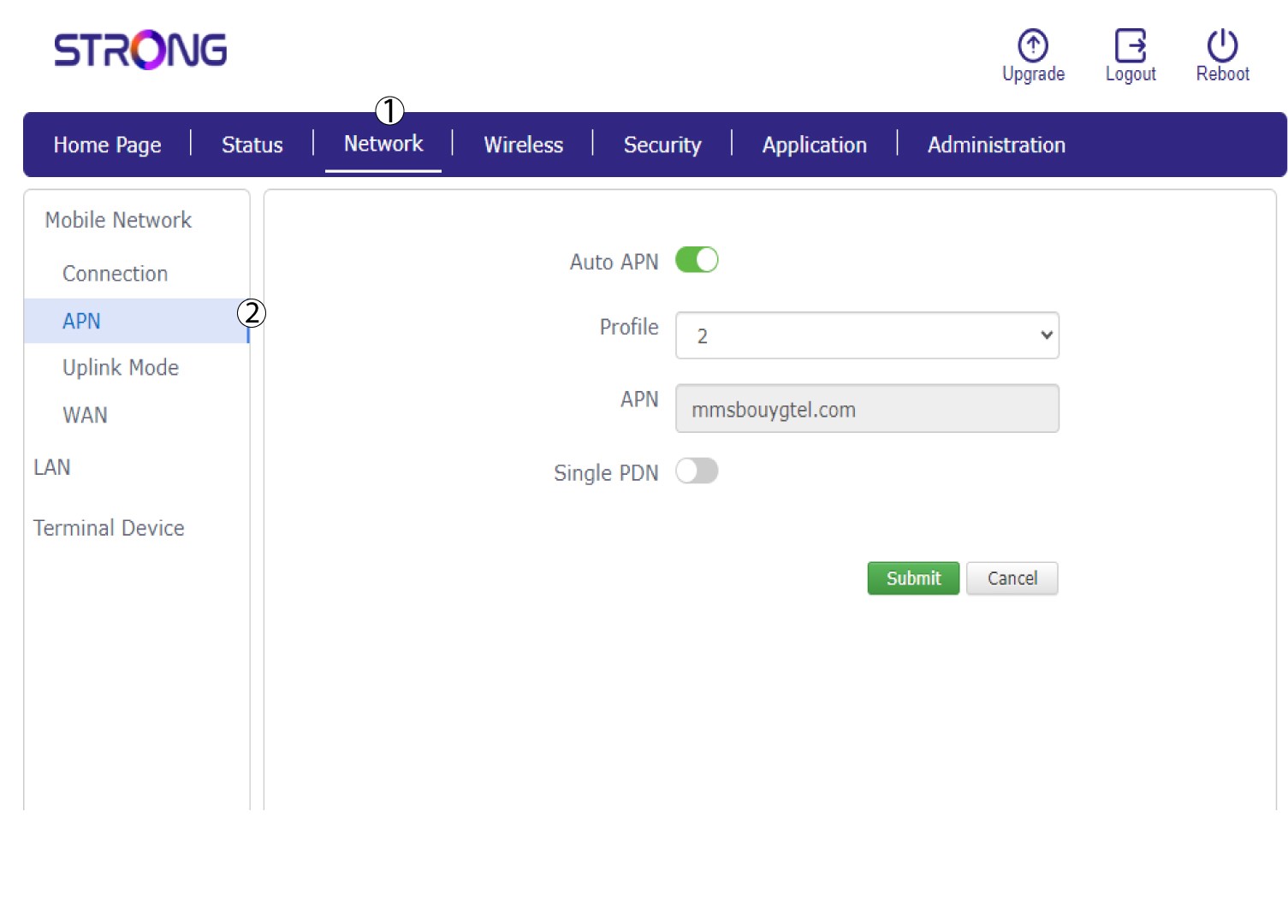
Kattintson a „Hálózat”, majd az „APN” elemre.
6. Ellenőrizzeaz APN-beállításokat
Kérjük, ellenőrizze az alábbi információkat:
- Név
- APN
- Felhasználónév
- Jelszó
- Hitelesítési típus
7. Az APN-beállítások szerkesztése
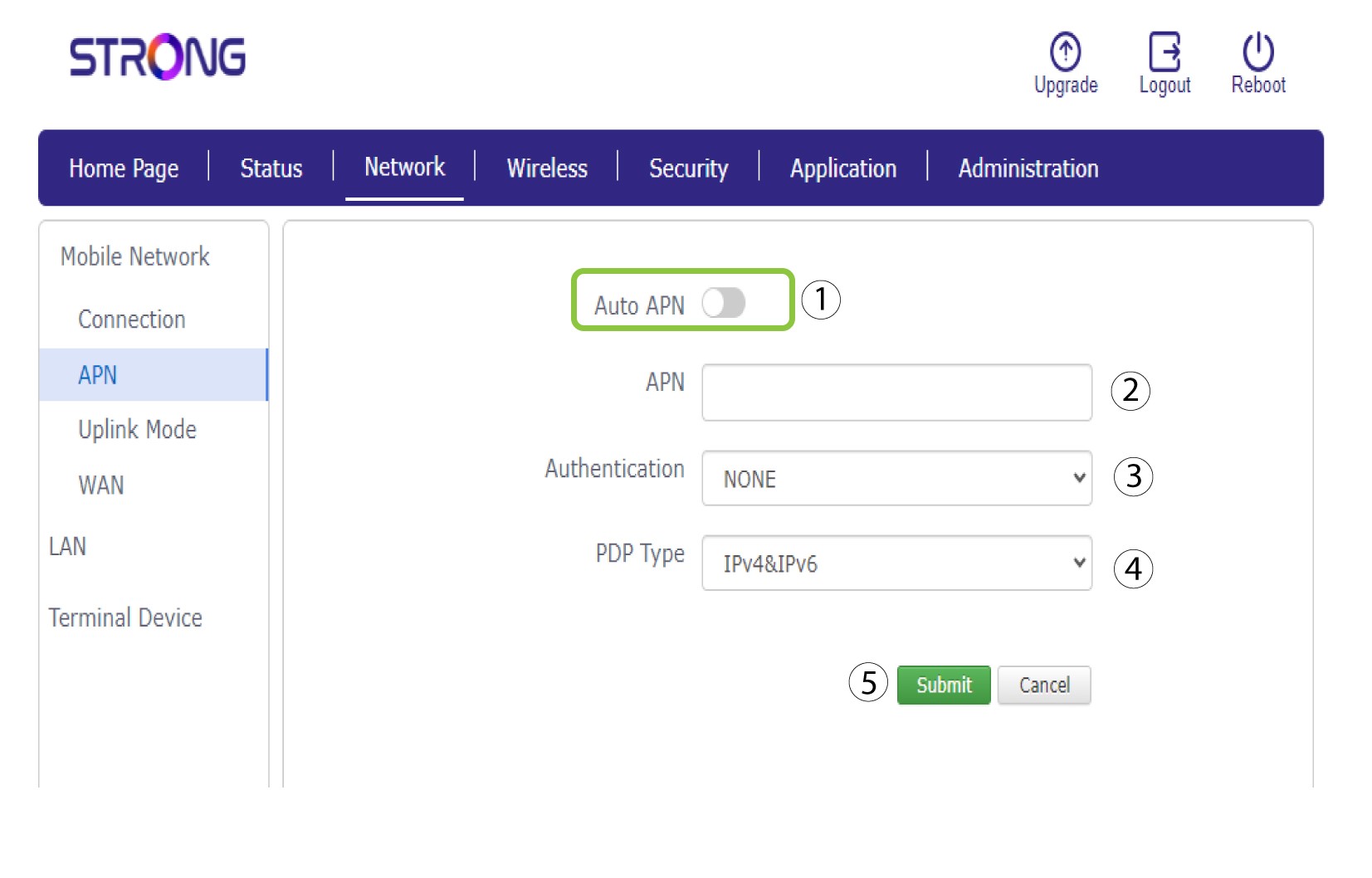
Ha az adatok helytelenek, kattintson az „Auto APN” kapcsolóra, és a „Küldés” gomb megnyomása előtt adja meg az alábbi adatokat:
•Írja be szolgáltatója nevét a „Profilnév” mezőbe (legfeljebb 14 karakter, szóközökkel együtt).
• Ezután írja be az APN-címet az APN mezőbe . Válassza ki a hitelesítési típust: NONE, CHAP vagy PAP.
• A „PDP típus” mezőben válassza ki az APN-típust: IPv4, IPv6 vagy IPv4v6.