ATRIA Wi-Fi 6 Mesh 3000 UK 2 db-os csomag)
Minden kérdés
ATRIA Wi-Fi 6 Mesh 3000 UK 2 db-os csomag)
Hogyan állítsam be a Wi-Fi- mesh -hálózatomat?

Figyelem: Az „ Mesh ” hálózat beállításához kérjük, olvassa el a termék csomagolásában található gyors útmutatót ( QIG).
Kérjük, vegye figyelembe, hogy ezt a műveletet minden egyes Mesh készülék esetében meg kell ismételnie, amelyet az Mesh hálózatához csatlakoztatni szeretne.
1.1. eset: WPS gomb
Mielőtt megnyomná a bekapcsoló gombot, csatlakoztassa az „Mesh ” készüléket a hálózathoz, és RJ45-kábel segítségével csatlakoztassa azt a modemhez.
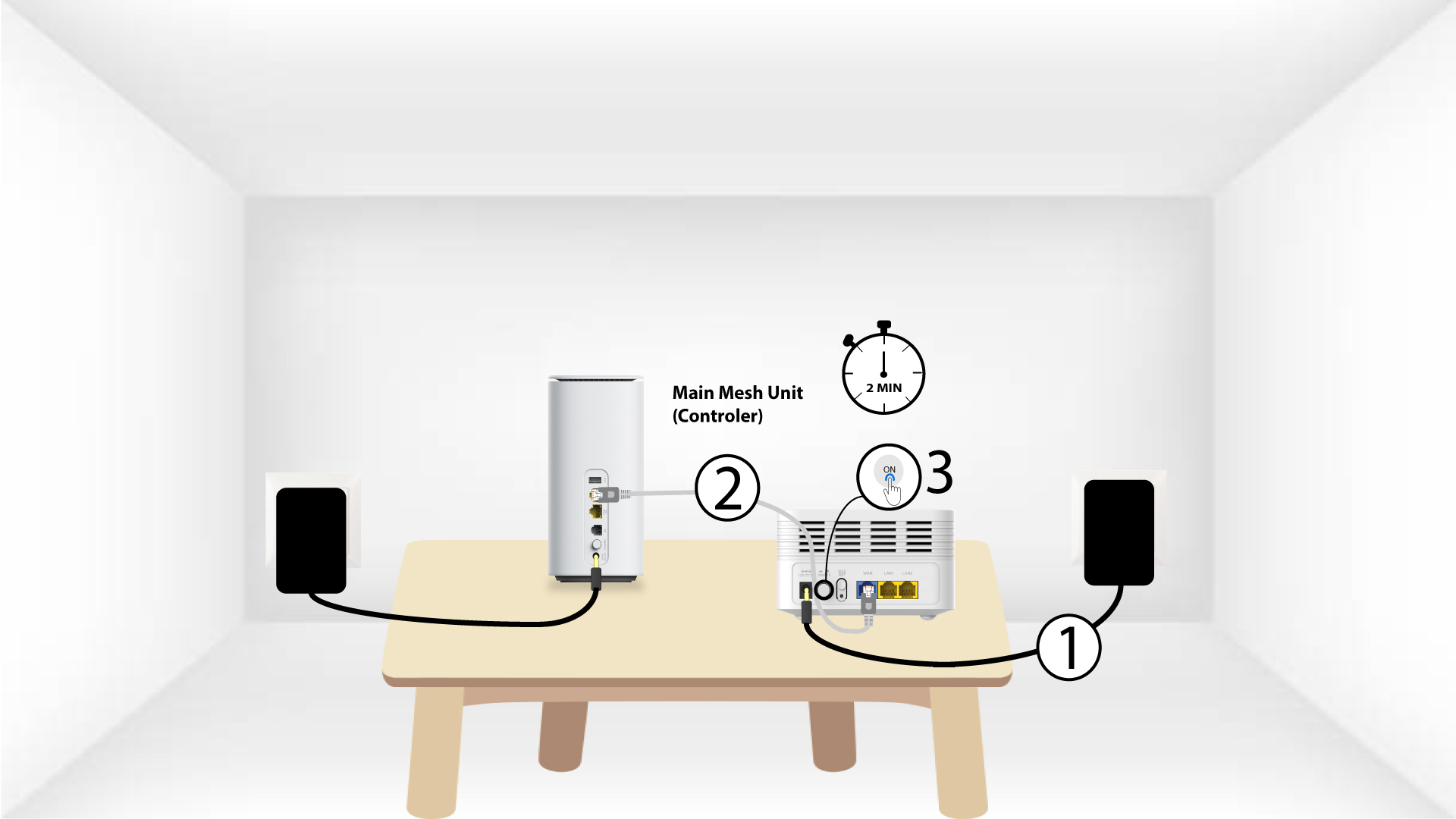
2Főoldal Mesh WPS
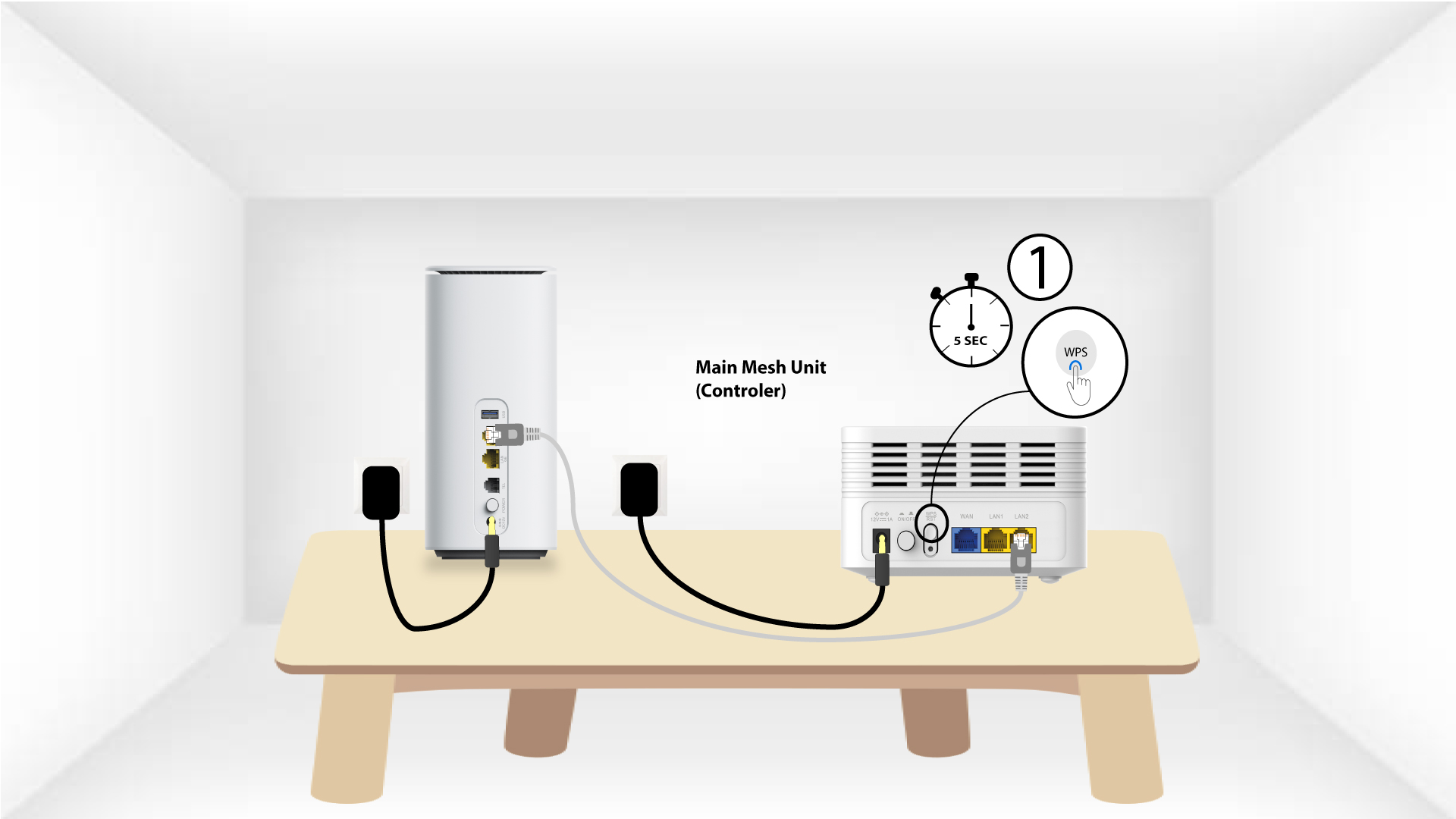
Nyomja meg 5 másodpercig a modemhez csatlakoztatott „ mesh ” készülék WPS gombját .
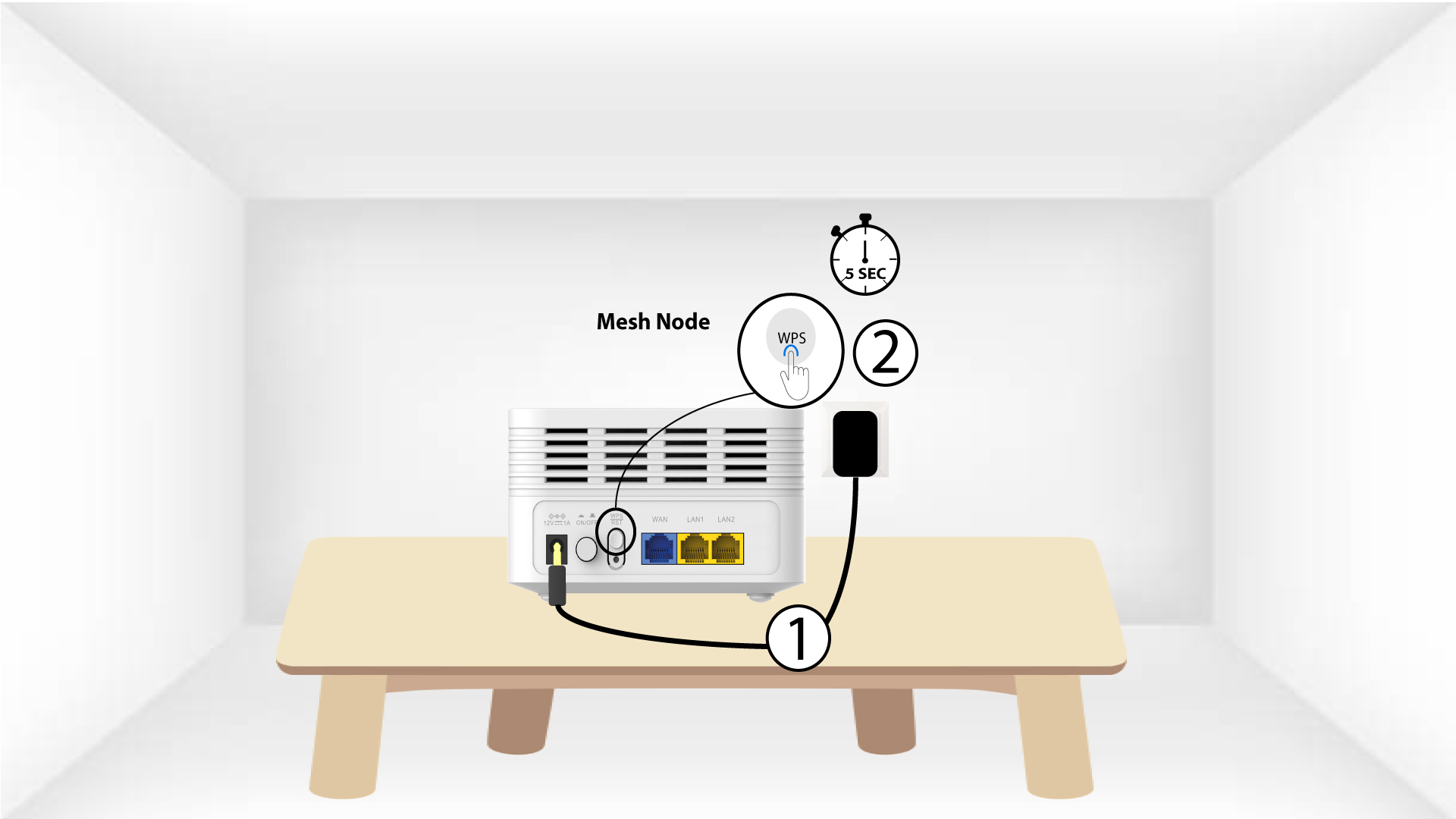
3Second„ Mesh ” egység WPS
Csatlakoztassa a második „ Mesh ” egységet egy konnektorhoz, majd nyomja meg a WPS gombot 5 másodpercig.
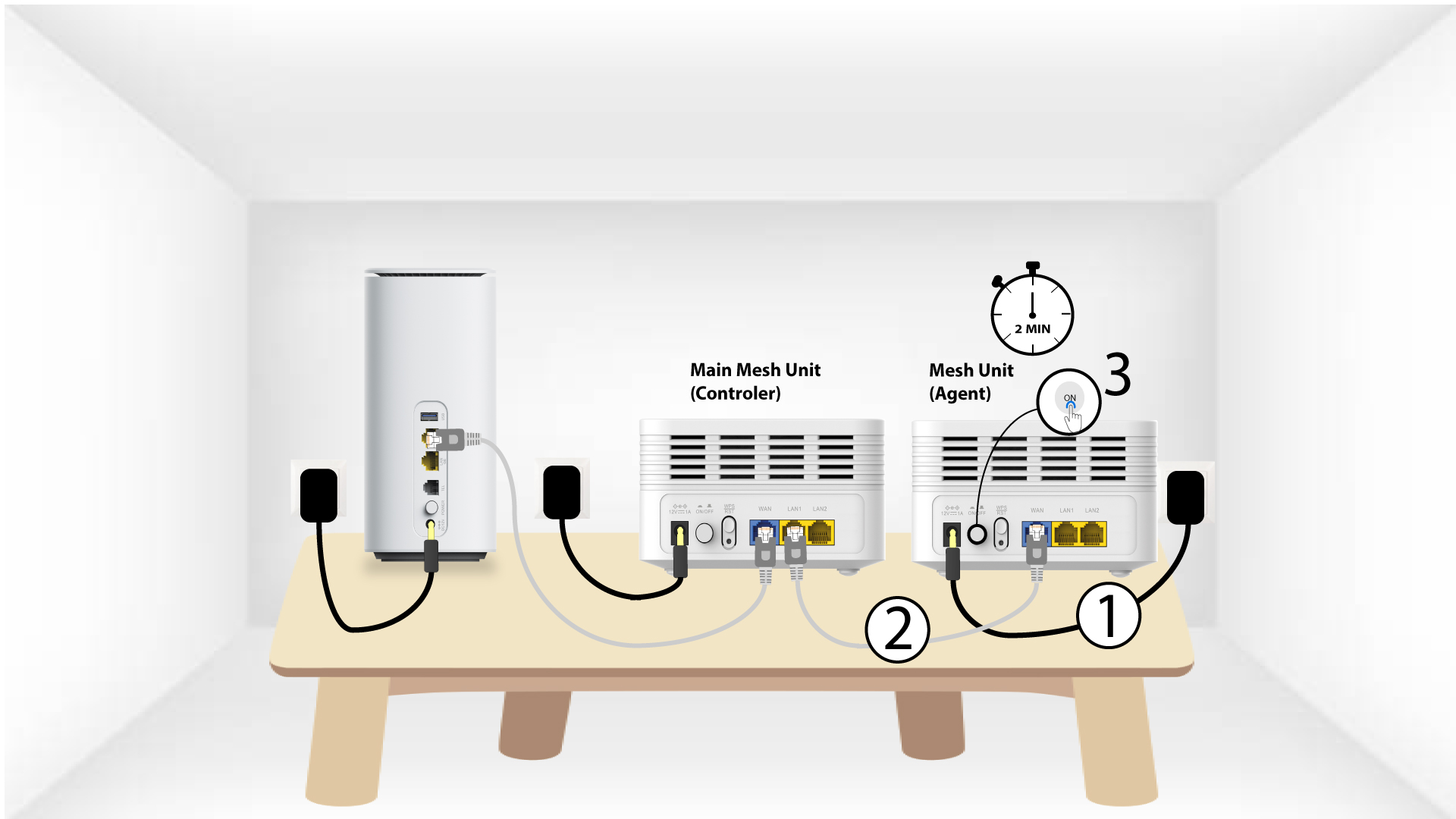
1.2. eset: Ethernet-kábel (RJ45)
Mielőtt megnyomná a bekapcsoló gombot, csatlakoztassa az „Mesh ” készüléket a hálózati aljzathoz, majd RJ45-es kábellel csatlakoztassa a modemhez a WLAN-porton keresztül .
2 Ethernet-kábel mindkét LAN-csatlakozóba Mesh
Csatlakoztassa a „Main Mesh ” egységet (vezérlő) a „ Mesh ” egységhez (ügynök) úgy, hogy mindkét „ Mesh ” készülék LAN-portjába RJ45-es kábelt dugjon be.