ATRIA Wi-Fi 6 Mesh 3000 UK 2 db-os csomag)
Minden kérdés
ATRIA Wi-Fi 6 Mesh 3000 UK 2 db-os csomag)
Mit tudok csinálni a webes felhasználói felületen?
1. Csatlakozzaz eszköz Wi-Fi-hálózatához
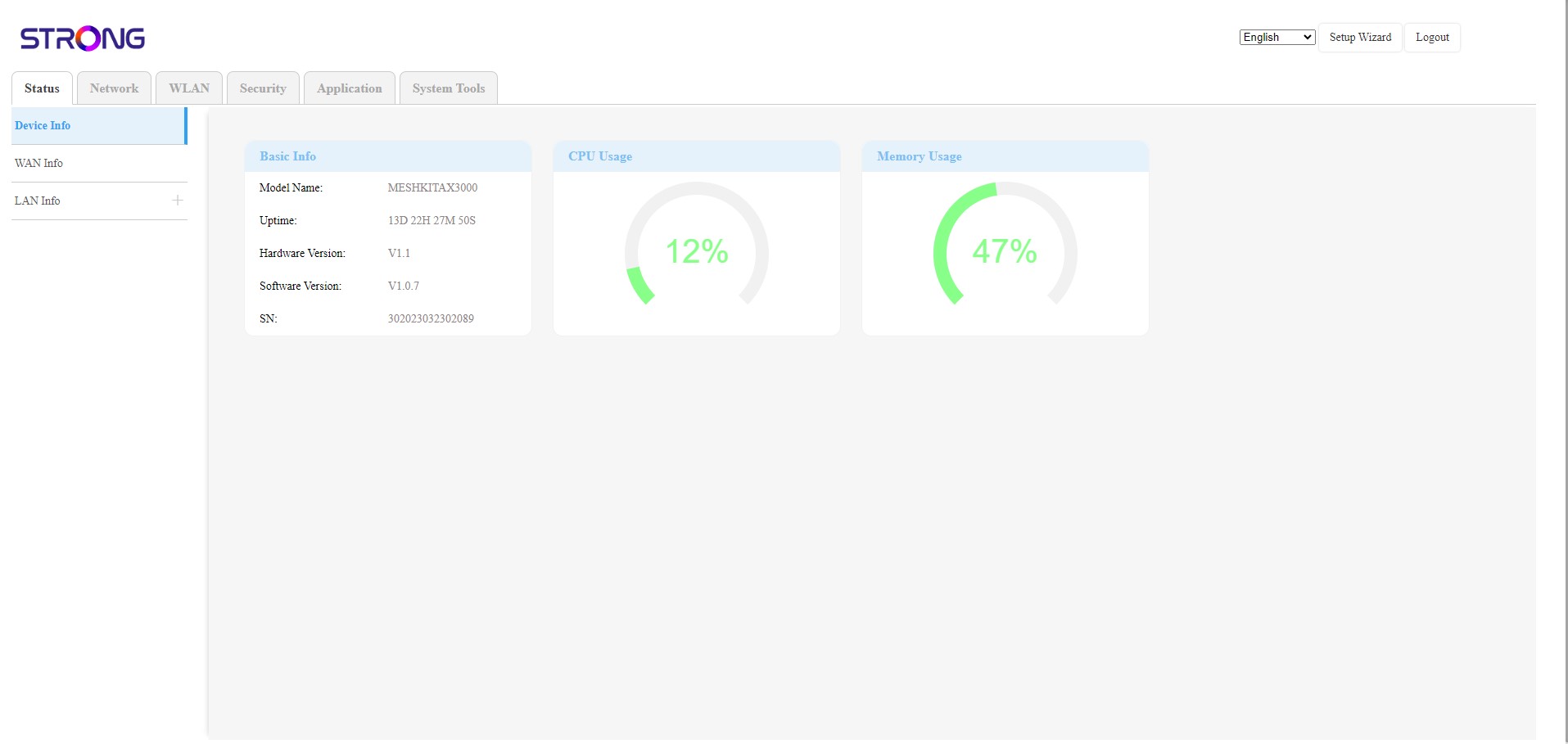
A webes felhasználói felület 6 szakaszra oszlik:
• Állapot: Itt találhatók az összes információ az Mesh eszközről és a hálózatról.
• Hálózat: Itt konfigurálhatja a WAN- és a LAN-beállításokat (IPv4 / IPv6), valamint beállíthat sebességkorlátozást.
• WLAN: itt választhat a 2,4 GHz-es és az 5 GHz-es hálózat között, beállíthat több SSID-t, a WPS-t, kezelheti a különböző MAC-címek internet-hozzáférését, módosíthatja az SSID-t és a Wi-Fi jelszavakat, valamint beállíthatja az „ Mesh ” funkciót.
• Biztonság: itt beállíthat tűzfalat, DoS-beállításokat, URL-/MAC-szűrőket, IP-szűrőket, szülői felügyeletet/szolgáltatás-ellenőrzést, valamint ütemezheti a „ Mesh ” hálózati aktiválását.
• Alkalmazás: itt konfigurálhatja a NAT-beállításokat (ALG, DMZ, porttovábbítás), a VPN-t, az SNTP-t (időzóna), a dinamikus DNS-t, az UPnP-t, valamint elérheti az IPTV-konfigurációt.
• Rendszereszközök: itt módosíthatja a bejelentkezési adatokat, újraindíthatja az eszközt, frissítheti a firmware-t, menthet és visszaállíthat biztonsági másolatot, visszaállíthatja a gyári beállításokat, kezelheti a LED-eket, hozzáférhet a naplófájlokhoz és elindíthatja a diagnosztikát.