Nem találtunk tárgyakat.
LEAP 41 | 4K Google TV HDR10+ támogatással
Nem találtunk tárgyakat.
Minden kérdés
Nem találtunk tárgyakat.
LEAP 41 | 4K Google TV HDR10+ támogatással
Nem találtunk tárgyakat.
Hogyan törölhetek egy alkalmazást?
1. Beállítások
Nyomja meg a távirányítón a Beállítások gombot (fogaskerekes ikon). A Beállítások menü megjelenik a tévéképernyőn.
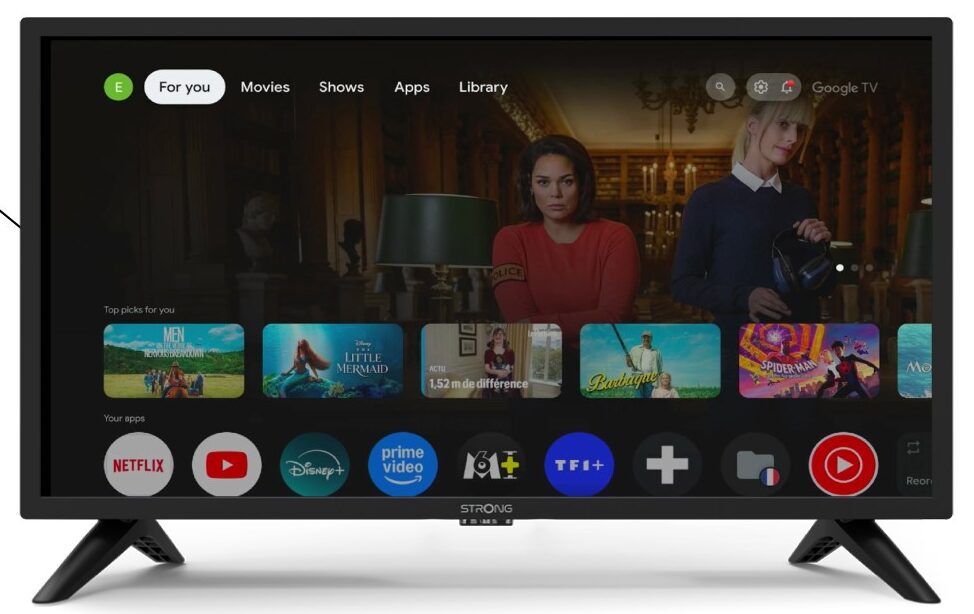
2Apps
A beállításokban válaszd az „Alkalmazások” menüpontot.

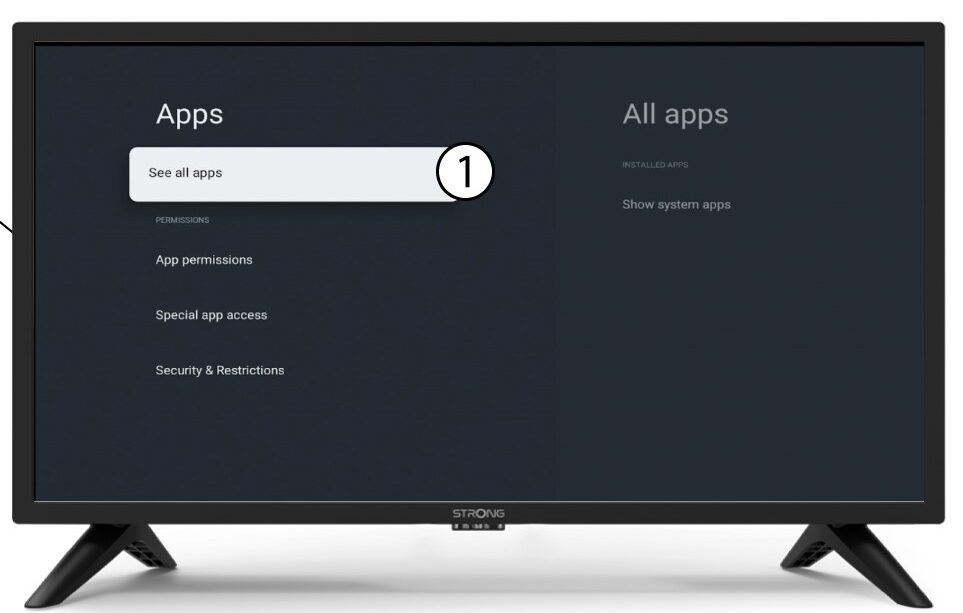
3Mindenalkalmazás
Válassza az „Összes alkalmazás megtekintése” lehetőséget.
4. Válassza kia törölni kívánt alkalmazást
Válasszon ki egy alkalmazást a listából.
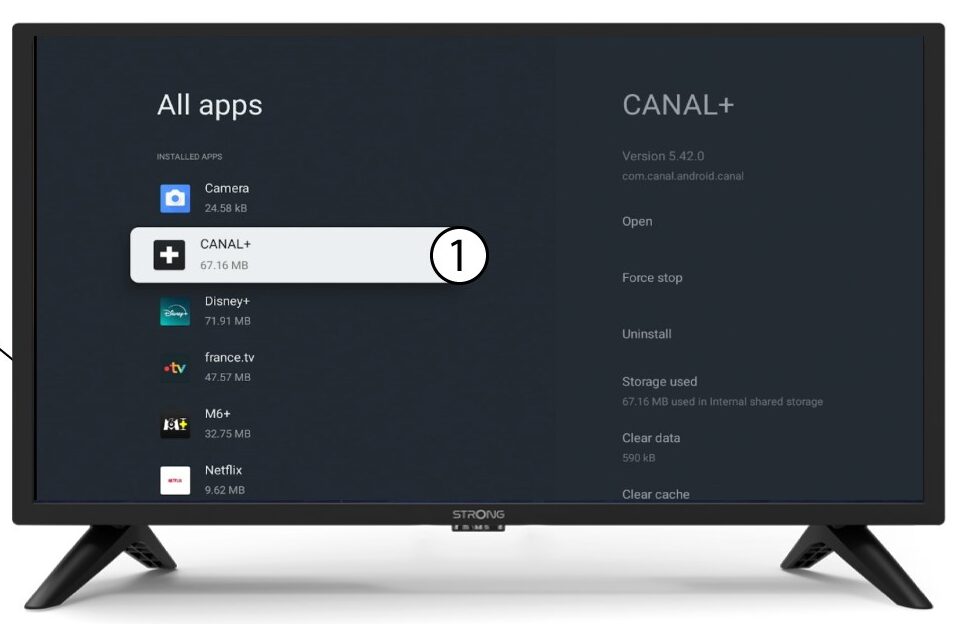
5. Eltávolítás
Válassza az „Eltávolítás” lehetőséget.
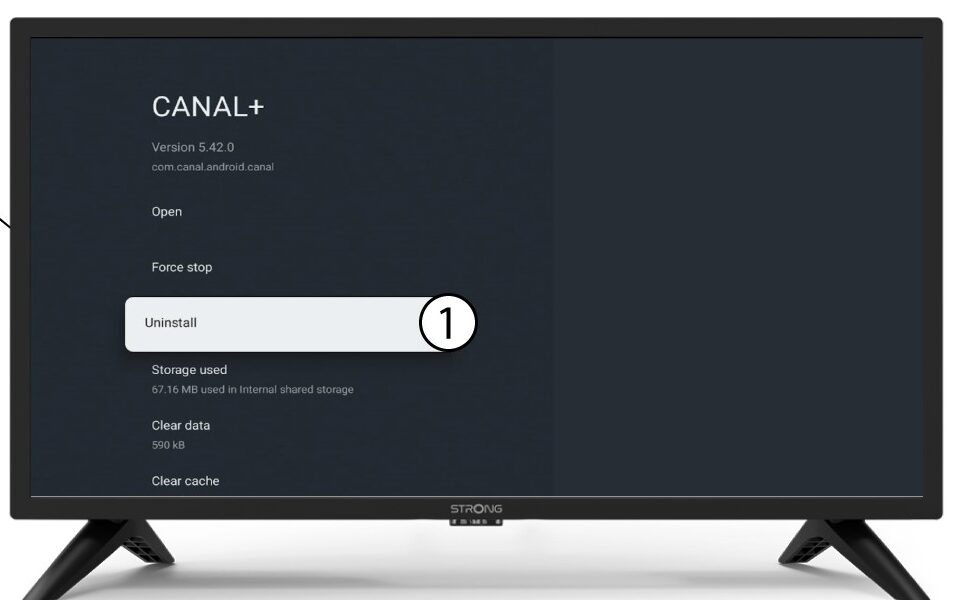
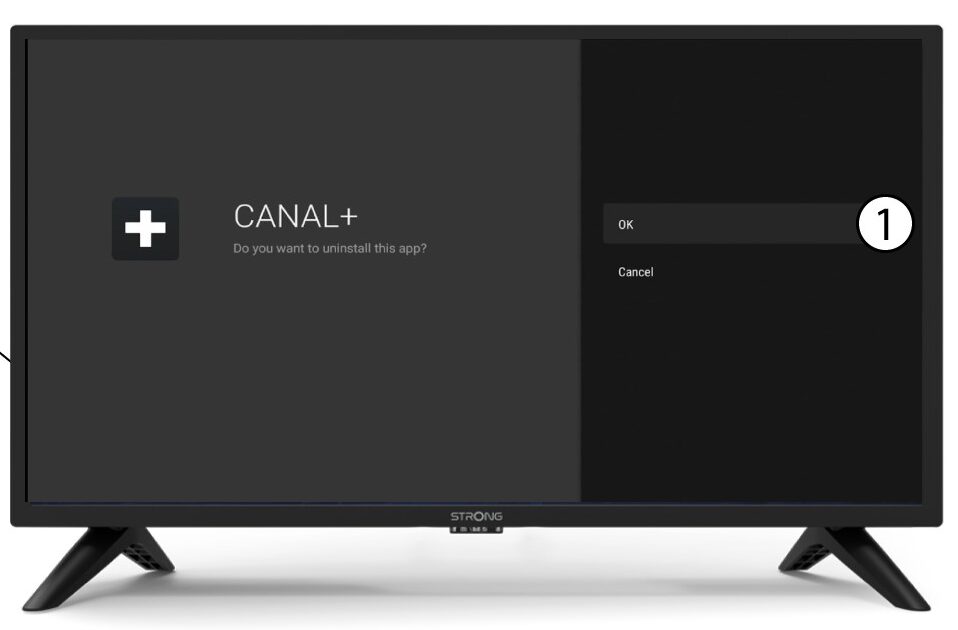
6. A törlés megerősítése
Válassza az OK gombot.