Nem találtunk tárgyakat.
LEAP 41 | 4K Google TV HDR10+ támogatással
Nem találtunk tárgyakat.
Minden kérdés
Nem találtunk tárgyakat.
LEAP 41 | 4K Google TV HDR10+ támogatással
Nem találtunk tárgyakat.
Hogyan állíthatom vissza a készüléket a gyári beállításokra?
1. Kapcsoljabe a tévét és a vevőkészüléket
Kapcsolja be a tévét és a vevőkészüléket.
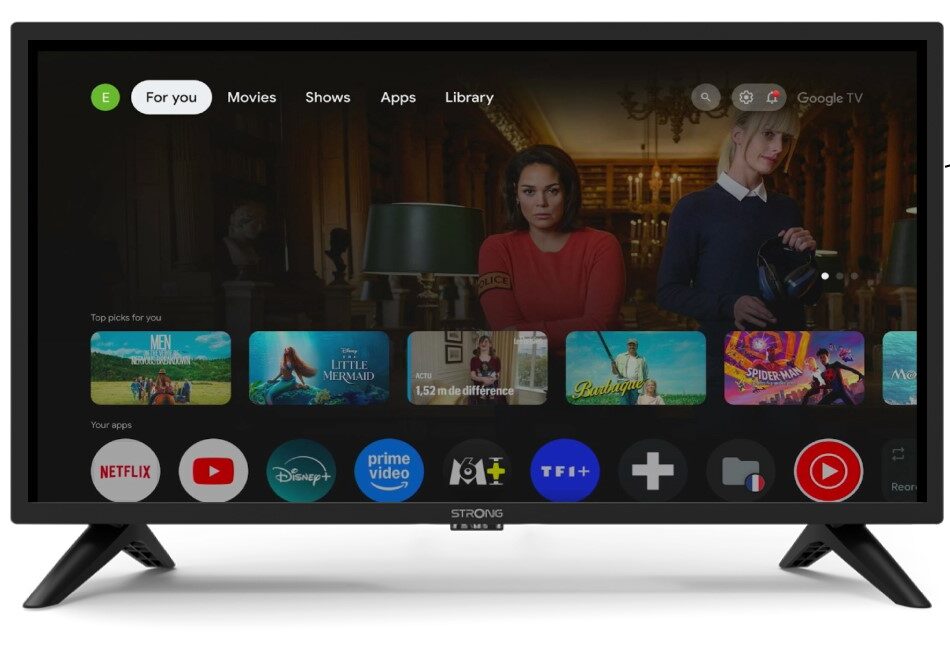
2. Beállítások
Nyomja meg a távirányítón a fogaskerék ikont.
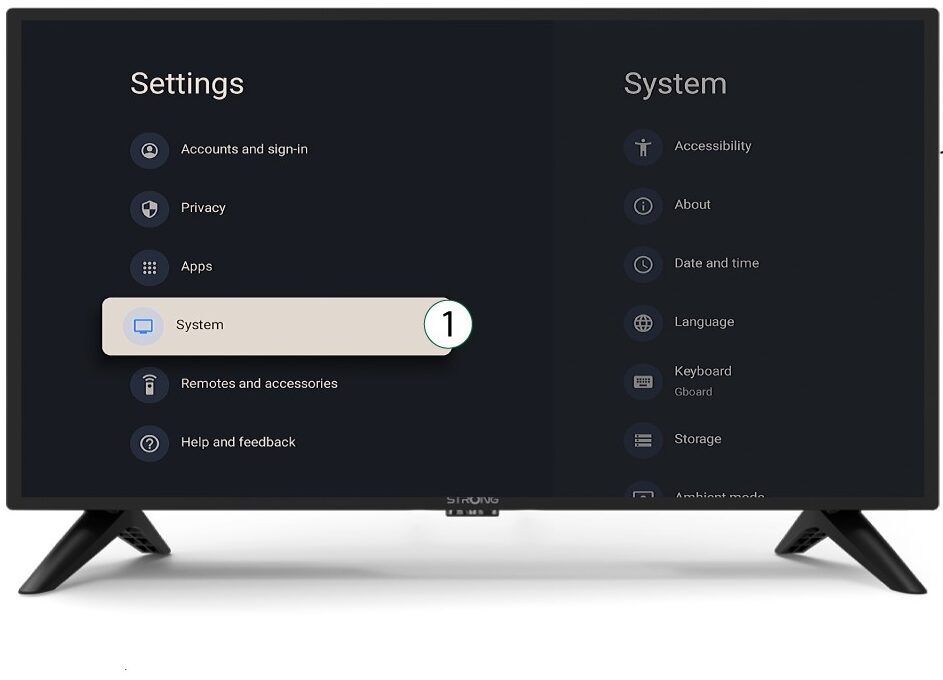
3System
A Beállítások menüben válassza ki a Rendszer menüpontot, majd nyomja meg az OK gombot.
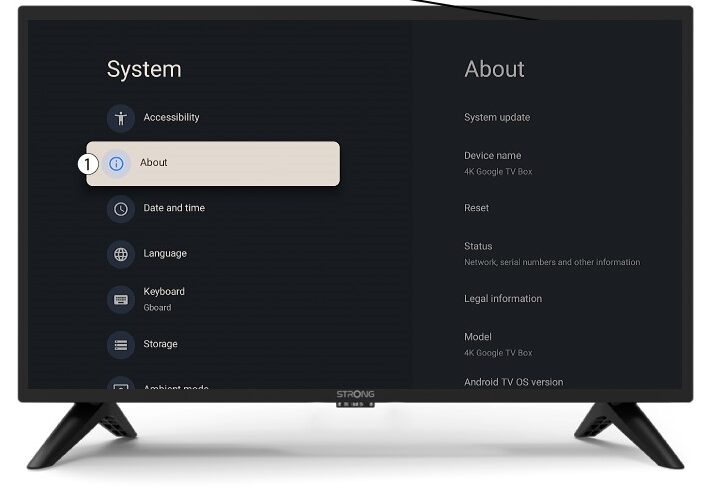
4Rólunk
Válassza ki a rendszermenüben az „Információk” menüpontot, majd nyomja meg az OK gombot.
5Visszaállítás
Válassza a „Visszaállítás” lehetőséget.
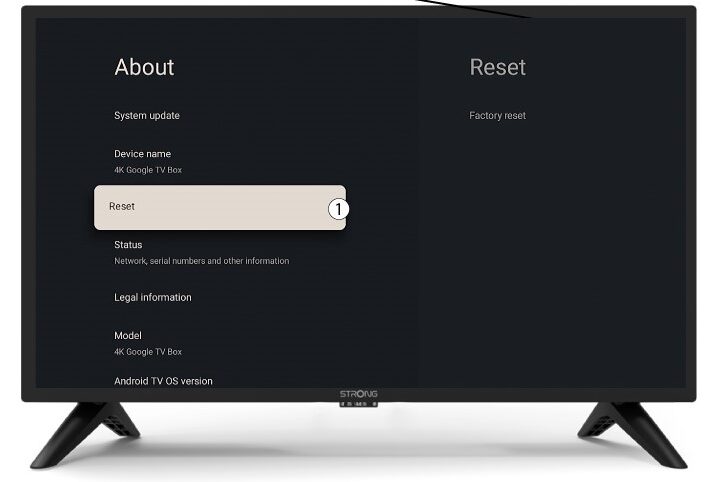
6. Gyári beállításokvisszaállítása
Válassza ki a „Gyári beállítások visszaállítása” lehetőséget, majd nyomja meg az OK gombot.
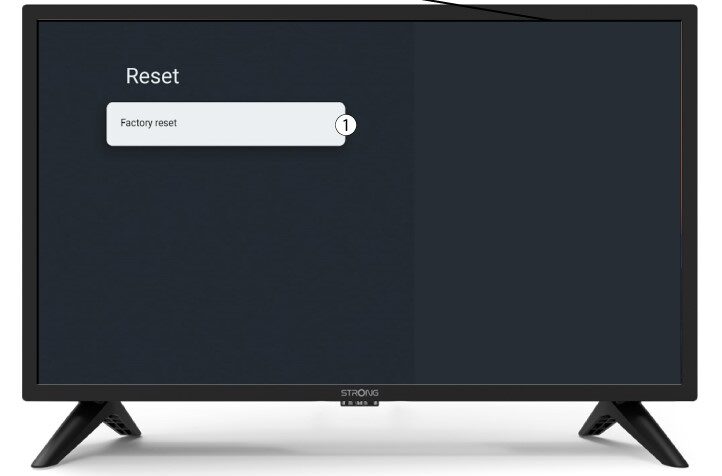
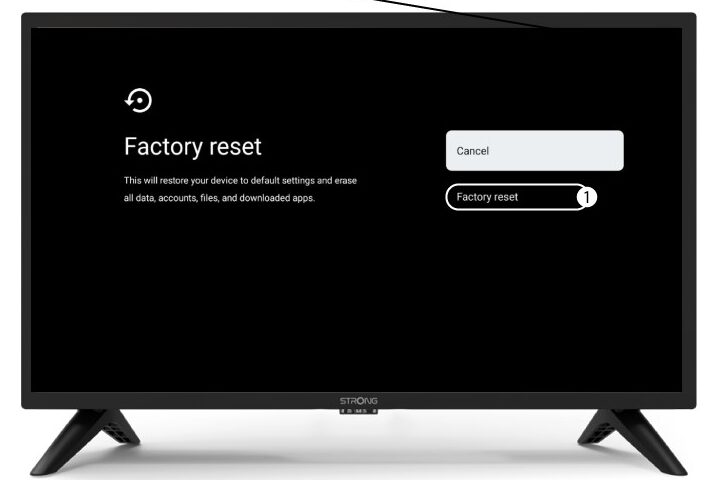
7. A visszaállítás megerősítése
Válassza ki a „Gyári beállítások visszaállítása” lehetőséget a „Gyári beállítások visszaállítása” oldalon.