
Mini router 4G AIRHOME 300 con antenne 4G rimovibili
Tutte le domande
Mini router 4G AIRHOME 300 con antenne 4G rimovibili
Come si modificano l'SSID e la password? (Impostazioni rapide)
Come faccio a modificare l’SSID e la password?
Nell'interfaccia utente web, sono disponibili due modi per modificare l'SSID e la password del router:
• Utilizzando le Impostazioni rapide
• Oppure utilizzando le Impostazioni Wi-Fi.
1Impostazioni rapide
Nell'interfaccia utente web, le Impostazioni rapide ti consentono di modificare le informazioni relative alla tua rete: il nome e la password.
Per farlo, clicca su “Impostazioni rapide ” nella barra in alto.
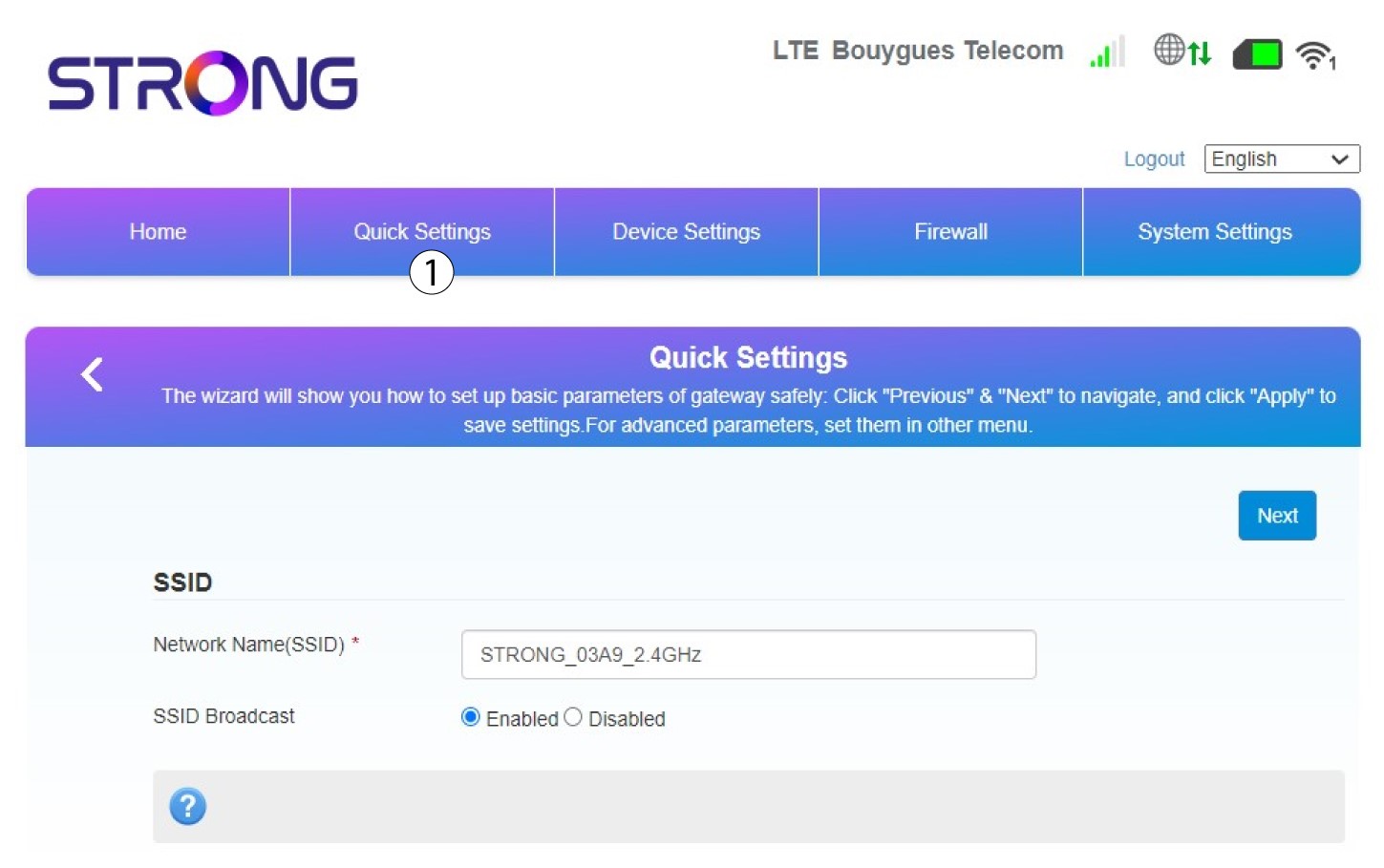
2. Inserisciil nuovo nome della rete
Quindi inserisci il nuovo nome della rete e fai clic su Avanti.
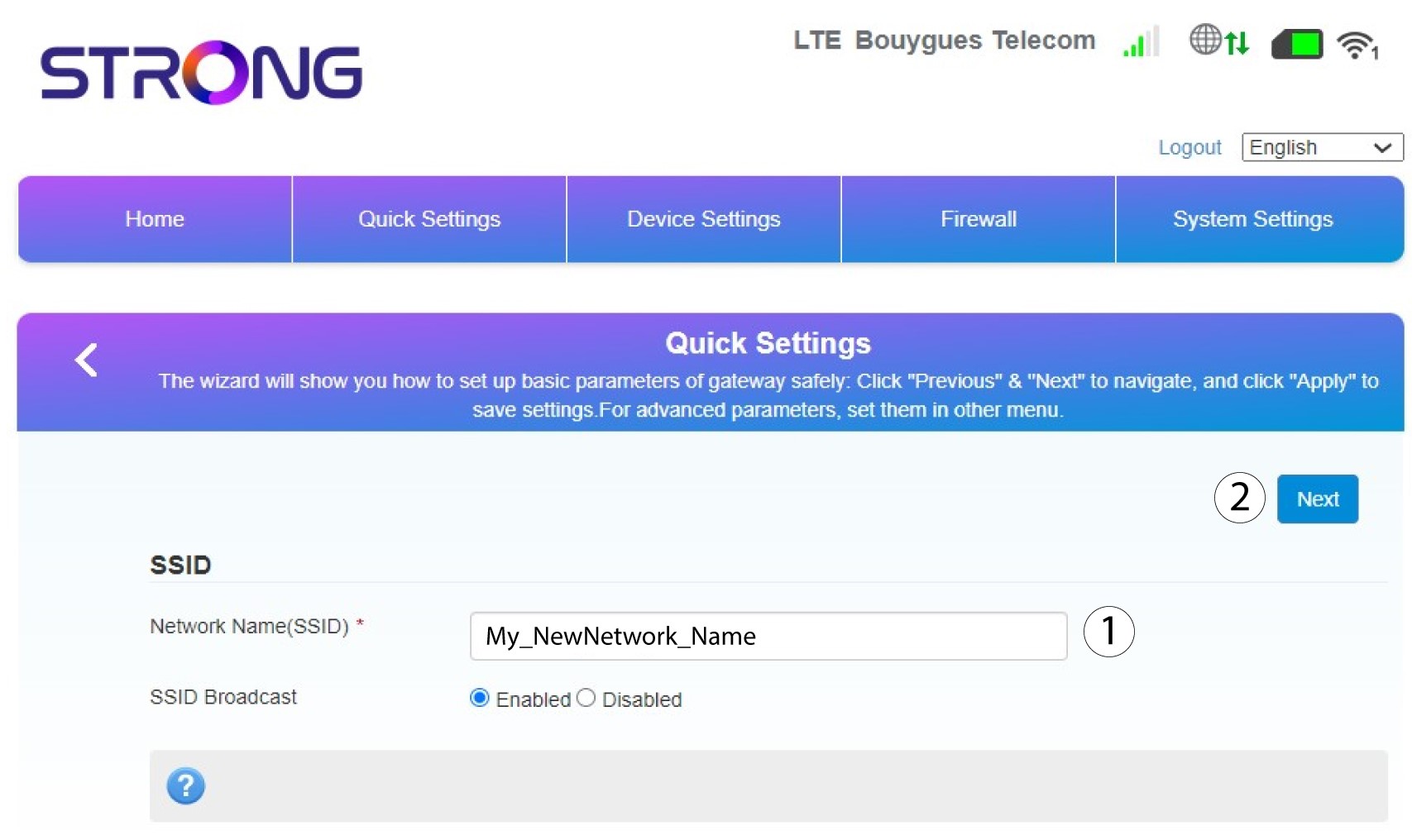
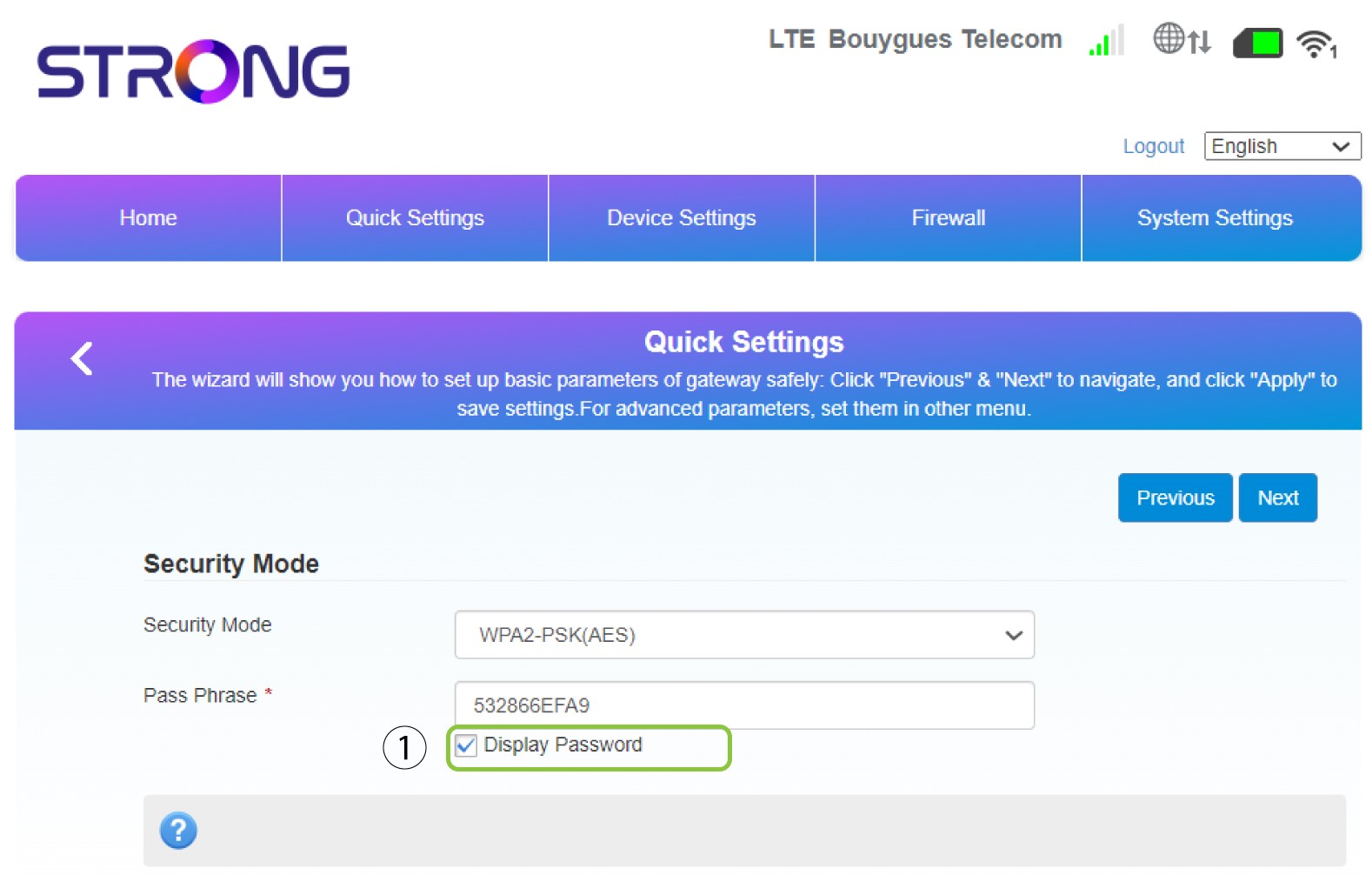
3Mostrala tua password
Fai clic su " Mostra password".
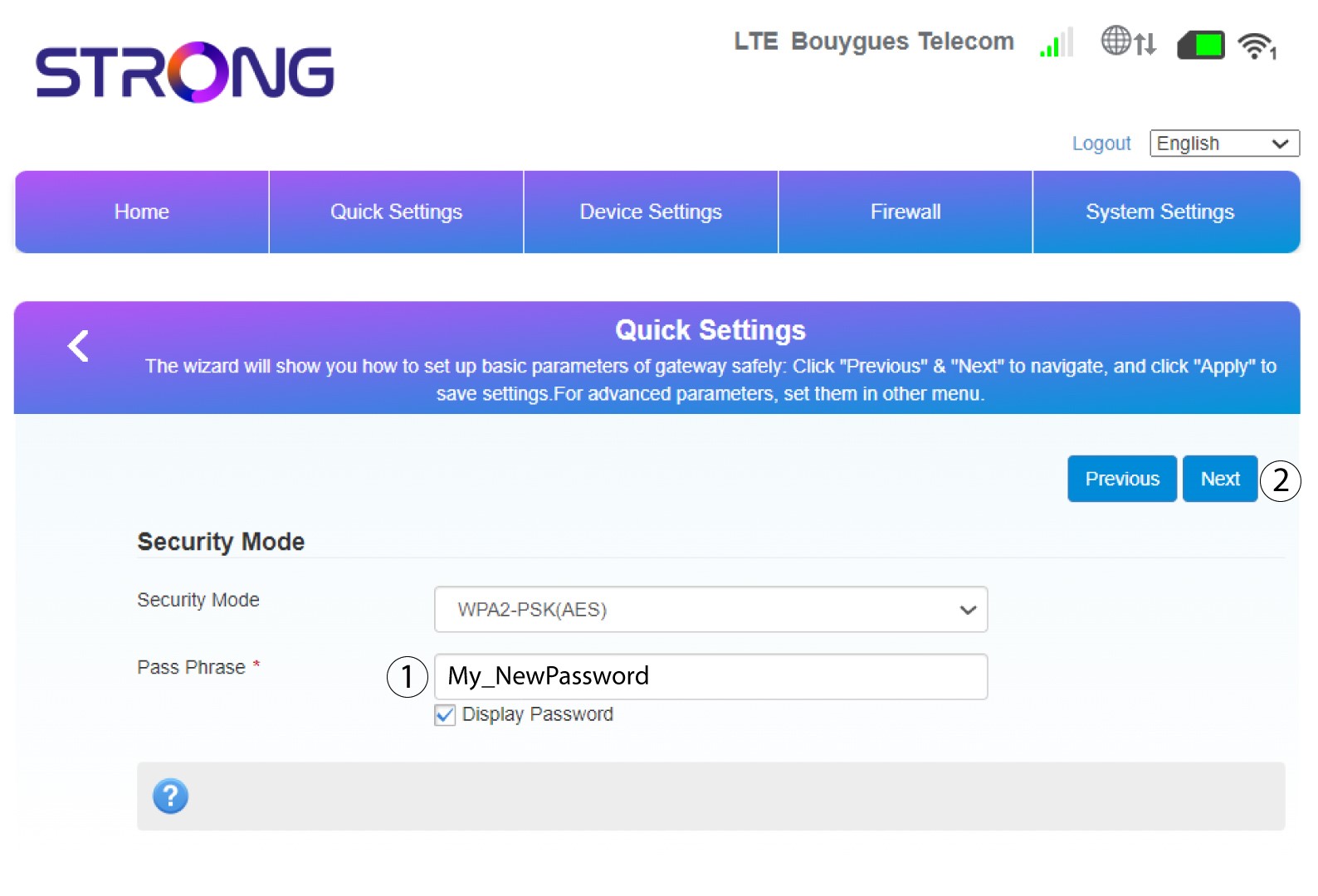
4. Inserisciuna nuova password
Modifica la tua password. Quindi fai clic su Avanti.
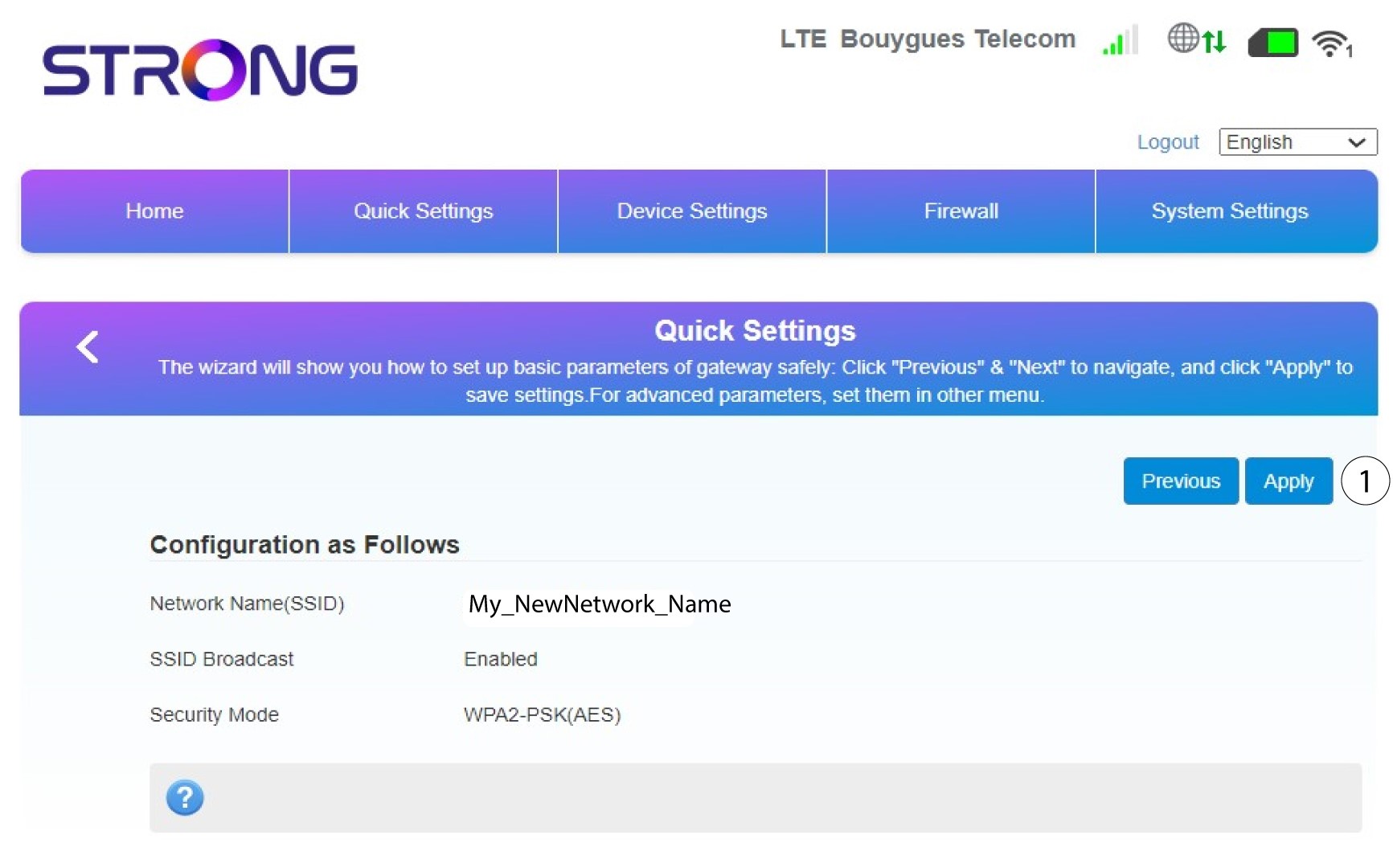
5. Controllale modifiche apportate
Per salvare le modifiche, fare clic su " Applica".
6. Annotareil nuovo nome di rete e la nuova password
Si prega di annotare su un foglio di carta il nuovo SSID e la nuova password che ha creato.


Una volta modificati il nome della rete e la password del router, il codice QR non funzionerà più, poiché le informazioni di connessione del router saranno diverse.