
Mini router 4G AIRHOME 300 con antenne 4G rimovibili
Tutte le domande
Mini router 4G AIRHOME 300 con antenne 4G rimovibili
Come si modificano l'SSID e la password? (Impostazioni Wi-Fi)

Una volta modificati il nome della rete e la password del router, il codice QR non funzionerà più, poiché le informazioni di connessione del router saranno diverse.
Si prega di annotare le nuove informazioni di rete su un foglio di carta.
1. Connettitialla rete Wi-Fi del router
Per modificare l'SSID e la password, è necessario connettersi alla rete Wi-Fi del proprio dispositivo.

2. Accedereall'indirizzo IP dell'interfaccia utente web
A questo punto, digita nel browser il seguente indirizzo IP: 192.168.0.1.

3Pagina di accesso
Quindi fare clic su " Accedi".

4. Inseriscile tue credenziali
È necessario inserire il nome utente e la password.

5Impostazioni Wi-Fi
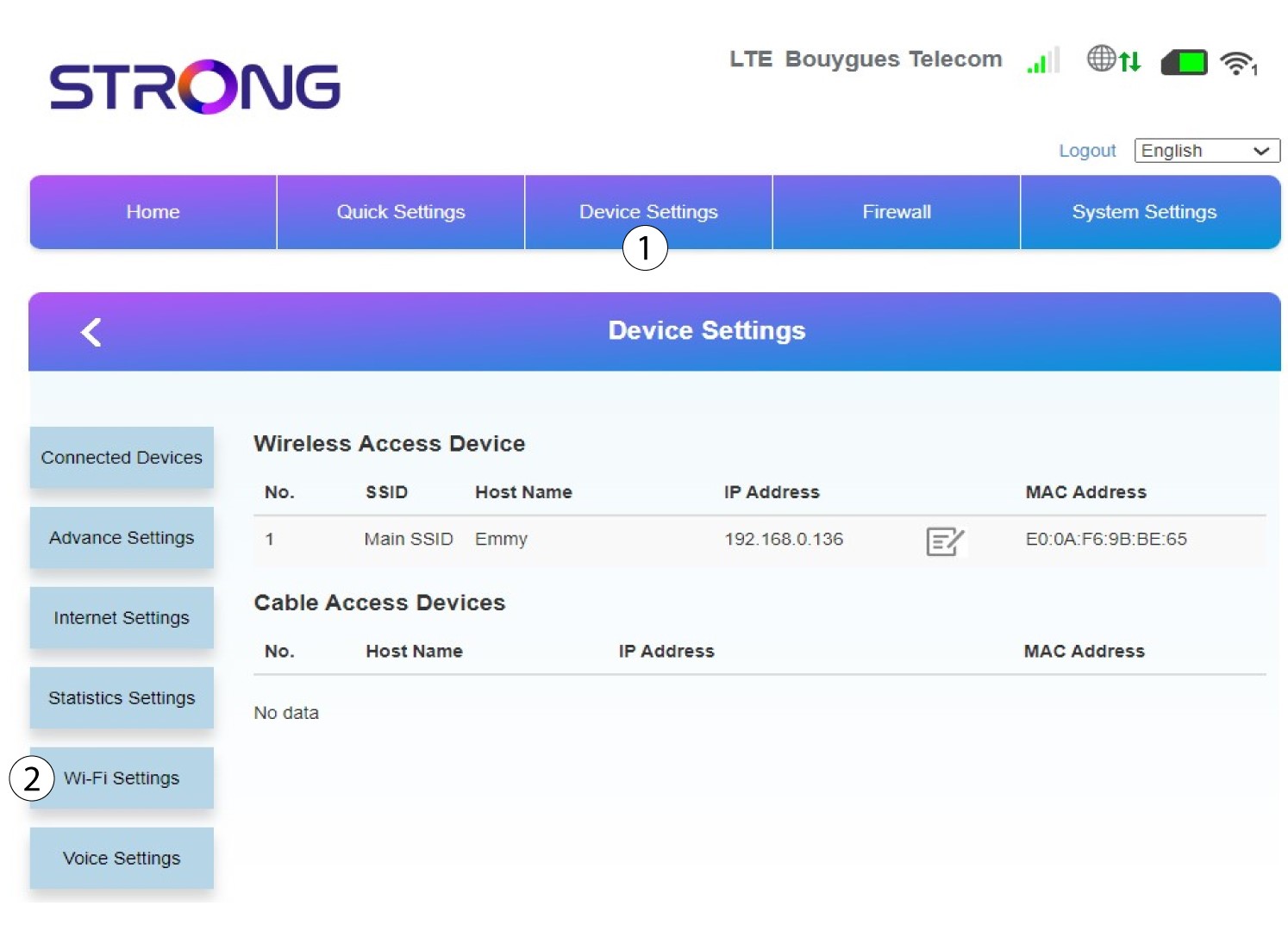
Fai clic su “Impostazioni dispositivo ” e seleziona “Impostazioni Wi-Fi”.
6SSID principale
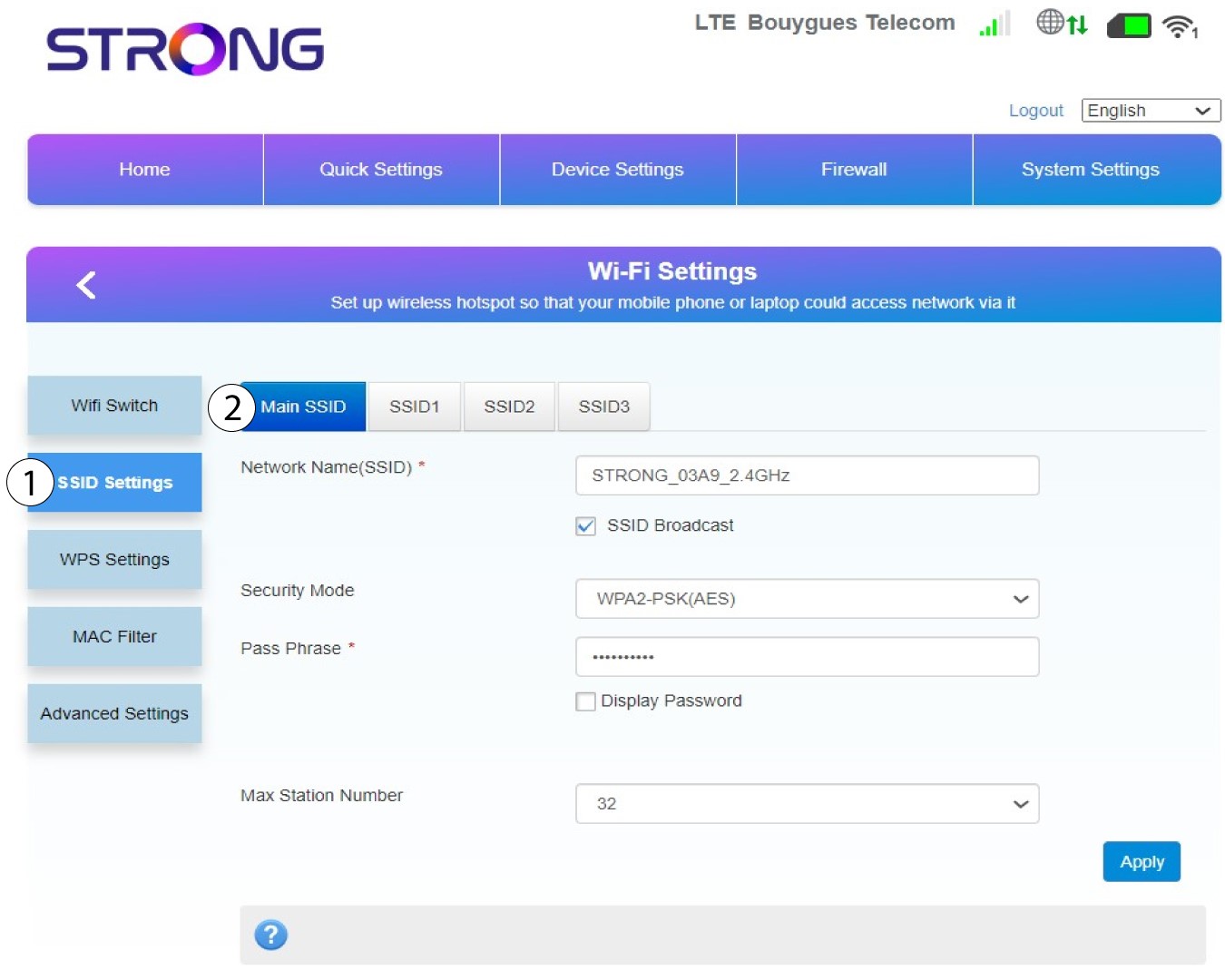
Quindi seleziona “Impostazioni SSID ” e seleziona “SSID principale”.
7. Inserisciun nuovo nome di rete e una nuova password
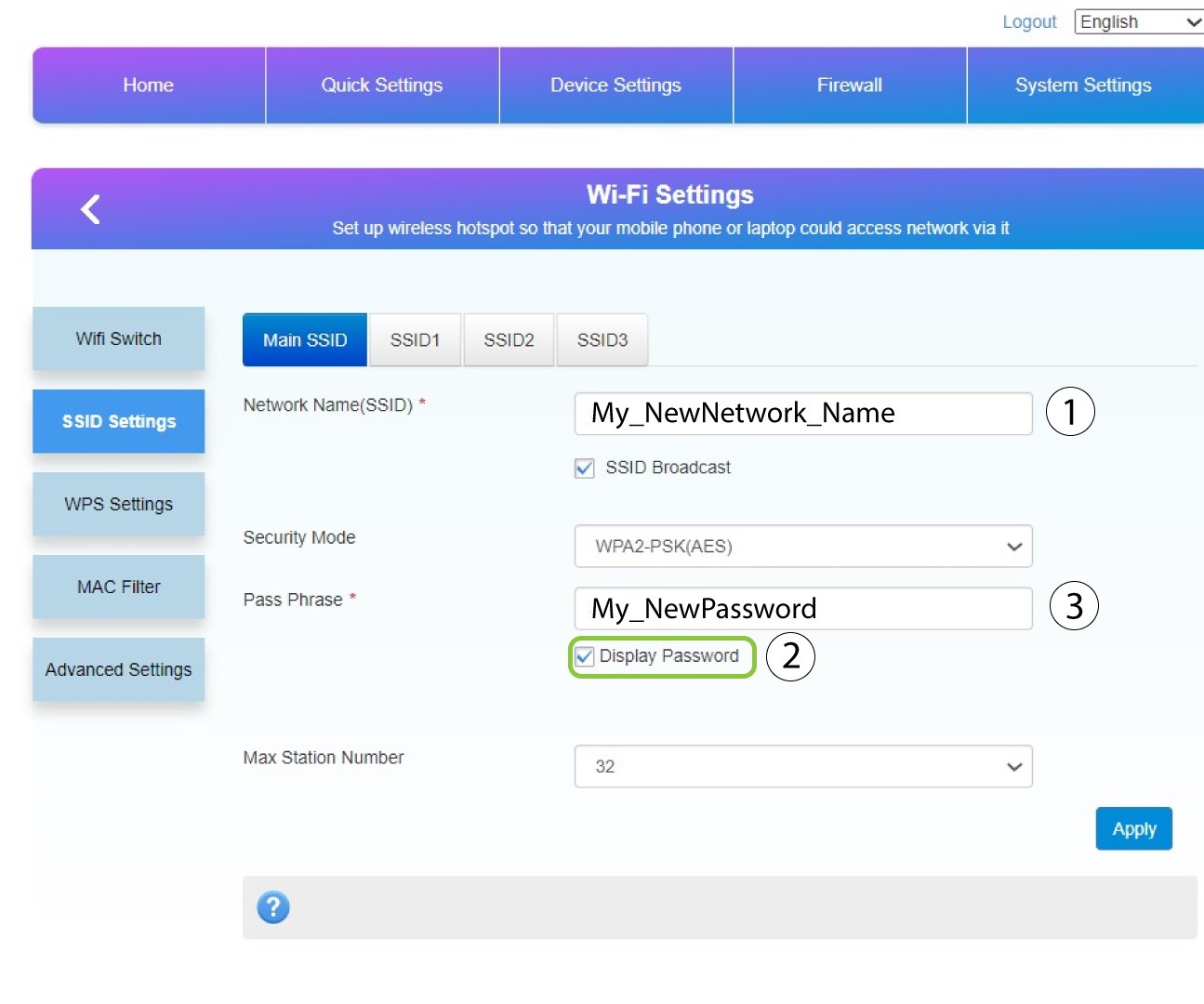
Modificare il nome inserito nel campo “Nome rete (SSID) ” e selezionare l’opzione “Visualizza password” box. Quindi, modificare la password inserita nel campo “Passphrase ”.
8. Salvale modifiche
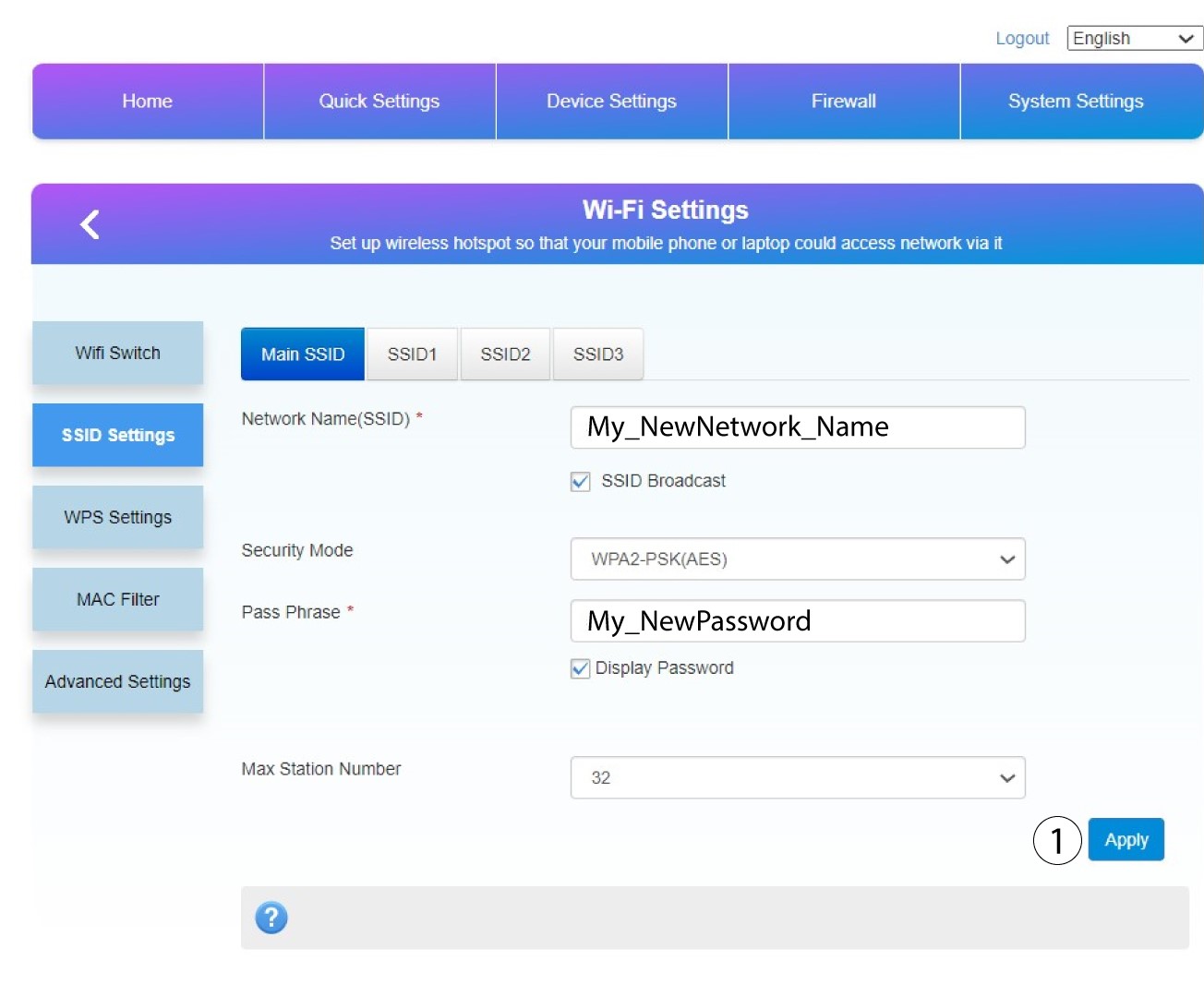
Fai clic su " Applica " per salvare le modifiche.
9. Annotale nuove informazioni
Scrivi il nuovo SSID e la nuova password su un foglio di carta e attaccalo al router con del nastro adesivo.
