
Repeater AX1800
Tutte le domande
Repeater AX1800
Come posso configurare il mio repeater come punto di accesso?
1. Accedereall'interfaccia utente web
Seguire una delle procedure riportate di seguito per connettersi all'interfaccia utente web:
- Come posso collegarmi all'interfaccia utente web dell'repeater? (Cavo RJ45)
- Come posso collegarmi all'interfaccia utente web dell'repeater? (Wi-Fi)
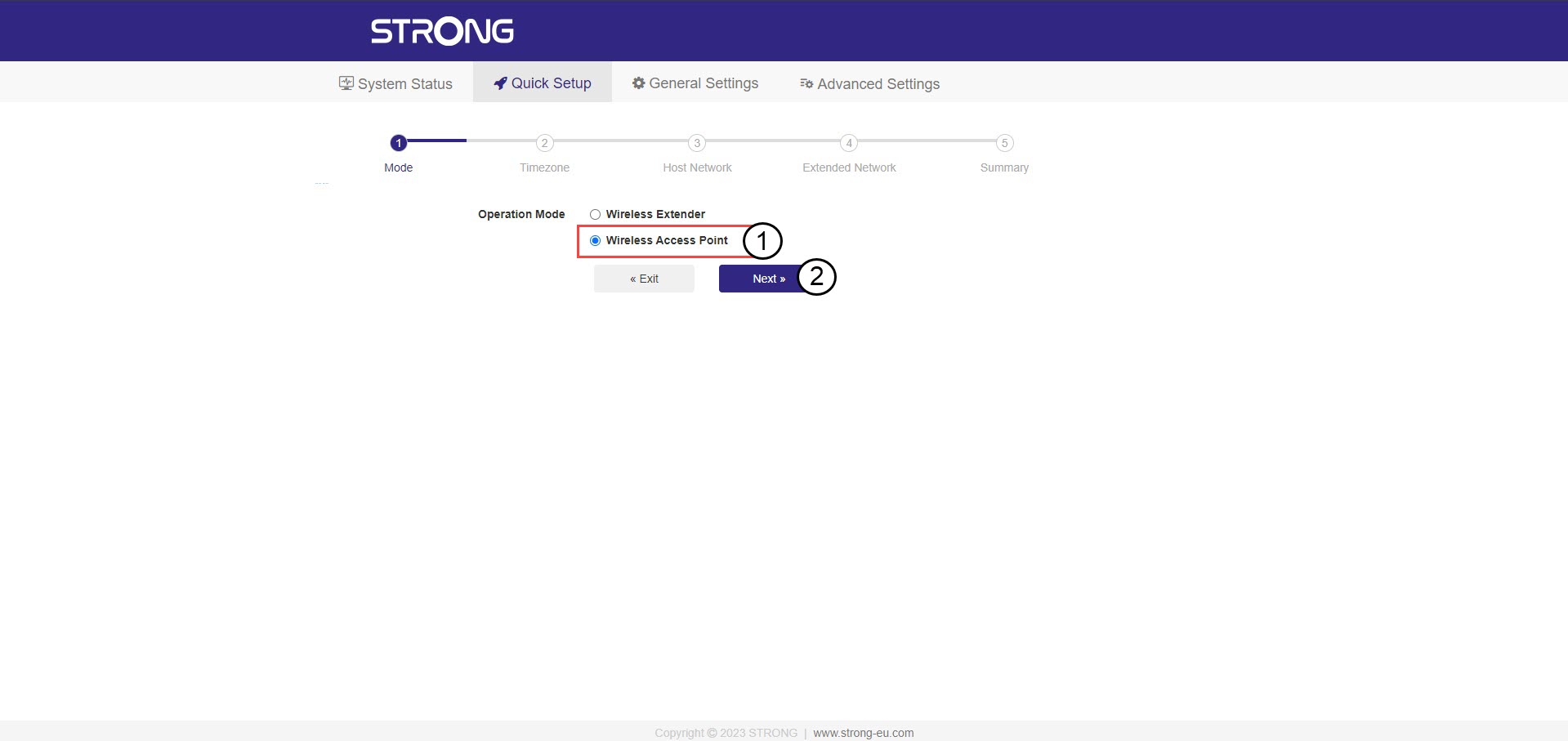
2. Selezionala modalità per il tuo repeater
Si aprirà la procedura guidata di configurazione dell'repeater . Selezionare " Punto di accesso wireless " e fare clic su " Avanti".
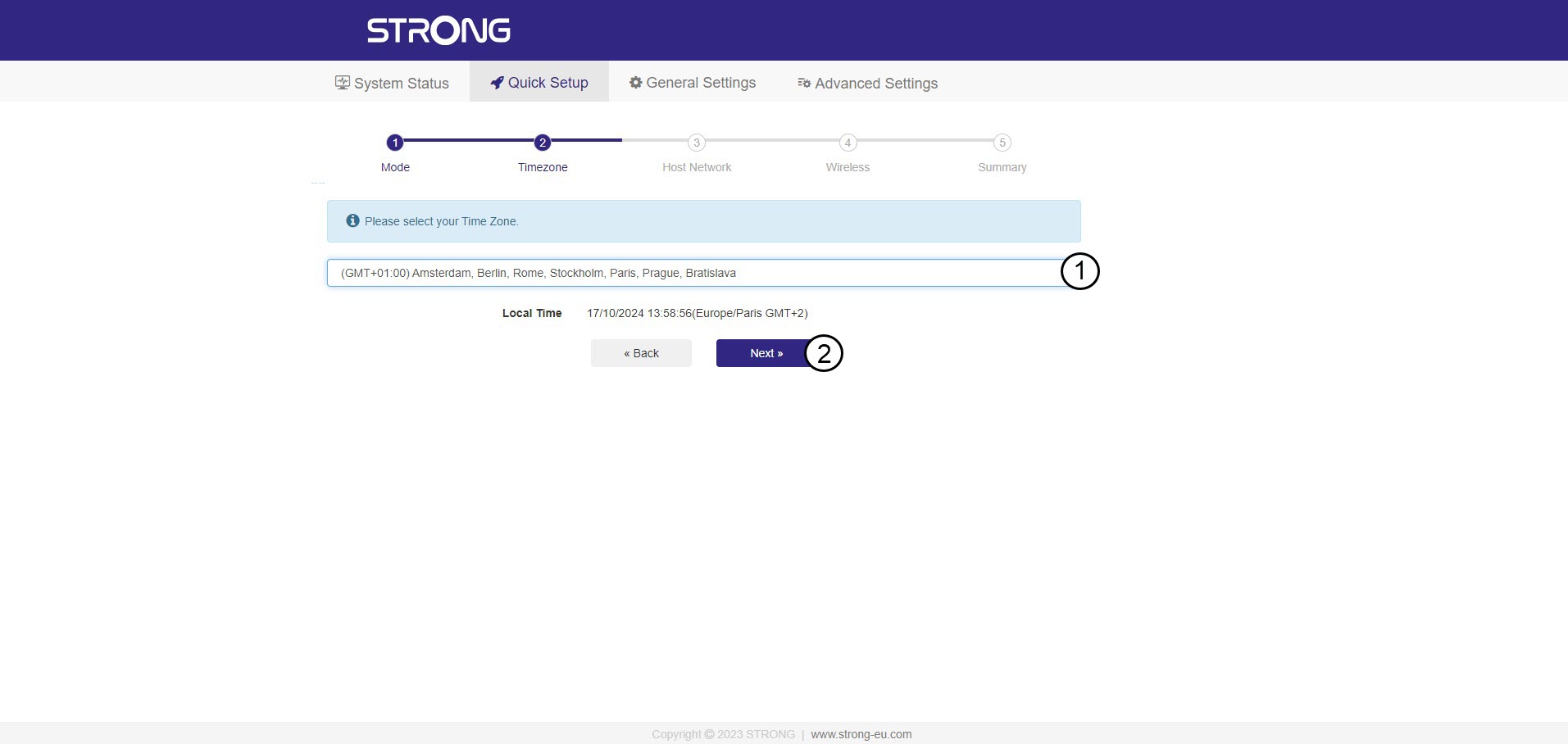
3. Selezionail fuso orario
Selezionare il fuso orario dall'elenco se quello rilevato automaticamente non è corretto, quindi fare clic su Avanti.
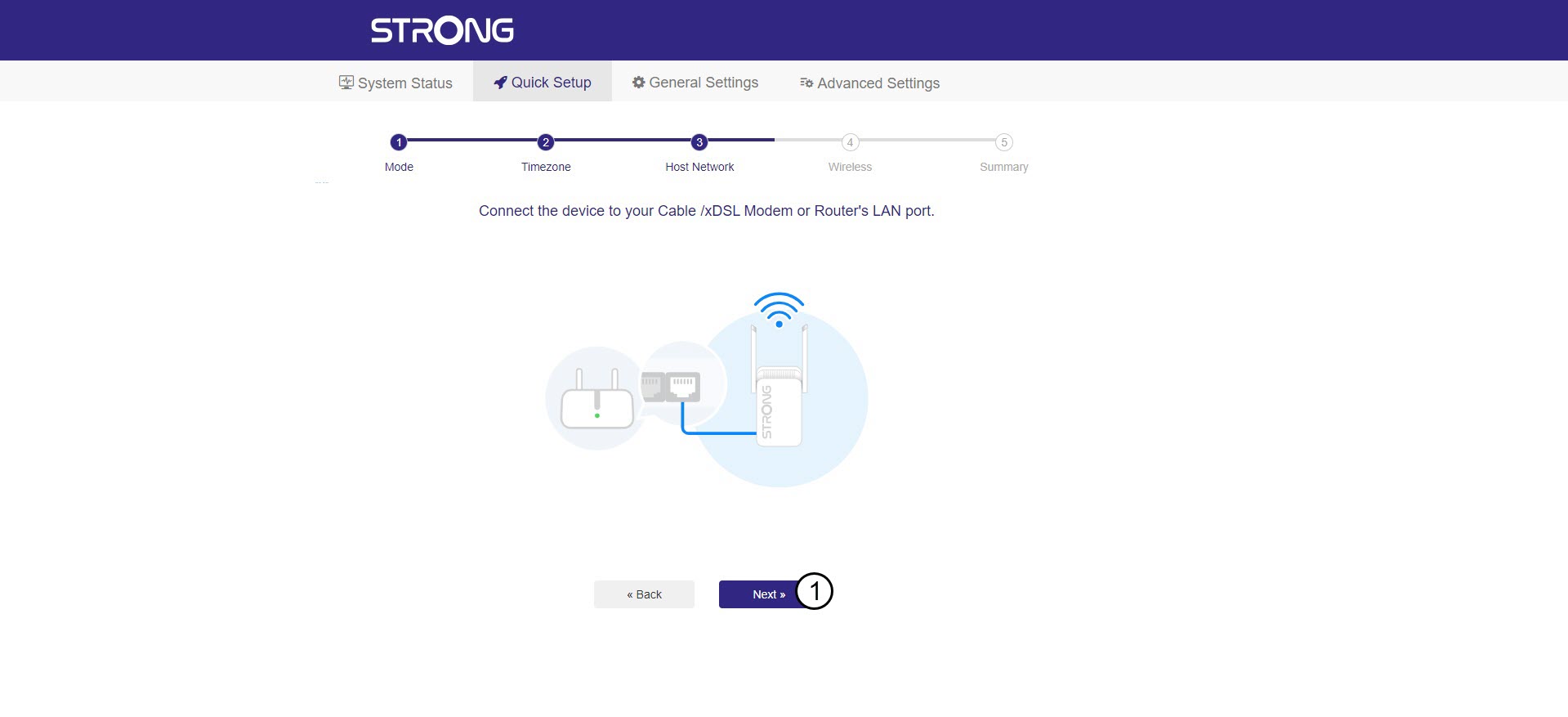
4. Scansionedella rete disponibile
Collega il tuo repeater al modem/router inserendo un cavo RJ45 nella porta WAN/LAN.
Quindi, fai clic su Avanti.
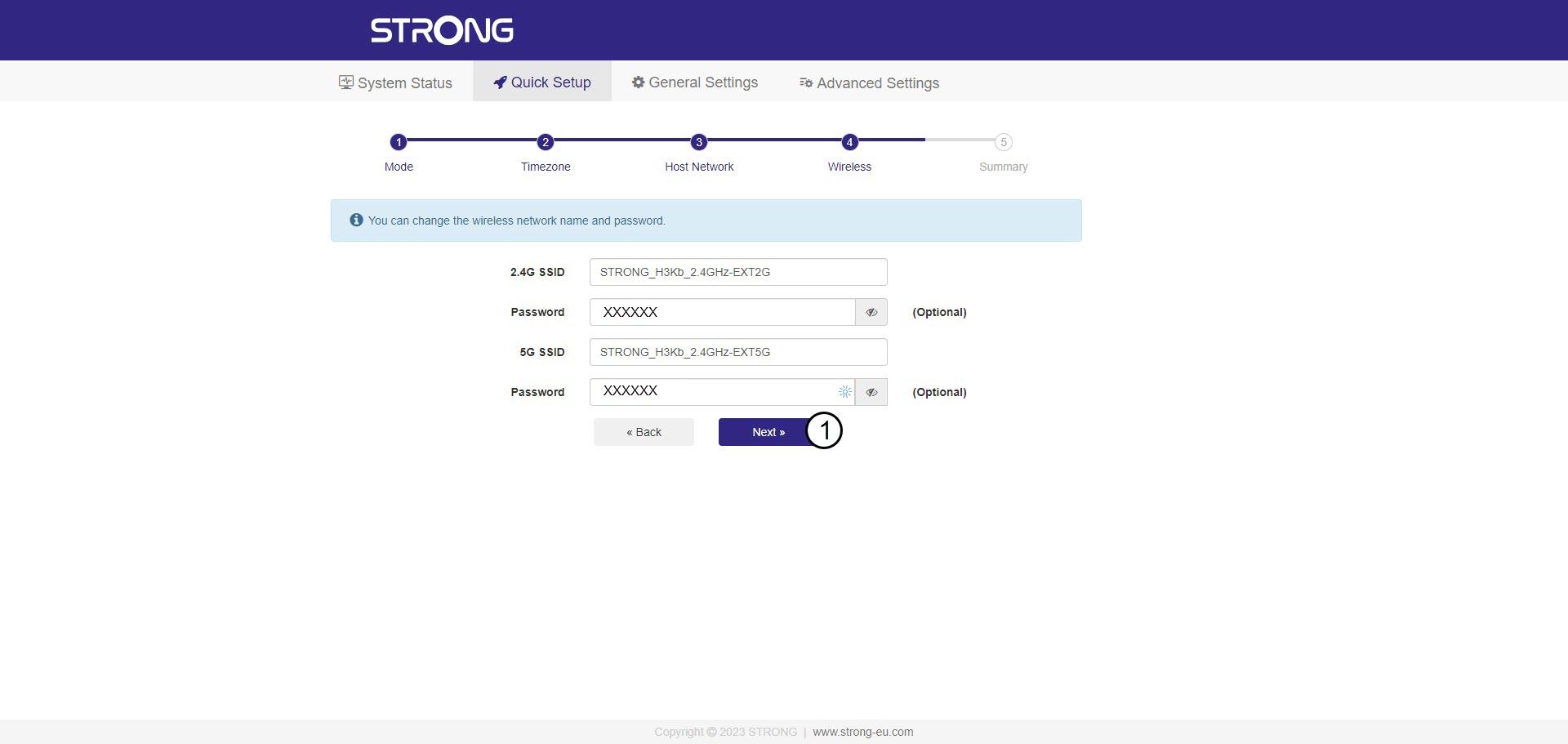
5. Inseriscila password della rete Wi-Fi ospitante
Controlla la password delle nuove reti Wi-Fi e fai clic su Avanti.
Puoi cliccare sull'icona a forma di occhio per visualizzare la password che stai digitando.
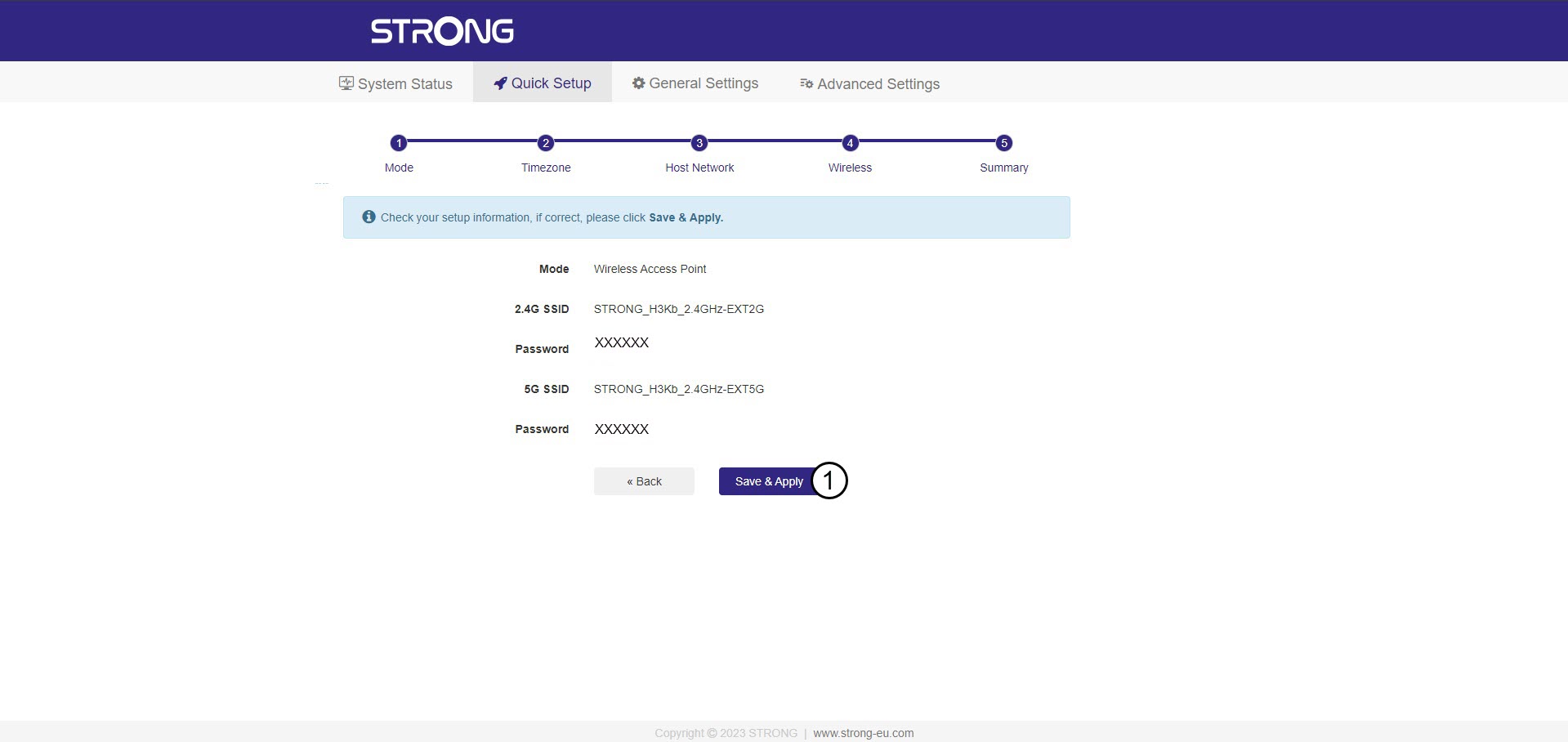
6. Confermarela configurazione
Viene visualizzato un riepilogo delle informazioni relative alle nuove reti. Fare clic su “Salva e applica”.
Annota le nuove informazioni di rete. Ti serviranno per collegarti all'interfaccia utente.
7Attenderedurante la configurazione
Attendere, per favore, mentre l'repeater e si sta configurando.


Avviso: al termine della configurazione, sarà necessario connettersi alle nuove reti che sono state create.