
Repeater AX1800
Nessun articolo trovato.
Nessun articolo trovato.
Tutte le domande
Repeater AX1800
Nessun articolo trovato.
Nessun articolo trovato.
Come faccio a configurare un indirizzo IP statico per il mio repeater?
1. Accedereall'interfaccia utente web
Seguire questa procedura per connettersi all'interfaccia utente web.
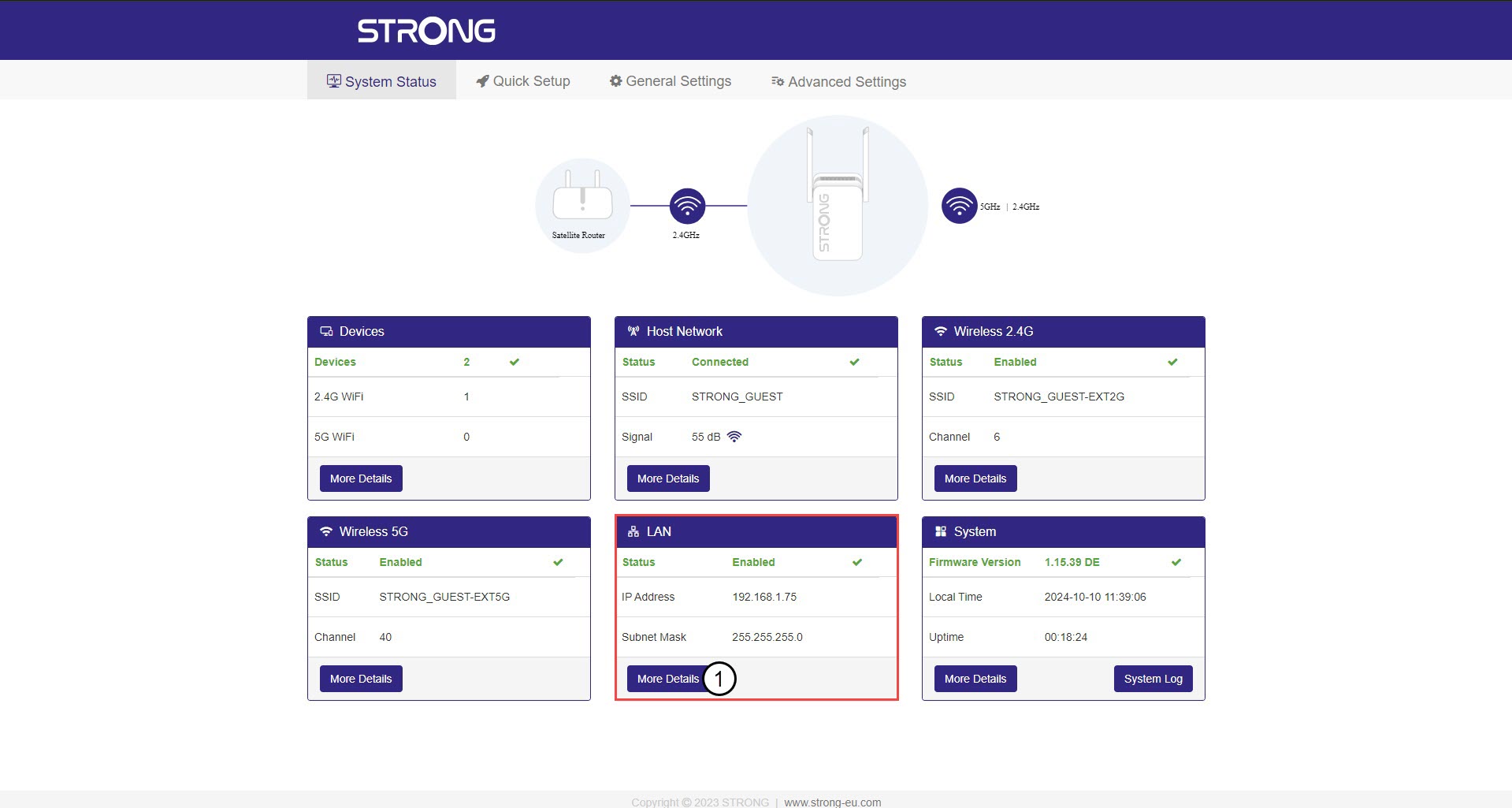
2. Stato del sistema
Nella schermata "Stato del sistema", fare clic sul pulsante " Maggiori dettagli " nella sezione LAN.
3. Indirizzo IP statico
Fai clic su “Impostazioni ” e sull’interruttore “Indirizzo statico ”. Quindi, inserisci le seguenti informazioni prima di fare clic su “Salva e applica”:
- Indirizzo IP: inserire l'indirizzo IP dell'repeater.
- Maschera di sottorete: selezionare la maschera di sottorete dall'elenco
- Gateway predefinito: inserisci l'indirizzo IP del tuo repeater
- DNS preferito: è possibile inserire lo stesso valore del campo precedente.
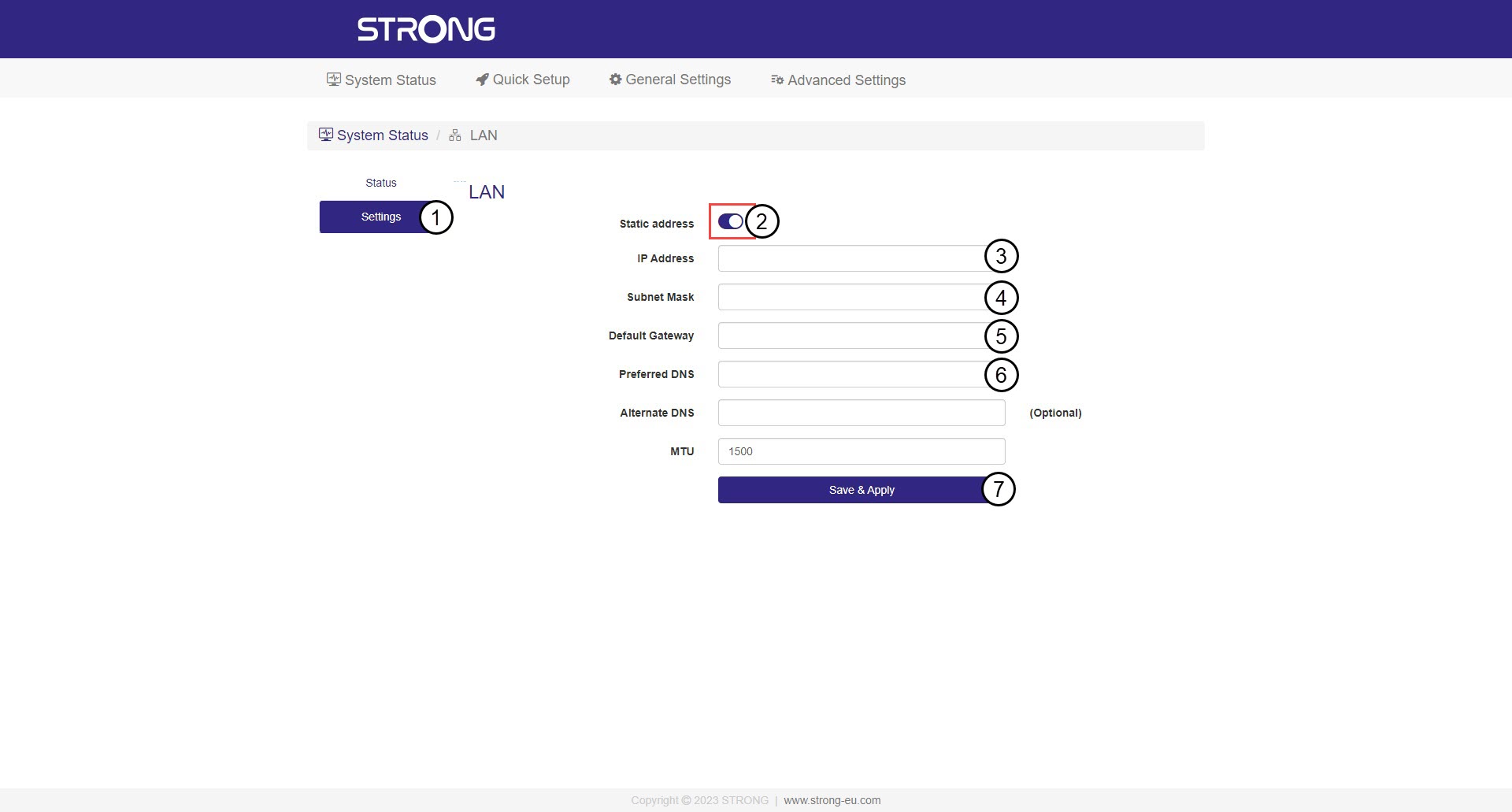

Attenzione: prendi nota del nuovo indirizzo IP della tua rete. D’ora in poi lo utilizzerai per collegarti all’interfaccia utente web.