Nessun articolo trovato.
LEAP 41 | Google TV 4K con HDR10+
Nessun articolo trovato.
Tutte le domande
Nessun articolo trovato.
LEAP 41 | Google TV 4K con HDR10+
Nessun articolo trovato.
Come faccio a ripristinare le impostazioni di fabbrica del dispositivo?
1.Accendi la TV e il ricevitore
Accendi la TV e il ricevitore.
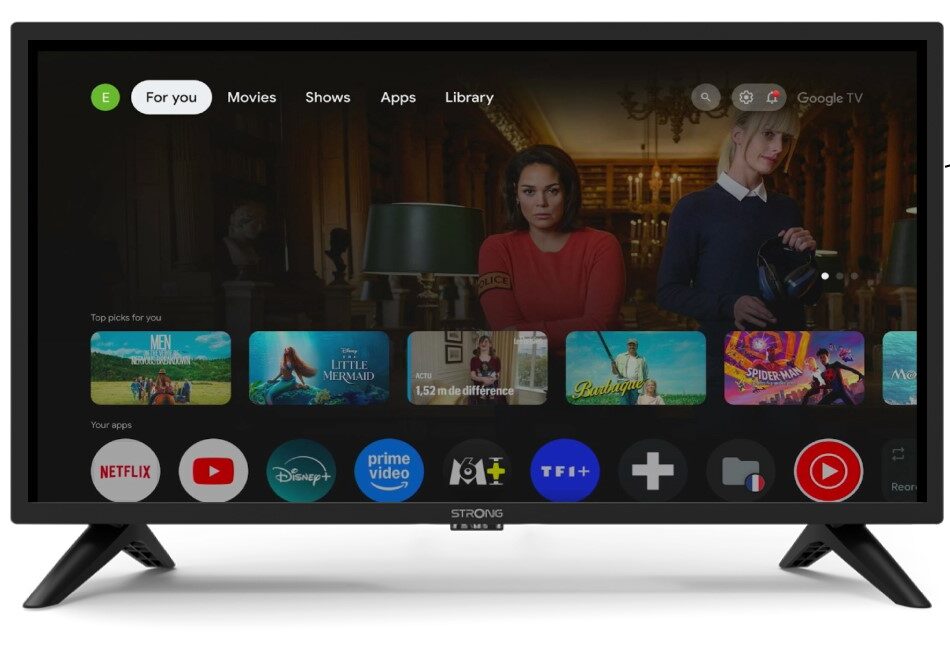
2 Impostazioni
Premi l'icona a forma di ingranaggio sul tuo Control dell'telecomando .
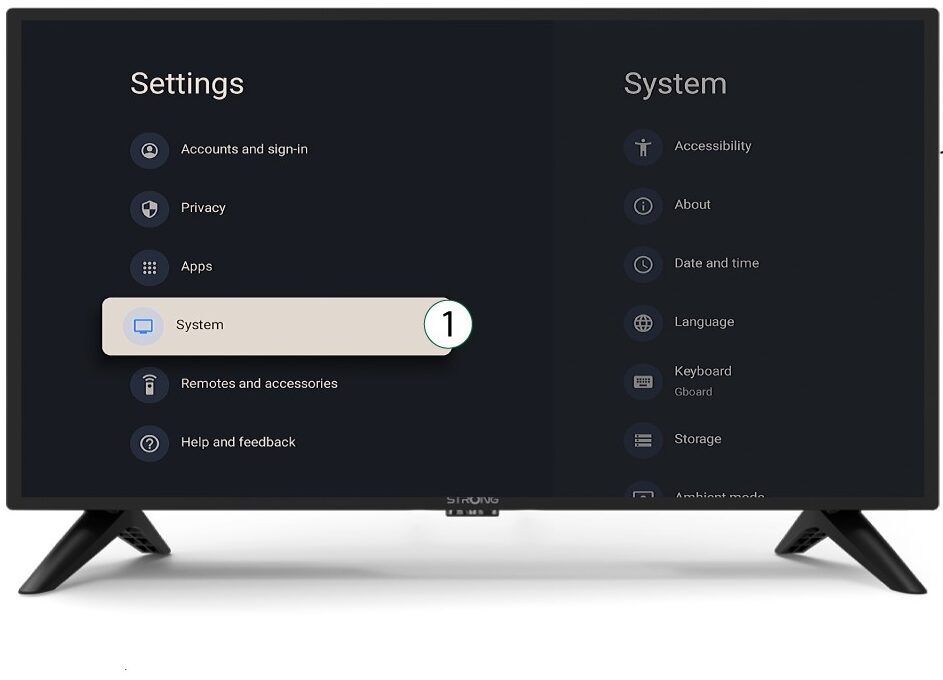
3System
Nel menu Impostazioni, selezionare Sistema e premere OK.
4Informazioni su
Selezionare "Informazioni" dal menu di sistema e premere OK.
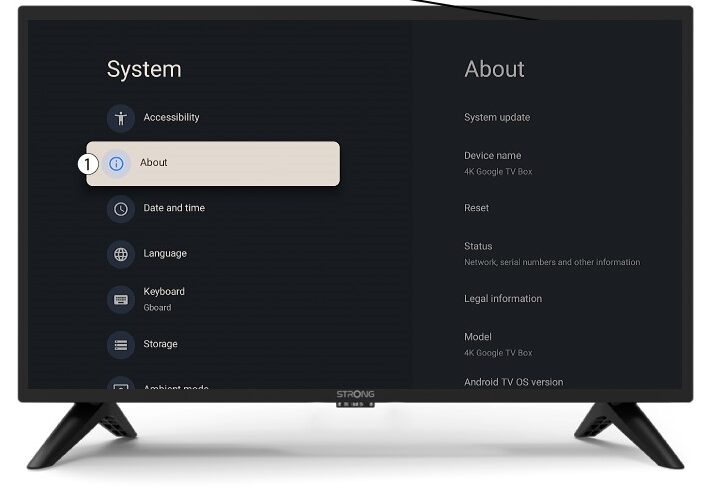
5Reimposta
Selezionare "Reimposta".
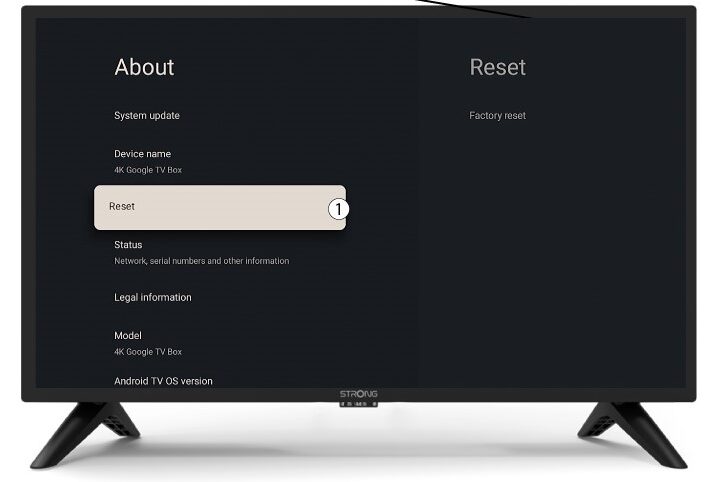
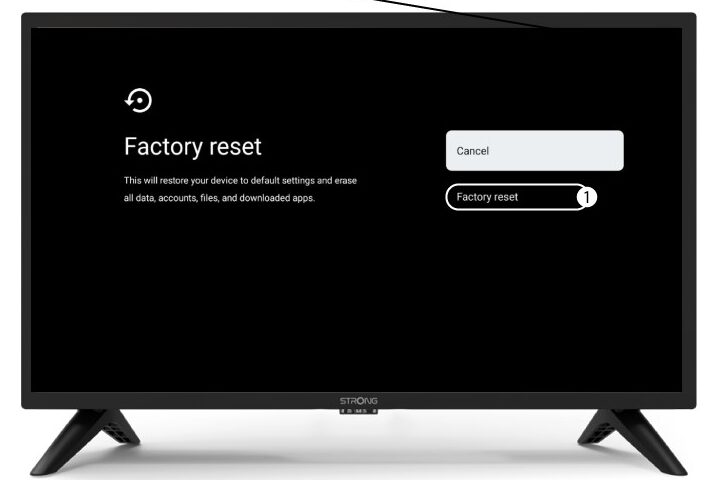
6. Ripristino delle impostazioni di fabbrica
Selezionare " Ripristino impostazioni di fabbrica " e premere OK.
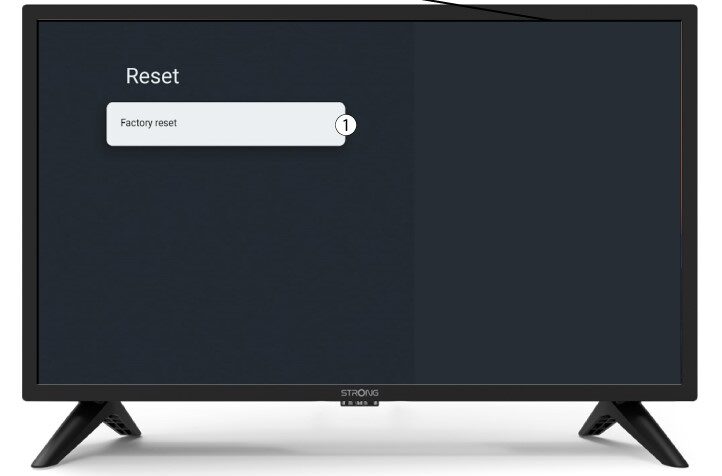
7 Confermail ripristino
Selezionare "Ripristino impostazioni di fabbrica" nella pagina "Ripristino impostazioni di fabbrica".