LEAP 41 | Google TV 4K con HDR10+
Tutte le domande
LEAP 41 | Google TV 4K con HDR10+
Ho collegato una tastiera AZERTY tramite USB, ma viene riconosciuta come tastiera QWERTY: perché?

Avviso: si prega di tenere presente che i layout di tastiera supportati per le tastiere esterne sono definiti da Google. Pertanto, è possibile che il layout della propria tastiera non sia supportato. In tal caso, si consiglia di contattare il produttore della tastiera per verificare se esiste un'app in grado di renderla compatibile.
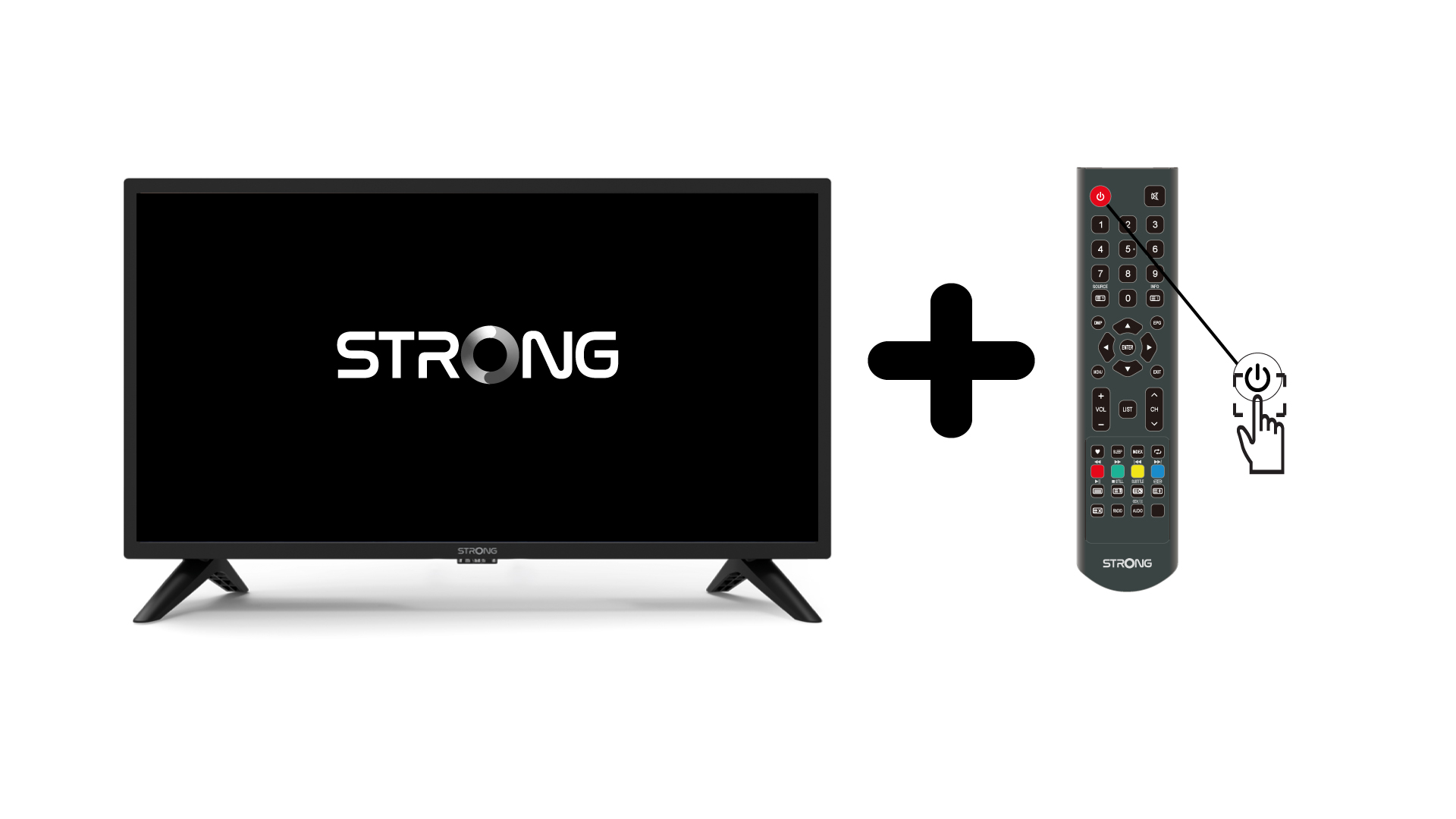
1.Accendere la TV e il dispositivo
Accendi la TV e il tuo dispositivo.
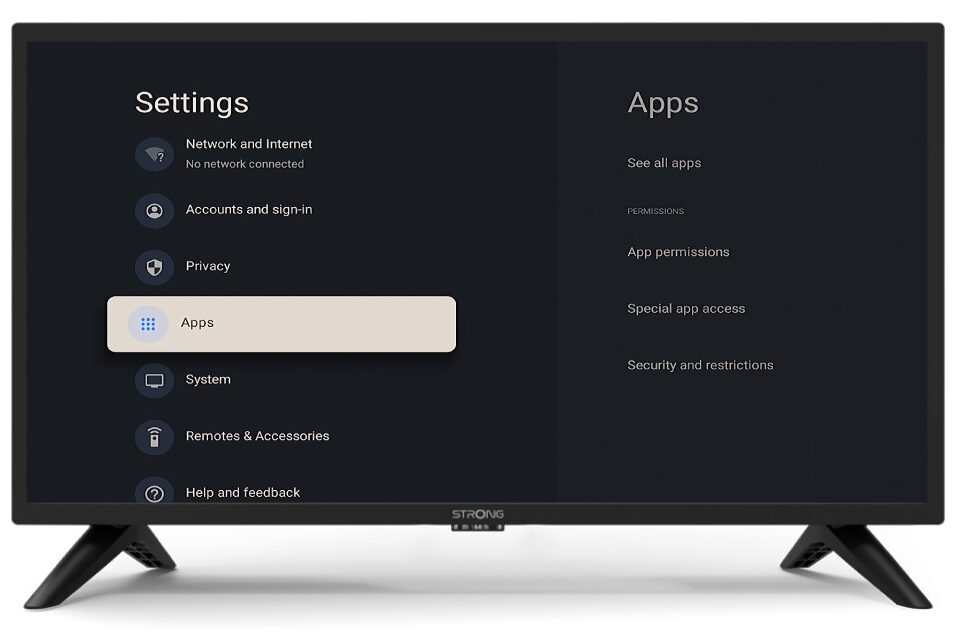
2 Impostazioni
Premere il pulsante “Impostazioni” sul telecomando dell’ telecomando e (icona a forma di ingranaggio). Sullo schermo della TV verrà visualizzato il menu “Impostazioni”.
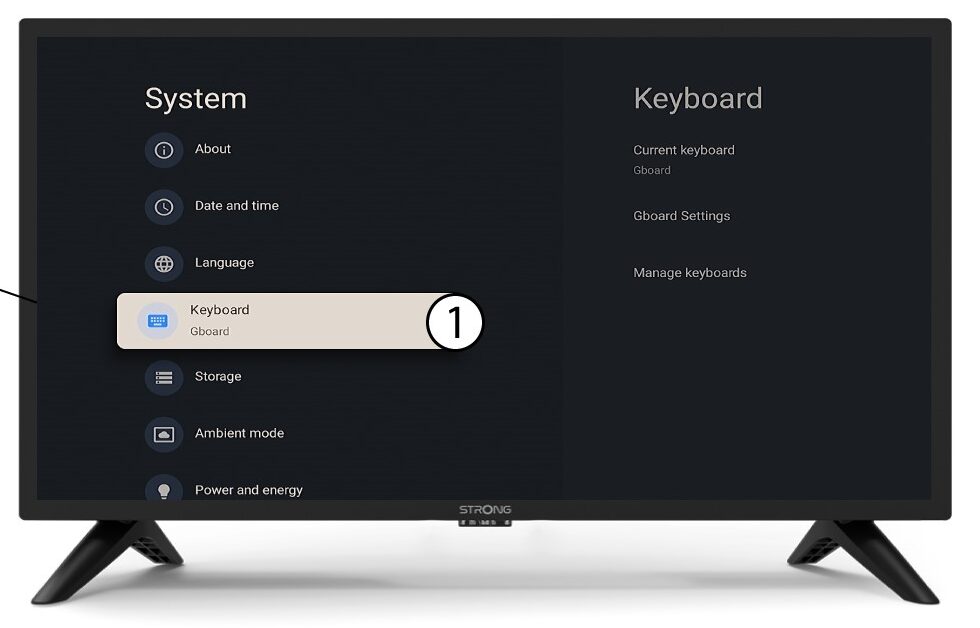
3Tastiera
Seleziona “Tastiera” nel menu “Impostazioni” e premi il pulsante OK sul telecomando dell’ telecomando .
Tastiera 4Manage
Fai clic su "Gestisci tastiera". Quindi, fai clic sul pulsante di attivazione/disattivazione per disattivarla.
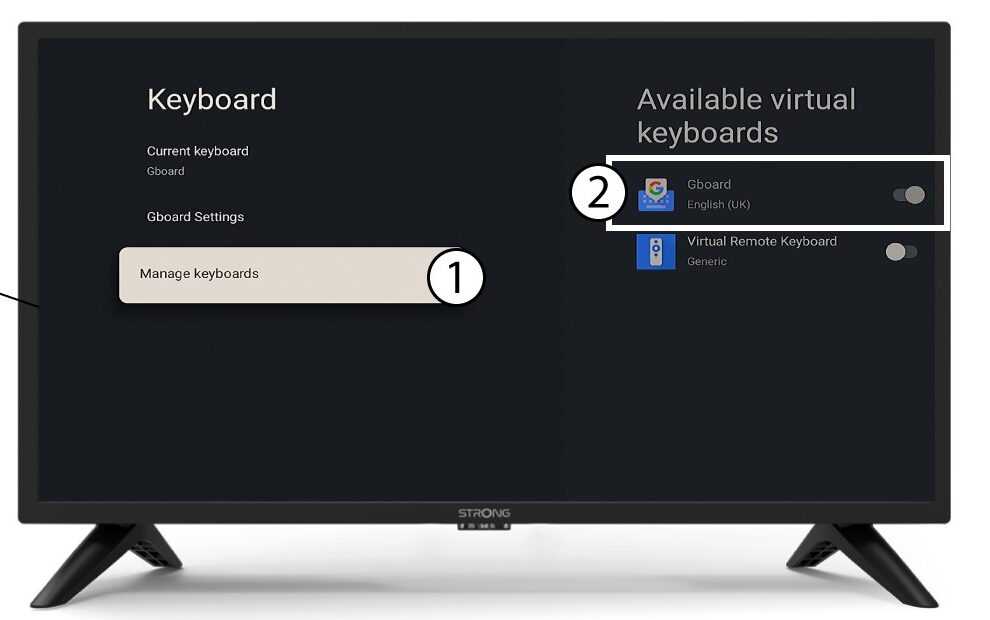
Impostazioni 5Gboard
Fai clic su " Impostazioni Gboard " e premi OK.
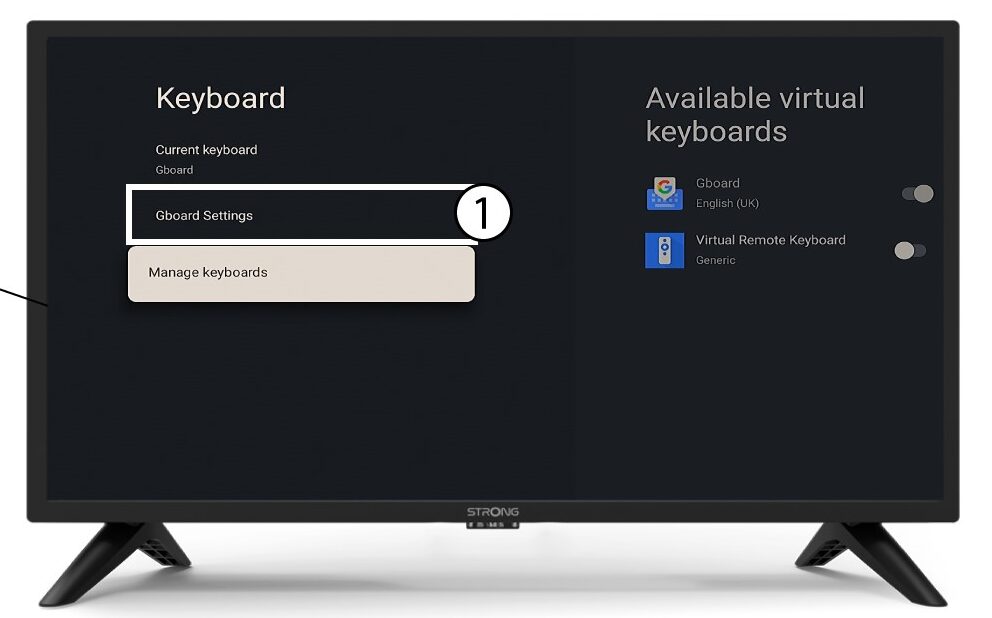
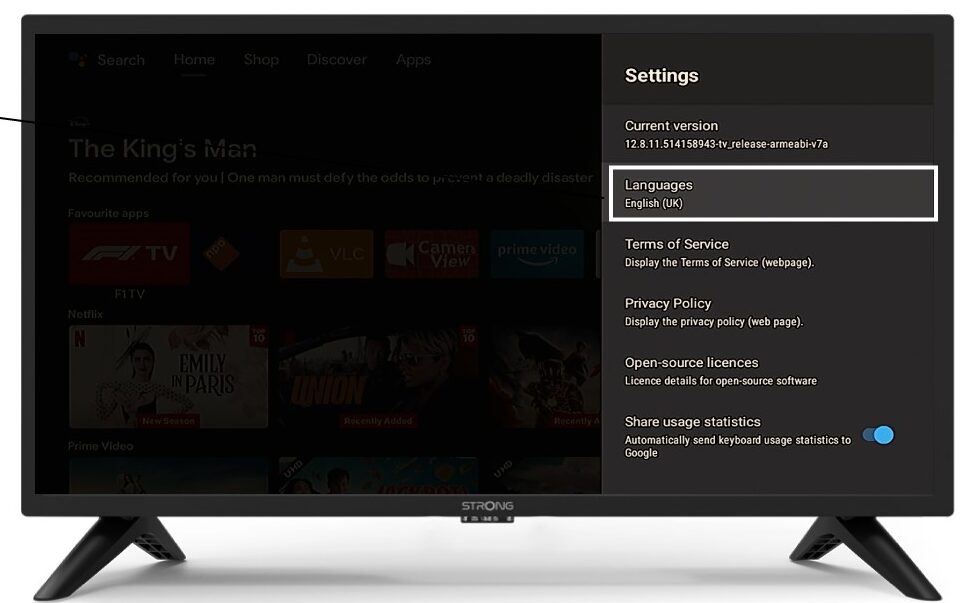
6lingue
Fare clic su "Lingue " e premere OK sul comando " telecomando ". Quindi, selezionare la lingua.