Geen items gevonden.
4K GOOGLE TV BOX S3+ | DOLBY VISION ATMOS
Geen items gevonden.
Alle vragen
Geen items gevonden.
4K GOOGLE TV BOX S3+ | DOLBY VISION ATMOS
Geen items gevonden.
Hoe kan ik een app toevoegen of de volgorde ervan wijzigen op het startscherm?
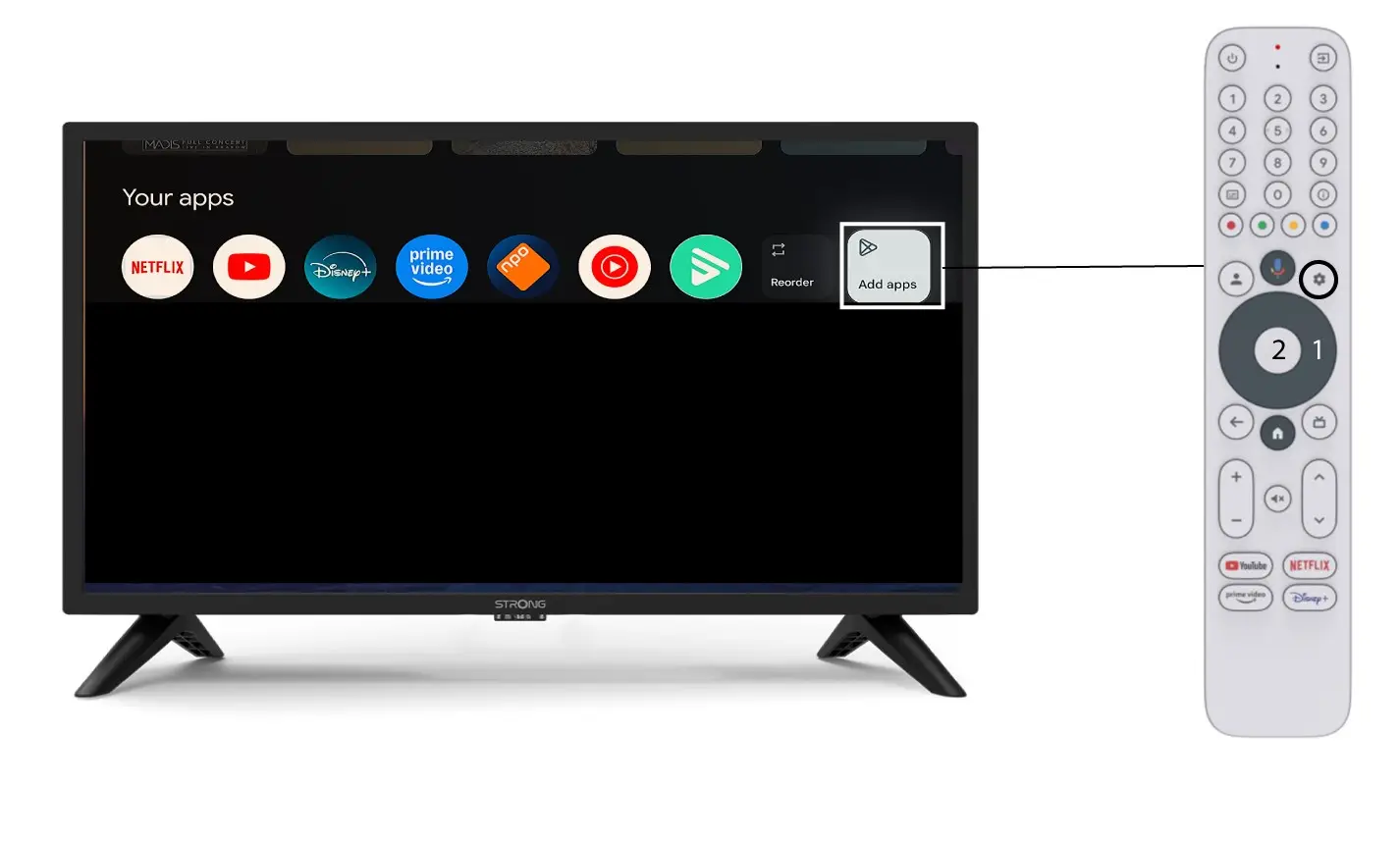
1. Voorbeeld1: Een app toevoegen
Om een app aan het startscherm toe te voegen, gaat u naar de knop ‘Apps toevoegen’ aan het einde van de lijst met apps die al op het startscherm staan, en drukt u op ‘OK’.
2.Lijst met apps
Vervolgens wordt de lijst met applicaties geopend. Selecteer de gewenste applicatie en druk op de OK-knop van uw afstandsbediening.
Houd er rekening mee dat het niet mogelijk is om apps uit de favorieten te verwijderen. Je moet de app verwijderen als je wilt dat deze van deze pagina verdwijnt.

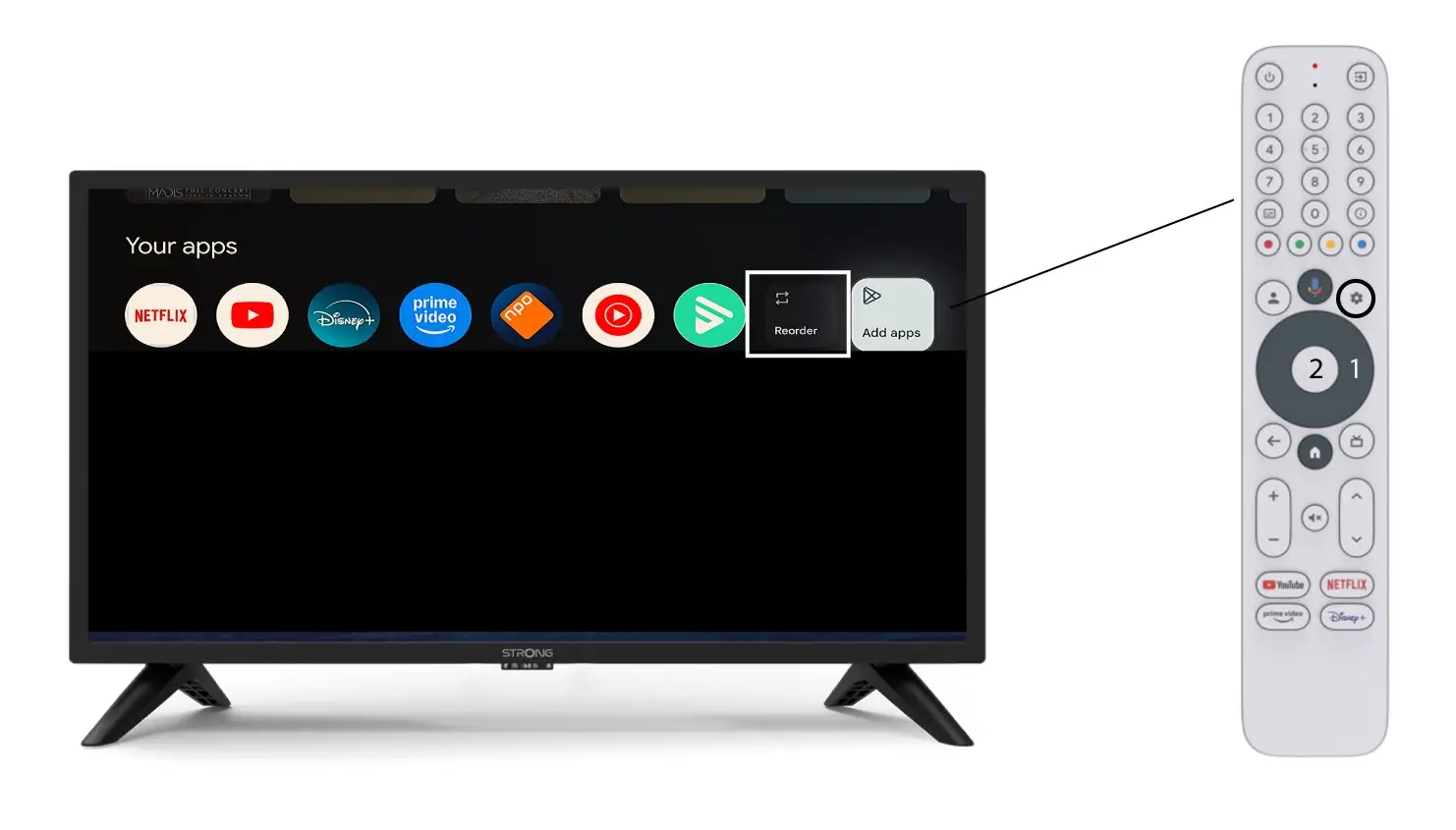
3. Geval2: Apps herschikken
Om de volgorde van de apps op de startpagina te wijzigen, klik je op ‘Volgorde wijzigen’.