4K GOOGLE TV BOX S3+ | DOLBY VISION ATMOS
Alle vragen
4K GOOGLE TV BOX S3+ | DOLBY VISION ATMOS
Waarom is het nog steeds niet mogelijk om het volumeniveau aan te passen nadat de optie voor volumeregeling is uitgeschakeld?
Als u het volume nog steeds niet kunt regelen met de LEAP S3-afstandsbediening, volg dan de onderstaande instructies om de tv in de instellingen van de afstandsbediening te ‘vergeten’.
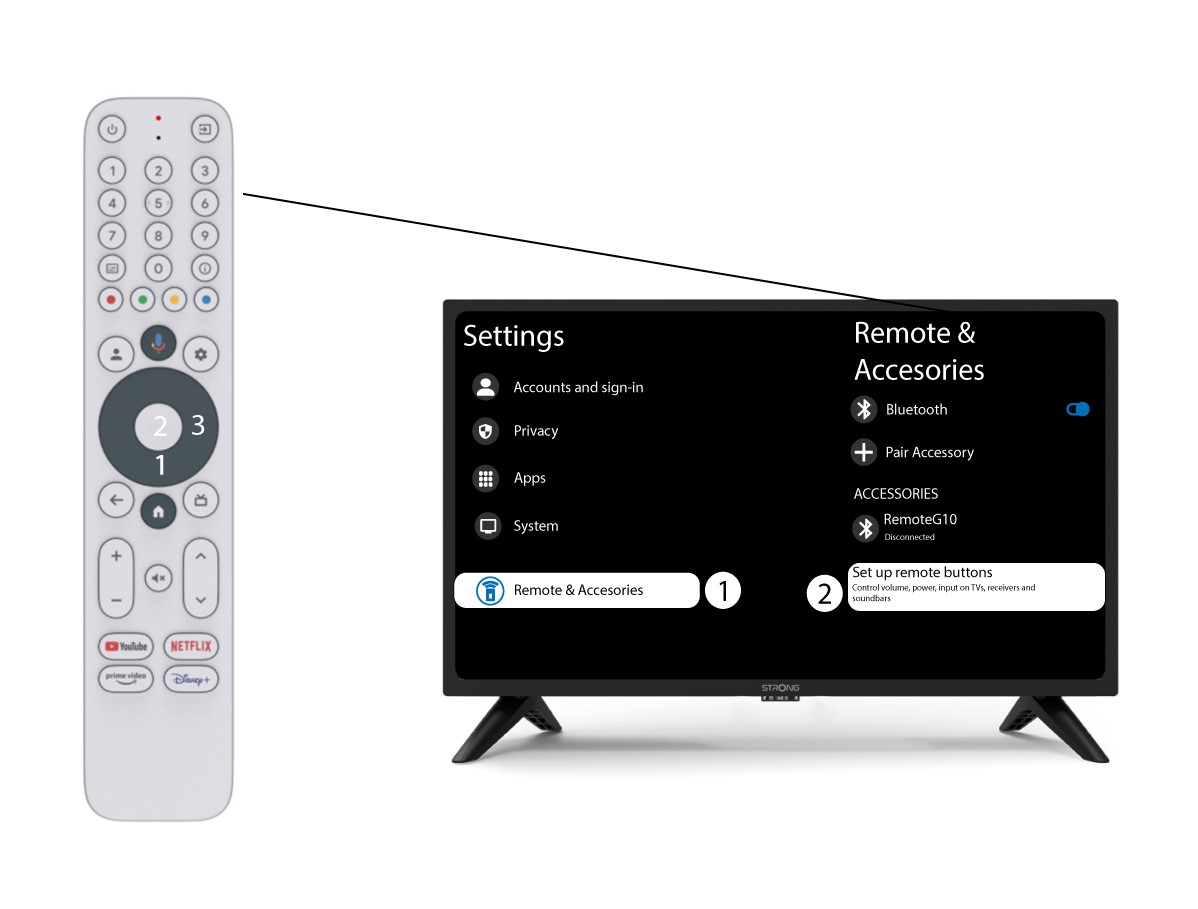
1Instellingen
Druk op de knop ‘Instellingen’ en vervolgens op ‘OK’

2. Instellingen voor afstandsbedieningenen accessoires
Druk een paar keer op de knop ‘Omlaag’ om ‘Afstandsbediening en accessoires’ te selecteren en druk vervolgens op OK. Druk daarna een paar keer op de knop ‘Omlaag’ om ‘Knoppen van de afstandsbediening instellen’te selecteren en druk op de OK-knop.
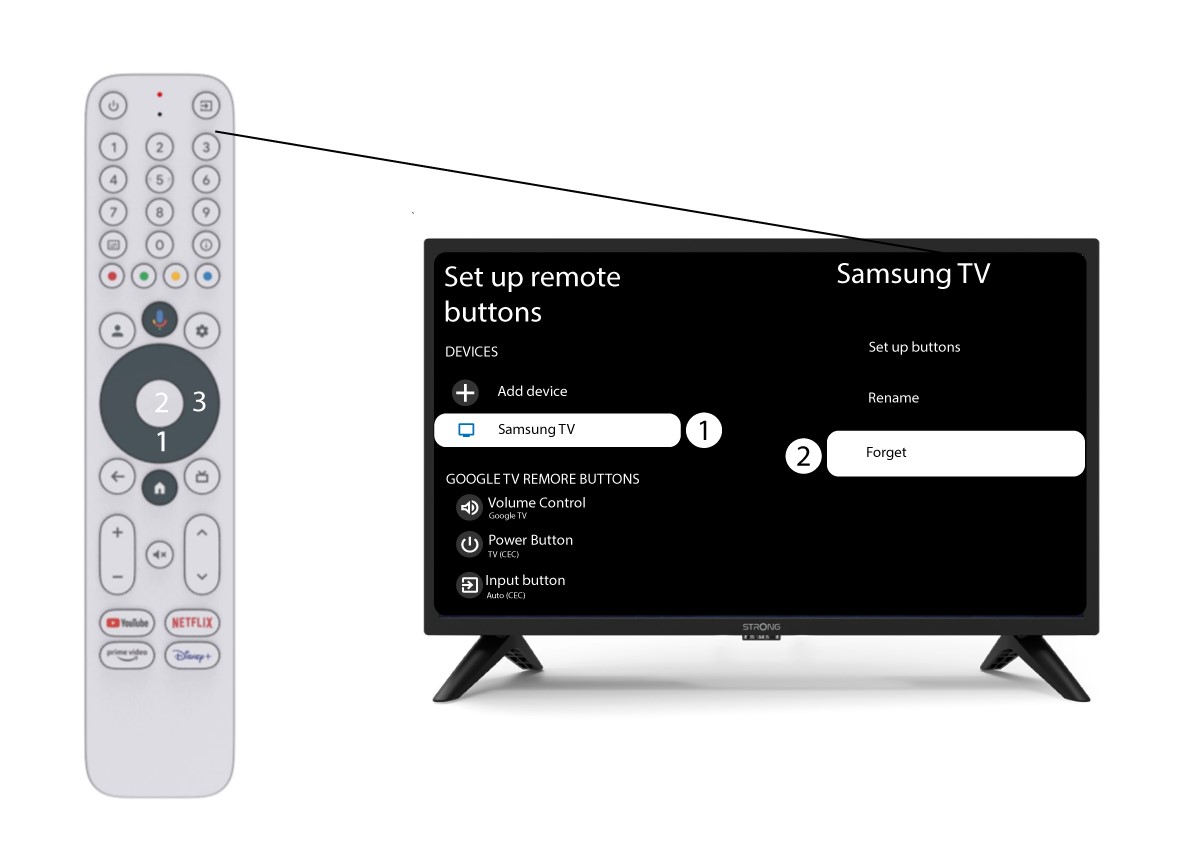
3Vergeetde tv die aan de afstandsbediening is gekoppeld
Als een tv al is ingesteld en in de lijst wordt weergegeven, moet u de tv uit de lijst verwijderen om deze opnieuw te configureren.
Selecteer hiervoor het tv-merk en kies vervolgens ‘Vergeet’, waarna u op OK drukt om te bevestigen.
4. Controleerde volumeregeling
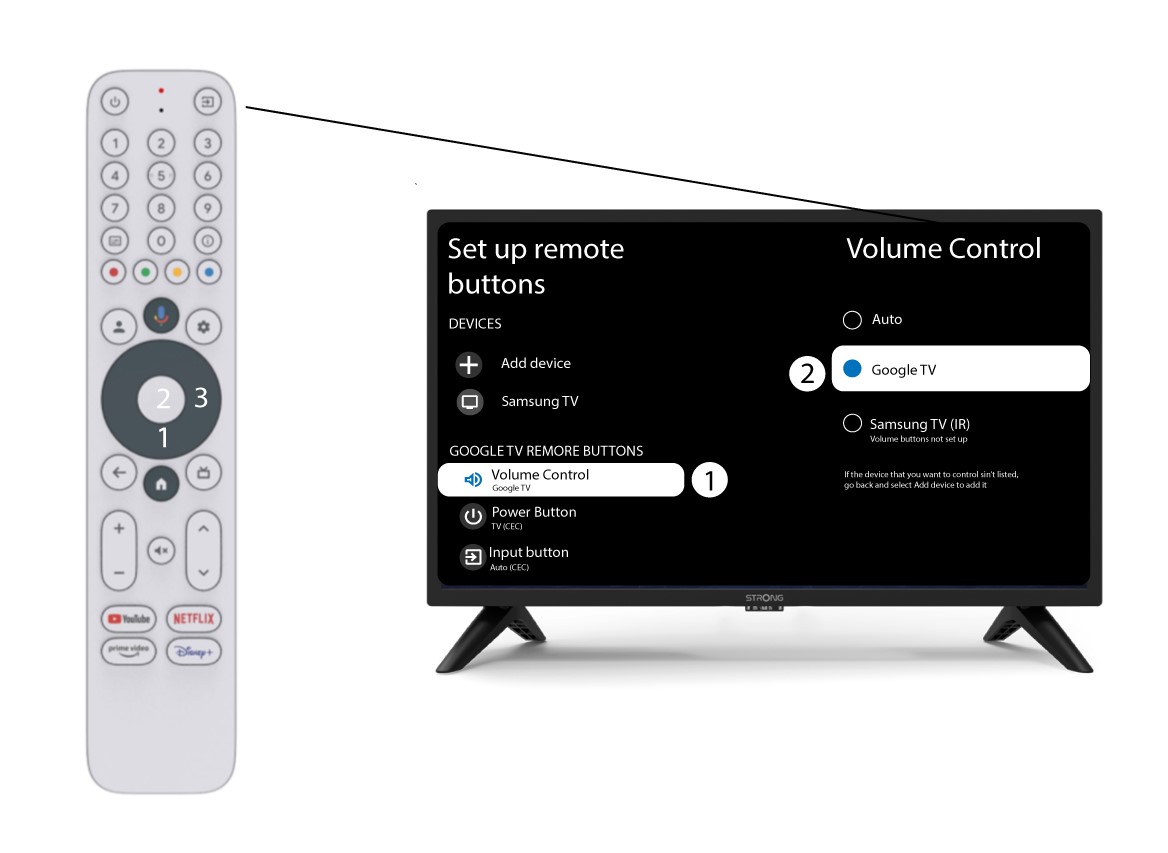
Tot slot moet je controleren of de volumeregeling is ingesteld op Google TV. Als dat niet het geval is, selecteer deze dan; de volumeregeling zou dan op beide afstandsbedieningen naar behoren moeten werken.