4G+ AIRHOME 710 met afneembare 4G+-antennes
Alle vragen
4G+ AIRHOME 710 met afneembare 4G+-antennes
Hoe voer ik mijn SIM-PIN-code in?
1. Maak verbindingmet het wifi-netwerk van je router
Om je SIM-PIN-code in te voeren, moet je verbinding maken met de webinterface. Voer hiervoor de SSID (naam van het wifi-netwerk) en het wifi-wachtwoord van de router in op je apparaat.

2. Ganaar het IP-adres van de webinterface
Voer vervolgens het volgende IP-adres in je browser in: 192.168.188.1

3Zoekje inloggegevens voor de webinterface op
Kijk alstublieft op het productetiket aan de achterkant van het apparaat om uw gebruikersnaam en wachtwoord te vinden.

4Voeruw inloggegevens in
U moet de gebruikersnaam en het wachtwoord invoeren. Klik vervolgens op ‘Inloggen’.

5Ganaar het verbindingsmenu
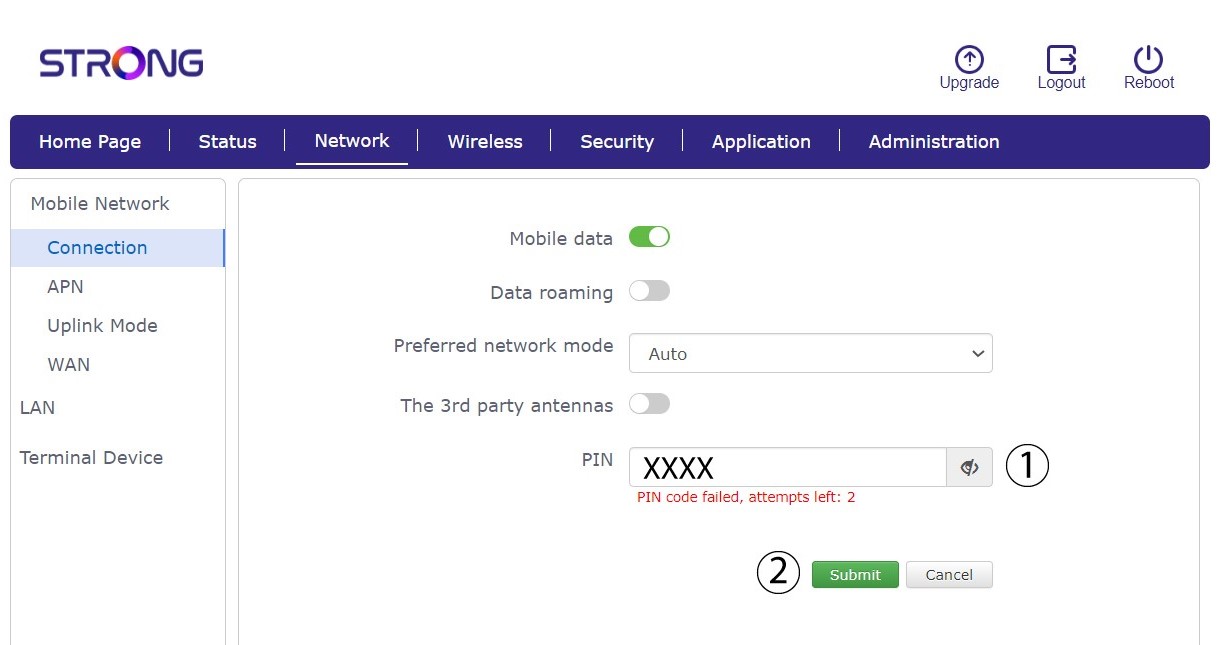
Wanneer u voor het eerst verbinding maakt met de webinterface, verschijnt er een waarschuwingsbericht waarin u wordt gevraagd de pincode in te voeren door op de verbindingsknop te klikken.

6Voerde pincode van uw simkaart in
Voer uw pincode in het veld in en klik op ‘Verzenden’.
7De simkaart is ontgrendeld
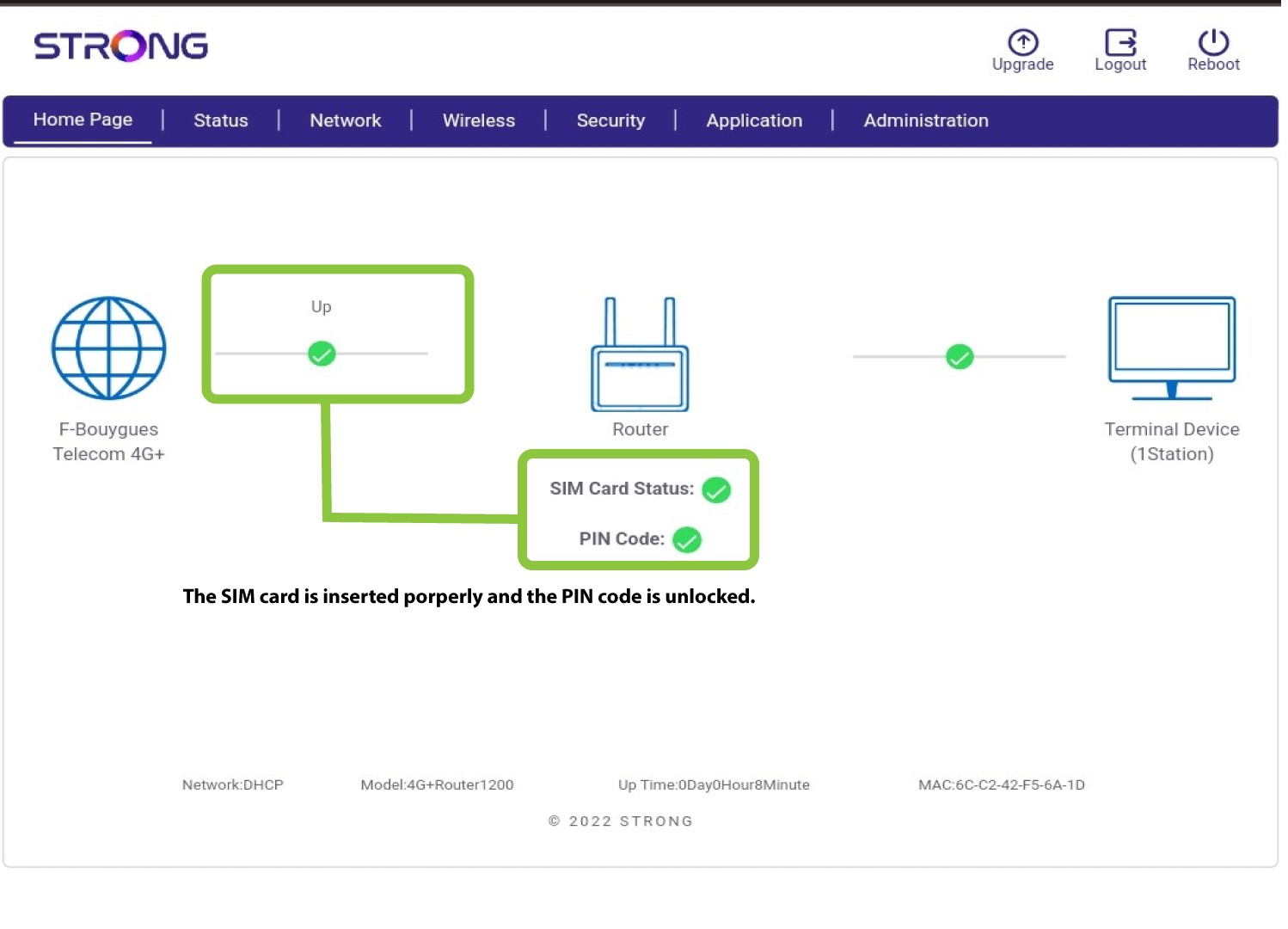
De simkaart is ontgrendeld en het pictogram wordt nu groen, met de netwerknaam ernaast.