LEAP 41 | 4K Google TV met HDR10+
Alle vragen
LEAP 41 | 4K Google TV met HDR10+
Hoe kan ik de volume-instellingen van mijn SRT 41 aanpassen als het volume te laag is?
Tips: Als het volume van uw SRT 41 te laag is, kunt u de onderstaande procedure volgen om de instellingen van uw SRT 41 te resetten. Tijdens de installatie van uw SRT 41 kunt u instellen dat de volumeregeling via HDMI-CEC verloopt. Wanneer deze optie is ingeschakeld, kunt u de afstandsbediening van uw SRT 41 gebruiken om het volume van uw tv aan te passen. U kunt deze functie in- of uitschakelen in de beeld- en geluidsinstellingen van uw tv. Het standaardvolume van uw SRT 41 is ingesteld op een bepaald niveau, en dit kan te laag zijn. Als het volume
te laag is, kunt u deze optie beter uitschakelen. Hoe kunt u deze functie in- of uitschakelen?
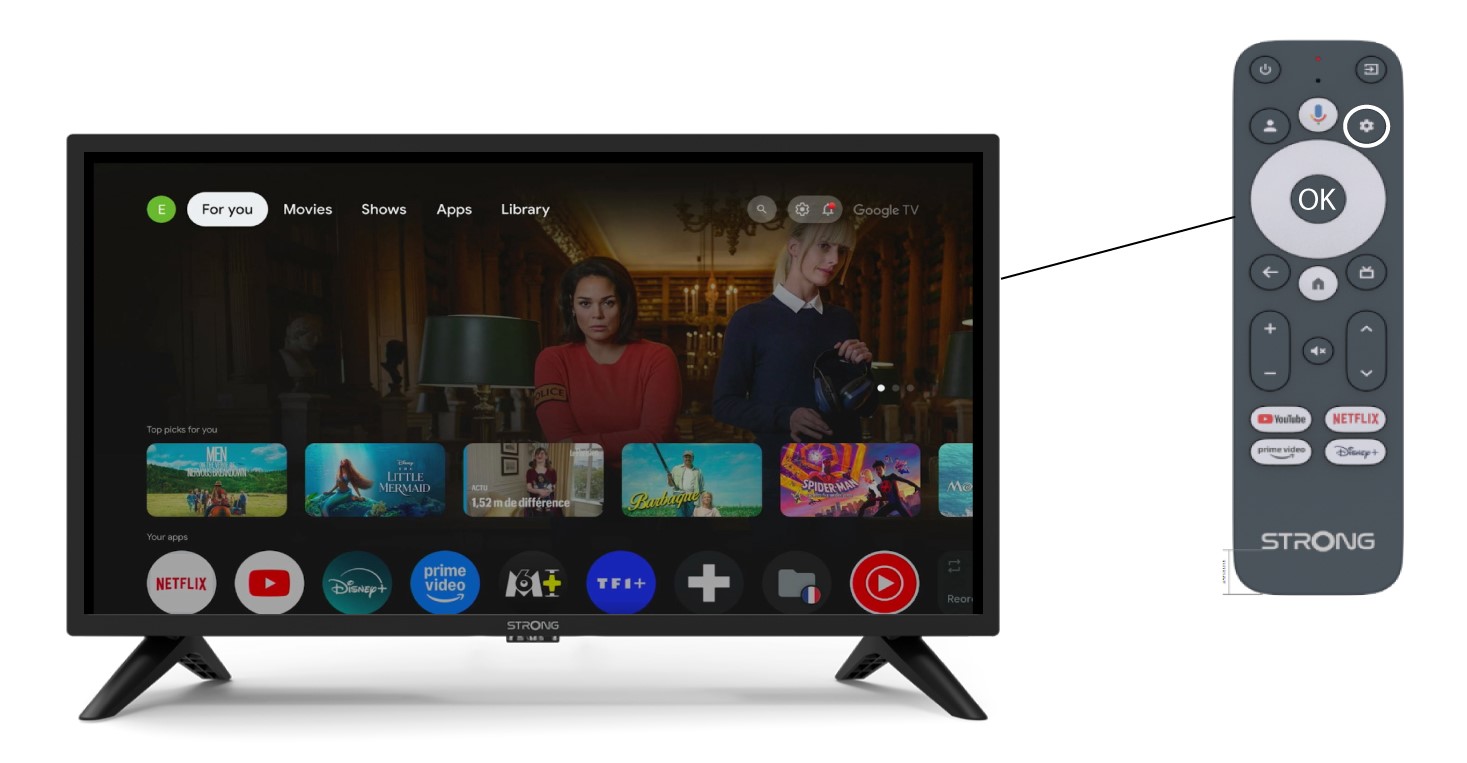
1Instellingen
Druk in dat geval op de knop ‘Instellingen’ op je Google-afstandsbediening en druk vervolgens op OK.
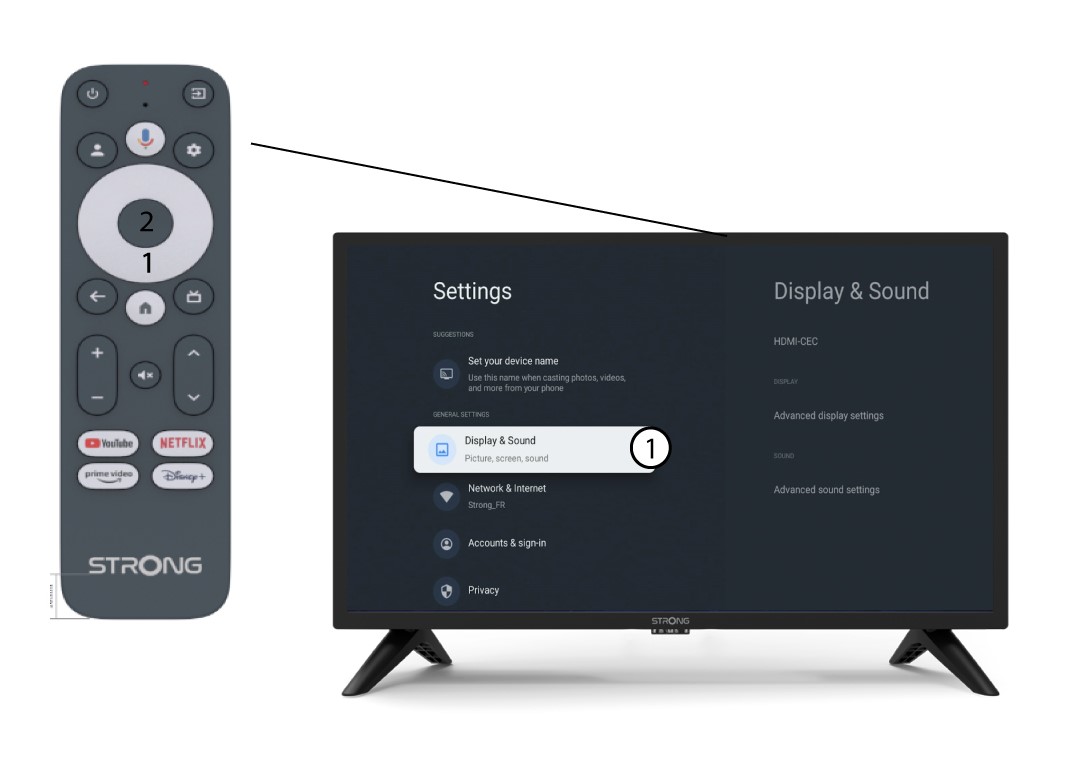
2. Beelden geluid
Selecteer ‘Beeld en geluid’ op de pagina ‘Instellingen’ die op uw scherm wordt weergegeven .
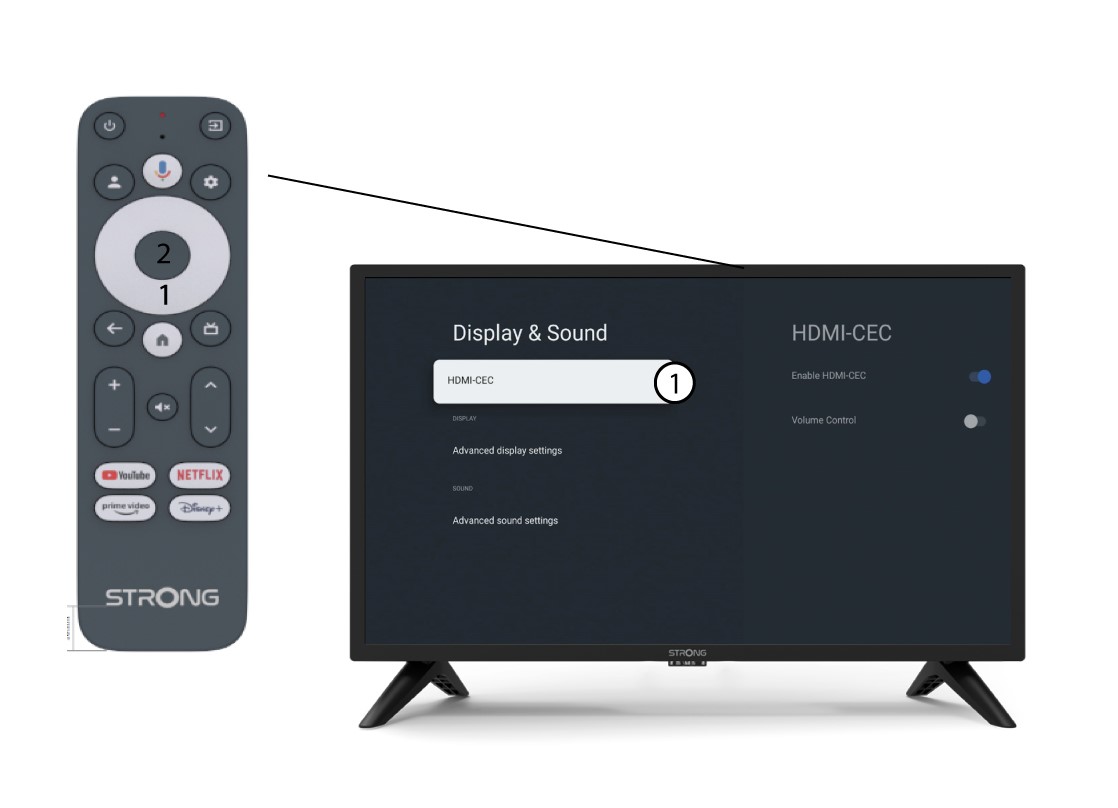
3 HDMICEC
Druk vervolgens op de rechter navigatieknop en selecteer “HDMI-CEC”.
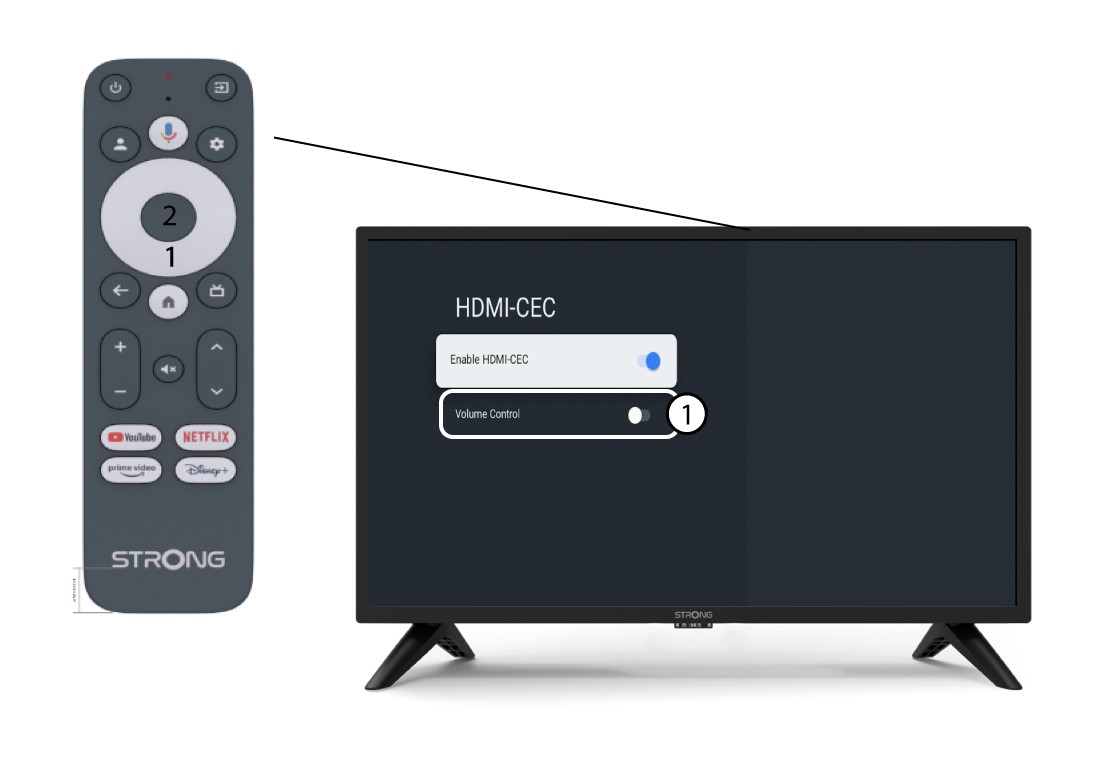
4. Volumeregeling
Selecteer‘Volumeregeling’ en druk op de OK-knop om deze functie uit te schakelen ( switch ).
5Startscherm
Druk op de HOME-knop om terug te gaan naar het startscherm.
Het volume kan nu weer worden aangepast met de SRT 41-afstandsbediening.