4G+ AIRHOME 710 med avtakbare 4G+ antenner
Alle spørsmål
4G+ AIRHOME 710 med avtakbare 4G+ antenner
Hvordan endrer jeg SSID (Wi-Fi-nettverksnavn) og Wi-Fi-passordet?
4G+ Router 1200 er en dual-band-ruter, du kan redigere informasjonen til 2,4 GHz- og 5 GHz Wi-Fi-nettverket ditt.
1 Koble til Wi-Fi-nettverket til ruteren din
For å endre SSID (Wi-Fi-nettverksnavn) og Wi-Fi-passord, må du være koblet til Wi-Fi-nettverket på enheten din.

2 Bla til IP-adressen for webgrensesnittet
Skriv deretter inn følgende IP-adresse: 192.168.188.1 i nettleseren din.

3 Finn påloggingsinformasjonen din for nettgrensesnittet
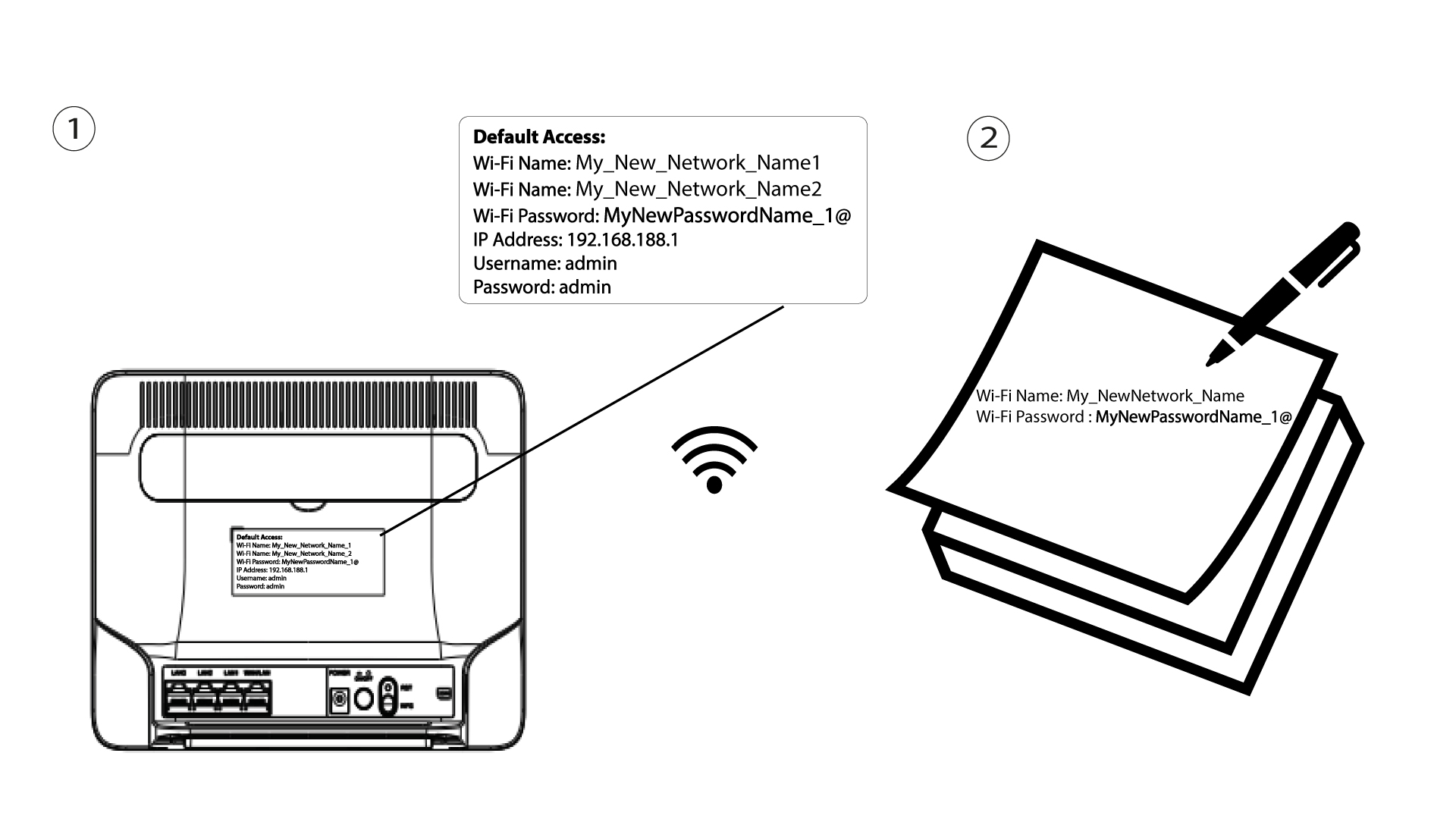
For å finne legitimasjonen din, se etiketten som sitter bak enheten.

4 Skriv inn påloggingsinformasjonen din
Du må oppgi brukernavn og passord . Klikk deretter på Logg inn .

5 Wi-Fi-innstillinger
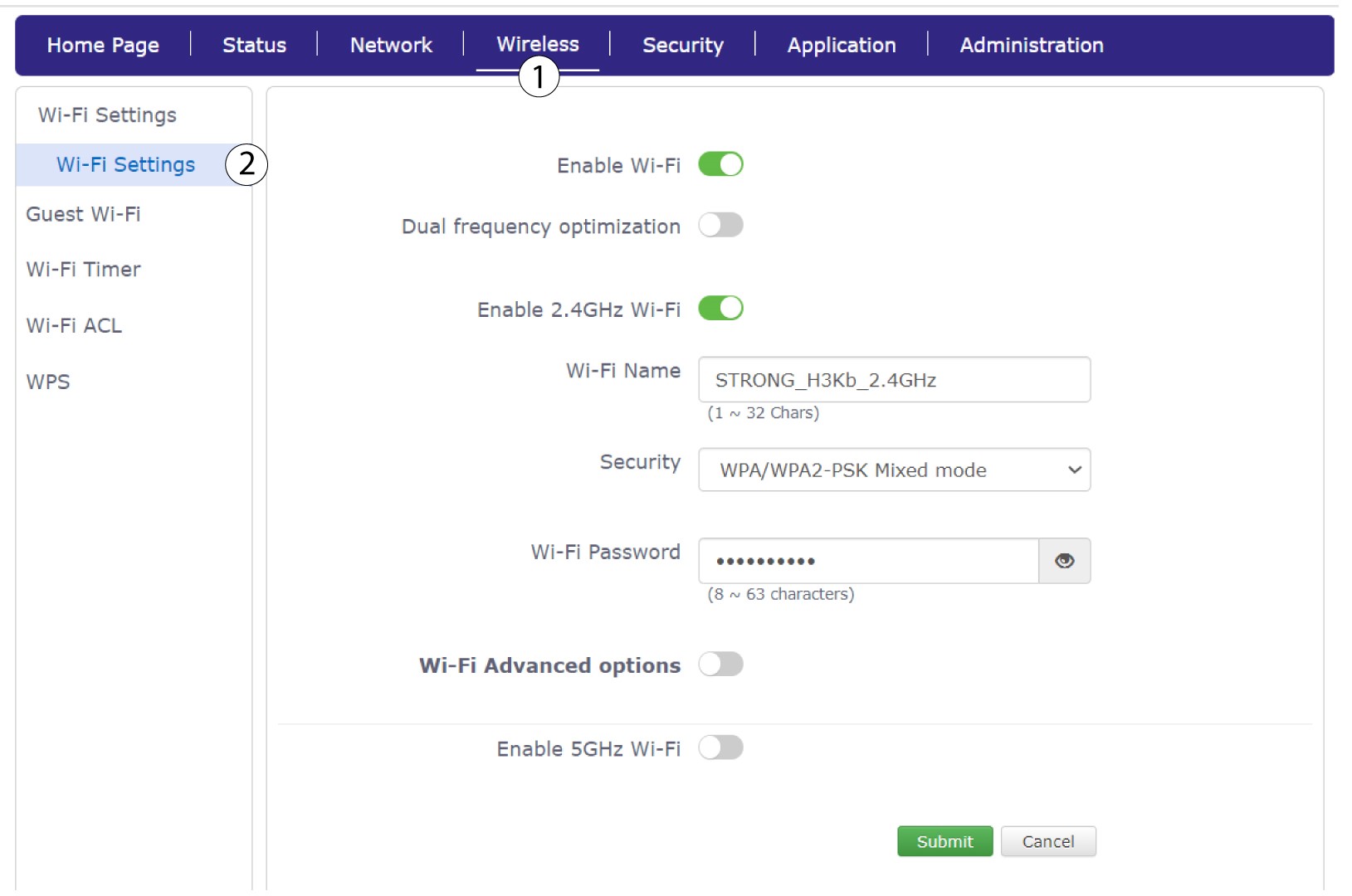
Klikk på Trådløst og velg Wi-Fi-innstillinger .
6 Skriv inn den nye nettverksinformasjonen
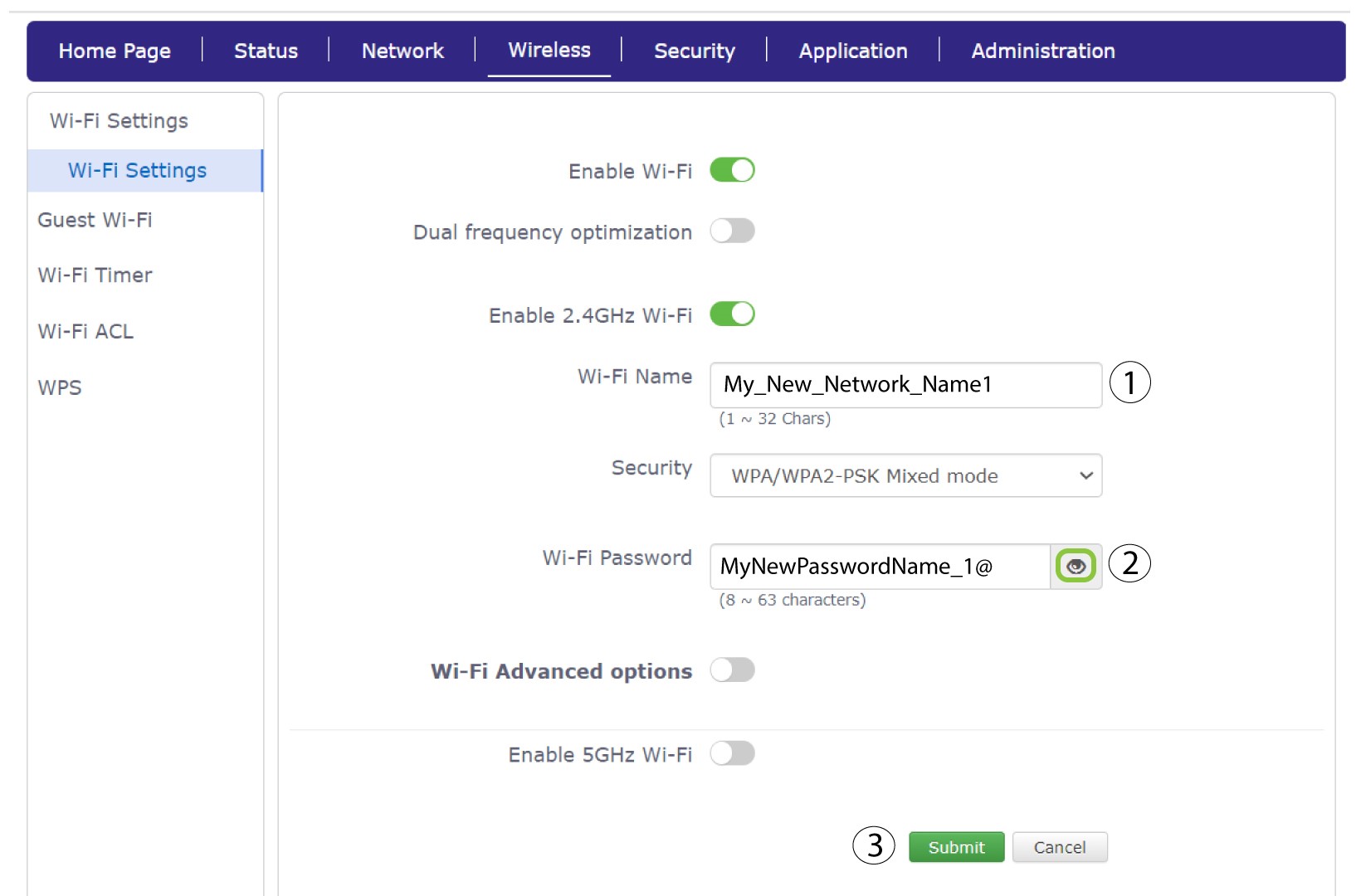
Endre navnet som er angitt i feltet Wi-Fi-navn , og klikk på øyeikonet ved siden av feltet Wi-Fi-passord. Endre deretter passordet som er angitt i feltet Wi-Fi-passord, og klikk på Send for å lagre endringene.
7 Skriv ned den nye nettverksinformasjonen
Skriv den nye SSID-en (Wi-Fi-nettverksnavnet) og Wi-Fi-passordet ditt på et papir og teip det til ruteren.