
4G+ AIRHOME 710 med avtakbare 4G+ antenner
Alle spørsmål
4G+ AIRHOME 710 med avtakbare 4G+ antenner
Hvordan tilbakestiller jeg ruteren min til fabrikkinnstillingene? (Webgrensesnitt)
Noen ganger er det mulig at enheten din ikke fungerer som den skal, og at du ikke har internettilgang. I dette tilfellet foreslår vi at du tilbakestiller enheten til fabrikkinnstillingene og oppdaterer den etterpå om nødvendig.
Du har to måter å gjøre det på: du kan tilbakestille enheten ved å trykke på tilbakestillingsknappen eller gjøre det i nettgrensesnittet.
1 Koble til enhetens Wi-Fi-nettverk
Du må koble til Wi-Fi-nettverket på enheten din.

2 Bla til IP-adressen for webgrensesnittet
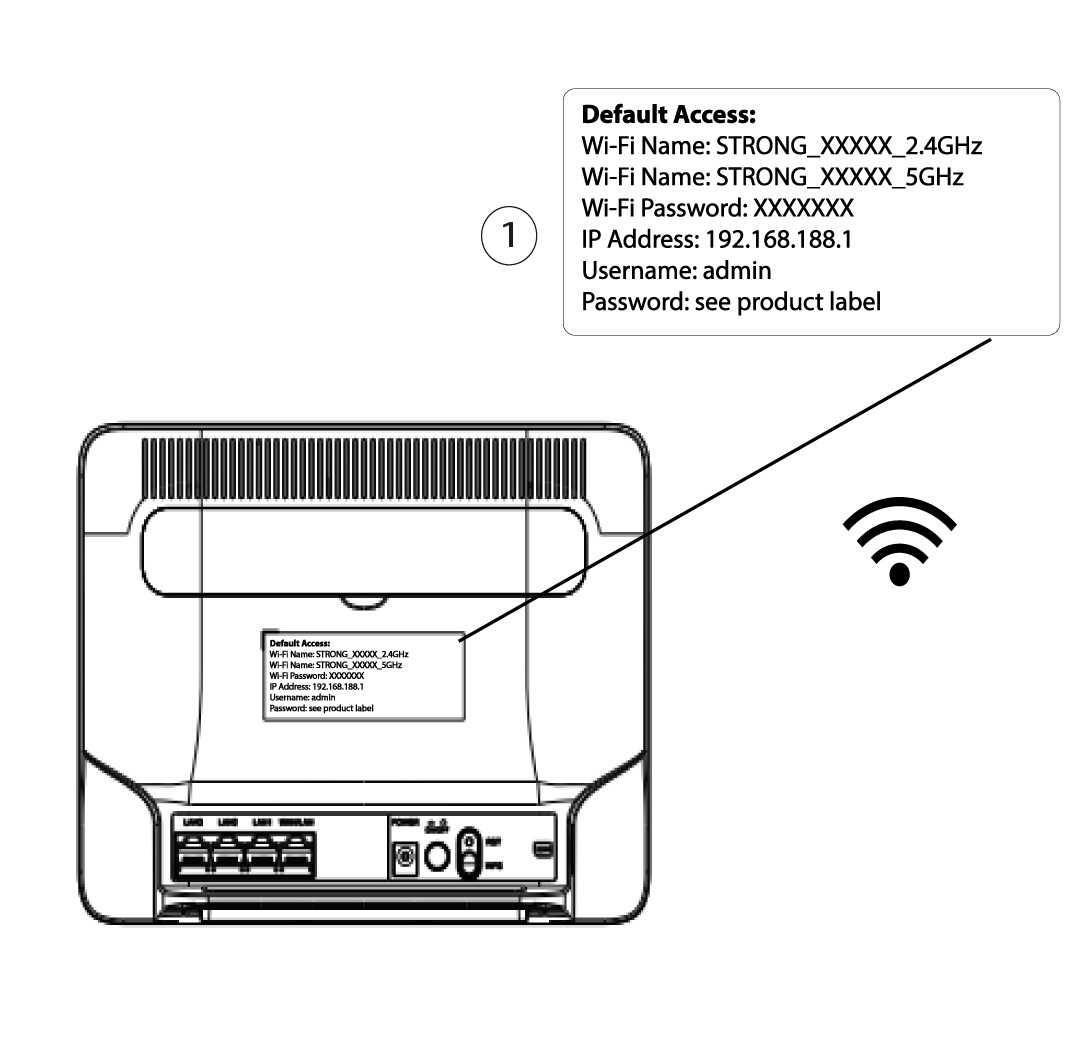
Skriv deretter inn følgende IP-adresse: 192.168.188.1 i nettleseren din.

3 Finn påloggingsinformasjonen din for nettgrensesnittet
For å finne legitimasjonen din, se etiketten som sitter bak enheten.
4 Skriv inn påloggingsinformasjonen din
Du må oppgi brukernavn og passord før du klikker på Logg inn .

5 Tilbakestill
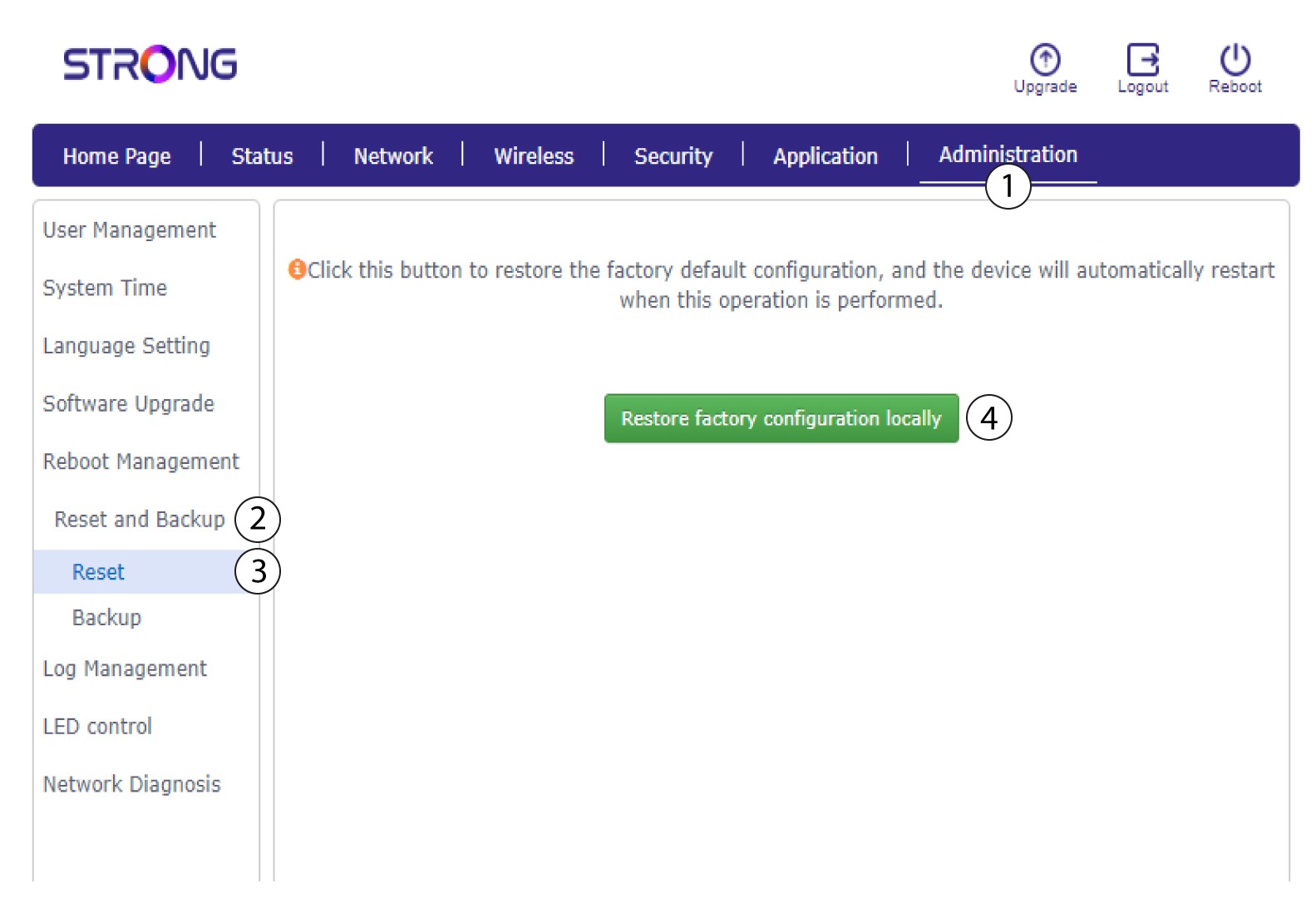
Klikk deretter på Administrasjon og Tilbakestill og sikkerhetskopier . Klikk deretter på Tilbakestill og gjenopprett fabrikkkonfigurasjon lokalt .
6 Bekreft tilbakestillingen
Klikk på Bekreft i popup-meldingen som vises.
