4G+ AIRHOME 710 med avtakbare 4G+ antenner
Ingen gjenstander funnet.
Ingen gjenstander funnet.
Alle spørsmål
4G+ AIRHOME 710 med avtakbare 4G+ antenner
Ingen gjenstander funnet.
Ingen gjenstander funnet.
Hva betyr de ulike SIM-kortstatusene i nettgrensesnittet?

Før du kobler til nettgrensesnittet, må du sørge for at SIM-kortet er satt inn riktig og at PIN-koden er deaktivert eller tastet inn.
• Hvis SIM-kortet er låst med en PIN-kode, må du koble til nettgrensesnittet for å legge inn koden og låse opp SIM-kortet. • Hvis SIM-kortet ikke oppdages, må du kontrollere at den gylne siden ikke er synlig når SIM-kortet er satt inn i sporet. • Hvis SIM-kortet ikke er riktig plassert, må du sette det tilbake i sporet og kontrollere at SIM-kortet fortsatt er i adapteren.Når du er i nettgrensesnittet, kan du legge merke til at flere statuser kan skrives ved siden av SIM-kortets statuslinje:
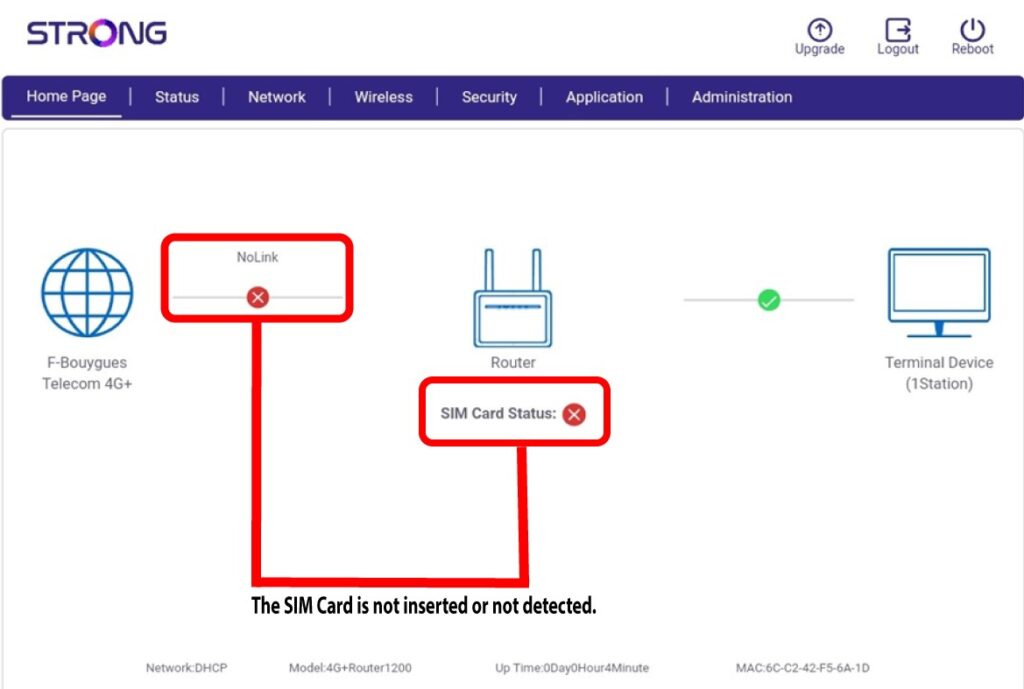
- Tilfelle 1: SIM-kortet er ikke satt inn eller oppdages ikke, og det er ingen forbindelse til mobilnettverket.
Tilfelle 2: SIM-kortet er satt inn riktig og oppdaget, men det er ingen forbindelse til mobilnettverket fordi SIM-kortet er låst med en PIN-kode.

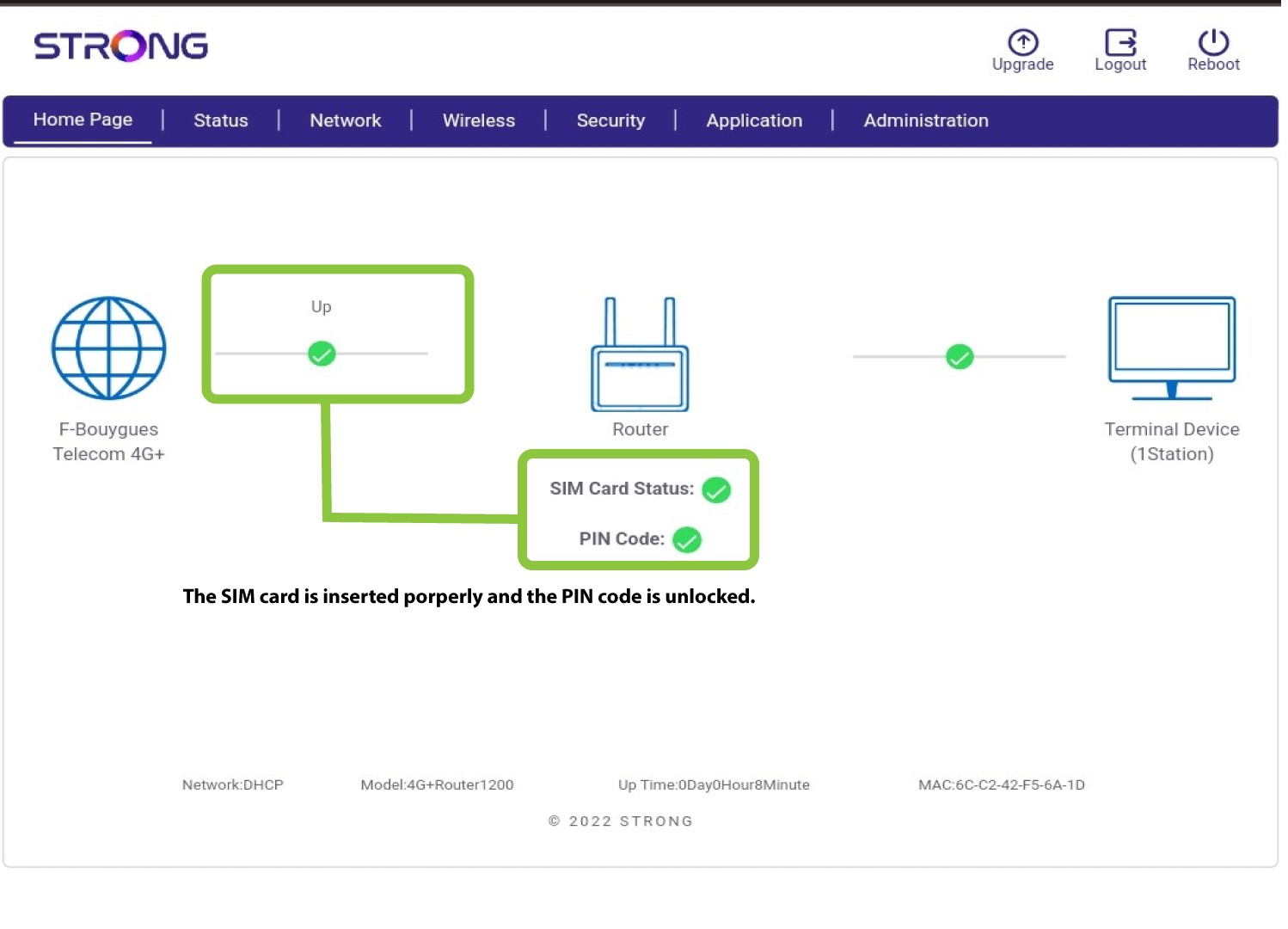
Tilfelle 3 : SIM-kortet er satt inn riktig, og PIN-koden er tastet inn. Tilkoblingen fungerer.