
4G AIRHOME 200 Mini-ruter med avtakbare 4G-antenner
Ingen gjenstander funnet.
Ingen gjenstander funnet.
Alle spørsmål
4G AIRHOME 200 Mini-ruter med avtakbare 4G-antenner
Ingen gjenstander funnet.
Ingen gjenstander funnet.
Hvordan endrer jeg SSID (Wi-Fi-nettverksnavn) og Wi-Fi-passord? (Hurtiginnstillinger)
I nettgrensesnittet har du to måter å endre SSID (Wi-Fi-nettverksnavn) og Wi-Fi-passordet til ruteren din:
• Ved å bruke hurtiginnstillingene
• Eller ved å bruke Wi-Fi-innstillinger.
1 Koble til nettgrensesnittet
Følg denne fremgangsmåten for å få tilgang til nettgrensesnittet:
2 Hurtiginnstillinger
For å gjøre dette, klikk på Hurtiginnstillinger i den øverste linjen.

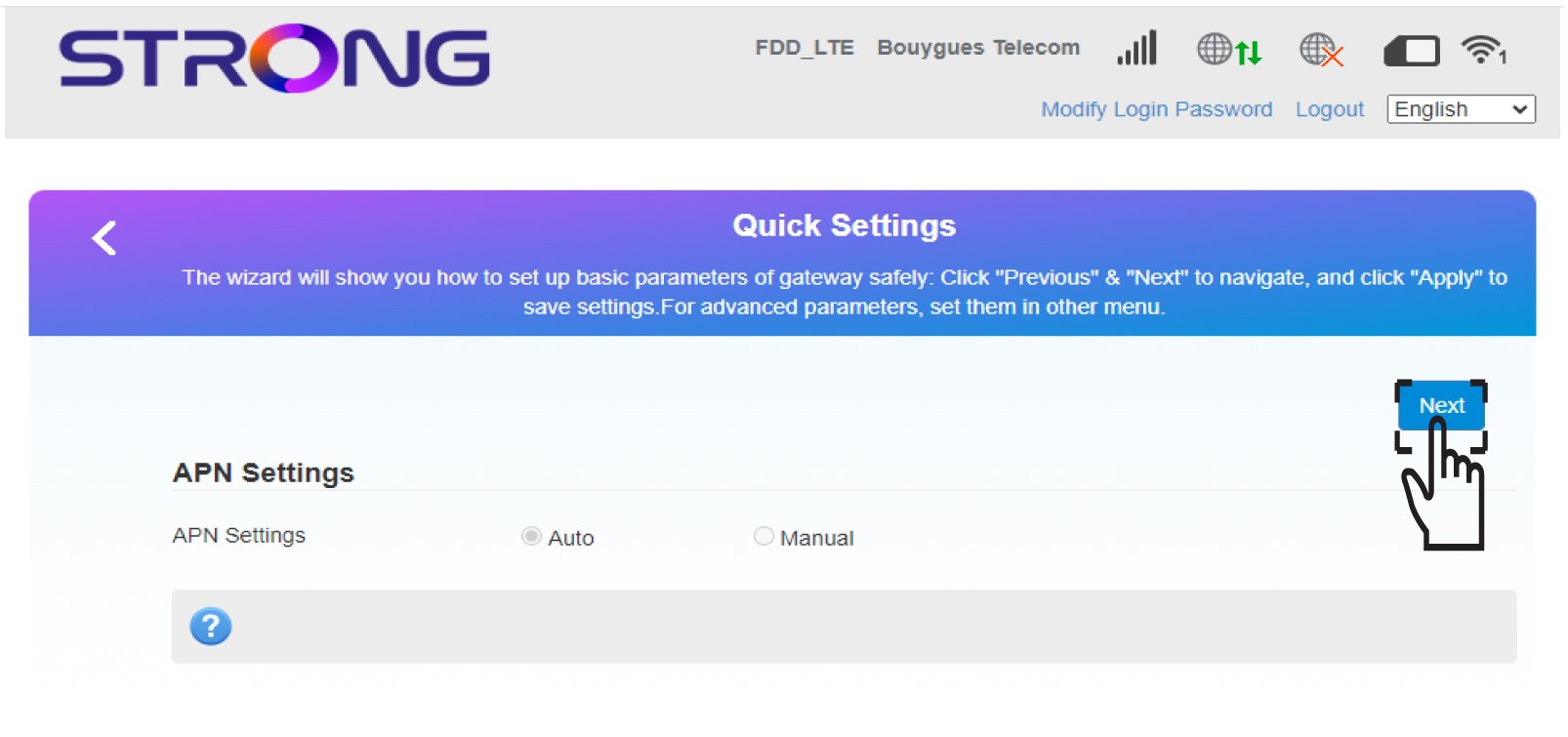
3 APN-innstillinger
Klikk på Neste .
4 Skriv inn det nye Wi-Fi-nettverksnavnet
Skriv inn det nye nettverksnavnet og klikk på Neste .

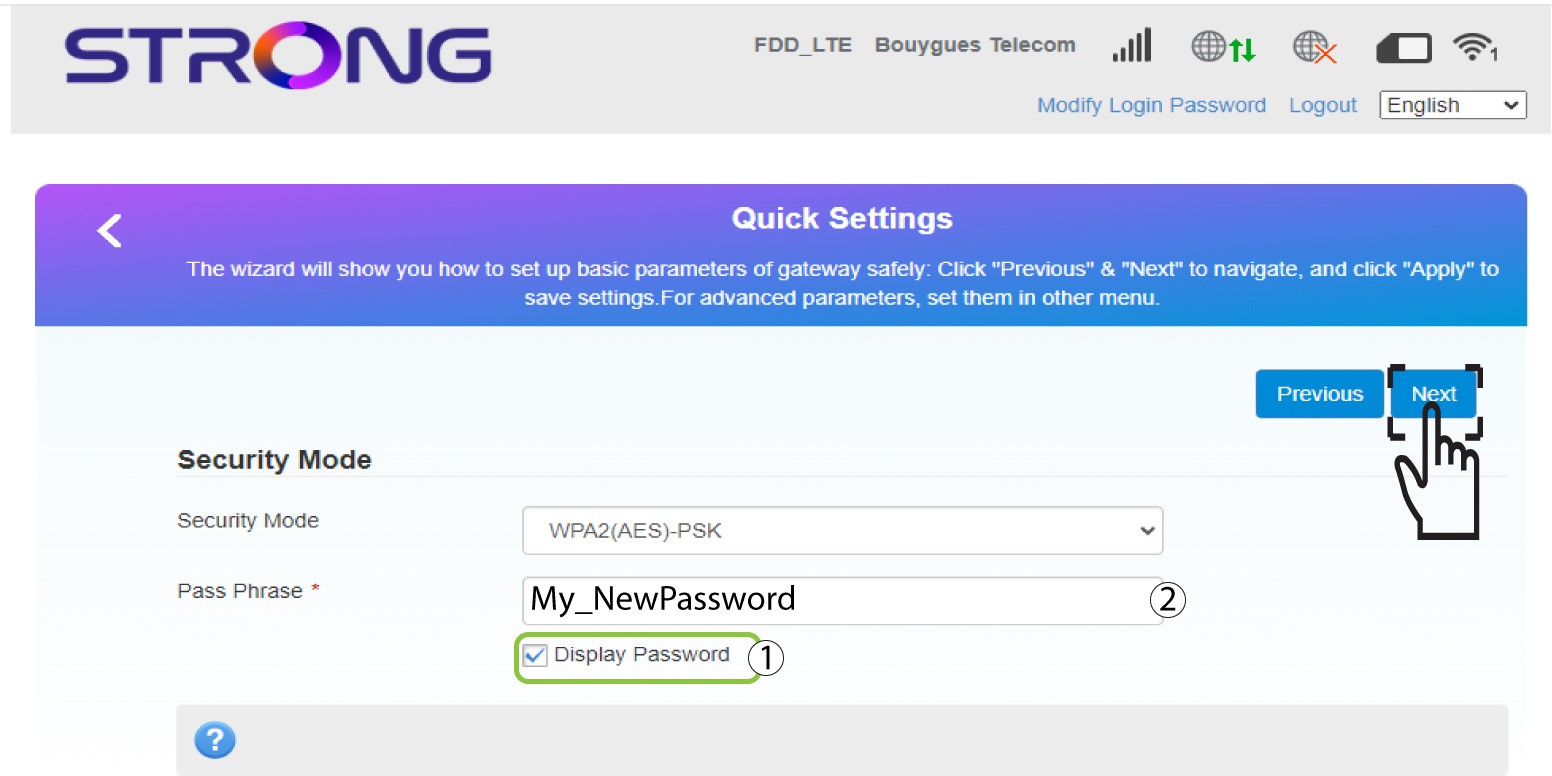
5 Skriv inn det nye Wi-Fi-passordet
Klikk på Vis passord og skriv inn det nye passordet for Wi-Fi-nettverket, og klikk deretter på Neste.
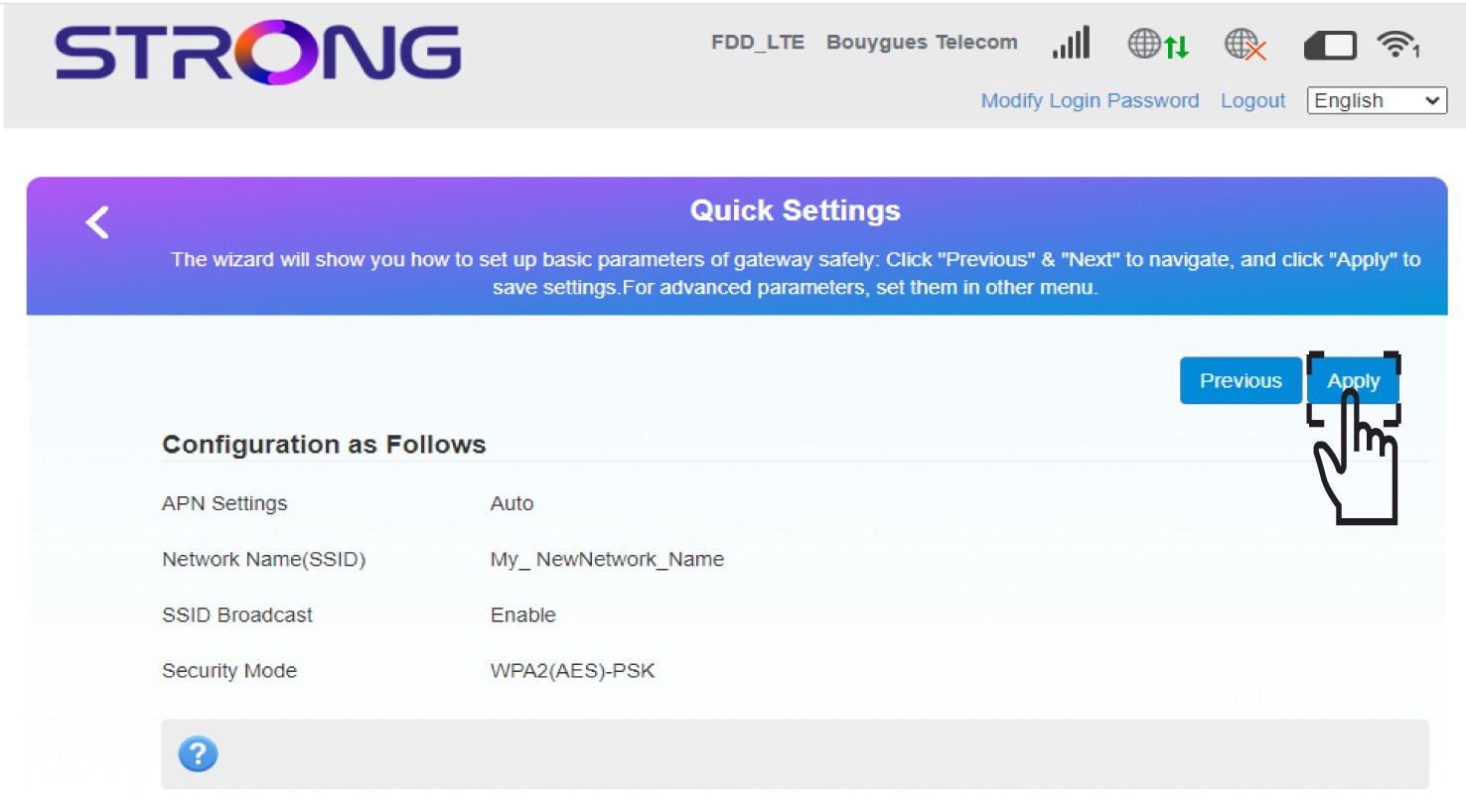
6 Lagre endringene
Klikk på Bruk for å lagre endringene.
7 Skriv den nye nettverksinformasjonen
Skriv ned den nye nettverksinformasjonen på et ark.
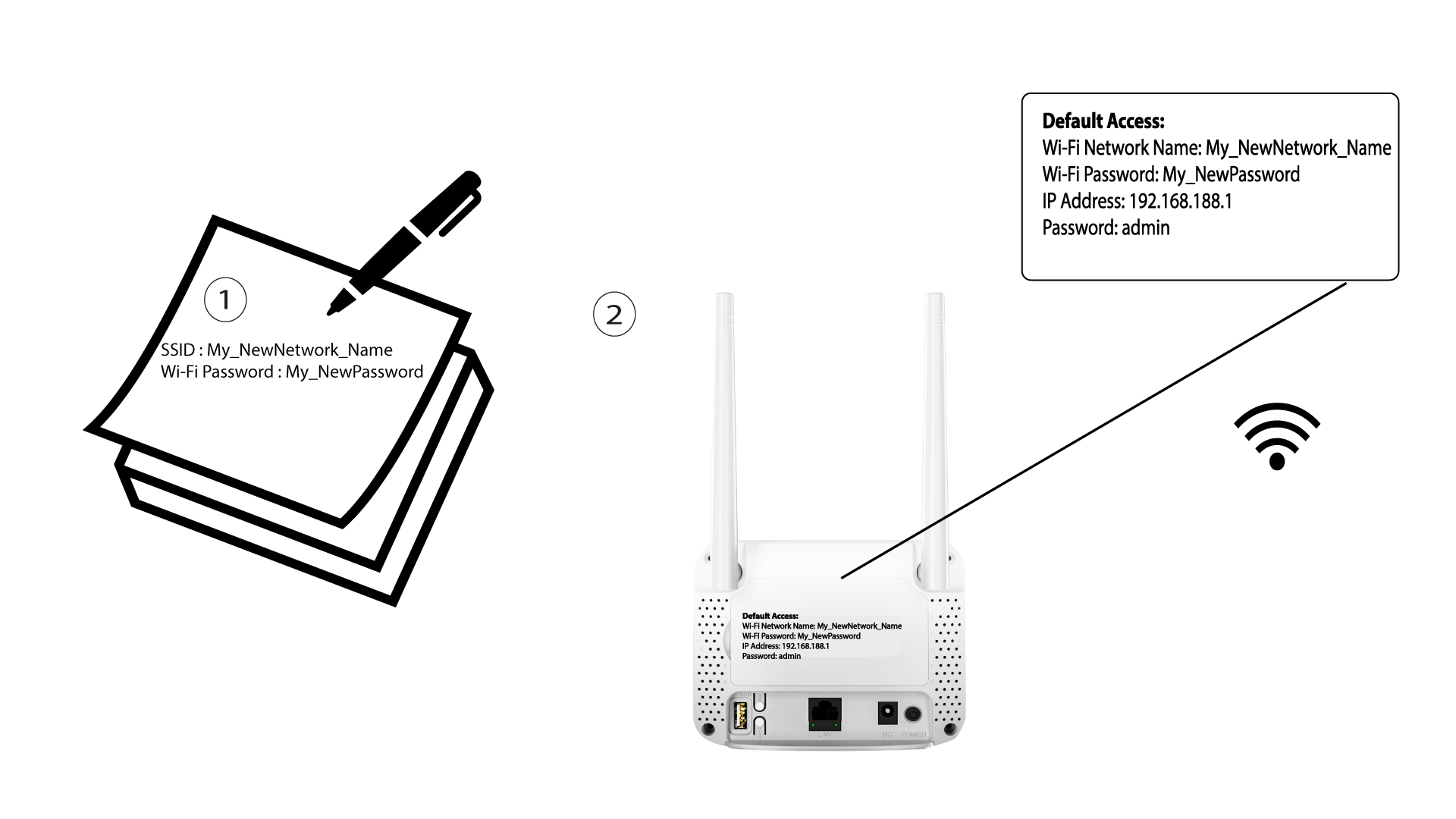

Etter at du har endret Wi-Fi-nettverksinformasjonen, vil alle enhetene som var koblet til nettverket automatisk bli frakoblet.