4G AIRHOME 200 Mini-ruter med avtakbare 4G-antenner
Ingen gjenstander funnet.
Ingen gjenstander funnet.
Alle spørsmål
4G AIRHOME 200 Mini-ruter med avtakbare 4G-antenner
Ingen gjenstander funnet.
Ingen gjenstander funnet.
Hvordan oppdaterer jeg enhetens fastvare?
Når du er koblet til nettgrensesnittet, må du sjekke fastvareversjonen som brukes av enheten din ved å bruke alternativet for online oppgradering i nettgrensesnittet. Ved å gjøre dette vil den nyeste fastvareversjonen bli installert. Hvis ruteren din ikke er oppdatert, kan du se prosedyren nedenfor for å oppdatere fastvaren.
1 Koble til Wi-Fi-nettverket til ruteren din
For å oppdatere enhetens fastvare må du koble til Wi-Fi-en til ruteren din.

2 Bla til IP-adressen for webgrensesnittet
Skriv deretter inn følgende IP-adresse: 192.168.188.1 i nettleseren din.

3 Skriv inn påloggingsinformasjonen din
Du må skrive inn passordet.

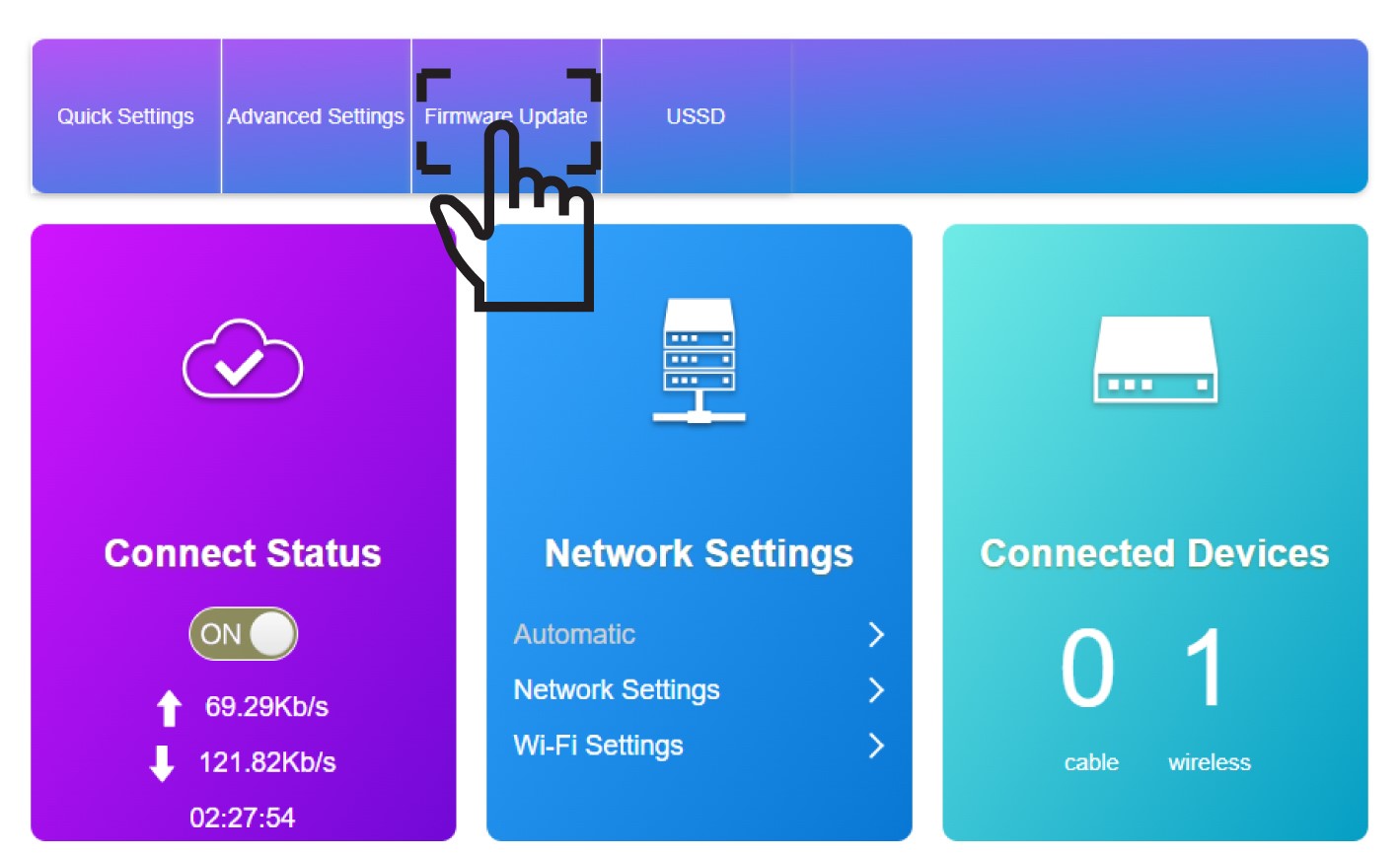
4 Fastvareoppdatering
Klikk på Fastvareoppdatering .
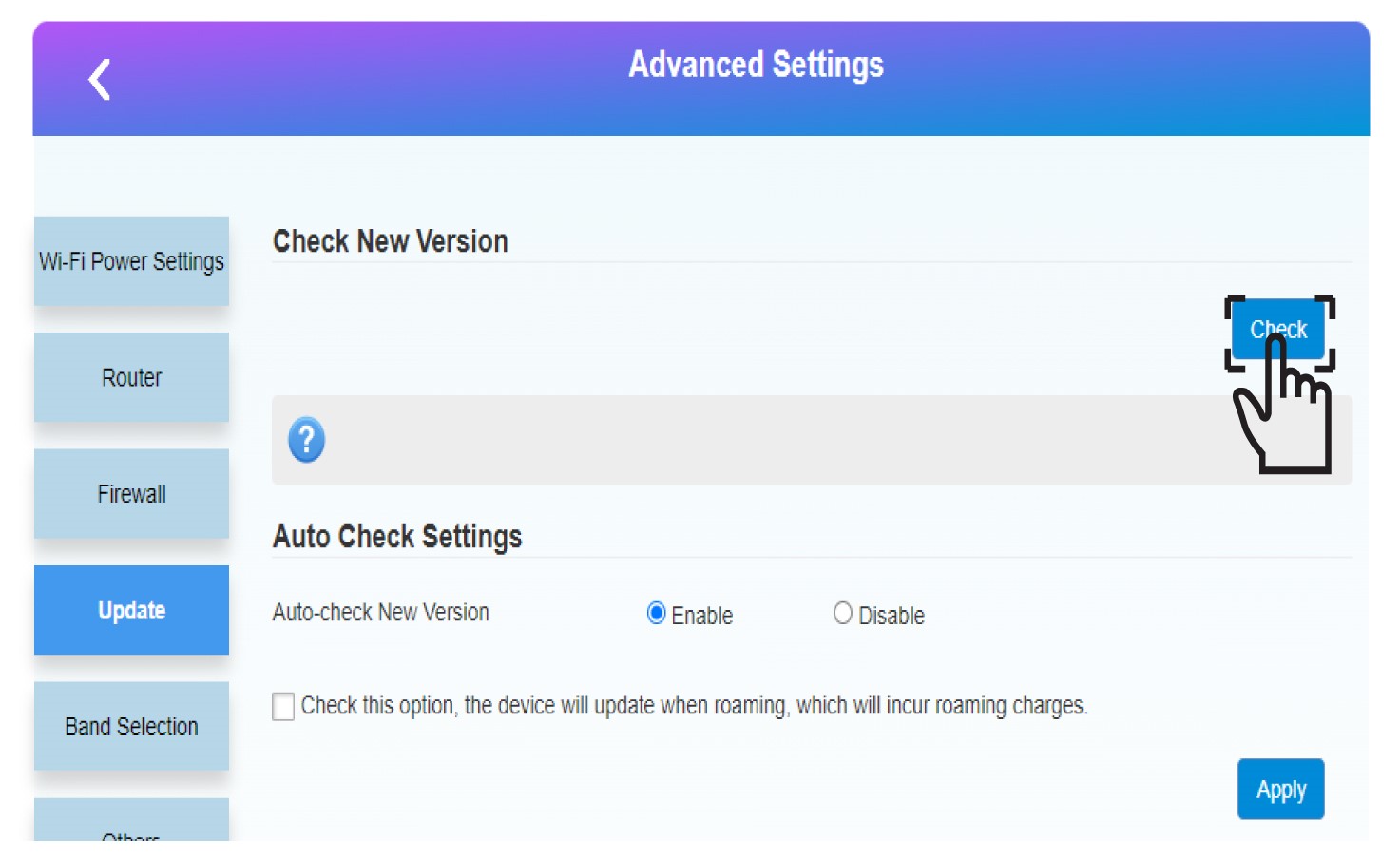
5 Start oppdateringen
Klikk på Sjekk i delen Sjekk ny versjon. Den nyeste versjonen av programvaren lastes ned automatisk, og du må koble til Wi-Fi-nettverket på nytt for å taste inn PIN-koden din.