
4G AIRHOME 200 Mini-ruter med avtakbare 4G-antenner
Ingen gjenstander funnet.
Ingen gjenstander funnet.
Alle spørsmål
4G AIRHOME 200 Mini-ruter med avtakbare 4G-antenner
Ingen gjenstander funnet.
Ingen gjenstander funnet.
Hvordan endrer jeg SSID (Wi-Fi-nettverksnavn) og Wi-Fi-passordet? (Wi-Fi-innstillinger)
1. Tilkobling til Wi-Fi-nettverket til ruteren din
For å endre SSID (Wi-Fi-nettverksnavn) og Wi-Fi-passord, må du koble til Wi-Fi-en på enheten din.

2 Bla til IP-adressen for webgrensesnittet
Deretter skriver du inn følgende IP-adresse: 192.168.188.1 i nettleseren din.

3 Skriv inn turlegitimasjon
Du må skrive inn passordet .

4 Wi-Fi-innstillinger
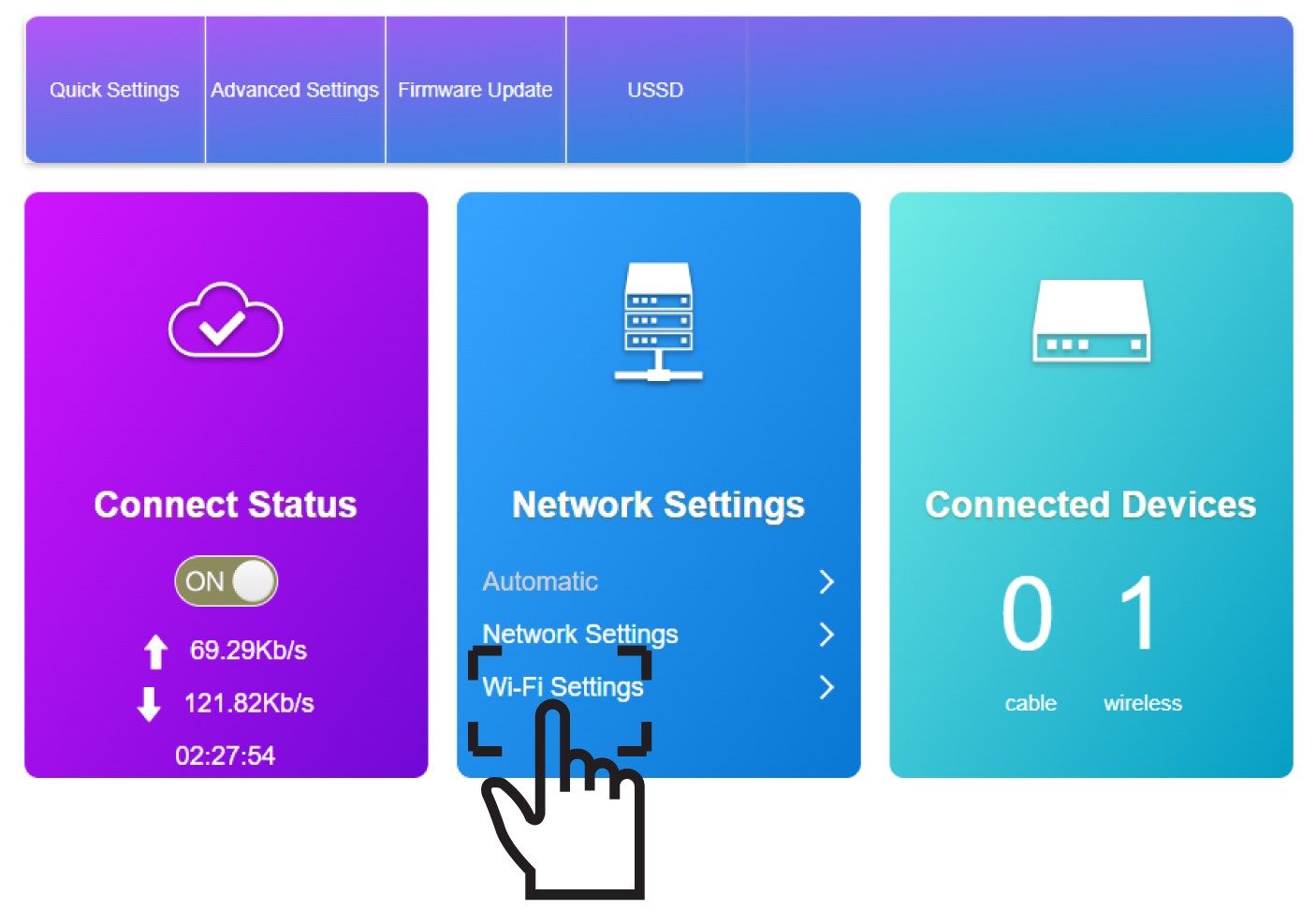
Klikk på Wi-Fi-innstillinger i Nettverksinnstillinger-delen.
5 Skriv inn den nye nettverksinformasjonen
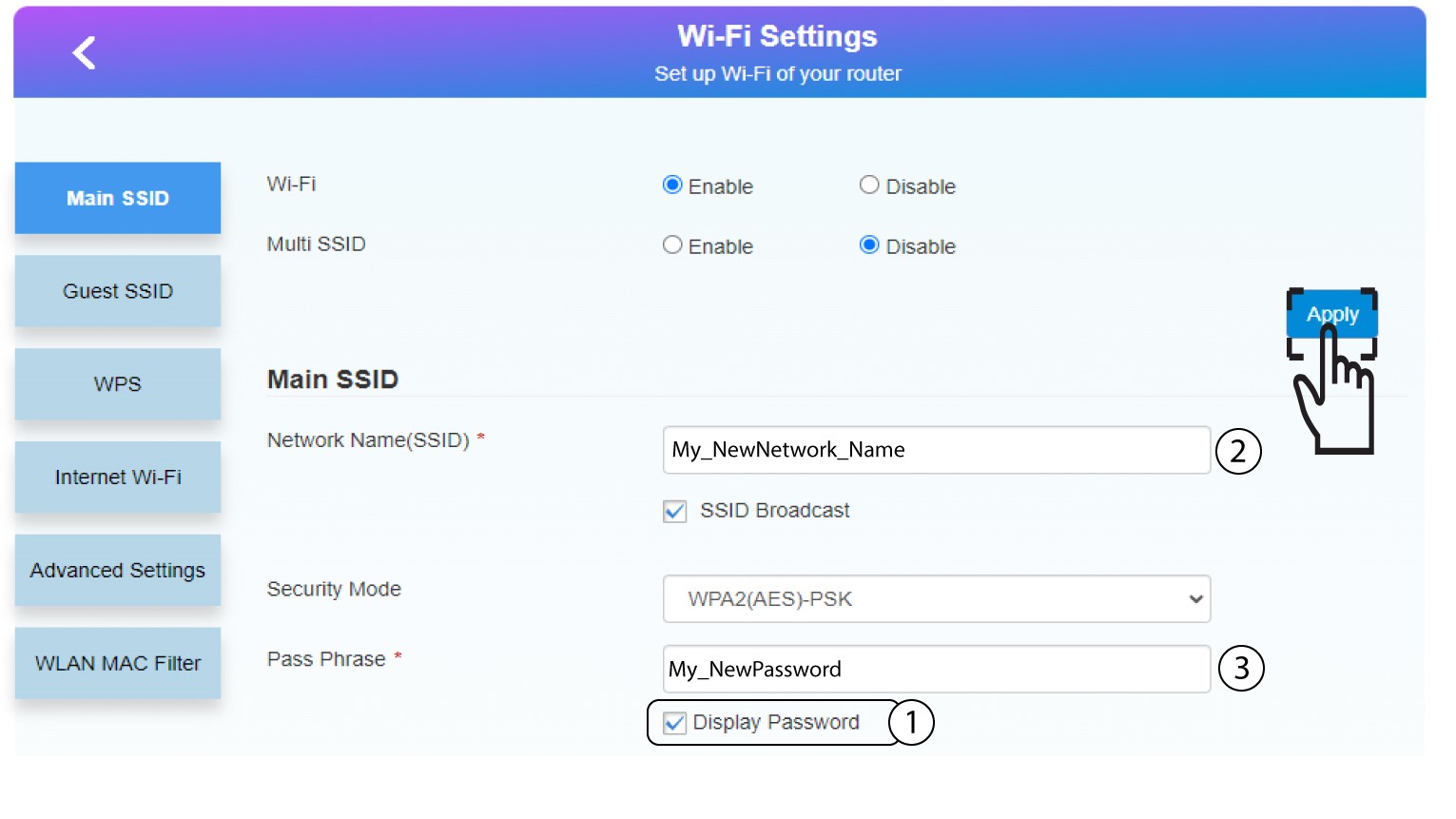
Klikk på vis passord og skriv inn følgende informasjon før du klikker på Bruk:
a. Skriv inn det nye nettverksnavnet.
b. Skriv inn det nye Wi-Fi-passordet.
6 Lagre den nye nettverksinformasjonen
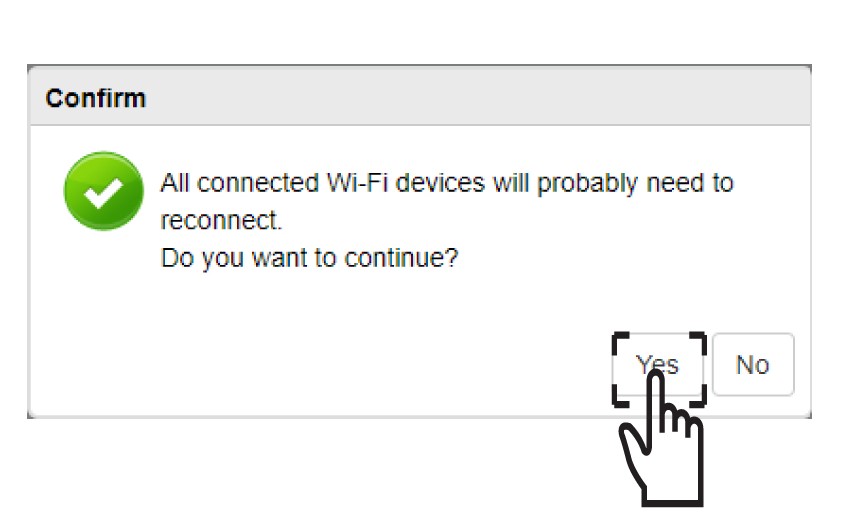
I popup-meldingen klikker du på Ja for å bruke endringene.
7 Skriv ned den nye nettverksinformasjonen
Skriv ned den nye nettverksinformasjonen på et ark.
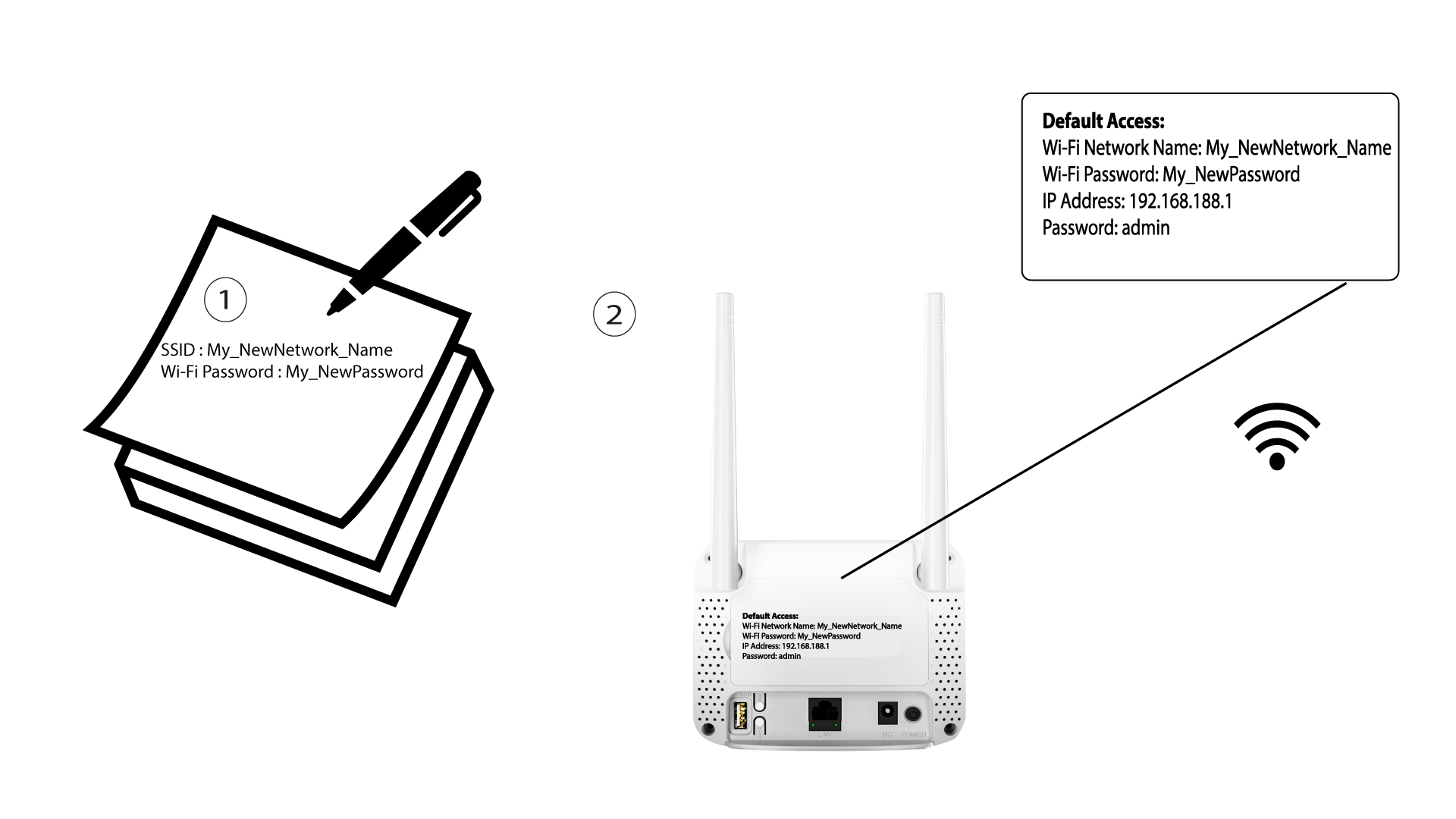

Etter at du har endret Wi-Fi-nettverksinformasjonen, vil alle enhetene som var koblet til nettverket automatisk bli frakoblet.