4G AIRSPOT 220 Mobil Wi-Fi med skjerm
Ingen gjenstander funnet.
Ingen gjenstander funnet.
Alle spørsmål
4G AIRSPOT 220 Mobil Wi-Fi med skjerm
Ingen gjenstander funnet.
Ingen gjenstander funnet.
Hvordan slår jeg av og på enheten?
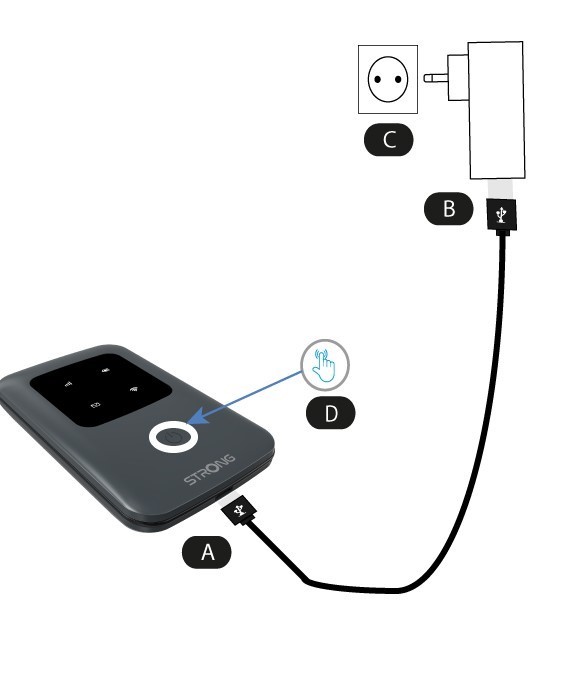
For å slå på enheten må du lade den før du bruker den. For å gjøre dette, sett USB-kabelen inn i enheten (A) og pluggen (B).
1 Av/på-knapp
Koble USB-kabelen fra enheten (A) til strømforsyningen (B). Koble den deretter til stikkontakten (C) og trykk og hold inne av/på-knappen i fem sekunder (D) .
Etter noen sekunder lyser LED-lampene på enheten.
For å slå den av trenger du bare å trykke og holde inne av/på-knappen i 5 sekunder.