
Mobilne Wi-Fi 4G+ AIRSPOT 520 z ekranem dotykowym
Nie znaleziono żadnych elementów.
Nie znaleziono żadnych elementów.
Wszystkie pytania
Mobilne Wi-Fi 4G+ AIRSPOT 520 z ekranem dotykowym
Nie znaleziono żadnych elementów.
Nie znaleziono żadnych elementów.
Jak przywrócić ustawienia fabryczne routera? (Przycisk resetowania)
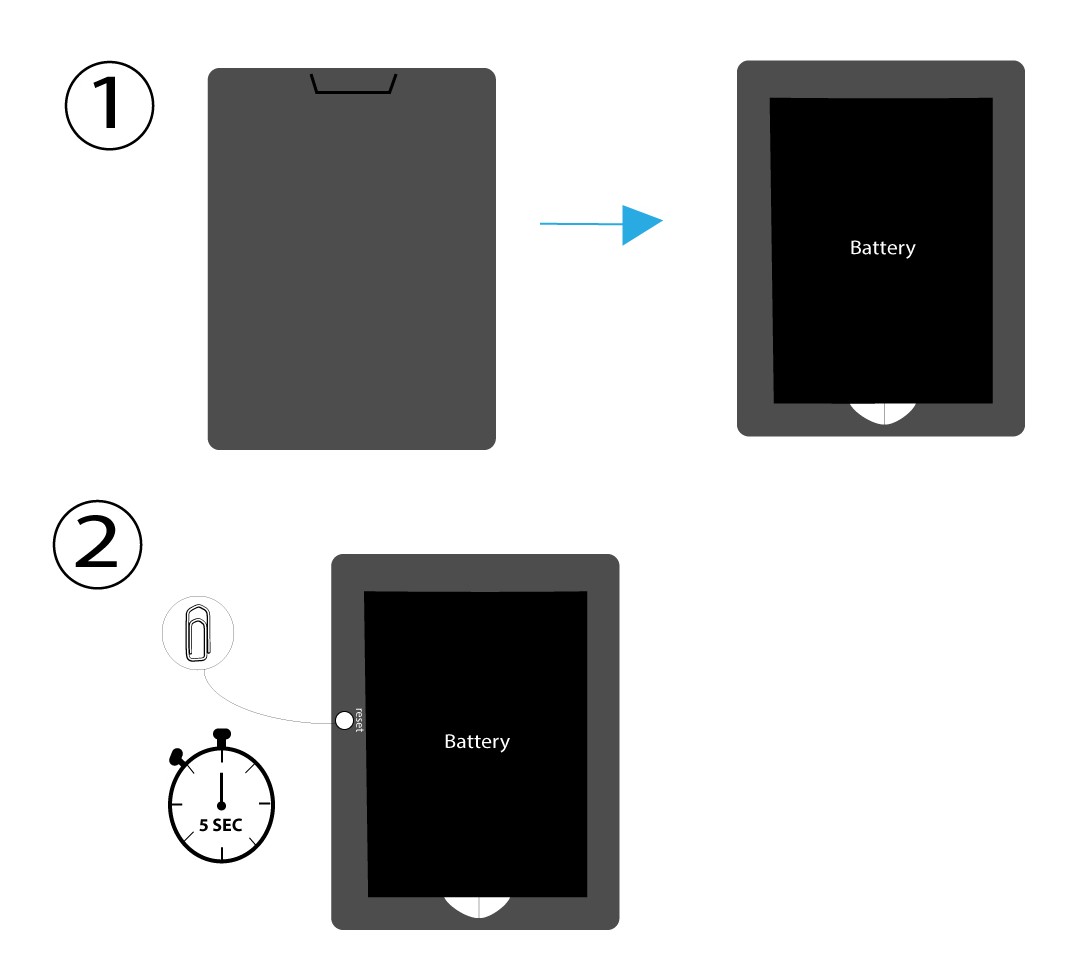
PRZYPADEK 1: Przycisk resetowania
W tym celu należy zdjąć pokrywę z tyłu routera i nacisnąć przycisk RESET za pomocą spinacza biurowego, przytrzymując go przez 5 sekund.
PRZYPADEK 2: Przywrócenie ustawień fabrycznych w interfejsie użytkownika sieci Web
1. Przywrócenie ustawień fabrycznychw interfejsie użytkownika sieci Web
Aby połączyć się z interfejsem użytkownika, należy postępować zgodnie z poniższymi instrukcjami: Jak uzyskać dostęp do interfejsu użytkownika?
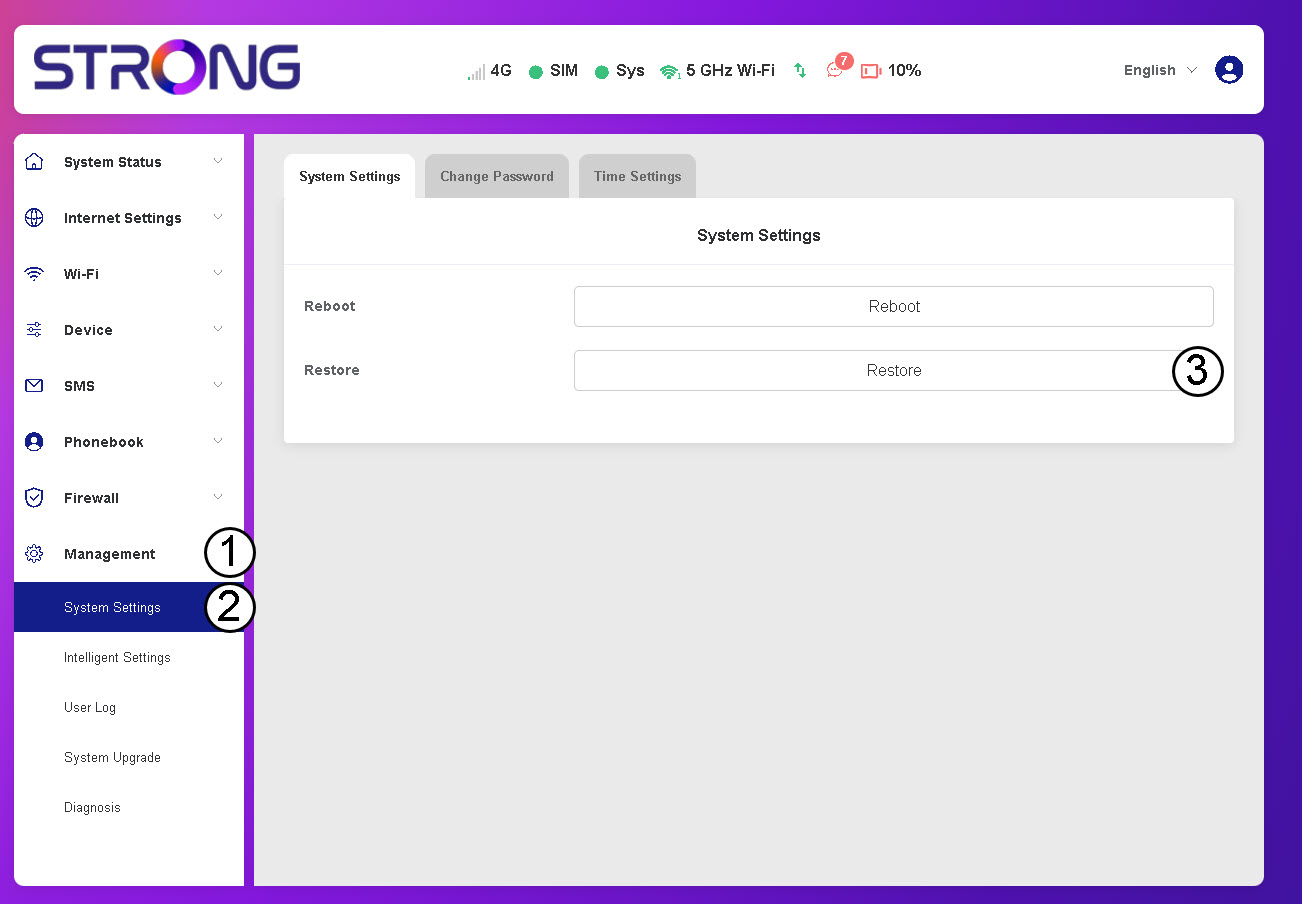
2Przejdźdo opcji przywracania
Kliknij opcję „Zarządzanie”, „Ustawienia systemu ” i„Przywróć”.
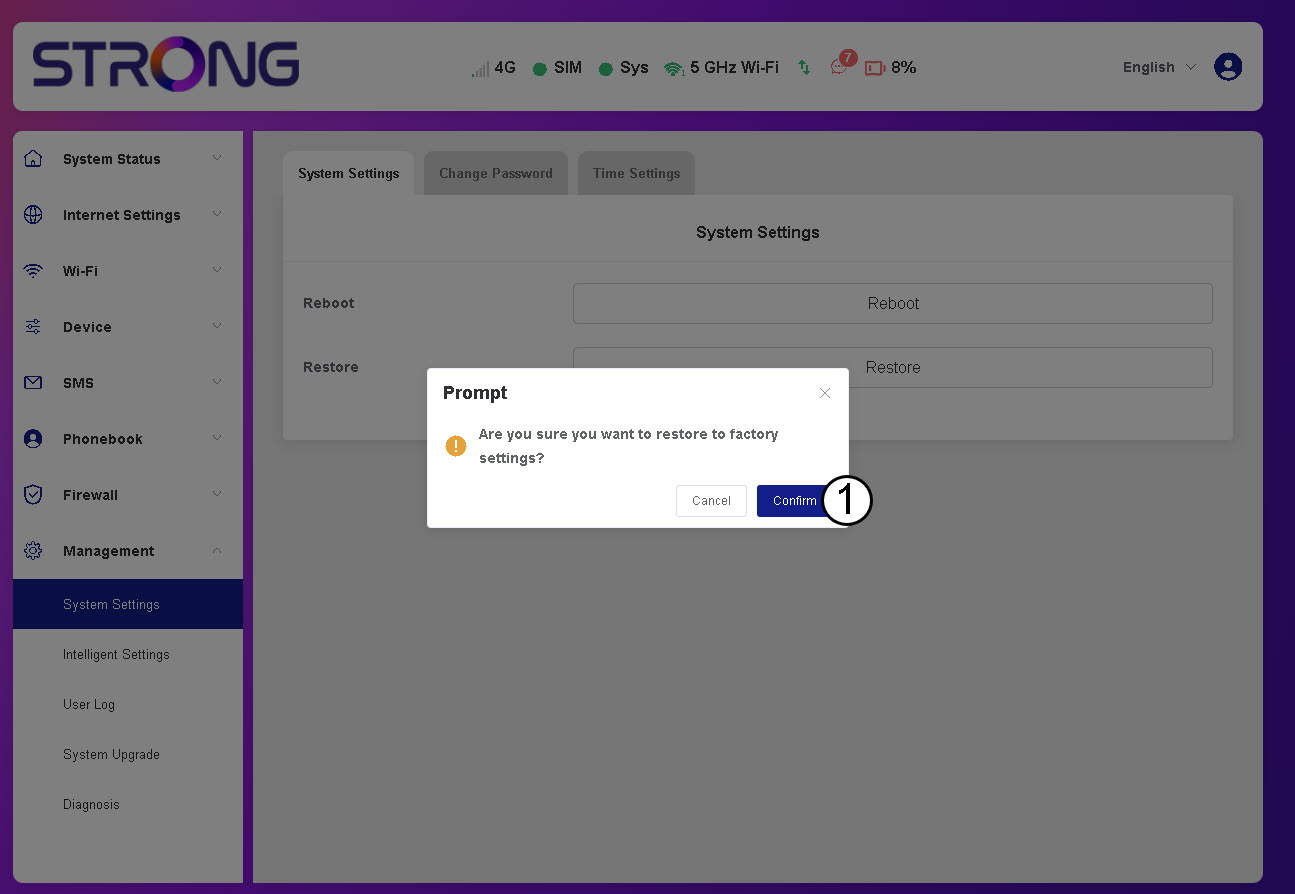
3. Kliknij„Potwierdź”
4. Poczekaj, aż router się zrestartuje
Proszę poczekać – router wyłączy się i ponownie włączy po zakończeniu procesu.
PRZYPADEK 3: Przycisk resetowania