Nenhum item encontrado.
LEAP
Nenhum item encontrado.
Todas as perguntas
Nenhum item encontrado.
LEAP
Nenhum item encontrado.
Como posso adicionar ou remover uma aplicação do ecrã inicial?
1Caso1: Adicionar uma aplicação
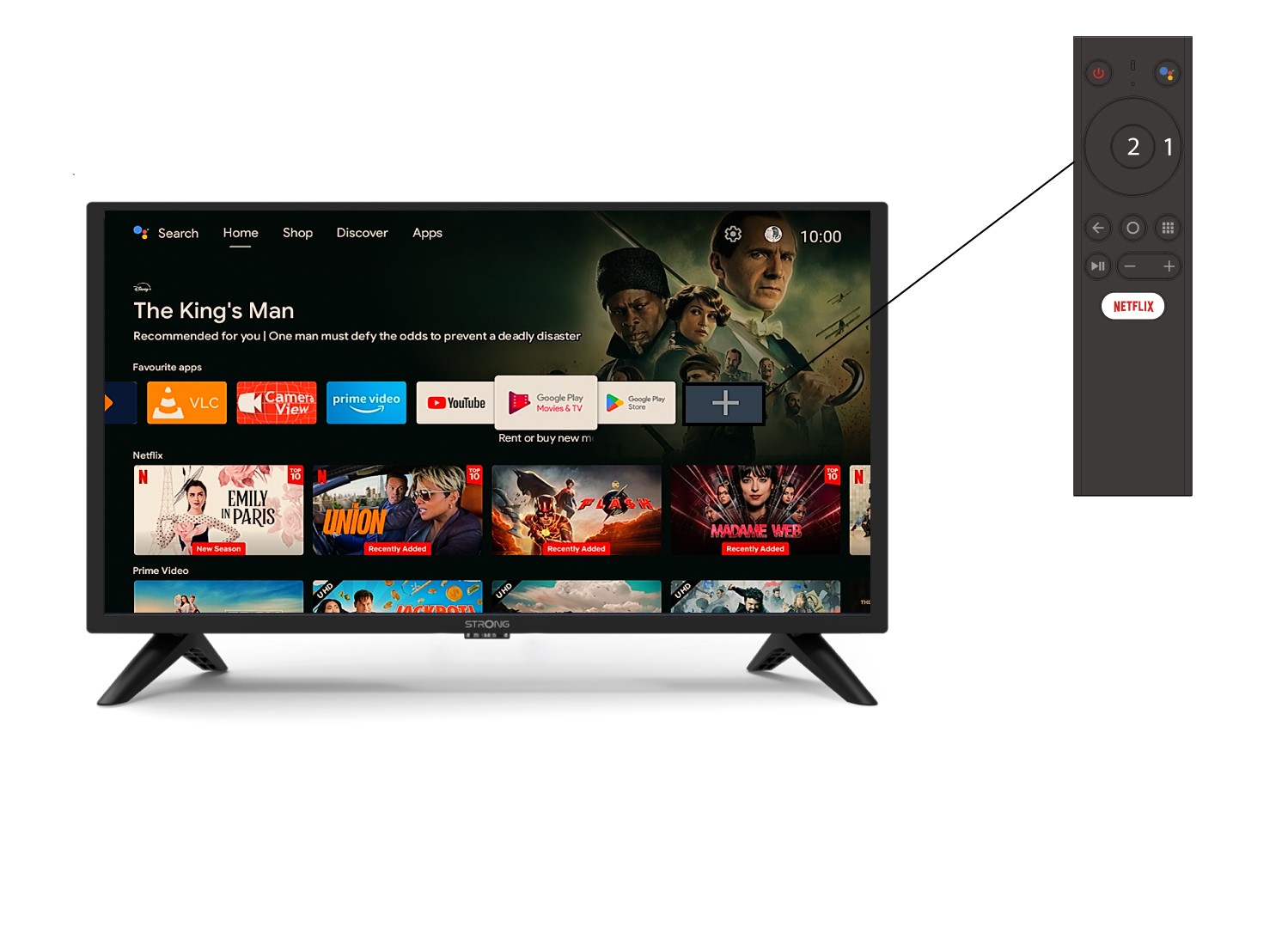
Para adicionar uma aplicação ao ecrã inicial, aceda ao ícone «+» localizado no final da lista de aplicações já presentes no ecrã inicial e prima «OK».
2. Lista de aplicações
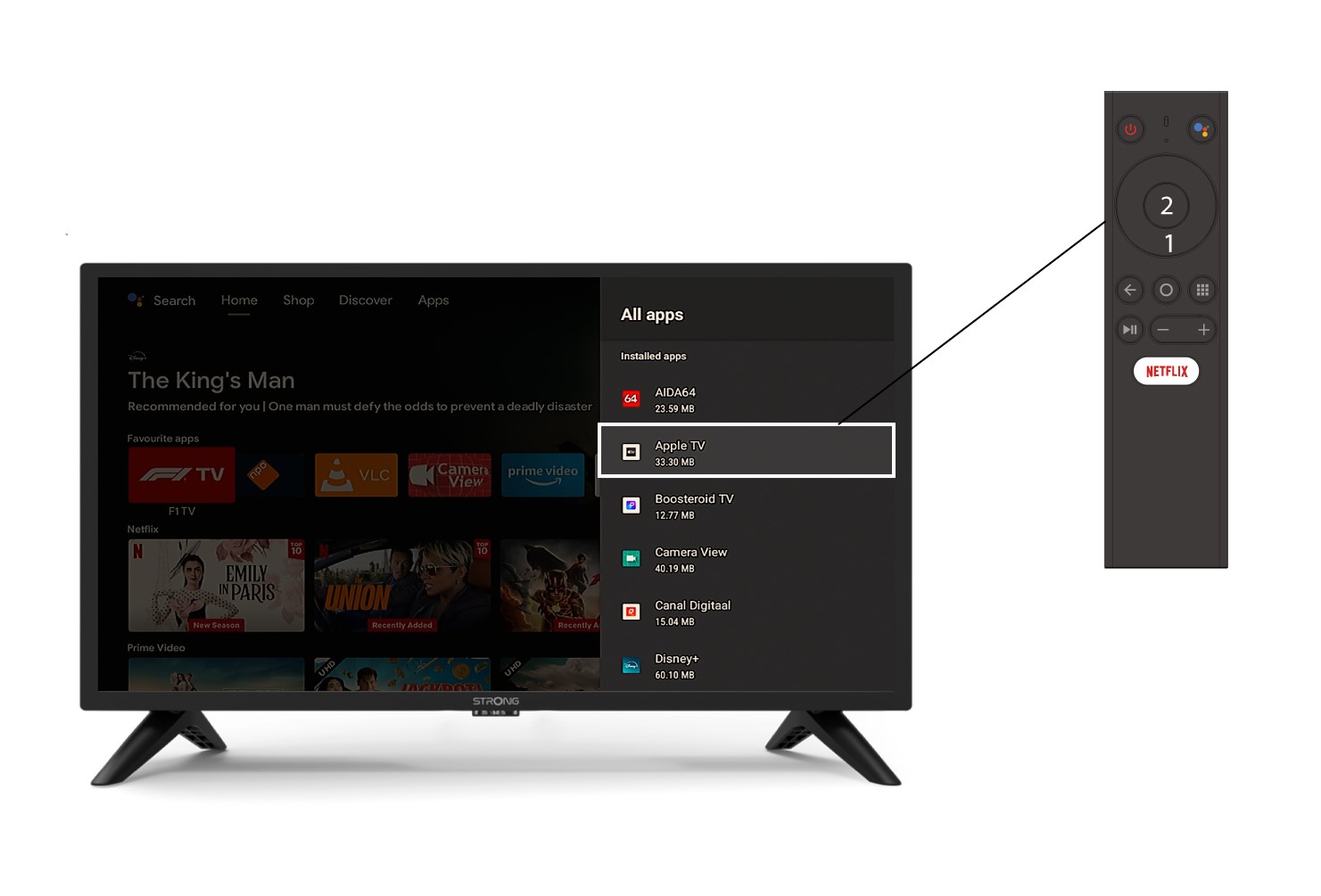
Em seguida, abre-se a lista de aplicações; selecione a aplicação que desejar e prima o botão OK do seu comando.
3Caso2: Remover uma aplicação
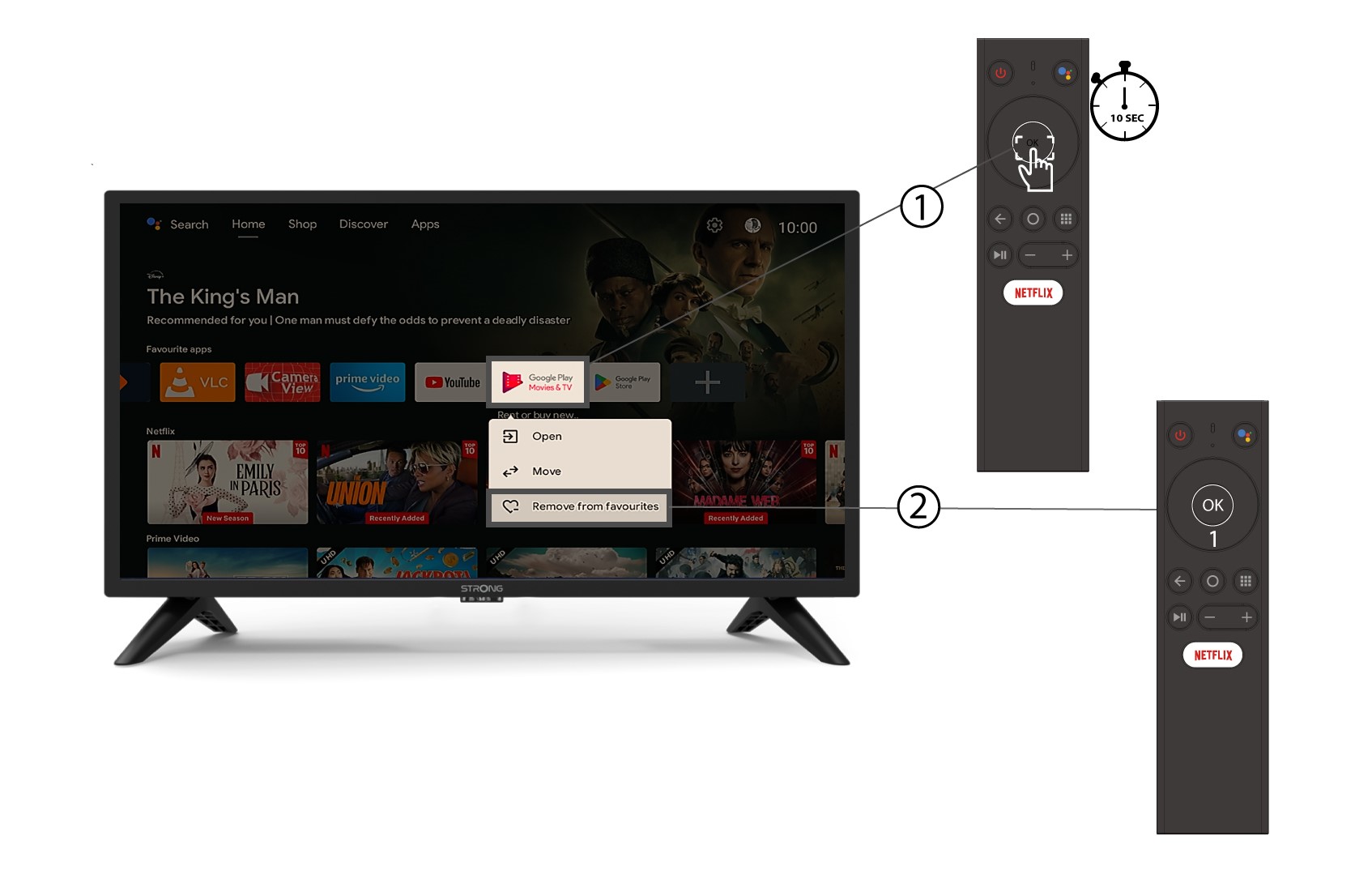
Para remover uma aplicação do ecrã inicial, na lista de aplicações que já se encontram na página inicial, selecione a aplicação que pretende remover, mantenha premido o botão «OK»; aparecerá uma janela, na qual deverá selecionar «Remover dos favoritos».