LEAP
Todas as perguntas
LEAP
Liguei um teclado AZERTY através de USB, mas é reconhecido como um teclado QWERTY. Porquê?

Aviso: Tenha em atenção que os layouts de teclado suportados para teclados externos são definidos pela Google. Por conseguinte, é possível que o seu layout de teclado não seja suportado. Nesse caso, recomendamos que contacte o fabricante do seu teclado para verificar se existe alguma aplicação que torne o seu teclado compatível.
1Ligueo dispositivo
Ligue a televisão e o LEAP S1.
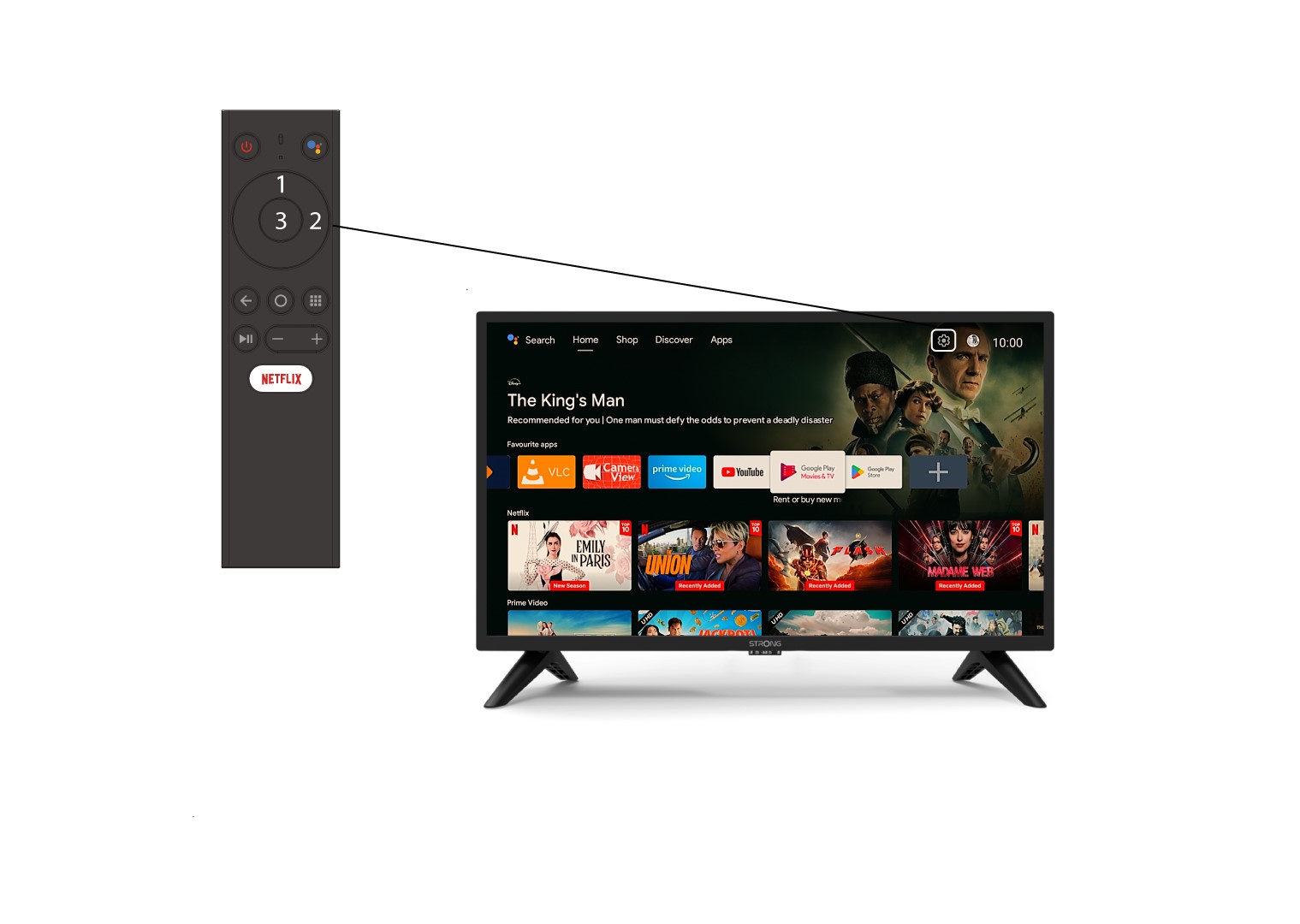
2. Acedaao menu «Definições»
Identifique o ícone da engrenagem (Menu de Configurações) no canto superior direito do ecrã e selecione-o utilizando as setas do computador. Em seguida, prima o botão OK no comando para abrir o Menu de Configurações.
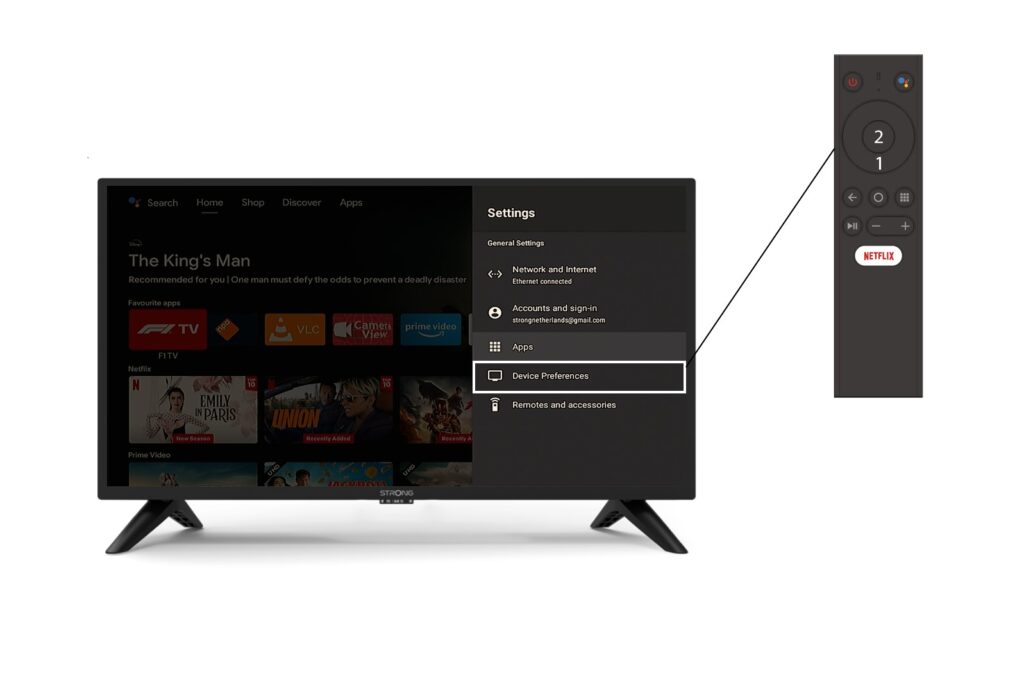
3Preferências do dispositivo
Selecione «Preferências do dispositivo» no menu «Definições» e prima o botão «OK» no seu comando à distância.
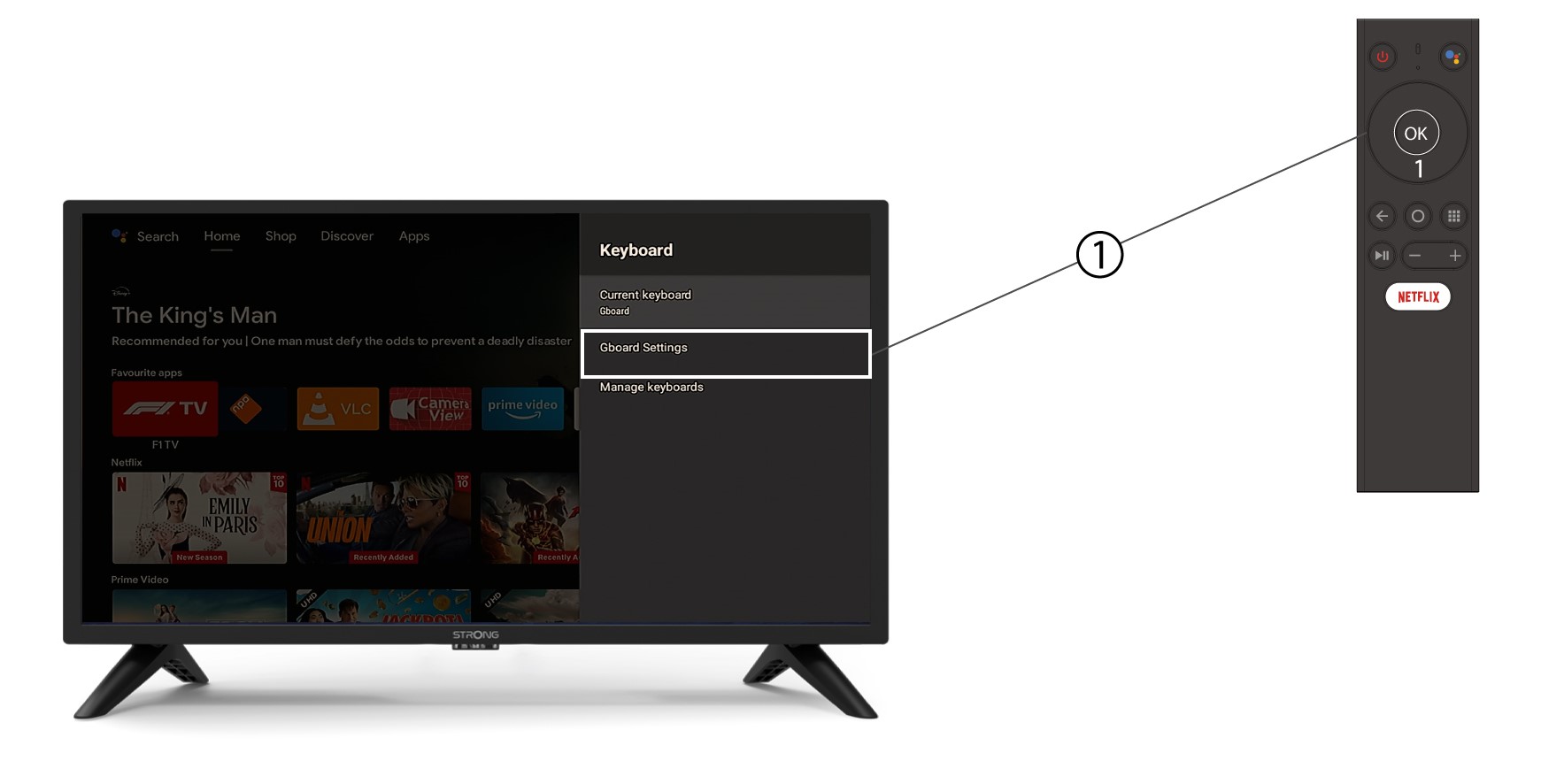
4. Definições do teclado
No menu do teclado, clique em «Definições do Gboard » e prima «OK».
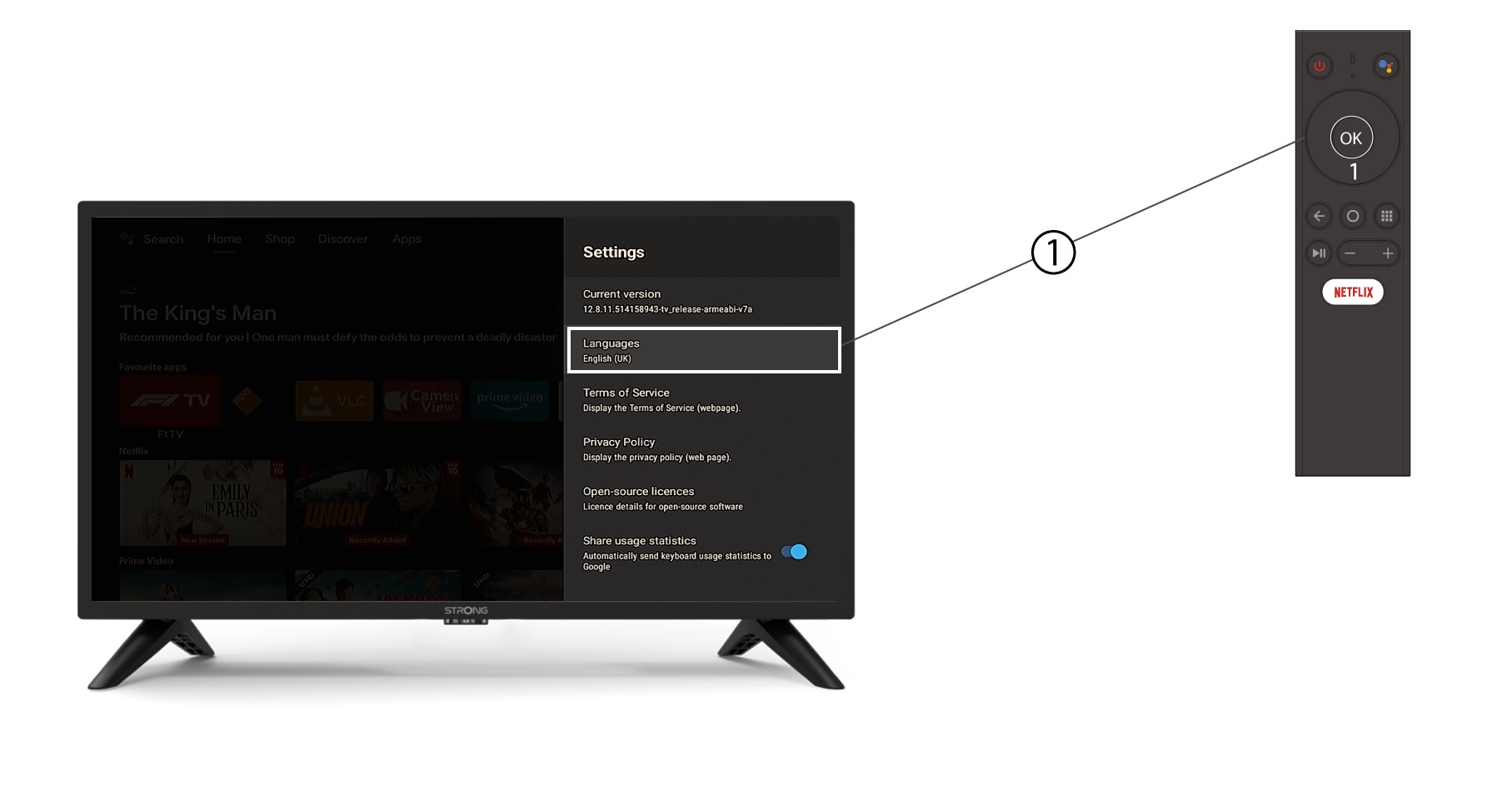
5. Definições de idioma
No menu «Definições» que se abre, clique em «Idioma», defina o valor para «Inglês UK » e clique em «OK».