Nenhum item encontrado.
LEAP
Nenhum item encontrado.
Todas as perguntas
Nenhum item encontrado.
LEAP
Nenhum item encontrado.
Como posso repor o LEAP S1 para as definições de fábrica?

Aviso: Ao restabelecer as predefinições de fábrica do seu dispositivo, todas as aplicações e definições personalizadas serão eliminadas. Terá de reinstalar todas as suas aplicações a partir do início.
1Ligueo dispositivo
Ligue a televisão e o LEAP S1.
2. Acedaao menu «Definições»
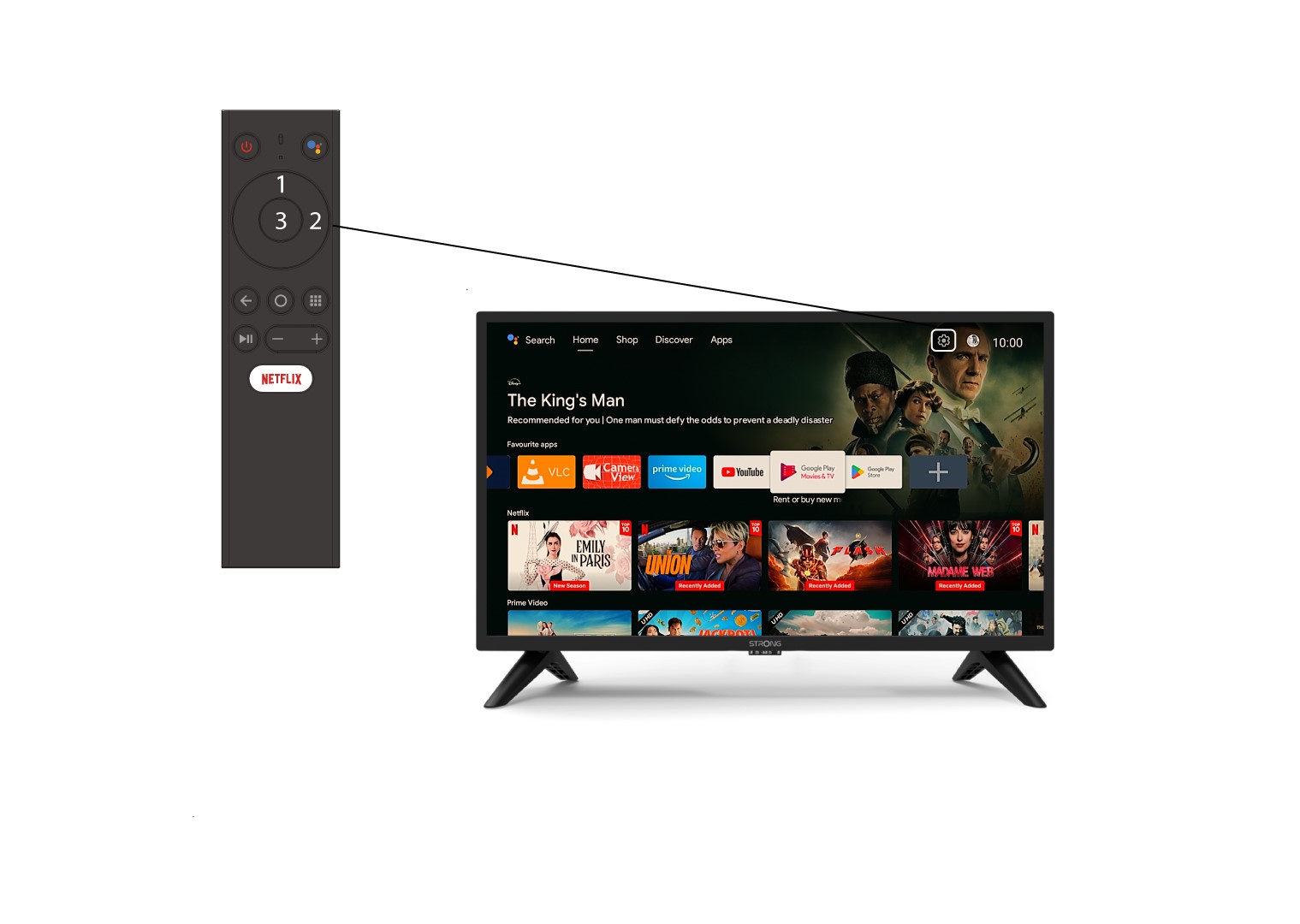
Identifique o ícone da engrenagem (Menu de Configurações) no canto superior direito do ecrã e selecione-o utilizando as setas do computador. Em seguida, prima o botão OK no comando para abrir o Menu de Configurações.
3Preferências do dispositivo
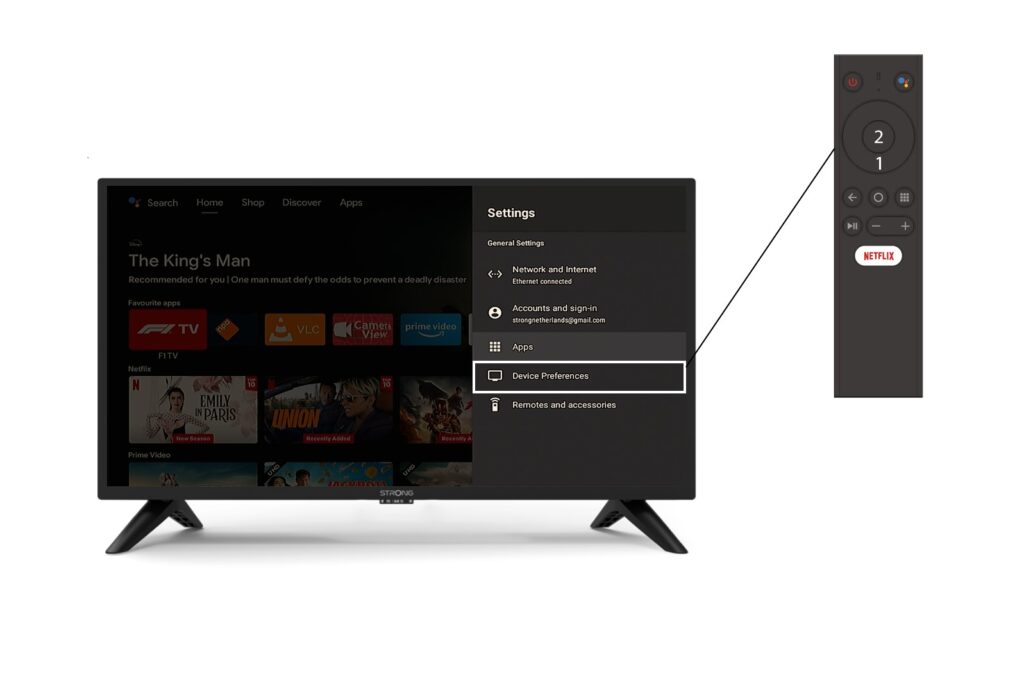
Selecione «Preferências do dispositivo» no menu «Definições» e prima o botão «OK» no seu comando à distância.
4Sobre
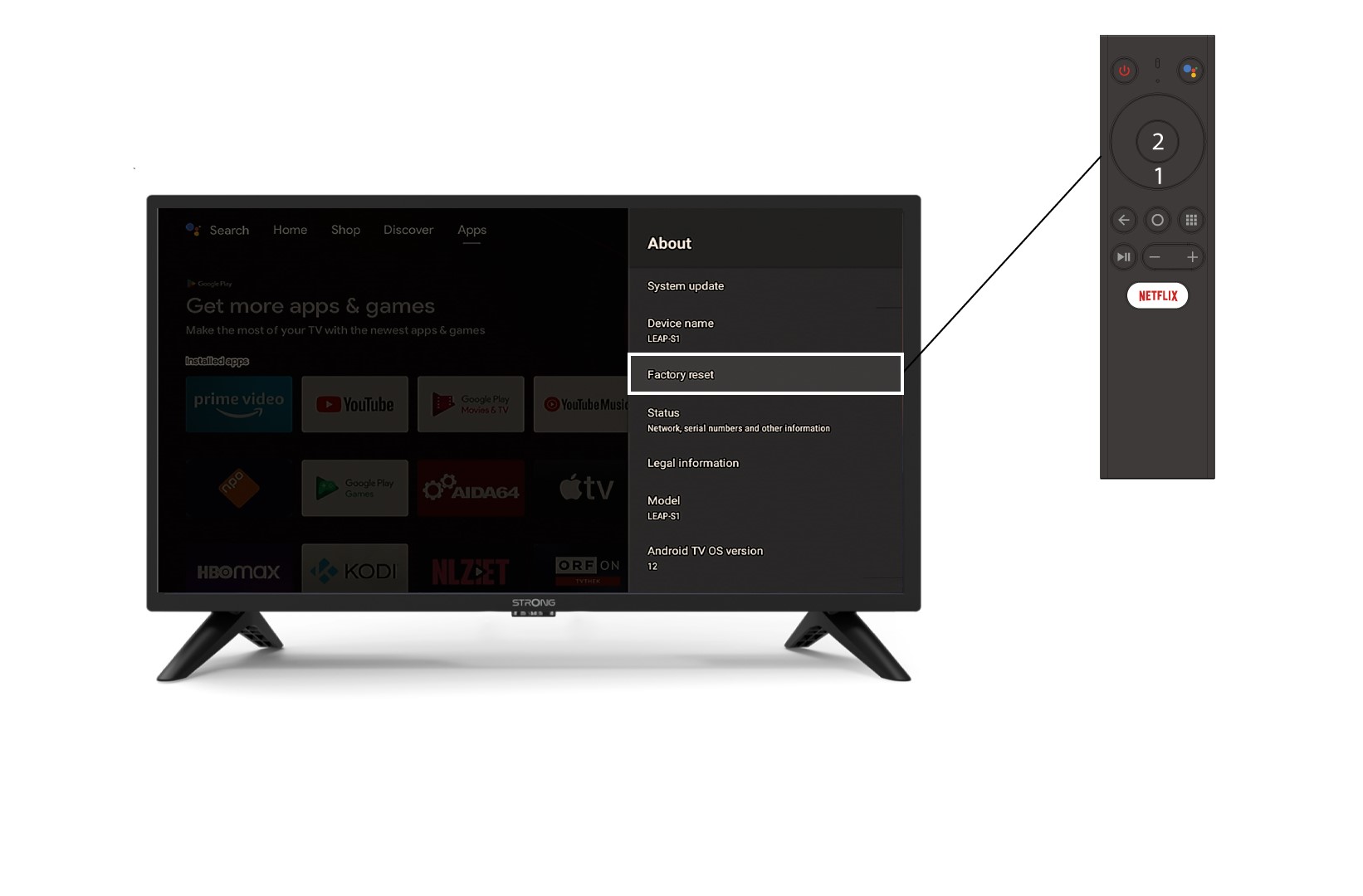
No menu «Sobre », selecione «Redefinição de fábrica».