
5G AIRHOME 1050 | Wi-Fi 6
Todas as perguntas
5G AIRHOME 1050 | Wi-Fi 6
Como posso aceder à interface de utilizador web?
Para aceder à interface de utilizador da Web, tem de estar ligado à rede Wi-Fi do seu dispositivo depois de inserir o cartão SIM na ranhura.
1Ligue-seà rede Wi-Fi do router
Para tal, introduza o SSID (nome da rede Wi-Fi) e a palavra-passe Wi-Fi do router no seu dispositivo:

2. Acedaao endereço IP da interface de utilizador web
Em seguida, introduza o seguinte endereço IP no seu navegador: 192.168.0.1

3. Encontrea sua credencial
Para obter as suas credenciais, consulte a etiqueta que se encontra na parte de trás do seu dispositivo.
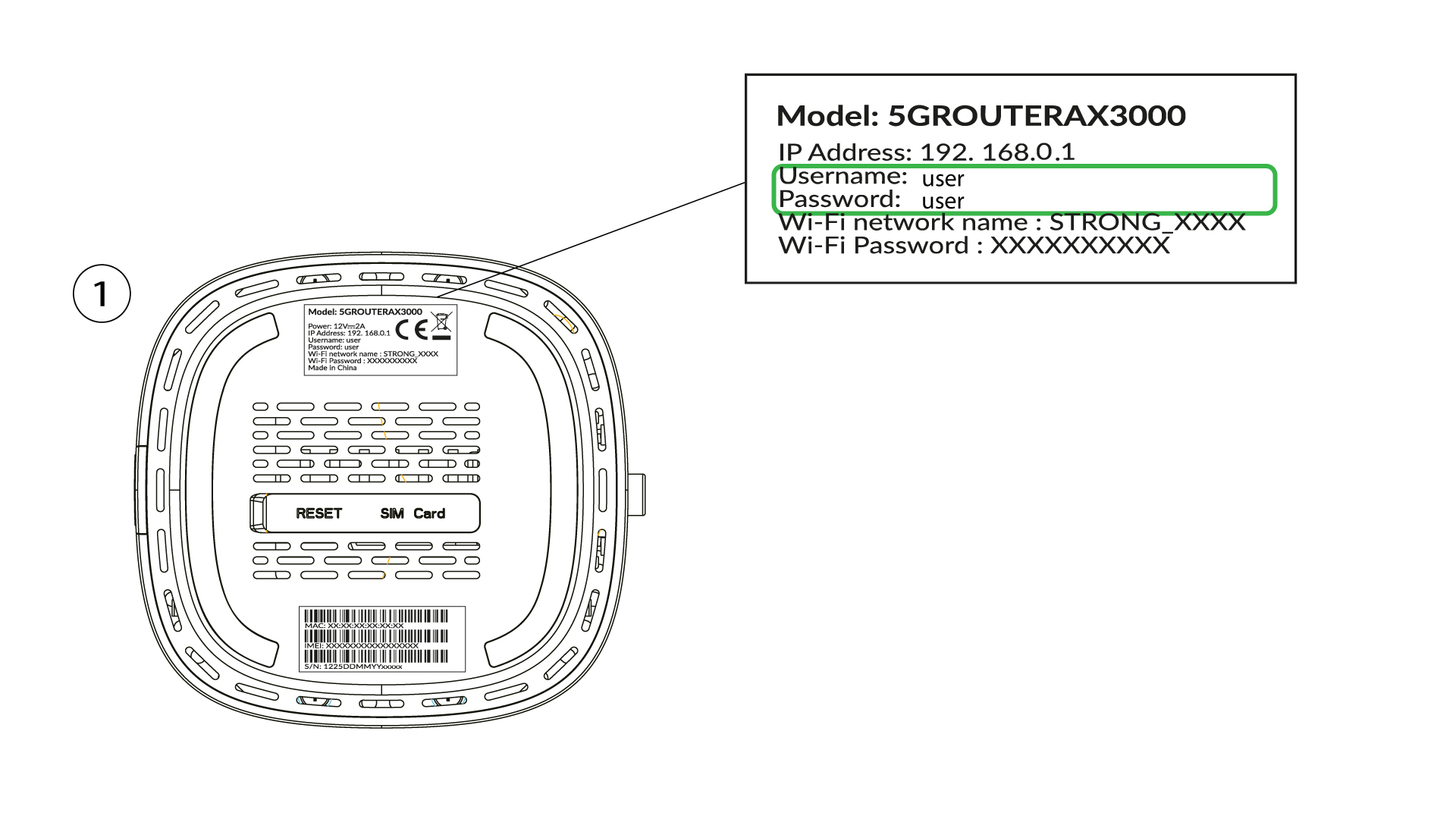
4Introduzaas suas credenciais
Deve introduzir o nome de utilizador e a palavra-passe e clicar em «Iniciar sessão» ( para encontrar as suas credenciais, consulte o passo anterior).

5 Alterara palavra-passe de administrador
Na janela pop-up que aparece, terá de criar uma nova palavra-passe de administrador após a sua primeira ligação; para tal, introduza as seguintes informações antes de clicar em «Confirmar»:
- Editar palavra-passe: introduza uma palavra-passe com um comprimento entre 8 e 32 caracteres, que contenha letras maiúsculas, minúsculas, números e, pelo menos, um carácter especial (@, $, !, %, *, ?, &)
- Confirmar palavra-passe: introduza a mesma palavra-passe.
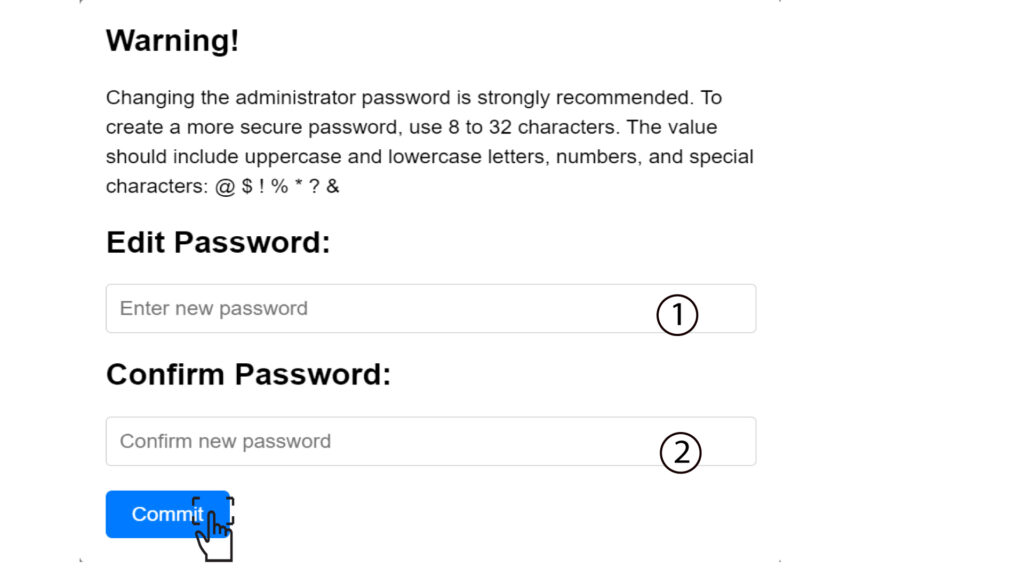
6. Introduzaas novas credenciais
Por favor, anote a nova palavra-passe de administrador e o nome de utilizador num pedaço de papel:
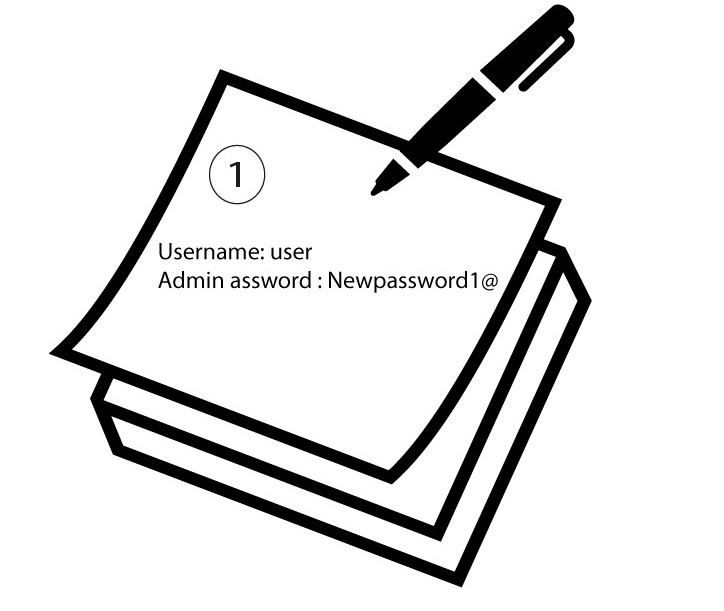

Aviso: Se a palavra-passe de administração predefinida estiver definida como «user», deve alterá-la após a primeira ligação, para proteger o acesso ao router e evitar ataques informáticos. Após definir a nova palavra-passe, anote-a.