5G AIRHOME 1050 | Wi-Fi 6
Todas as perguntas
5G AIRHOME 1050 | Wi-Fi 6
Como posso repor o meu router para as predefinições de fábrica?
Por vezes, pode acontecer que o seu dispositivo não esteja a funcionar corretamente e que não tenha acesso à Internet. Nesse caso, sugerimos que redefina o seu dispositivo para as predefinições de fábrica e, posteriormente, o atualize, se necessário.
Tem duas formas de o fazer: pode redefinir o dispositivo premindo o botão de reinicialização ou através da interface de utilizador web.
1CASO1: Botão de reinício.
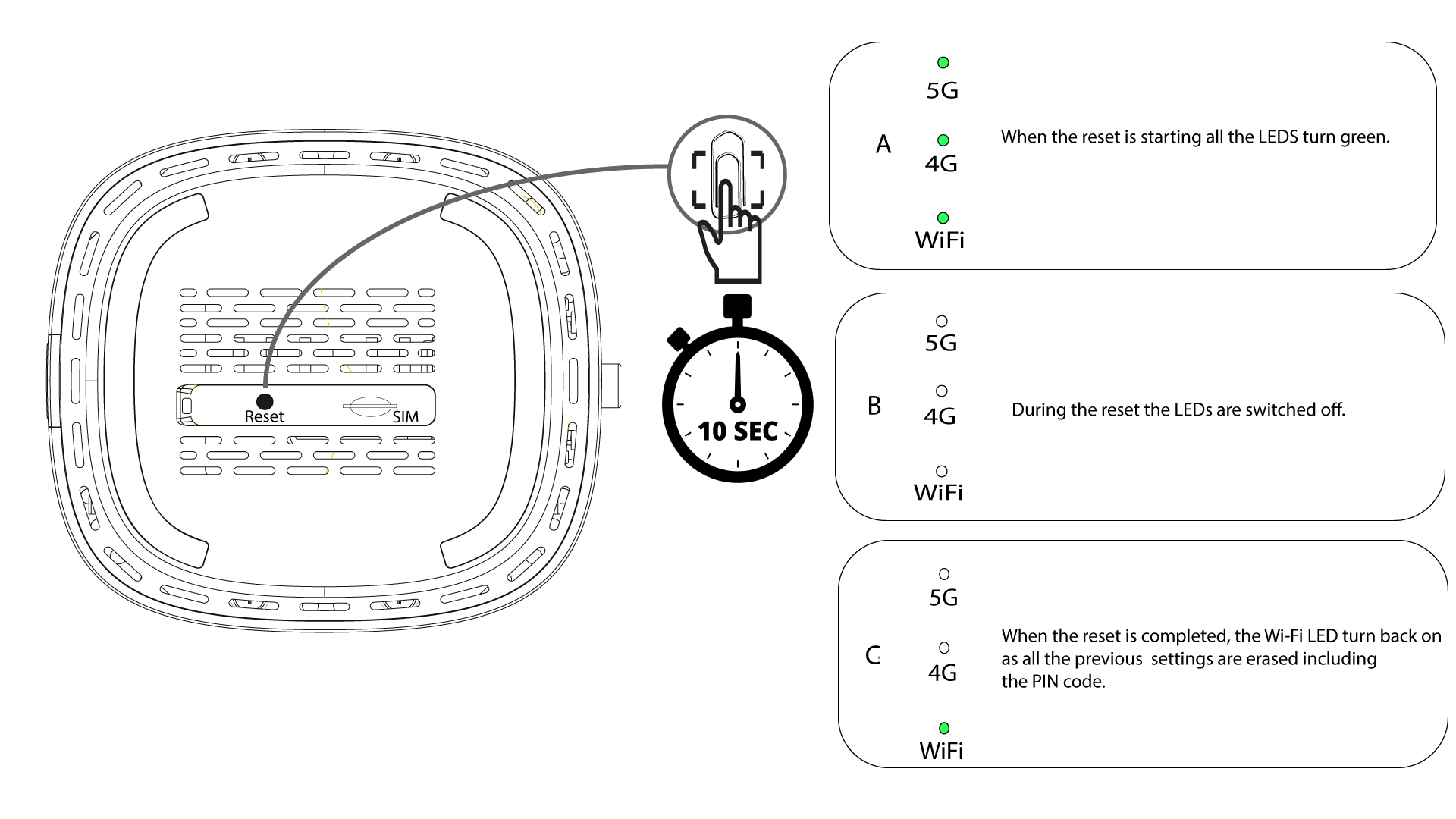
Para tal, insira um clipe de papel no orifício para premir o botão de reinicialização. Mantenha o botão de reinicialização premido durante 10 segundos. Os LEDs irão switch apagar-se e acender-se novamente.
1 CASO2: Reinicialização na interface de utilizador web
Tem de se ligar à rede Wi-Fi do seu dispositivo.

2. Acedaao endereço IP da interface de utilizador web
Em seguida, introduza o seguinte endereço IP: 192.168.0.1 no seu navegador.

3 Página de início de sessão
Deve introduzir o nome de utilizador (user) e a palavra-passe (user) antes de clicar em «Iniciar sessão».

4. Gestão de dispositivos
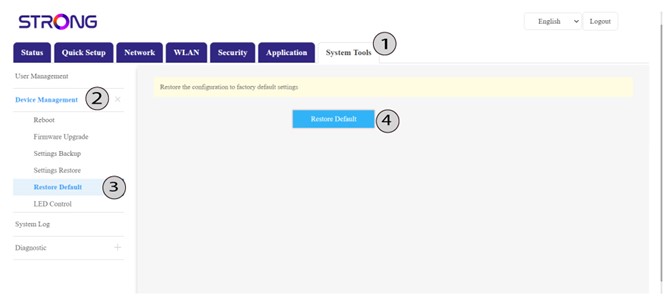
Em seguida, clique em «Ferramentas do Sistema» e em «Gestão de Dispositivos». Depois , clique em «Restaurar predefinições» e , novamente, em «Restaurar predefinições».
5. Confirmara reinicialização
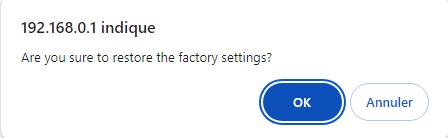
Clique em «OK» na mensagem que aparece.