4G AIRHOME 210 UK antenas 4G fixas
Todas as perguntas
4G AIRHOME 210 UK antenas 4G fixas
Como posso alterar o SSID (nome da rede Wi-Fi) e a palavra-passe do Wi-Fi? (Definições rápidas)
Na interface de utilizador da Web, existem duas formas de alterar o SSID (nome da rede Wi-Fi) e a palavra-passe Wi-Fi do seu router:
- Ao utilizar as Definições Rápidas
- Ou através das definições de Wi-Fi.
1. Acederà interface de utilizador web
Para aceder à interface de utilizador web, consulte o procedimento de ligação à interface de utilizador web abaixo:
2Definições rápidas
Na interface de utilizador da Web, as «Definições Rápidas» permitem-lhe alterar as informações da sua rede: o SSID (nome da rede Wi-Fi) e a palavra-passe do Wi-Fi.
Para tal, clique em «Definições rápidas » na barra superior.

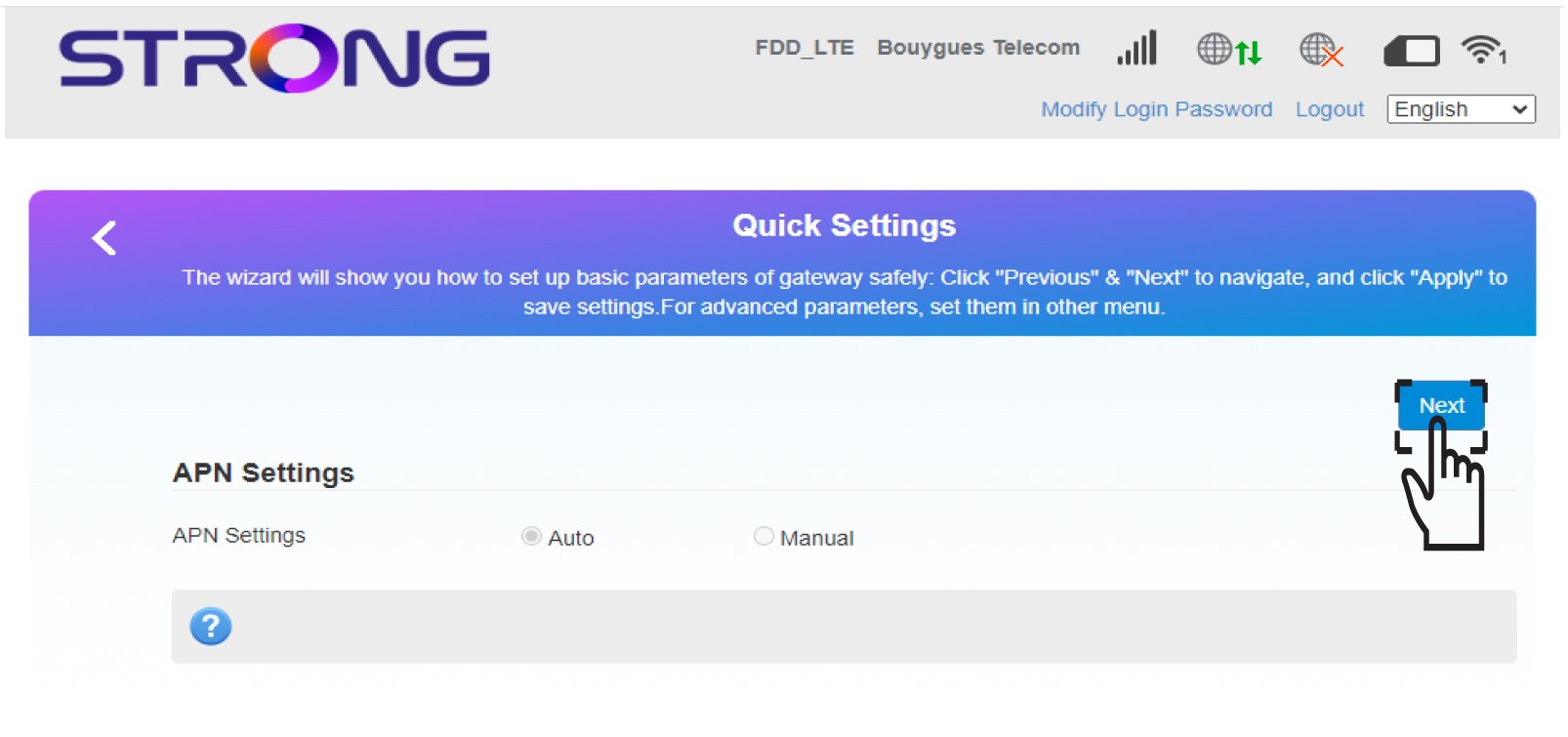
Configurações 3APN
Clique em «Seguinte».
4Introduzao novo nome da rede
Introduza o novo nome da rede e clique em «Seguinte».

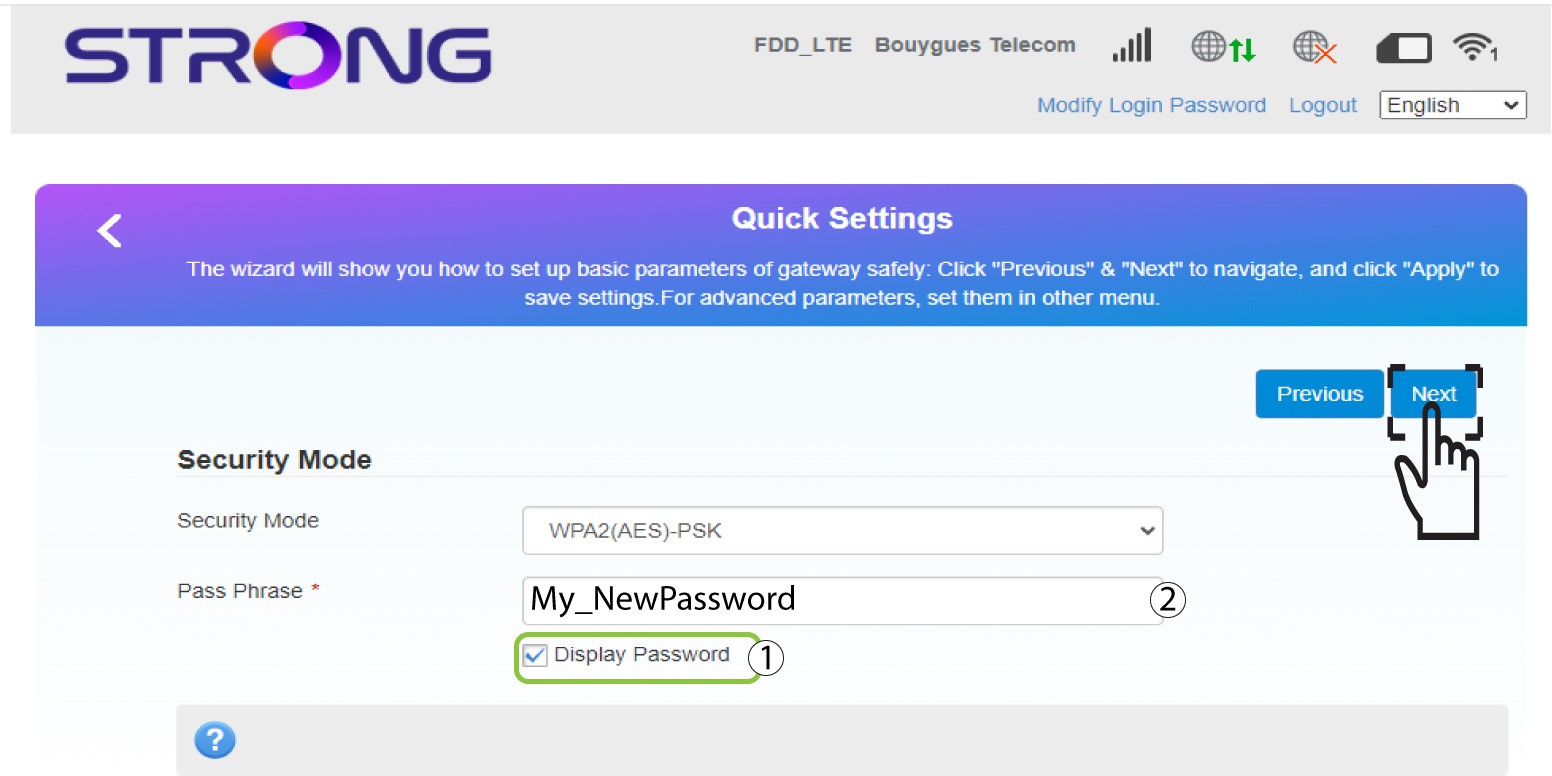
5Introduzaa nova palavra-passe Wi-Fi
Clique em «Mostrar palavra-passe » e introduza a nova palavra-passe para a rede Wi-Fi; em seguida, clique em «Seguinte».
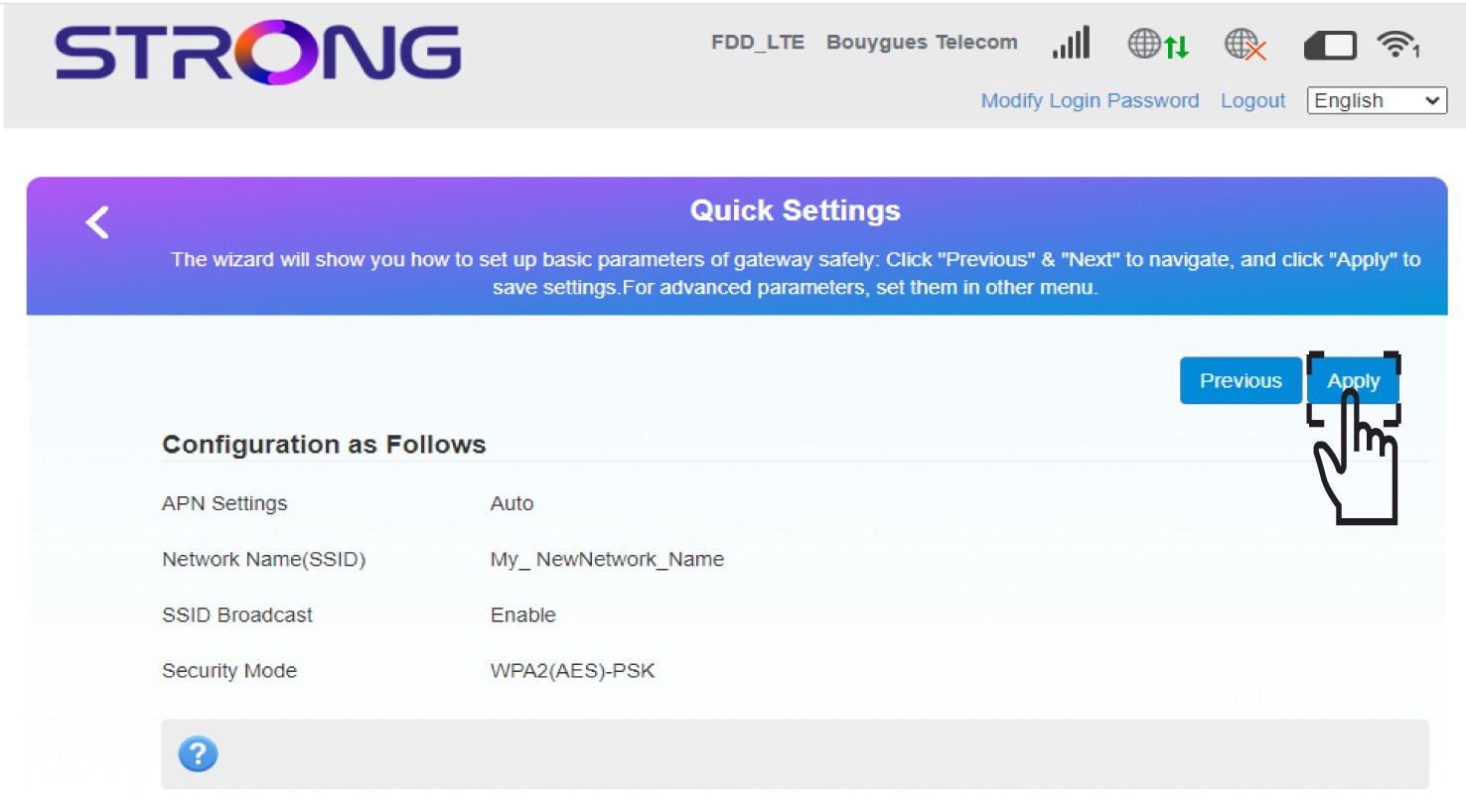
6Guardaras novas informações de rede
Clique em «Aplicar » para guardar as alterações.
7. Anoteas novas informações de rede
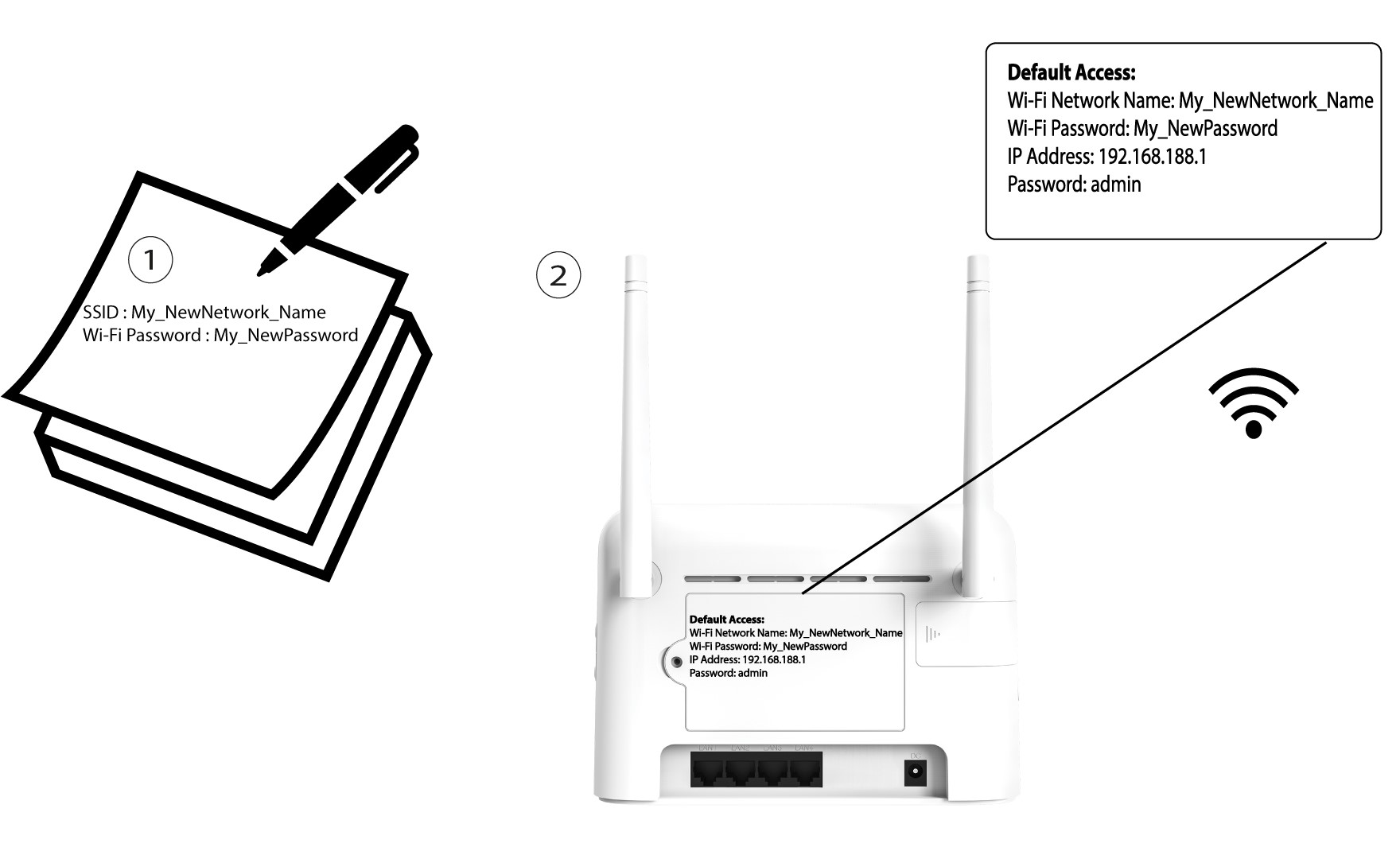
Anote as novas informações de rede num pedaço de papel.