4G+ AIRHOME 710 com antenas 4G+ amovíveis
Todas as perguntas
4G+ AIRHOME 710 com antenas 4G+ amovíveis
Como posso verificar e editar as definições de APN do meu operador?
Quando o seu cartão SIM não for reconhecido automaticamente pelo dispositivo, deve iniciar sessão na interface de utilizador web para verificar as definições do APN e alterá-las, se necessário.
1Ligue-seà rede Wi-Fi do seu router
Tem de se ligar à interface de utilizador web. Para tal, introduza o SSID (nome da rede Wi-Fi) e a palavra-passe Wi-Fi do router no seu dispositivo.

2. Acedaao endereço IP da interface de utilizador web
Em seguida, introduza o seguinte endereço IP no seu navegador: 192.168.188.1.

3. Encontreas suas credenciais para a interface de utilizador web
Para encontrar as suas credenciais, consulte a etiqueta que se encontra na parte de trás do seu dispositivo.

4Introduzaas suas credenciais
Deve introduzir o nome de utilizador e a palavra-passe e clicar em«Iniciar sessão».

5. Configurações da APN
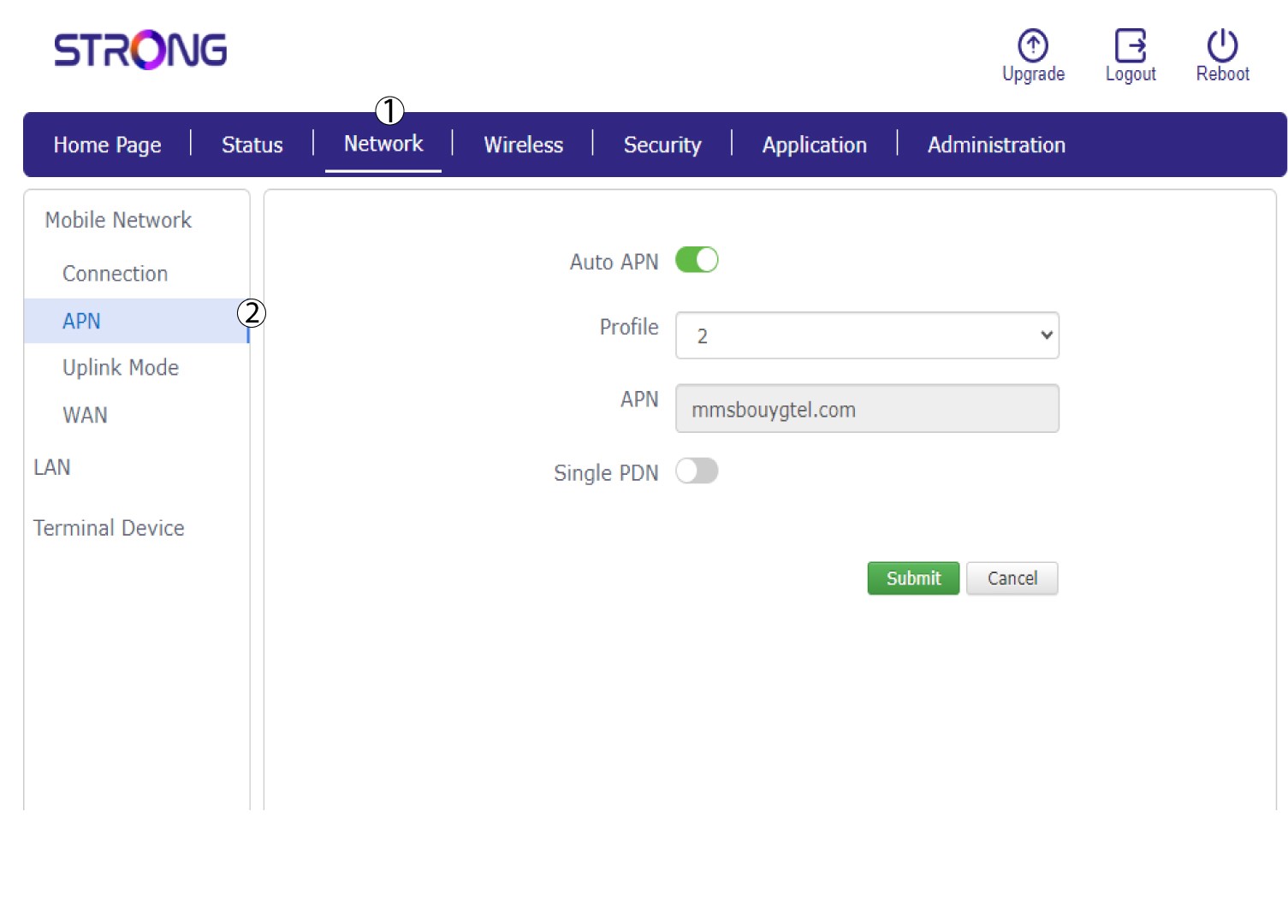
Clique em «Rede » e, em seguida, em «APN».
6. Verifiqueas definições do APN
Verifique as seguintes informações:
- Nome
- APN
- Nome de utilizador
- Palavra-passe
- Tipo de autenticação
7. Editaras definições do APN
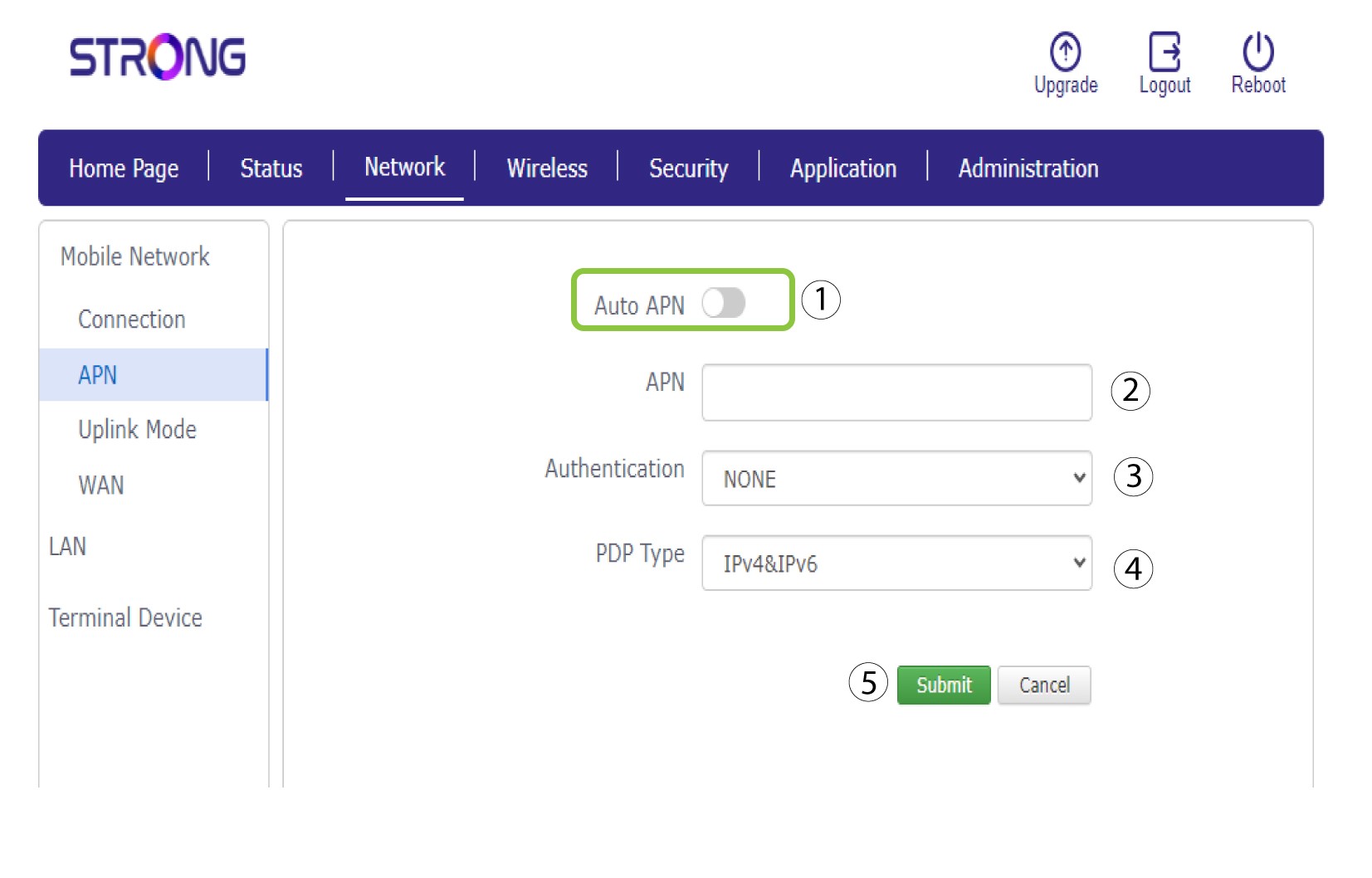
Se as informações estiverem incorretas, clique no botão de ativação/desativação do APN automático e introduza as seguintes informações antes de clicar em «Submeter»:
•Introduza o nome do seu prestador de serviços no campo «Nome do perfil » (limitado a 14 caracteres, incluindo espaços).
• Em seguida, introduza o endereço APN no campo APN . Selecione o tipo de autenticação: NENHUMA, CHAP ou PAP.
• No campo «Tipo de PDP» , selecione o tipo de APN: IPv4, IPv6 ou IPv4v6.