
4G+ AIRHOME 710 com antenas 4G+ amovíveis
Todas as perguntas
4G+ AIRHOME 710 com antenas 4G+ amovíveis
Como posso repor o meu router para as definições de fábrica? (Interface de utilizador web)
Por vezes, pode acontecer que o seu dispositivo não esteja a funcionar corretamente e que não tenha acesso à Internet. Nesse caso, sugerimos que redefina o seu dispositivo para as predefinições de fábrica e, posteriormente, o atualize, se necessário.
Tem duas formas de o fazer: pode redefinir o dispositivo premindo o botão de reinicialização ou através da interface de utilizador web.
1Ligue-seà rede Wi-Fi do seu dispositivo
Tem de se ligar à rede Wi-Fi do seu dispositivo.

2Acedaà interface de utilizador web através do endereço IP
Em seguida, introduza o seguinte endereço IP: 192.168.188.1 no seu navegador

3. Encontreas suas credenciais para a interface de utilizador web
Para encontrar as suas credenciais, consulte a etiqueta que se encontra na parte de trás do seu dispositivo.
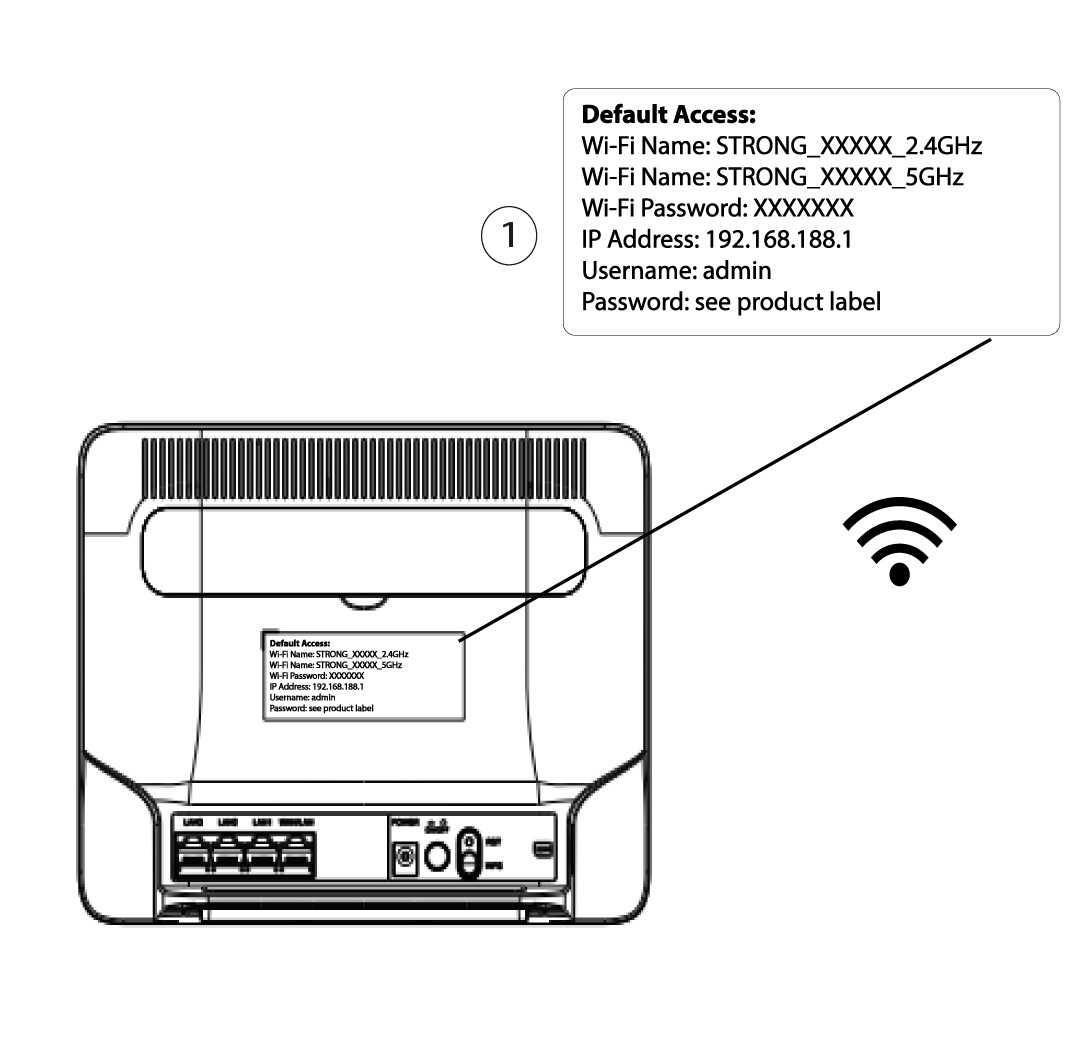
4Introduzaas suas credenciais
Tem de introduzir o nome de utilizador e a palavra-passe antes de clicar em «Iniciar sessão».

5Reiniciar
Em seguida, clique em «Administração » e depois em «Reinicialização e Cópia de Segurança». Depois, clique em «Reinicializar e Restaurar a configuração de fábrica localmente».
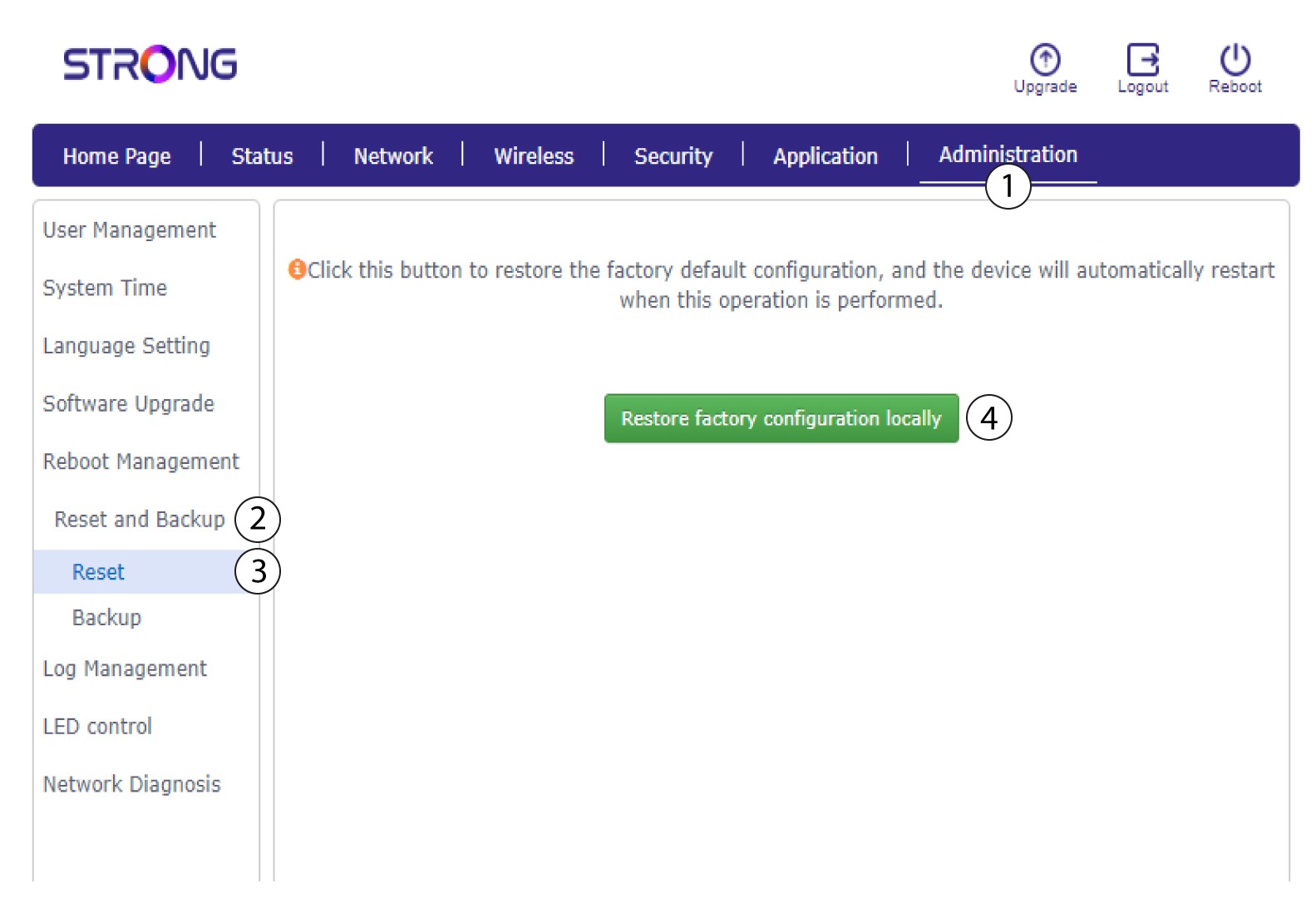
6. Confirmara reinicialização
Clique em «Confirmar » na mensagem emergente que aparece.
