Nenašli sa žiadne položky.
LEAP
Nenašli sa žiadne položky.
Všetky otázky
Nenašli sa žiadne položky.
Nenašli sa žiadne položky.
Ako môžem pridať alebo odstrániť aplikáciu z domovskej obrazovky?
1Prípad1: Pridanie aplikácie
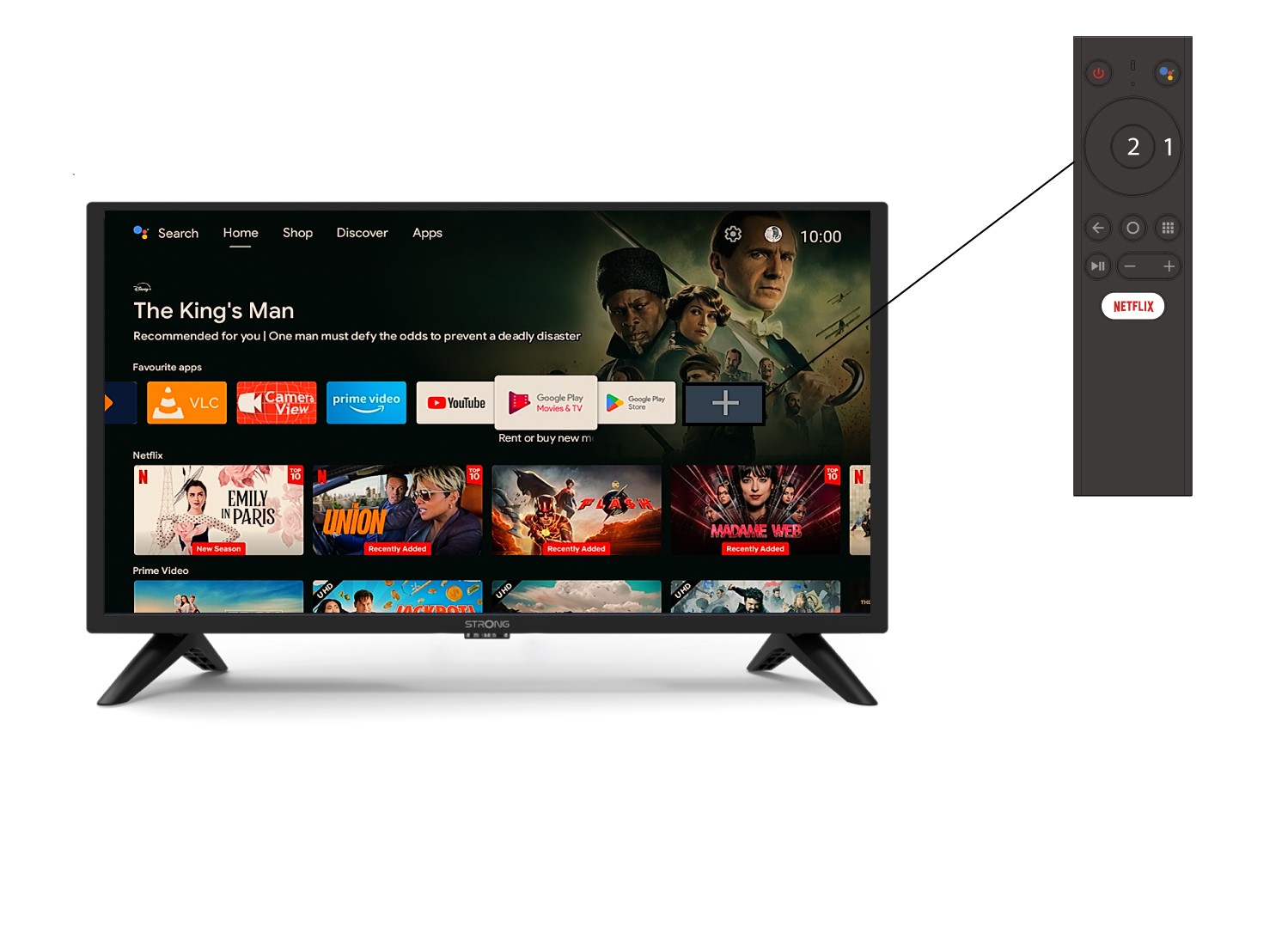
Ak chcete pridať aplikáciu na domovskú obrazovku, prejdite na ikonu +, ktorá sa nachádza na konci zoznamu aplikácií už prítomných na domovskej obrazovke, a stlačte tlačidlo „OK“.
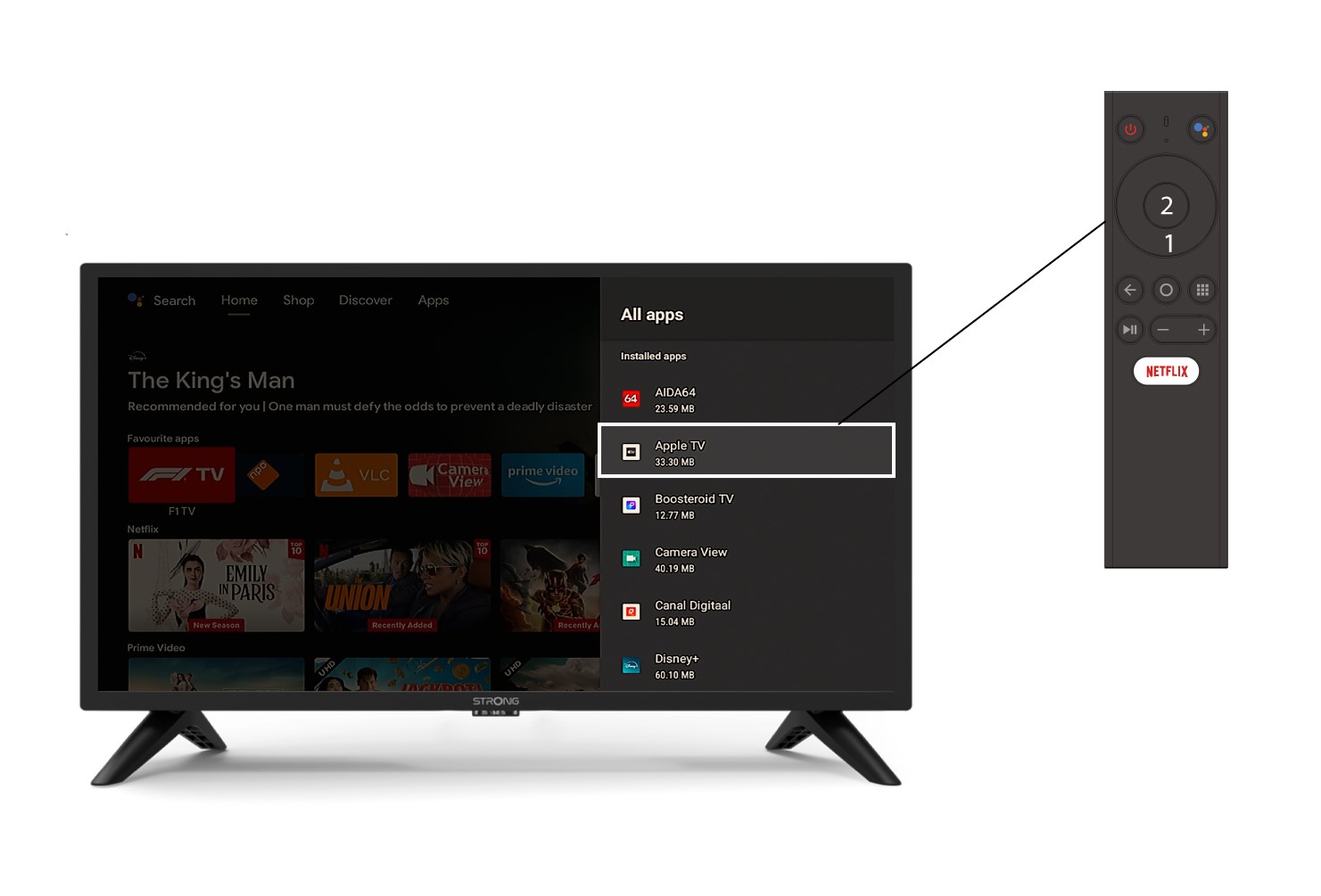
2Zoznam aplikácií
Potom sa otvorí zoznam aplikácií, vyberte si požadovanú aplikáciu a stlačte tlačidlo OK na diaľkovom ovládači.
3Prípad2: Odstránenie aplikácie
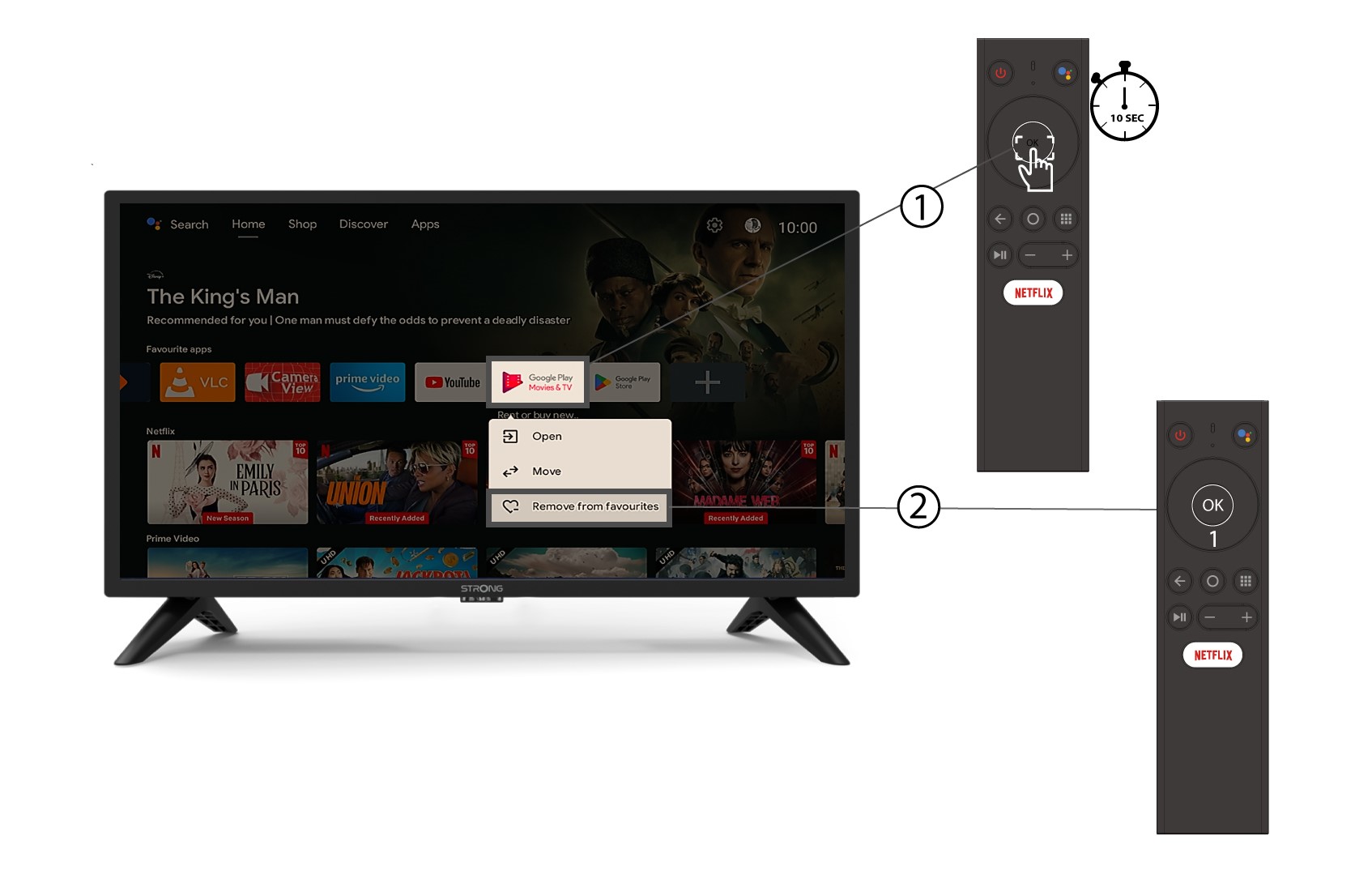
Ak chcete odstrániť aplikáciu z domovskej obrazovky, v zozname aplikácií, ktoré sa už nachádzajú na domovskej obrazovke, prejdite na aplikáciu, ktorú chcete odstrániť, dlho stlačte tlačidlo „OK“, zobrazí sa okno, v ktorom vyberte možnosť „Odstrániť z obľúbených“.