Nenašli sa žiadne položky.
LEAP
Nenašli sa žiadne položky.
Všetky otázky
Nenašli sa žiadne položky.
Nenašli sa žiadne položky.
Ako môžem obnoviť továrenské nastavenia zariadenia LEAP S1?

Upozornenie: Ak zariadenie obnovíte na továrenské nastavenia, všetky aplikácie a vlastné nastavenia budú vymazané. Všetky aplikácie budete musieť nainštalovať od začiatku.
1Zapnitezariadenie
Zapnite televízor a zariadenie LEAP S1.
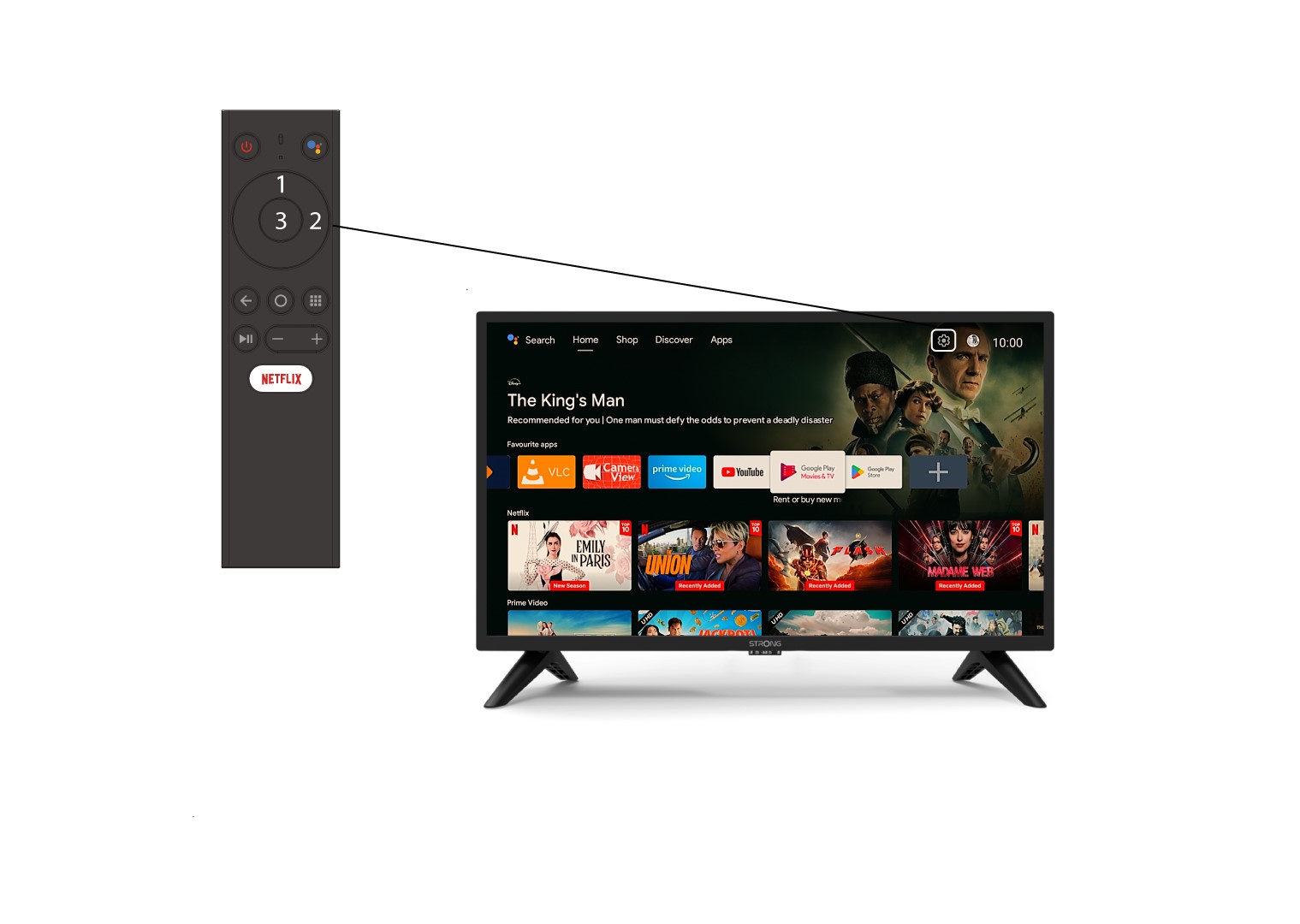
2Prejditedo ponuky Nastavenia
Vyhľadajte ikonu ozubeného kolesa (ponuka nastavení) v pravom hornom rohu obrazovky a vyberte ju pomocou šípok na počítači. Následne stlačte tlačidlo OK na diaľkovom ovládači, čím otvoríte ponuku nastavení.
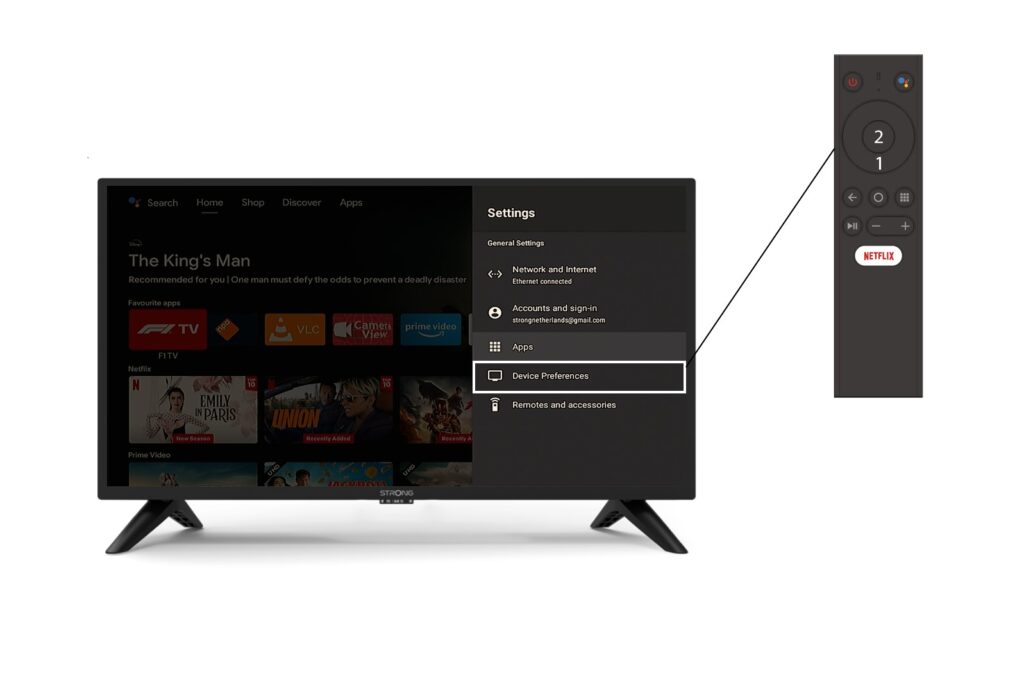
3. Nastavenia zariadenia
V ponuke Nastavenia vyberte položku „Nastavenia zariadenia“ a stlačte tlačidlo OK na diaľkovom ovládači.
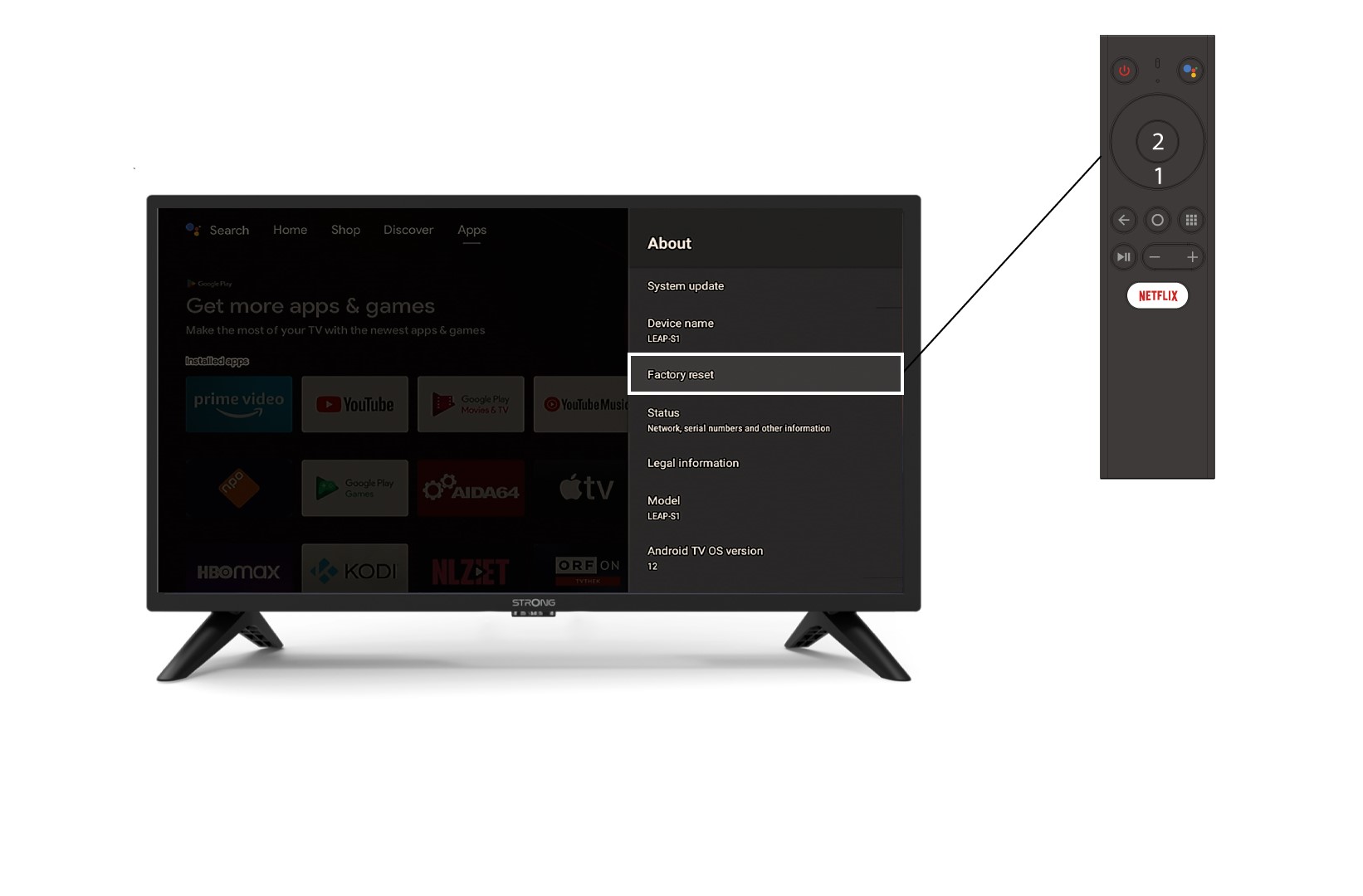
4Onás
V ponuke „O programe “ vyberte položku „Obnovenie továrenských nastavení“.