ATRIA Wi-Fi 6 Mesh 3000 (balenie po 2 kusoch)
Nenašli sa žiadne položky.
Nenašli sa žiadne položky.
Všetky otázky
ATRIA Wi-Fi 6 Mesh 3000 (balenie po 2 kusoch)
Nenašli sa žiadne položky.
Nenašli sa žiadne položky.
Ako môžem zistiť IP adresy jednotlivých zariadení typu „ Mesh “ v mojej sieti?
Ak chcete zistiť IP adresy jednotlivých zariadení Mesh vo vašej sieti, musíte sa najskôr pripojiť k webovému rozhraniu alebo do aplikácie, pričom musíte byť pripojení k sieti Mesh .
1Prípad1: Webové používateľské rozhranie
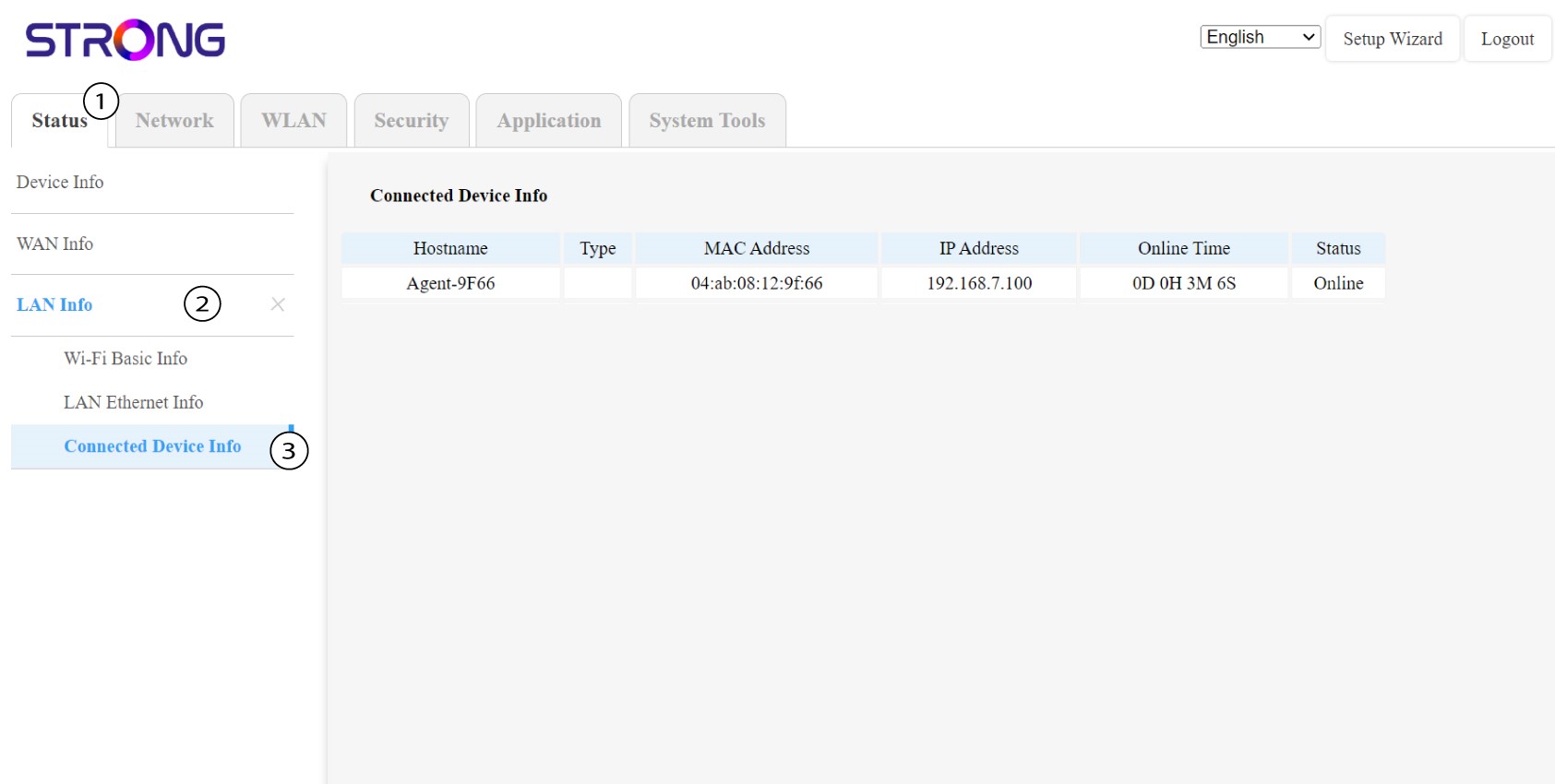
V webovom používateľskom rozhraní môžete v položkách „Stav“, „Informácie o sieti LAN“ a „Informácie o pripojení“ vidieť IP adresu zariadenia typu „ Mesh “ s názvom„agent“ a zapísať si ju.
1Prípad2: Aplikácia
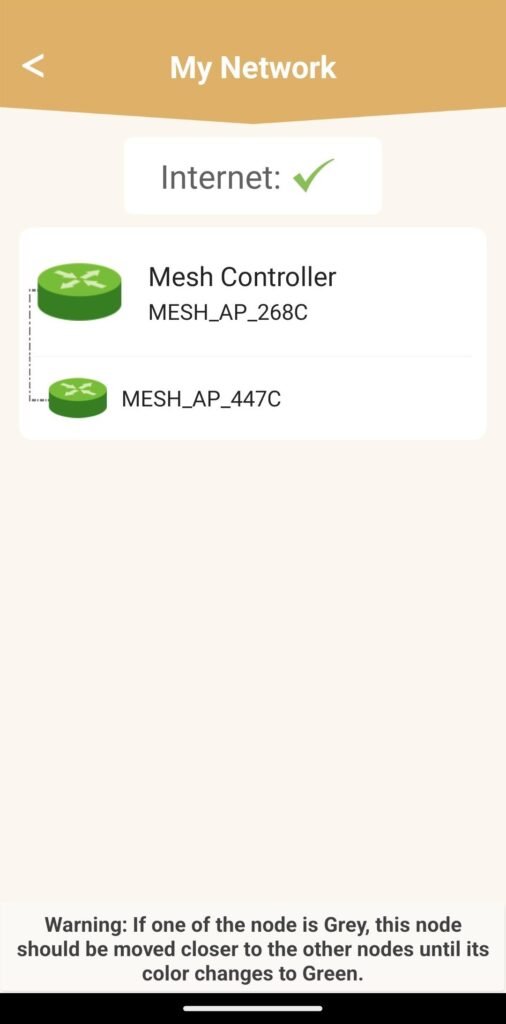
V aplikácii Atria prejdite do časti „Moja sieť“, potom kliknite na názov zariadenia, ktoré hľadáte, a zapíšte si jeho IP adresu.