ATRIA Wi-Fi 6 Mesh 3000 (balenie po 2 kusoch)
Všetky otázky
ATRIA Wi-Fi 6 Mesh 3000 (balenie po 2 kusoch)
Ako môžem nastaviť statickú IP adresu alebo prideliť vyhradenú IP adresu pre moje zariadenie Atria Mesh AX3000?
Môže byť užitočné nastaviť statickú IP adresu pre váš ovládač mesh , aby ste mali v aplikácii Atria Mesh ľahší prístup k webovému rozhraniu vo vašej sieti.
V webovom rozhraní môžete tiež priradiť vyhradené IP adresy zariadeniam pripojeným k vašej sieti mesh .
1Prípad1: Nastavenie statickej IP adresy pre ovládač mesh v aplikácii Atria Mesh
Na svojom zariadení sa musíte pripojiť k Wi-Fi sieti „ mesh “ a otvoriť aplikáciu Atria.

2Zadajtesvoje prihlasovacie údaje
Pred kliknutím na tlačidlo „Prihlásiť sa“ zadajte používateľské meno a heslo (admin/admin) .

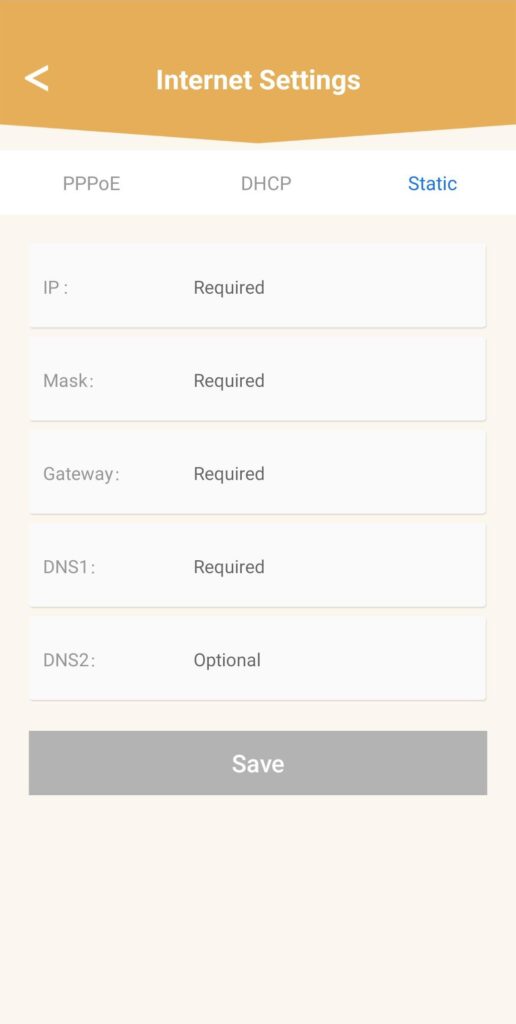
3.Nastavenia internetu– Statické
Kliknite na „Nastavenia internetu “ a potom na „Statické“. Pred kliknutím na „Uložiť“ musíte zadať nasledujúce informácie:
• IP: zadajte IP adresu, ktorú chcete priradiť k mesh.
• Maska: pole sa automaticky vyplní na základe predtým zadané IP adresy.
• Brána: pole sa automaticky vyplní na základe predtým zadané IP adresy.
• DNS1: Zadajte hlavnú adresu DNS poskytovateľa internetových služieb box.
• DNS2: Zadajte sekundárnu adresu DNS poskytovateľa internetových služieb box.
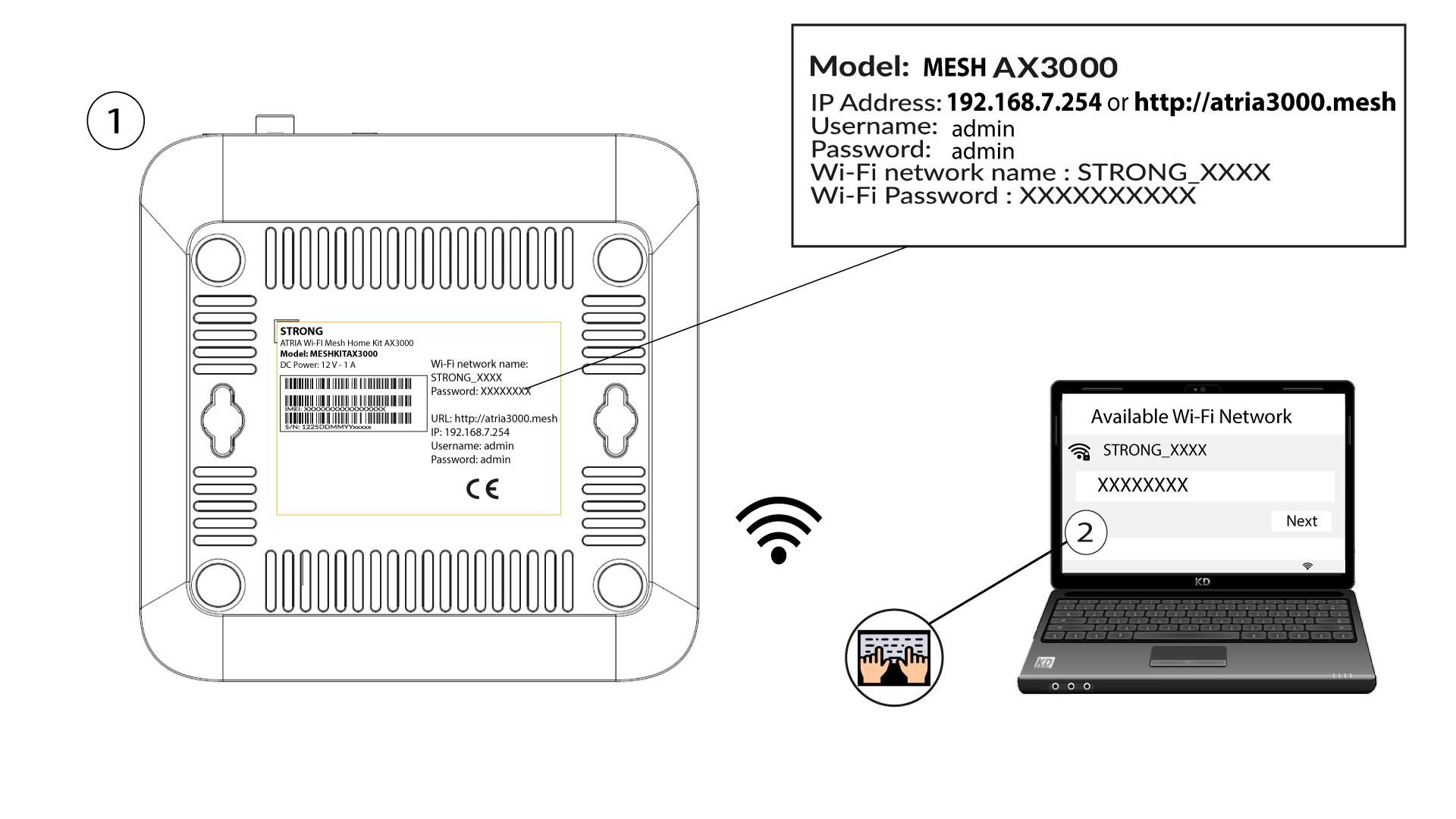
1Prípad2: Priraďte agentom/zariadeniam služby mesh vyhradenú IP adresu prostredníctvom webového používateľského rozhrania
Na to zadajte do svojho zariadenia SSID (názov siete Wi-Fi) a heslo k Wi-Fi routera:
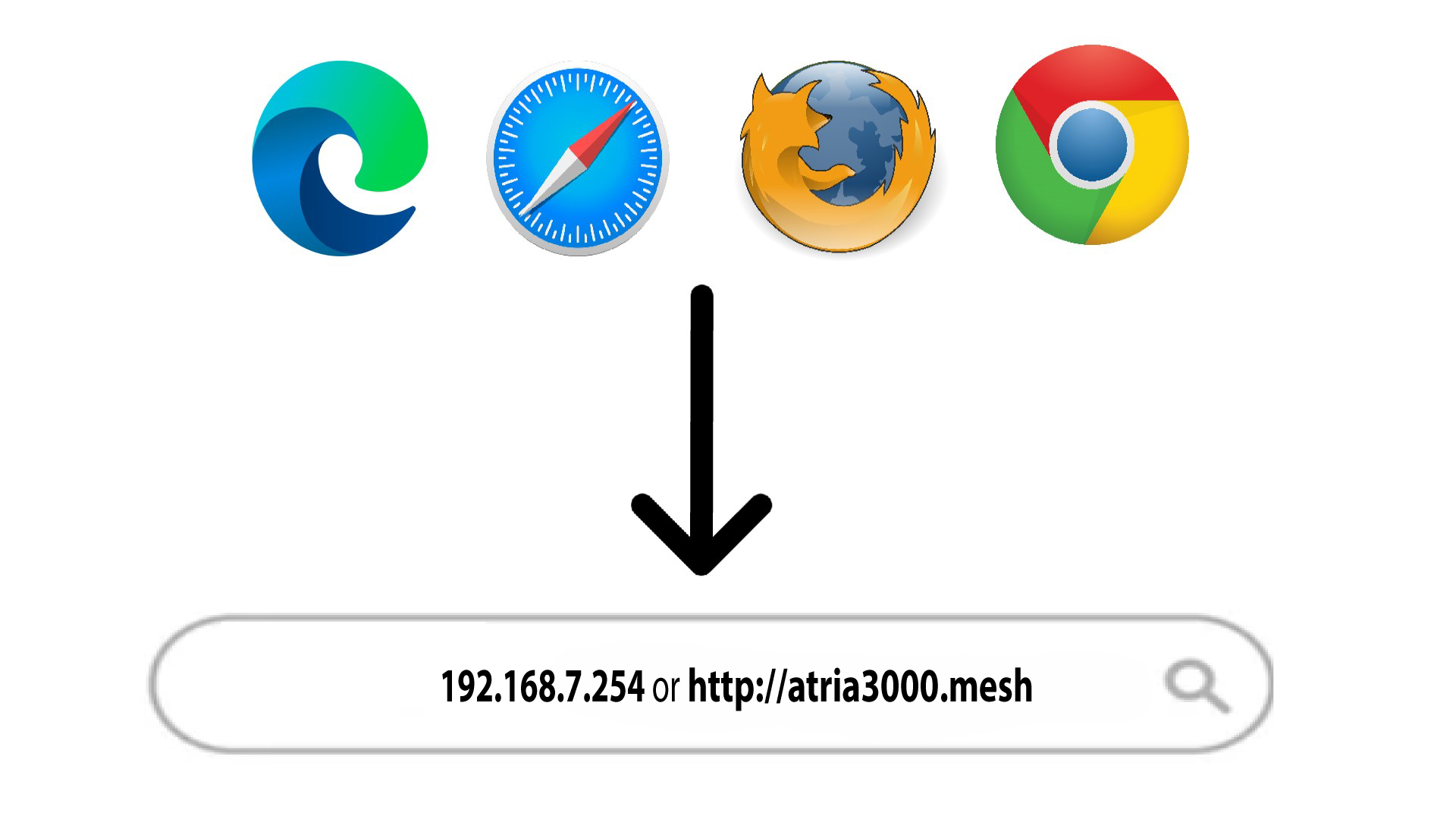
2Prejditena IP adresu webového rozhrania
Potom zadajte do prehliadača nasledujúcu IP adresu: 192.168.7.254 alebo zadajte nasledujúcu adresu: http://atria3000.mesh
3Zadajtesvoje prihlasovacie údaje
Musíte zadať používateľské meno (admin) a heslo (admin) (uvedomte si, že po prvom prihlásení si vytvoríte svoje vlastné administrátorské heslo, čo znamená, že heslo uvedené na štítku výrobku už nebude fungovať). Následne kliknite na „Prihlásiť sa“.

4. Konfigurácia IPv4
Kliknite na položky „Sieť“, „Konfigurácia LAN “ a „Konfigurácia IPv4“.

5. Pridaťadresu IPv4
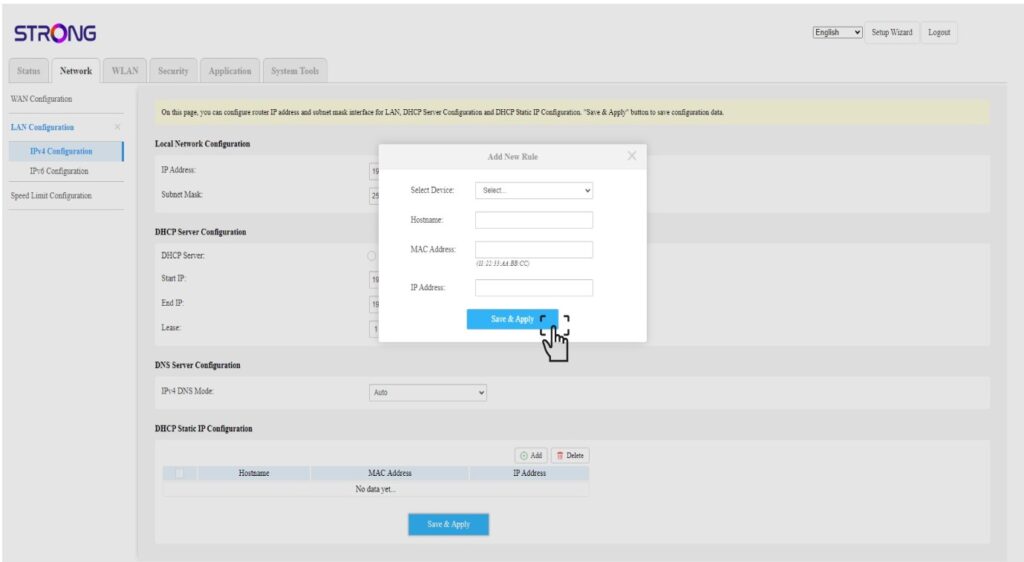
V okne „Konfigurácia statickej IP adresy prostredníctvom DHCP“ kliknite na tlačidlo „Pridať “. Potom zadajte nasledujúce informácie a kliknite na tlačidlo „Uložiť a použiť“.
• Vybrať zariadenie: vyberte názov zariadenia zo zoznamu.
• Názov hostiteľa: do tohto poľa sa automaticky vyplní názov zariadenia.
• MAC adresa: do tohto poľa sa automaticky vyplní MAC adresa zariadenia.
• IP adresa: do tohto poľa sa automaticky vyplní statická IP adresa pridelená zariadeniu